შესავალი
This manual provides essential instructions for the safe and efficient use of your Haier 43K7700UGA 43 Inch 4K Google Smart Android Television. Please read this manual thoroughly before operating the television and retain it for future reference. This television features a 4K UHD display, Google Android 11 operating system, and built-in Chromecast for an enhanced viewგამოცდილება.
უსაფრთხოების მნიშვნელოვანი ინფორმაცია
ამ ტელევიზორის გამოყენებისას ყოველთვის დაიცავით უსაფრთხოების ძირითადი ზომები, რათა შეამციროთ ხანძრის, ელექტროშოკის და დაზიანების რისკი.
- ტელევიზორი არ დატოვოთ წვიმის ან ტენიანობის ზემოქმედების ქვეშ.
- Do not block ventilation openings. Ensure adequate space around the television for proper airflow.
- დაიცავით დენის კაბელი სიარულისგან ან დაჭერისგან.
- გამოიყენეთ მხოლოდ მწარმოებლის მიერ მითითებული დანართები/აქსესუარები.
- გამორთეთ ტელევიზორი ელექტრომომარაგებიდან ჭექა-ქუხილის დროს ან დიდი ხნის განმავლობაში გამოყენებისას.
- მიმართეთ ყველა მომსახურება კვალიფიციურ მომსახურე პერსონალს.
პაკეტის შიგთავსი
დარწმუნდით, რომ შეფუთვაში ყველა ნივთია:
- 1 x Haier 43 Inch LED TV
- 1 x დისტანციური მართვა
- 1 x Table Top Stand (set)
- 1 x დენის კაბელი
- 2 x AAA ელემენტი (დისტანციური პულტისთვის)
- 1 x მომხმარებლის სახელმძღვანელო (ეს დოკუმენტი)
- 1 x საგარანტიო ბარათი
დაყენების სახელმძღვანელო
1. გახსნა და განთავსება
Carefully remove the television from its packaging. Place the TV on a stable, flat surface or prepare for wall mounting (wall mount kit sold separately). Ensure proper ventilation around the TV.
2. მაგიდის ზედა სადგამის მიმაგრება
If using the included table top stand, align the stand components with the designated slots at the bottom of the television. Secure them firmly with the provided screws. Refer to the diagram below for guidance.
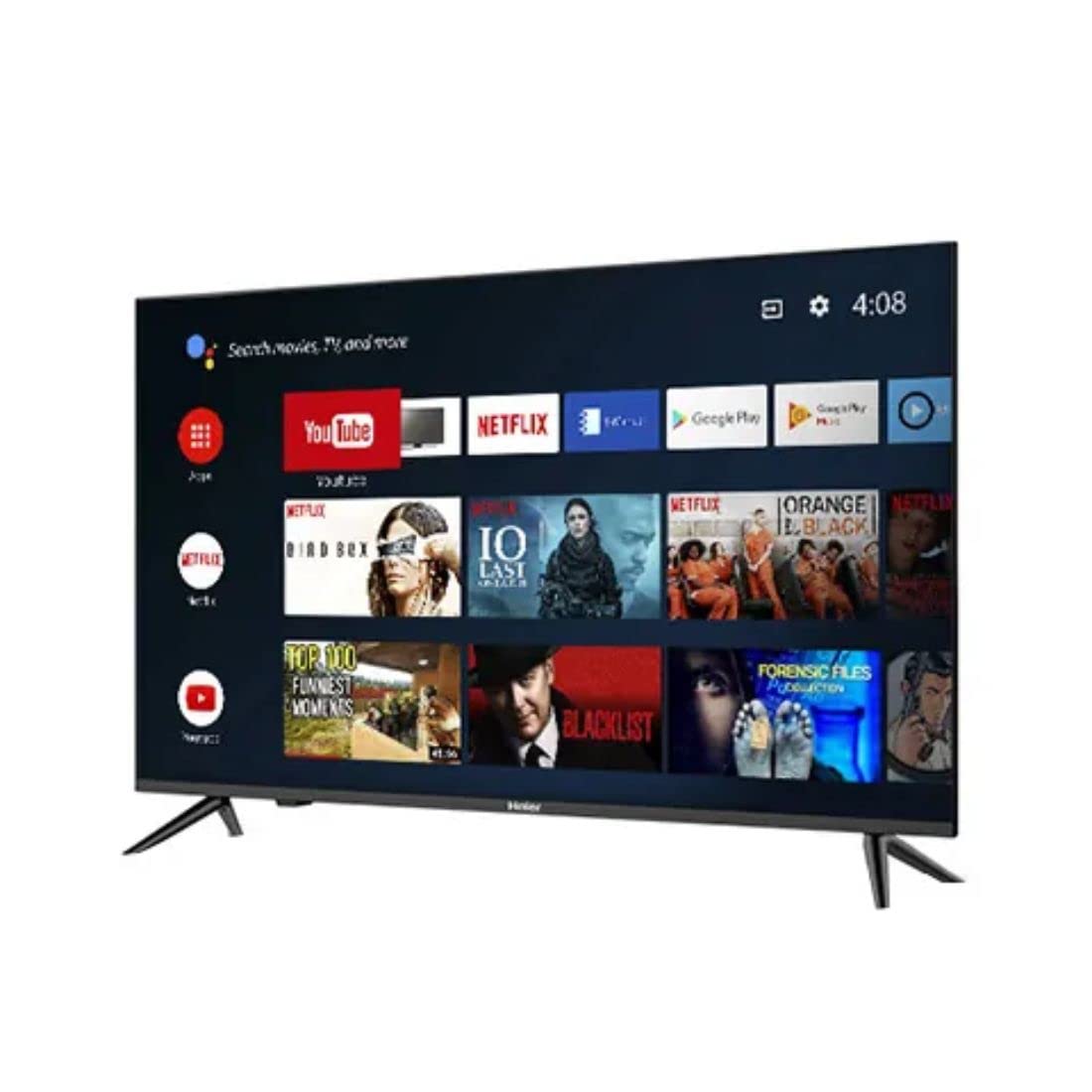
სურათი: გვერდი view of the television demonstrating stand attachment.
3. დამაკავშირებელი სიმძლავრე
Connect the power cable to the AC input port on the back of the television, then plug the other end into a suitable power outlet. Ensure the power supply matches the voltage requirements of the TV (230 Volts).
4. გარე მოწყობილობების დაკავშირება
Your Haier TV supports various connections. Use the HDMI ports for high-definition devices like set-top boxes, gaming consoles, or Blu-ray players. USB ports are available for media playback from storage devices.
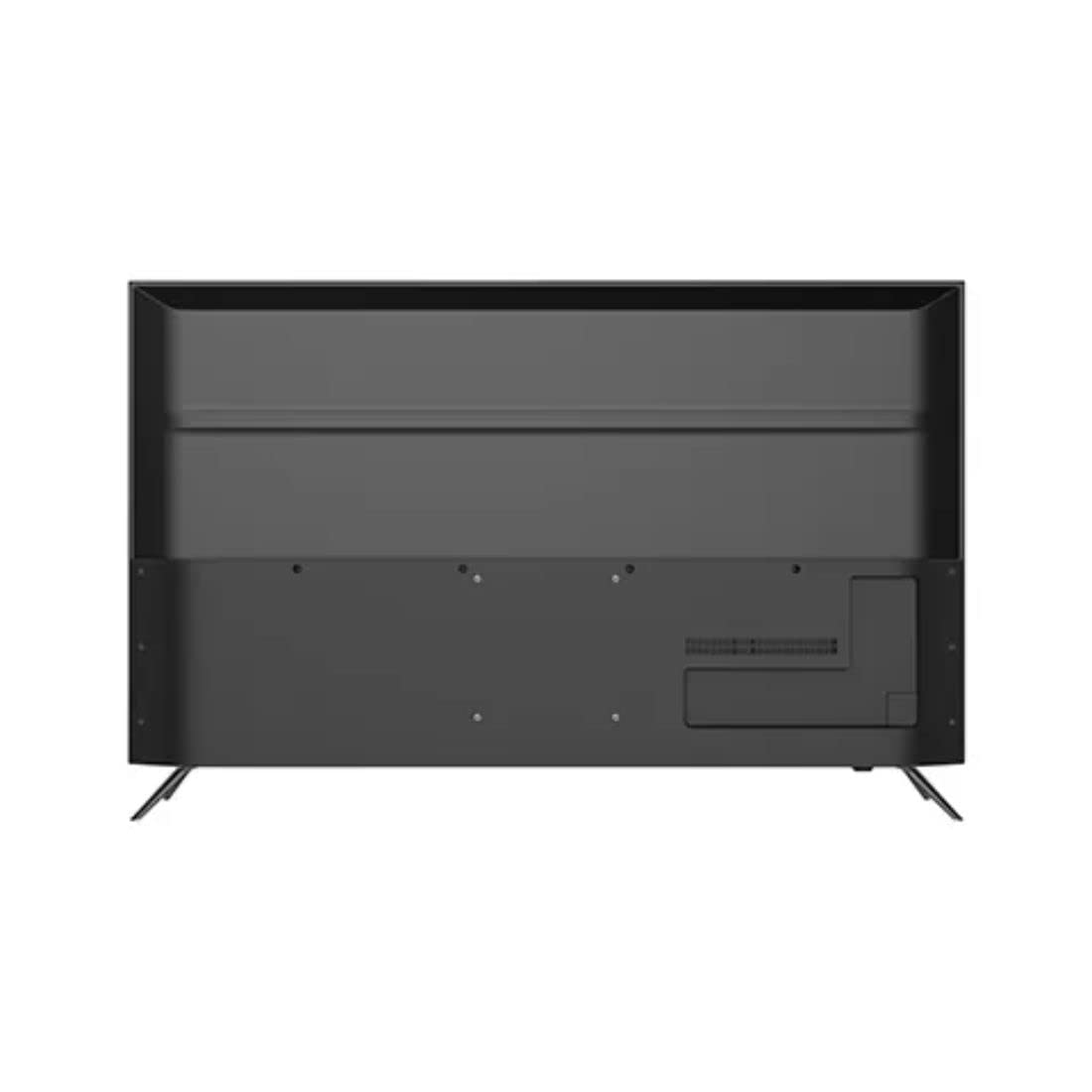
სურათი: უკანა view of the television highlighting various input ports such as HDMI and USB.
- HDMI: თქვენი მოწყობილობებიდან HDMI კაბელები ტელევიზორის HDMI პორტებს შეაერთეთ.
- USB: Insert USB storage devices into the USB ports for accessing media files.
- Bluetooth: Use Bluetooth for wireless audio devices or other compatible accessories.
5. Initial Setup (First Power On)
Upon first power-on, the TV will guide you through the initial setup process. This includes selecting your language, connecting to a Wi-Fi network, signing in with your Google account, and configuring basic settings for your Android TV experience.
თქვენი ტელევიზორის მართვა
1. დისტანციური მართვა
Insert the two AAA batteries into the remote control, ensuring correct polarity. The remote allows you to navigate the TV's interface, adjust volume, change channels, and access smart features.
2. ჩართვა/გამორთვა
დააჭირეთ ძალაუფლება დისტანციური მართვის პულტზე ან ტელევიზორზე ღილაკი ტელევიზორის ჩასართავად ან გამოსართავად.
3. Android TV ინტერფეისი
Your Haier TV runs on Google Android 11, providing access to a wide range of apps and services. Use the directional buttons on your remote to navigate the home screen, select apps, and browse content.

სურათი: წინა მხარე view of the television showing the Android TV home screen with applications like YouTube and Netflix.
4. Google ასისტენტის გამოყენება
Press the Google Assistant button on your remote to activate voice commands. You can ask questions, search for content, control smart home devices, and more.
5. ჩაშენებული Chromecast-ი
With Chromecast built-in, you can cast movies, shows, photos, and more from your smartphone, tablet, or computer directly to your TV. Ensure your device and TV are on the same Wi-Fi network.
6. სურათისა და ხმის პარამეტრები
Access the settings menu to customize picture modes (e.g., Standard, Vivid, Movie), adjust brightness, contrast, color, and sound settings (e.g., sound mode, equalizer).
მოვლა
1. ეკრანის გაწმენდა
ფრთხილად გაწმინდეთ ეკრანი რბილი, მშრალი, ბუსუსების გარეშე ქსოვილით. ჯიუტი ლაქების შემთხვევაში, მსუბუქად გაწმინდეთ.ampქსოვილი წყლით ან სპეციალური ეკრანის საწმენდი საშუალებით დაასველეთ. არასდროს შეასხუროთ სითხე პირდაპირ ეკრანზე.
2. ზოგადი მოვლა
Keep the television free from dust by regularly wiping the cabinet with a soft, dry cloth. Avoid placing heavy objects on the TV or exposing it to direct sunlight or extreme temperatures.
პრობლემების მოგვარება
თუ თქვენს ტელევიზორთან დაკავშირებით პრობლემები შეგექმნათ, მომხმარებელთა მხარდაჭერის სამსახურთან დაკავშირებამდე გაეცანით შემდეგ გავრცელებულ გადაწყვეტილებებს.
- ძალა არ არის: დარწმუნდით, რომ კვების კაბელი საიმედოდ არის შეერთებული როგორც ტელევიზორთან, ასევე დენის წყაროსთან. შეამოწმეთ, მუშაობს თუ არა როზეტი სხვა მოწყობილობის შეერთებით.
- სურათი/ხმა არ არის: Verify that the correct input source is selected. Check all cable connections (HDMI, etc.) are secure. For no sound, check volume levels and mute settings.
- დისტანციური მართვა არ მუშაობს: შეცვალეთ დისტანციური მართვის პულტის AAA ტიპის ელემენტები. დარწმუნდით, რომ დისტანციურ მართვის პულტსა და ტელევიზორის ინფრაწითელ სენსორს შორის არანაირი დაბრკოლება არ არის.
- ქსელთან დაკავშირების პრობლემები: Restart your Wi-Fi router. Go to the TV's network settings to reconnect to your Wi-Fi network. Ensure the Wi-Fi password is entered correctly.
- სურათის ხარისხის პრობლემები: Adjust picture settings (brightness, contrast, sharpness) in the TV's menu. Ensure the input source is providing a high-quality signal.
ტექნიკური მახასიათებლები
Below are the key technical specifications for the Haier 43K7700UGA television:
| ფუნქცია | სპეციფიკაცია |
|---|---|
| ბრენდი | ჰაიერი |
| მოდელის სახელი | 43K7700UGA |
| ეკრანის ზომა | 43 Inches (109 Centimetres) |
| ჩვენების ტექნოლოგია | LED |
| რეზოლუცია | 4K Ultra HD (3840 x 2160 პიქსელი) |
| განახლების სიხშირე | 60 ჰც |
| ოპერაციული სისტემა | Google-ის მიერ სერტიფიცირებული Android 11 |
| მეხსიერების შენახვის მოცულობა | 1 GB |
| აპარატურა ინტერფეისი | HDMI, USB |
| სულ USB პორტები | 2 |
| კონექტორის ტიპი | Bluetooth |
| მხარდაჭერილი ინტერნეტ სერვისები | Google ასისტენტი |
| Viewing კუთხე | 178 გრადუსი |
| პროდუქტის ზომები (LxWxH) | 95.9 x 23 x 61.7 სმ |
| ნივთის წონა | 7.3 კგ |
| ტtage | 230 ვოლტი |
| ვატtage | 180 ვატი |

სურათი: წინა მხარე view of the television with key dimensions indicated.
გარანტია და მხარდაჭერა
Your Haier 43K7700UGA television comes with a 1 წლიანი გარანტია შეძენის დღიდან. დეტალური წესებისა და პირობებისთვის იხილეთ თანდართული საგარანტიო ბარათი.
For technical assistance, troubleshooting not covered in this manual, or warranty claims, please contact Haier customer support. Contact information can typically be found on the warranty card or the official Haier webსაიტი.


