შესავალი
Welcome to your VTech VT680 Cordless Phone. This manual provides essential information for setting up, operating, and maintaining your new phone. The VTech VT680 is a DECT 6.0 cordless phone designed for reliable fixed-line communication.
Key features include Caller ID, a log of the last 10 received calls, a reminder alarm, and a 20-contact phonebook.

Image: VTech VT680 Cordless Phone handset and base unit positioned on a desk in a home office environment, alongside office supplies.
პაკეტის შიგთავსი
გთხოვთ, დარწმუნდეთ, რომ თქვენი პაკეტი შეიცავს შემდეგ ნივთებს:
- VTech VT680 Cordless Handset
- დამტენის ბაზა
- დენის ადაპტერი
- სატელეფონო ხაზის კაბელი
- 2 AAA Rechargeable Batteries
- მომხმარებლის სახელმძღვანელო (ეს დოკუმენტი)
დაყენება
1. ბატარეის მონტაჟი
ნაბიჯი 1: იპოვნეთ ბატარეის განყოფილება ტელეფონის უკანა მხარეს.
ნაბიჯი 2: Insert the two AAA rechargeable batteries, observing the correct polarity (+ and -) as indicated inside the compartment.
ნაბიჯი 3: უსაფრთხოდ დახურეთ ბატარეის განყოფილების საფარი.

სურათი: უკანა view of the VTech VT680 cordless phone handset, showing the battery compartment area.
2. ბაზისური მოწყობილობის შეერთება
ნაბიჯი 1: ტელეფონის კაბელის ერთი ბოლო შეაერთეთ დამტენი ბაზის უკანა მხარეს მდებარე TEL LINE ბუდესთან.
ნაბიჯი 2: ტელეფონის ხაზის კაბელის მეორე ბოლო შეაერთეთ თქვენი ტელეფონის კედლის ბუდეში.
ნაბიჯი 3: Connect the small end of the power adapter to the POWER jack on the back of the charging base.
ნაბიჯი 4: კვების ადაპტერის დიდი ბოლო სტანდარტულ ელექტროგადამცემში შეაერთეთ.

სურათი: გვერდითი პროფესიონალიfile of the VTech VT680 cordless phone handset docked in its charging base, illustrating its compact design.
3. საწყისი დატენვა
Place the handset on the charging base. The handset display will show a charging indicator. Allow the handset to charge for at least 12 hours before initial use to ensure optimal battery performance and longevity.

სურათი: წინა მხარე view of the VTech VT680 cordless phone handset docked in its charging base, displaying the screen and keypad.
ოპერაციული ინსტრუქციები
ზარის განხორციელება
- აიღე ტელეფონი ან დააჭირე ღილაკს ტელეფონი ღილაკი.
- აკრიფეთ სასურველი ტელეფონის ნომერი კლავიატურის გამოყენებით.
- დააჭირეთ ტელეფონი კვლავ დააჭირეთ ღილაკს ზარის დასასრულებლად.
ზარზე პასუხის გაცემა
როდესაც ტელეფონი რეკავს, აიღეთ ყურმილი ან დააჭირეთ ღილაკს ტელეფონი ღილაკი.
აბონენტის ID-ს გამოყენება
When a call comes in, the caller's name and number will appear on the handset display (requires subscription to Caller ID service from your telephone provider).
ხელახლაview the call log, press the დარეკეთ ლოგზე ღილაკი. გამოიყენეთ UP და ქვემოთ arrow buttons to scroll through the last 10 received calls.
ტელეფონების წიგნი
ტელეფონის წიგნში 20-მდე კონტაქტის შენახვაა შესაძლებელი.
კონტაქტის დამატება
- დააჭირეთ მენიუ ღილაკი.
- Navigate to "Phonebook" and select "Add New Entry".
- Enter the contact's name and phone number using the keypad.
- დააჭირეთ შენახვა ჩანაწერის შესანახად.
Making a Call from Phonebook
- დააჭირეთ ᲡᲐᲢᲔᲚᲔᲤᲝᲜᲝ ᲬᲘᲒᲜᲘ ღილაკი.
- გამოიყენეთ UP და ქვემოთ arrow buttons to find the desired contact.
- დააჭირეთ ტელეფონი button to dial the contact.
Setting a Reminder Alarm
- დააჭირეთ მენიუ ღილაკი.
- Navigate to "Alarm" or "Reminders" in the menu.
- Set the desired time and activate the alarm function.
- დააჭირეთ შენახვა დასადასტურებლად.
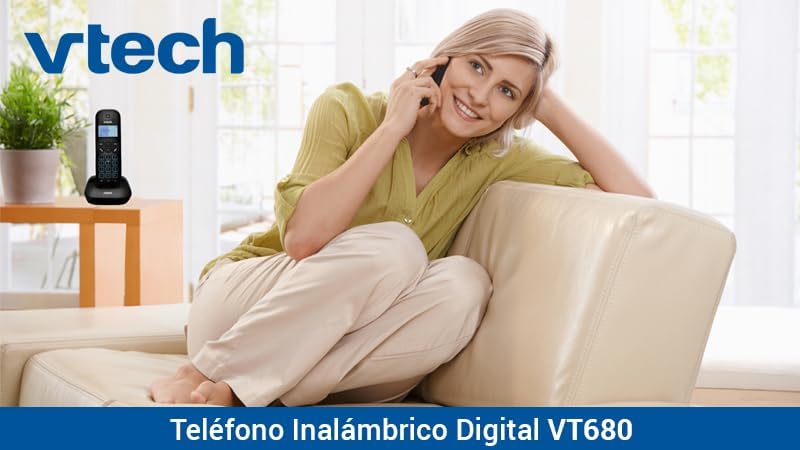
Image: A woman comfortably seated on a couch, engaged in a phone conversation using the VTech VT680 cordless phone.
მოვლა
დასუფთავება
Wipe the handset and base unit with a soft, slightly damp cloth. Do not use harsh cleaning agents, abrasive materials, or excessive liquid, as these can damage the device.
ბატარეის მოვლა
Use only the specified AAA rechargeable batteries. Replace batteries when they no longer hold a charge effectively or if you notice a significant decrease in talk time.
პრობლემების მოგვარება
If you encounter any issues with your VTech VT680 Cordless Phone, please refer to the table below for common problems and their solutions.
| პრობლემა | გამოსავალი |
|---|---|
| არ არის აკრიფეთ ხმა | Ensure the telephone line cord is securely connected to both the base unit and the telephone wall jack. Verify the power adapter is properly connected to the base unit and a working electrical outlet. |
| ტელეფონი არ იტენება | Ensure the handset is correctly seated in the charging cradle. Verify the power adapter is plugged in. Clean the charging contacts on both the handset and base unit with a dry cloth. |
| ცუდი ზარის ხარისხი ან სტატიკური ზარი | Move closer to the base unit. Check for interference from other electronic devices (e.g., Wi-Fi routers, microwaves). Try relocating the base unit. |
| აბონენტის ID არ მუშაობს | Ensure you are subscribed to Caller ID service from your telephone service provider. Contact your provider to confirm the service is active. |
სპეციფიკაციები
ტექნიკური მახასიათებლები
- ბრენდი: VTech
- მოდელი: VT680
- ტელეფონის ტიპი: Cordless, DECT 6.0 Technology
- ფერი: შავი
- მასალა: პლასტიკური
- დენის წყარო: Battery operated (2 AAA rechargeable batteries included)
- Dimensions (Handset on Base): დაახლოებით 16.8 x 7.8 x 15.8 სმ
- წონა: დაახლოებით 680 გრ
- მახასიათებლები: Caller ID, 10-call log, Reminder Alarm, 20-contact Phonebook
- ხაზის ოპერაცია: Single-line operation
გარანტია და მხარდაჭერა
For detailed warranty information, technical support, or to register your product, please visit the official VTech website or contact VTech customer service. Specific warranty terms and support options may vary by region.


