1. უსაფრთხოების მნიშვნელოვანი ინსტრუქციები
მოწყობილობის გამოყენებამდე ყურადღებით გაეცანით ყველა ინსტრუქციას. შეინახეთ ეს სახელმძღვანელო მომავალი მითითებისთვის.
- Always connect the dehumidifier to a grounded power outlet.
- Do not operate the unit with a damaged power cord or plug. If damaged, contact qualified service personnel.
- დარწმუნდით, რომ მოწყობილობა განთავსებულია სტაბილურ, სწორ ზედაპირზე, რათა თავიდან აიცილოთ წყლის დაღვრა.
- Do not block the air inlet or outlet. Maintain at least 20 cm clearance from walls or other objects.
- არ ჩადოთ საგნები ჰაერის ხვრელებში.
- გაწმენდის, გადაადგილების ან ნებისმიერი ტექნიკური მომსახურების ჩატარებამდე გამორთეთ მოწყობილობა დენის წყაროდან.
- Do not use the dehumidifier in areas where flammable gases or liquids are stored.
- ეს მოწყობილობა არ არის განკუთვნილი შემცირებული ფიზიკური, სენსორული ან გონებრივი შესაძლებლობების ან გამოცდილების და ცოდნის ნაკლებობის მქონე პირების (მათ შორის ბავშვების) გამოსაყენებლად, გარდა იმ შემთხვევისა, როდესაც მათ არ მიეცათ ზედამხედველობა ან ინსტრუქცია მოწყობილობის გამოყენების შესახებ მათ უსაფრთხოებაზე პასუხისმგებელი პირის მიერ.
- ბავშვები უნდა იყვნენ მეთვალყურეობის ქვეშ, რათა უზრუნველყონ, რომ ისინი არ თამაშობენ მოწყობილობას.
2. პროდუქტი დასრულდაview
The EuropAce EDH3122A is a smart dehumidifier designed to control humidity levels, purify air, and assist with laundry drying. It features a compact design with a user-friendly control panel and mobile app connectivity.
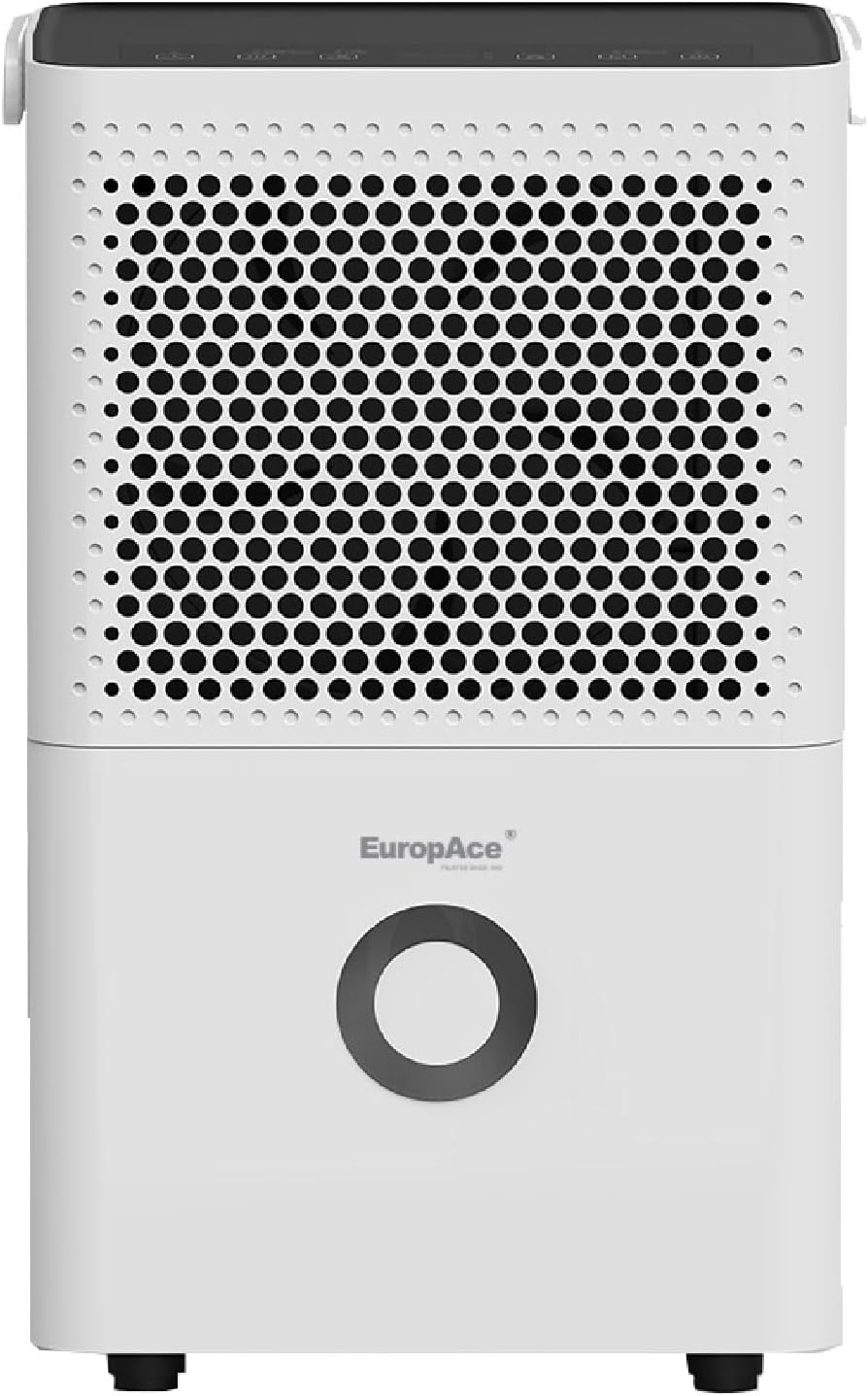
სურათი 2.1: წინა View. This image shows the front of the dehumidifier, highlighting the air intake grille and the EuropAce logo.
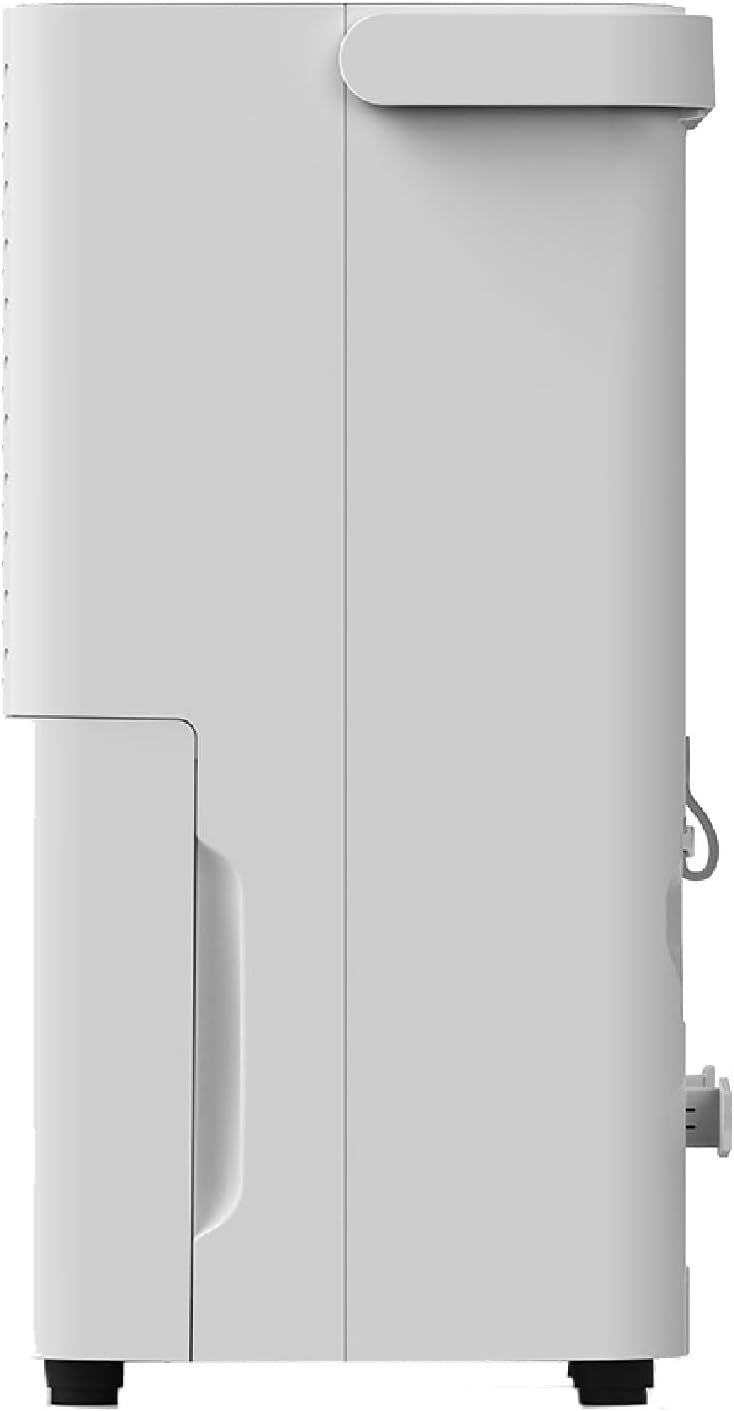
სურათი 2.2: მხარე View. ეს სურათი აჩვენებს გვერდით პროსfile of the dehumidifier, showing its compact depth.

სურათი 2.3: უკანა View. This image illustrates the back of the dehumidifier, including the air outlet, power cord storage, and continuous drainage port.
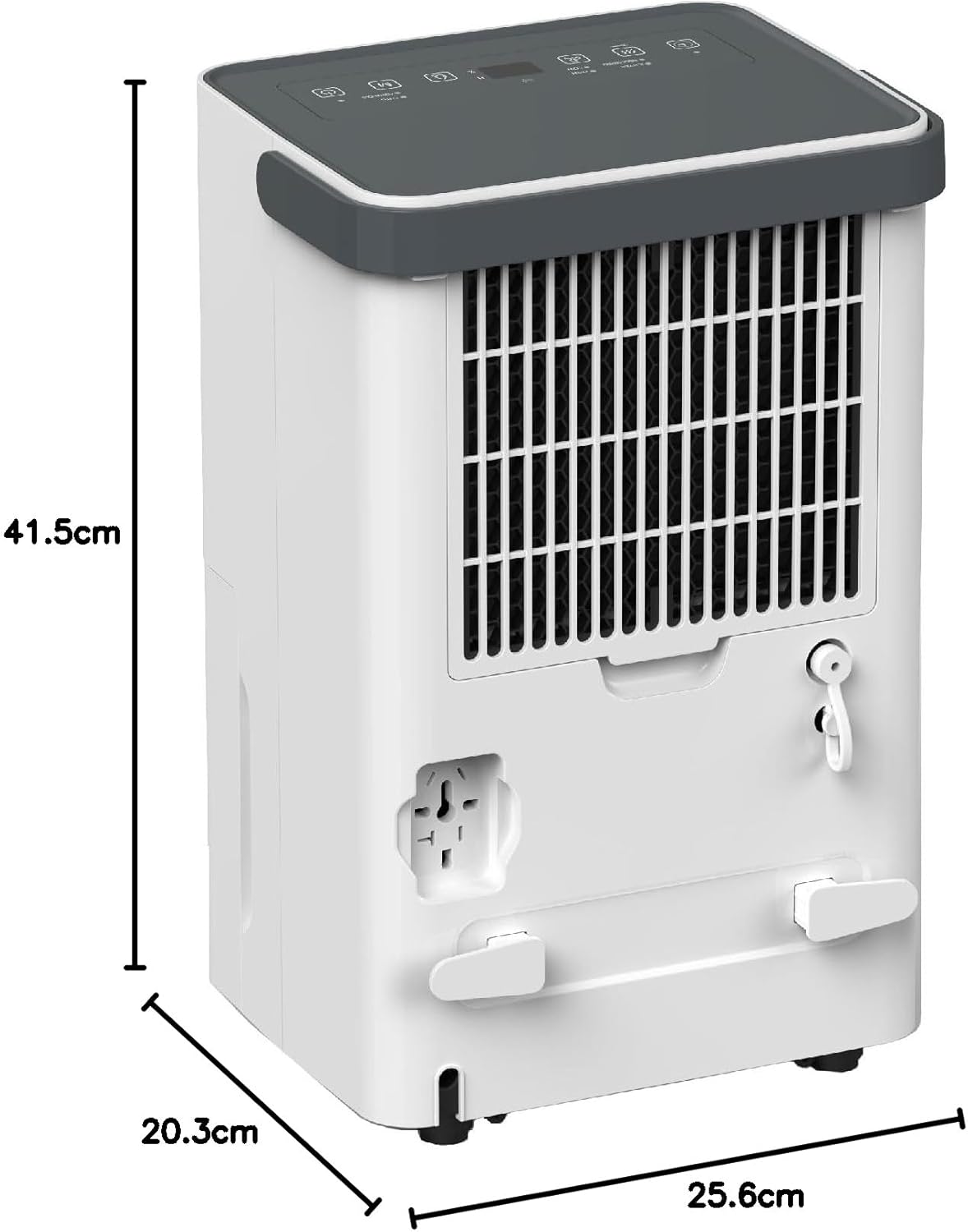
სურათი 2.4: პროდუქტის ზომები. This image provides a visual representation of the dehumidifier's height (41.5 cm), depth (20.3 cm), and width (25.6 cm).
ძირითადი მახასიათებლები:
- 3-1-ში ფუნქციონალობა: Dehumidifier, Air Purifier, and Laundry Drying.
- ტენიანობის მოცილება: Up to 12 liters per day (at 30°C, 80% RH).
- წყლის ავზის ტევადობა: 2.0 liters with anti-spillage auto-stop.
- მშვიდი ოპერაცია: Noise level as low as 40 dB.
- სმარტ კონტროლი: Wi-Fi enabled with smart app connectivity.
- Odour Remover: Integrated carbon filter for air purification.
- ტენიანობის კონტროლი: Digital humidity setting between 30% to 80% RH.
- ოპერაციული რეჟიმები: Turbo, Dry, Comfort, Continuous.
- ტაიმერის ფუნქცია: 24 საათამდე.
- მობილურობა: Equipped with 360° castors and a strong handle for easy movement.
3. დაყენება
3.1 შეფუთვა
- ფრთხილად ამოიღეთ ჰაერის გამშრობი შეფუთვიდან.
- მოაცილეთ ყველა შესაფუთი მასალა, მათ შორის ნებისმიერი ლენტი ან დამცავი ფირი.
- Check for any damage that may have occurred during transit. If the unit is damaged, do not operate it and contact your retailer.
3.2 განთავსება
- ჰაერის გამშრობი მოათავსეთ მყარ, სწორ ზედაპირზე, რომელსაც წყლის ავზის შევსების შემდეგ მისი წონის ატანა შეუძლია.
- Ensure there is at least 20 cm (8 inches) of space around the unit for proper air circulation. Do not place it against walls, curtains, or furniture that could obstruct airflow.
- Avoid placing the unit near heat sources (e.g., heaters, dryers) or in direct sunlight.
- For best results, operate the dehumidifier in an enclosed area. Close all doors and windows in the room where the unit is operating.
3.3 დენის კავშირი
- დარწმუნდით, რომ დენის კაბელი სრულად არის გაშლილი და არ არის ჩახლართული.
- Plug the power cord into a suitable grounded electrical outlet (220-240V / 50Hz).
- The unit will emit a beep, and the display will briefly illuminate, indicating it is ready for operation.
3.4 უწყვეტი დრენაჟი (არასავალდებულო)
For continuous operation without needing to empty the water tank, you can connect a drainage hose (not included).
- Locate the continuous drainage port at the back of the unit (refer to Figure 2.3).
- მოხსენით რეზინის საცობი დრენაჟის პორტიდან.
- Connect a suitable drainage hose (with an inner diameter of approximately 10mm) to the port. Ensure the connection is secure to prevent leaks.
- Route the hose downwards to a floor drain or a larger container, ensuring there are no kinks or blockages in the hose. The water must flow downhill by gravity.
4. საოპერაციო ინსტრუქციები
4.1 კონტროლის პანელი დასრულდაview
The control panel is located on the top of the unit. It features a digital display and touch-sensitive buttons for various functions.
- დენის ღილაკი: რთავს ან გამორთავს მოწყობილობას.
- რეჟიმის ღილაკი: Cycles through operating modes: Turbo, Dry, Comfort, Continuous.
- ტენიანობის დაყენების ღილაკები (ზემოთ/ქვემოთ): Adjusts the desired humidity level (30% - 80% RH).
- ტაიმერის ღილაკი: Sets the auto-ON or auto-OFF timer (1-24 hours).
- ვენტილატორის სიჩქარის ღილაკი: Adjusts fan speed (High/Low) in certain modes.
- Wi-Fi ინდიკატორი: აჩვენებს Wi-Fi კავშირის სტატუსს.
- სავსე ავზის ინდიკატორი: ანათებს, როდესაც წყლის ავზი სავსეა და მოწყობილობა ავტომატურად შეწყვეტს მუშაობას.
4.2 ძირითადი ოპერაცია
- დააჭირეთ დენის ღილაკი to turn on the dehumidifier. The display will show the current room humidity.
- დააჭირეთ რეჟიმის ღილაკი repeatedly to select your desired operating mode:
- ტურბო: Operates at maximum fan speed and continuous dehumidification for rapid moisture removal.
- მშრალი: Maintains a comfortable humidity level, typically around 50-55% RH.
- კომფორტი: Automatically adjusts operation to maintain optimal comfort based on ambient temperature and humidity.
- უწყვეტი: Dehumidifies continuously regardless of the set humidity level.
- In Dry or Comfort mode, use the ტენიანობის დაყენების ღილაკები to set your desired humidity level between 30% and 80% RH in 5% increments. The unit will operate until the set humidity is reached, then cycle on/off to maintain it.
- მოწყობილობის გამორთვისთვის დააჭირეთ ღილაკს დენის ღილაკი ისევ.
4.3 ტაიმერის ფუნქცია
The timer can be set for auto-ON or auto-OFF operation.
- ავტომატური გამორთვა: სანამ მოწყობილობა ჩართულია, დააჭირეთ ღილაკს ტაიმერის ღილაკი. გამოიყენეთ ტენიანობის დაყენების ღილაკები to select the desired number of hours (1-24) after which the unit will turn off.
- ავტომატური ჩართვა: სანამ მოწყობილობა გამორთულია, დააჭირეთ ღილაკს ტაიმერის ღილაკი. გამოიყენეთ ტენიანობის დაყენების ღილაკები to select the desired number of hours (1-24) after which the unit will turn on.
- The timer indicator will illuminate when the timer is active. To cancel the timer, press the ტაიმერის ღილაკი until '00' is displayed or turn the unit off and on again.
4.4 Wi-Fi Connectivity (Smart App)
The EuropAce EDH3122A can be controlled remotely via a smart app on your mobile device.
- Download the EuropAce Smart App from your device's app store.
- Follow the in-app instructions to register an account and add your EDH3122A dehumidifier. This typically involves putting the unit into pairing mode (refer to app instructions for specific steps, often by pressing and holding a button on the control panel).
- Once connected, you can control the dehumidifier's power, mode, humidity settings, and timer from your smartphone.
5. მოვლა
რეგულარული მოვლა უზრუნველყოფს თქვენი ჰაერის გამშრობის ოპტიმალურ მუშაობას და ახანგრძლივებს მისი სიცოცხლის ხანგრძლივობას. ნებისმიერი მოვლა-პატრონობის ჩატარებამდე ყოველთვის გამორთეთ მოწყობილობა დენის წყაროდან.
5.1 წყლის ავზის დაცლა
When the water tank is full, the unit will automatically stop operating, and the Full Tank Indicator will illuminate.
- ფრთხილად ამოიღეთ წყლის ავზი მოწყობილობის წინა მხრიდან.
- Carefully carry the tank to a sink or drain.
- დაასხით შეგროვებული წყალი.
- Rinse the tank with clean water. Do not use harsh detergents or abrasive cleaners.
- Slide the empty tank back into the unit until it clicks into place. The unit will resume operation if the humidity is above the set level.
5.2 ჰაერის ფილტრის გაწმენდა
ჰაერის ფილტრი უნდა გაიწმინდოს ორ კვირაში ერთხელ ან უფრო ხშირად, გამოყენებისა და ჰაერის ხარისხის მიხედვით.
- გამორთეთ ჰაერის გამშრობი დენის წყაროდან.
- Locate the air filter, typically behind the front air intake grille. Gently remove it.
- Use a vacuum cleaner to remove dust and debris from the filter.
- For a more thorough cleaning, wash the filter with warm, soapy water. Rinse thoroughly and allow it to air dry completely before reinserting. Do not expose the filter to direct sunlight or high heat.
- Once dry, reinsert the filter into its slot.
5.3 ექსტერიერის გაწმენდა
- გაწმინდეთ დანადგარის გარე ნაწილი რბილი, დamp ქსოვილი.
- არ გამოიყენოთ აბრაზიული საწმენდები, ცვილები ან გამხსნელები, რადგან მათ შეუძლიათ ზედაპირის დაზიანება.
5.4 შენახვა
თუ მოწყობილობა დიდი ხნის განმავლობაში არ გამოიყენება:
- ცარიელი და სუფთა წყლის ავზი.
- გაასუფთავეთ ჰაერის ფილტრი.
- გამორთეთ კვების კაბელი და ფრთხილად დაახვიეთ.
- შეინახეთ მოწყობილობა ვერტიკალურ მდგომარეობაში გრილ, მშრალ ადგილას, მოარიდეთ მზის პირდაპირ სხივებს და ექსტრემალურ ტემპერატურას.
6. Დიაგნოსტიკა
მომხმარებელთა მომსახურების სამსახურთან დაკავშირებამდე, გთხოვთ, გაეცნოთ შემდეგ პრობლემების მოგვარების სახელმძღვანელოს გავრცელებული პრობლემების შესახებ.
| პრობლემა | შესაძლო მიზეზი | გამოსავალი |
|---|---|---|
| ერთეული არ ირთვება. | არ არის კვების წყარო. კვების კაბელი სწორად არ არის შეერთებული. Water tank is full or not correctly inserted. | შეამოწმეთ დენის წყარო და ამომრთველი. დარწმუნდით, რომ კვების კაბელი საიმედოდ არის შეერთებული. დაცალეთ წყლის ავზი და დარწმუნდით, რომ ის სწორად არის დამაგრებული. |
| No dehumidification or insufficient effect. | ჰაერის ფილტრი ჭუჭყიანია. ოთახის ტემპერატურა ძალიან დაბალია. კარები/ფანჯრები ღიაა. ტენიანობის პარამეტრი ძალიან მაღალია. | გაასუფთავეთ ჰაერის ფილტრი. Dehumidifiers are less effective below 5°C. დახურეთ ყველა კარი და ფანჯარა ოთახში. შეამცირეთ სასურველი ტენიანობის პარამეტრი. |
| ერთეული ხმაურიანია. | მოწყობილობა არ დგას ბრტყელ ზედაპირზე. ჰაერის ფილტრი ჭუჭყიანია. Internal components vibrating. | განათავსეთ დანადგარი ბრტყელ, სტაბილურ ზედაპირზე. გაასუფთავეთ ჰაერის ფილტრი. This may be normal during operation; if excessive, contact support. |
| ბლოკიდან წყალი ჟონავს. | წყლის ავზი სწორად არ არის ჩასმული. Continuous drainage hose is blocked or loose. | Ensure the water tank is fully and correctly inserted. Check the drainage hose for kinks, blockages, or loose connections. |
| Wi-Fi კავშირის პრობლემები. | არასწორი Wi-Fi პაროლი. როუტერი ძალიან შორს არის ან სიგნალი სუსტია. Unit not in pairing mode. | გადაამოწმეთ Wi-Fi პაროლი. Move unit closer to router or check router settings. Follow app instructions to put unit into pairing mode. |
7. სპეციფიკაციები
Technical specifications for the EuropAce EDH3122A Smart Dehumidifier.
| ფუნქცია | სპეციფიკაცია |
|---|---|
| მოდელი | EDH3122A |
| რეიტინგული ტომიtagე / სიხშირე | 220 - 240V / 50Hz |
| რეიტინგული სიმძლავრე | 200 W |
| მაქს. დაფარვის ზონა | 25 მ² |
| Digital Humidity Setting Range | 30%-დან 80%-მდე RH |
| ხმაურის დონე | <40 dB(A) |
| ტენიანობის მოცილების უნარი | 12L/day (at 30°C/80%RH) |
| წყლის ავზის ტევადობა | 2.0 ლიტრი |
| პროდუქტის ზომები (D x W x H) | 20.3 x 25.6 x 41.5 სმ |
| პროდუქტის წონა | 9.7 კგ |
| მოყვება კომპონენტები | Dehumidifier, Filter |
8. გარანტია და მხარდაჭერა
For warranty information, please refer to the warranty card included with your product or visit the official EuropAce website. For technical support, spare parts, or service inquiries, please contact EuropAce customer service directly.


