შესავალი
Thank you for choosing the HiFuture EVENT Bluetooth Speaker. This powerful and portable speaker is designed to deliver exceptional audio quality with vibrant RGB lighting, making it perfect for any event or gathering. This manual provides detailed instructions to help you set up, operate, and maintain your speaker for optimal performance.
პროდუქტი დასრულდაview

სურათი 1: წინა view of the HiFuture EVENT Bluetooth Speaker, showcasing its sleek black design and dynamic RGB light ring.

Figure 2: An illustrative diagram highlighting the main features of the HiFuture EVENT speaker, including dual DSP, multiple audio inputs, dual-directional sound system, 50W woofer + 30W tweeter, RGB lights, TWS connection option, bass boost function, and power bank functionality.

სურათი 3: ახლოდან view of the speaker's internal components, specifically pointing out the 50W Woofer and 30W Tweeter, which contribute to its powerful 80W sound output.

Figure 4: An internal diagram demonstrating the speaker's optimized acoustic design for deep and impactful bass, including the bass port and vibration suppression features.
ძირითადი მახასიათებლები
- ძლიერი აუდიო გამომავალი: Equipped with a 50W woofer and 30W tweeter for a total of 80W RMS output, with a maximum peak power of 180 Watts, delivering rich and clear stereo sound.
- Bluetooth დაკავშირება: უწყვეტი უკაბელო კავშირი თქვენს მოწყობილობებთან.
- დინამიური RGB განათება: Enhance your listening experience with vibrant, rhythm-synced RGB lights.
- Dual DSP & Multiple Audio Inputs: Advanced Digital Signal Processing for optimized sound and versatile connectivity options.
- True Wireless Stereo (TWS) Support: Connect two EVENT speakers for an immersive stereo sound experience.
- Bass Boost Function: Dedicated feature to amplify low frequencies for deeper bass.
- Power Bank-ის ფუნქციონალობა: Use the speaker to charge your other devices on the go.
- პორტატული დიზაინი: Durable acrylic material and table-mount type for easy placement and transport, designed for parties and various events.
დაყენების სახელმძღვანელო
1. ყუთის გახსნა და საწყისი გადასახადი
- ფრთხილად ამოიღეთ დინამიკი და ყველა აქსესუარი შეფუთვიდან.
- Inspect the speaker for any signs of damage.
- Before first use, fully charge the speaker using the provided charging cable. The battery life is approximately 4 hours on a full charge.
2. ჩართვა/გამორთვა
- To power on, press and hold the Power button (location typically on the back or top panel) for a few seconds until you hear an audible prompt or see the indicator lights illuminate.
- გამოსართავად, კვლავ დააჭირეთ და გეჭიროთ ჩართვის ღილაკი, სანამ დინამიკი არ გამოირთვება.
ოპერაციული ინსტრუქციები
1. Bluetooth დაწყვილება
- Ensure the speaker is powered on and in Bluetooth pairing mode (usually indicated by a blinking LED light). If not, press the Bluetooth button to activate pairing mode.
- თქვენს მოწყობილობაზე (სმარტფონი, პლანშეტი, კომპიუტერი) გადადით Bluetooth-ის პარამეტრებში და ჩართეთ Bluetooth.
- ძიება available devices. You should see "HiFuture EVENT" in the list.
- Select "HiFuture EVENT" to connect. Once connected, the speaker will provide an audible confirmation, and the LED light will become solid.
- ახლა თქვენ შეგიძლიათ თქვენი მოწყობილობიდან აუდიოს დაკვრა დინამიკის საშუალებით.
2. True Wireless Stereo (TWS) დაწყვილება
To pair two HiFuture EVENT speakers for a stereo experience:
- დარწმუნდით, რომ ორივე დინამიკი ჩართულია და არ არის დაკავშირებული სხვა Bluetooth მოწყობილობასთან.
- On one speaker (this will be the primary speaker), press and hold the TWS button (refer to your speaker's button layout if unsure).
- The primary speaker will search for the secondary speaker. Once connected, both speakers will provide an audible confirmation.
- Now, connect your device to the primary speaker via Bluetooth as described in the "Bluetooth Pairing" section. Audio will play in stereo through both speakers.
3. კონტროლი და ფუნქციები
- ხმის კონტროლი: Use the volume buttons (+/-) on the speaker or your connected device.
- დაკვრა/პაუზა: აუდიოს დასაკრავად ან დასაპაუზებლად ერთხელ დააჭირეთ დაკვრის/პაუზის ღილაკს.
- გამოტოვეთ ტრეკები: Double-press the Next Track button to skip forward, or the Previous Track button to skip backward.
- RGB განათების კონტროლი: Press the Light button to cycle through different lighting modes or turn the lights off.
- Ბასის დასტიმულირება, ბასის გაძლიერება: Press the Bass Boost button to activate or deactivate the enhanced bass mode.
- Power Bank ფუნქცია: Connect your device to the speaker's USB output port to charge it.

Figure 5: The HiFuture EVENT speaker displaying its vibrant RGB lighting, which can be controlled to match your mood or music.
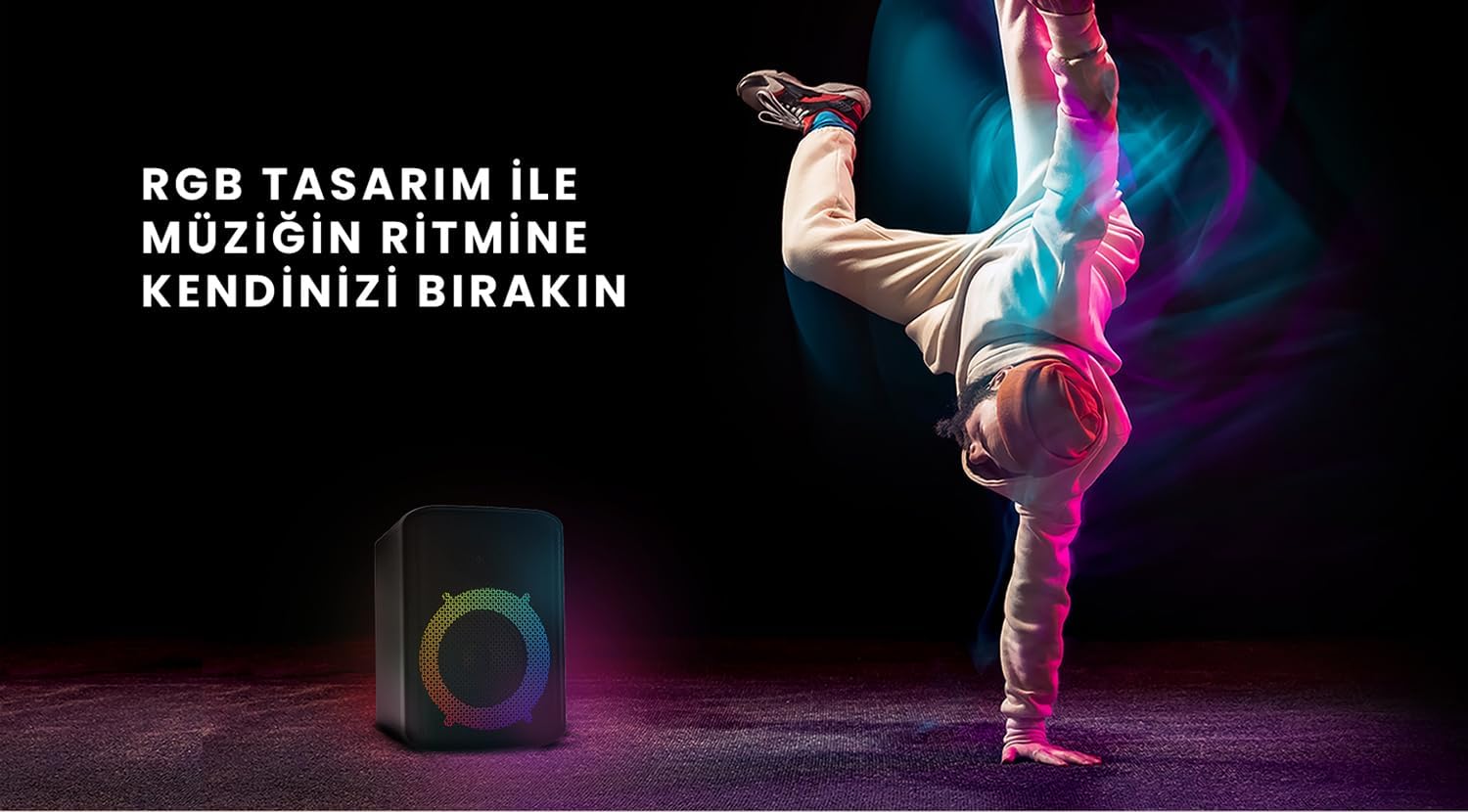
Figure 6: The HiFuture EVENT speaker in a dynamic setting, emphasizing how its RGB lighting enhances the atmosphere for parties and events.
მოვლა
- დასუფთავება: დინამიკის ზედაპირის გასაწმენდად გამოიყენეთ რბილი, მშრალი ქსოვილი. არ გამოიყენოთ აბრაზიული საწმენდები ან გამხსნელები.
- შენახვა: შეინახეთ დინამიკი გრილ, მშრალ ადგილას, მოარიდეთ მზის პირდაპირ სხივებს და ექსტრემალურ ტემპერატურას.
- ბატარეის მოვლა: ელემენტის ხანგრძლივობის გასახანგრძლივებლად, მოერიდეთ მის ხშირ სრულად დაცლას. რეგულარულად დატენეთ, მაშინაც კი, თუ დიდი ხნის განმავლობაში არ იყენებთ.
- წყლის წინააღმდეგობა: While designed for portability, avoid exposing the speaker to excessive moisture or submerging it in water unless explicitly stated as waterproof.
პრობლემების მოგვარება
| პრობლემა | შესაძლო გამოსავალი |
|---|---|
| დინამიკი არ ირთვება. | დარწმუნდით, რომ დინამიკი სრულად დატენილია. შეაერთეთ ის კვების წყაროსთან და სცადეთ ხელახლა. |
| Bluetooth-ის საშუალებით დაწყვილება შეუძლებელია. |
|
| ხმა არ ისმის ან ხმა დაბალია. |
|
| RGB განათება არ მუშაობს. | Press the Light button to cycle through modes or turn them on. Ensure the speaker is powered on. |
სპეციფიკაციები
| ფუნქცია | დეტალი |
|---|---|
| ბრენდი | HiFuture |
| მოდელი | EVENT |
| დინამიკის მაქსიმალური გამომავალი სიმძლავრე | 180 Watts (Peak), 80W RMS (50W Woofer + 30W Tweeter) |
| დაკავშირების ტექნოლოგია | Bluetooth |
| აუდიო გამოყვანის რეჟიმი | სტერეო |
| სამონტაჟო ტიპი | მაგიდის სამაგრი |
| მასალა | აკრილის |
| სპიკერის ტიპი | მულტიმედია |
| თავსებადი მოწყობილობები | Bluetooth-enabled devices (e.g., smartphones, tablets) |
| ფერი | შავი |
| ბატარეის ხანგრძლივობა | 4 საათამდე |
გარანტია და მხარდაჭერა
The HiFuture EVENT Bluetooth Speaker comes with a standard manufacturer's warranty. Please refer to the warranty card included in your product packaging for specific terms and conditions. For technical support, troubleshooting assistance, or warranty claims, please contact HiFuture customer service through their official webსაიტი ან საცალო ვაჭრობის ობიექტი, სადაც შეიძინეთ პროდუქტი.


