1. პროდუქტი დასრულდაview
The VTech CS1500 DECT cordless phone is designed for home use, offering essential communication features with enhanced convenience. This manual provides instructions for setting up, operating, and maintaining your phone.
ძირითადი მახასიათებლები:
- Dual-Charging Design: Innovative design allows the handset to be charged face up for easy screen viewing or face down for a compact profile.
- ზარის დაბლოკვა: Block up to 60 unwanted numbers to prevent nuisance calls.
- ECO DECT Mode: Automatically adjusts radio frequency power based on distance from the base station, ensuring reduced energy consumption.
- ბატარეის ხანგრძლივი ხანგრძლივობა: Provides up to 13 hours of talk time and 200 hours of standby time.
- განათებული ეკრანი: Clear, easy-to-read display for optimal visibility.
- Სატელეფონო წიგნი: Store up to 60 names and numbers for quick dialing.
- აბონენტის ID/ზარის მოლოდინი: Stores up to 20 incoming call entries with name, number, time, and date.
- ბოლო ნომრის ხელახალი აკრეფა: Easily redial the last 10 numbers called.
- სპიკერი ხელის გარეშე: For convenient conversations.
- დამატებითი ფუნქციები: Adjustable ringtone volume and melodies, alarm function, mute function, 3-way conference, call transfer, and intercom.

Figure 1: VTech CS1500 DECT Cordless Phone Handset in Charging Base.
2. პაკეტის შიგთავსი
დარწმუნდით, რომ თქვენი პაკეტი შეიცავს შემდეგ ნივთებს:
- VTech CS1500 ტელეფონი
- ბაზის სადგური კვების ადაპტერით
- სატელეფონო ხაზის კაბელი
- Rechargeable Batteries (1 product specific - included)
- მომხმარებლის სახელმძღვანელო (ეს დოკუმენტი)
3. დაყენების გზამკვლევი
3.1 ბატარეის დაყენება
- გახსენით ბატარეის განყოფილების საფარი ტელეფონის უკანა მხარეს.
- ჩადეთ მოწოდებული დატენვადი ბატარეები, დაიცვათ სწორი პოლარობა (+ და -).
- უსაფრთხოდ დახურეთ ბატარეის განყოფილების საფარი.
3.2 Base Station Placement and Connection
- Place the base station on a flat, stable surface, away from heat sources and direct sunlight.
- Connect the small end of the power adapter to the power jack on the base station.
- დენის ადაპტერის დიდი ბოლო შეაერთეთ კედლის სოკეტში.
- Connect one end of the telephone line cord to the telephone line jack on the base station.
- ტელეფონის ხაზის კაბელის მეორე ბოლო შეაერთეთ ტელეფონის კედლის ბუდეში.
3.3 Initial Charging and Handset Registration
- Place the handset in the base station to charge. The handset can be placed face up or face down.
- ბატარეის სრული დატენვის უზრუნველსაყოფად, პირველად გამოყენებამდე მიეცით ტელეფონის დატენვის საშუალება მინიმუმ 16 საათის განმავლობაში.
- The handset is typically pre-registered to the base station. If not, follow the on-screen prompts or refer to the full manual for manual registration steps.

Figure 2: Handset dual-charging design, allowing face-up or face-down placement in the base.

Figure 3: Illustration of the phone's reliable long-range signal within a home environment.
4. საოპერაციო ინსტრუქციები
4.1 ზარების განხორციელება და მიღება
- დარეკვისთვის: დააჭირეთ ისაუბრეთ button (green phone icon), then dial the number. Alternatively, dial the number first and then press ისაუბრეთ.
- ზარის მისაღებად: როდესაც ტელეფონი რეკავს, დააჭირეთ ღილაკს ისაუბრეთ ღილაკი.
- ზარის დასასრულებლად: დააჭირეთ დასასრული button (red phone icon) or place the handset back in the base station.
4.2 სპიკერფონის გამოყენება
ზარის დროს დააჭირეთ ღილაკს დინამიკი button (speaker icon) to activate hands-free mode. Press it again to return to handset mode.
4.3 სატელეფონო წიგნი
The phonebook stores up to 60 names and numbers.
- ჩანაწერის დასამატებლად: გადადით ტელეფონის წიგნის მენიუში, აირჩიეთ „ახლის დამატება“, შეიყვანეთ სახელი და ნომერი და შემდეგ შეინახეთ.
- ტელეფონის წიგნიდან აკრეფისთვის: დააჭირეთ ტელეფონების წიგნი ღილაკს, გადადით სასურველ ჩანაწერზე და დააჭირეთ ისაუბრეთ.
4.4 ზარის დაბლოკვა
Block unwanted calls by adding numbers to the call block list (up to 60 entries).
- ნომრის დაბლოკვისთვის: During an incoming call or from the Caller ID log, press the ზარის ბლოკი button (shield icon) and confirm.

Figure 4: Close-up of the handset highlighting the call block button, used to prevent unwanted calls.
4.5 Caller ID and Call Log
The phone displays the caller's information (if available) and stores the last 20 incoming calls.
- რომ View ზარის ჟურნალი: დააჭირეთ CID button or navigate to the Call Log menu. Use the navigation keys to scroll through entries.
- To Dial from Call Log: Select an entry from the Call Log and press ისაუბრეთ.

Figure 5: Handset display showing caller ID information and a list of stored incoming calls.
4.6 ბოლო ნომრის ხელახლა აკრეფა
The phone stores the last 10 numbers dialed.
- To Redial: დააჭირეთ ხელახლა აკრეფა button, scroll to the desired number, and press ისაუბრეთ.

Figure 6: Handset display showing a number being redialed, illustrating the last 10 number redial function.
4.7 სხვა ფუნქციები
- დადუმება: ზარის დროს დააჭირეთ ღილაკს დადუმება button to temporarily disable your microphone.
- სიგნალიზაცია: Set an alarm through the handset menu.
- ინტერკომი: If you have multiple handsets, you can make internal calls between them.
- სამმხრივი კონფერენცია: Allows three parties to participate in a single call.

Figure 7: A user on a call, with an indicator showing the phone's 13-hour talk time capability.
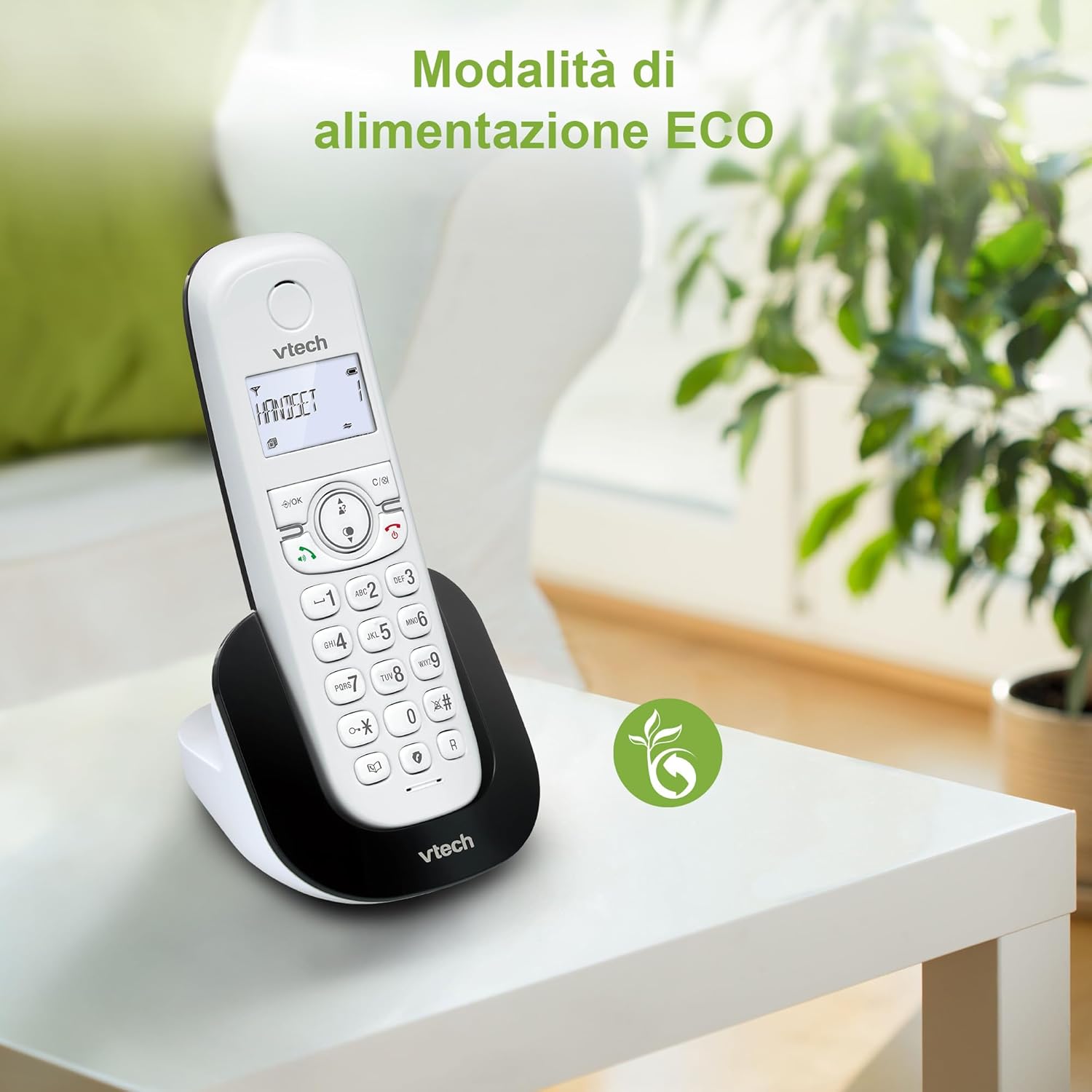
Figure 8: The phone in a home setting, indicating the energy-saving ECO power mode.
5. მოვლა
5.1 დასუფთავება
- გაწმინდეთ ტელეფონი და საბაზო სადგური რბილი ქსოვილით.amp ქსოვილი.
- Do not use cleaning sprays or harsh chemicals, as these can damage the surface or internal components.
5.2 ბატარეის მოვლა
- To maintain optimal battery performance, always return the handset to the base station when not in use.
- თუ ტელეფონს დიდი ხნის განმავლობაში არ გამოიყენებთ, გაჟონვის თავიდან ასაცილებლად ამოიღეთ ბატარეები.
- Replace batteries when their performance significantly degrades. Use only VTech-approved replacement batteries.
6. Დიაგნოსტიკა
If you experience issues with your VTech CS1500, try the following solutions:
| პრობლემა | გამოსავალი |
|---|---|
| არ არის აკრიფეთ ხმა | Ensure the base station power adapter and telephone line cord are securely connected. Check if other phones on the same line are working. |
| ზარების განხორციელება/მიღება შეუძლებელია | Check the telephone line connection. Ensure the handset batteries are charged. If multiple handsets, ensure they are registered. |
| ხმის ცუდი ხარისხი | Move closer to the base station. Ensure there are no large metal objects or other electronic devices interfering with the signal. |
| ტელეფონის ეკრანი ცარიელია | Place the handset in the base station to charge. The battery may be depleted. |
| ტელეფონი არ იტენება | Ensure the power adapter is connected to the base station and a working wall outlet. Clean the charging contacts on both the handset and base station. |
7. სპეციფიკაციები
| ფუნქცია | დეტალი |
|---|---|
| ბრენდი | VTech |
| მოდელის ნომერი | CS1500 |
| ფერი | თეთრი |
| ტელეფონის ტიპი | უკაბელო |
| განსაკუთრებული თვისებები | უკაბელო |
| თავსებადი მოწყობილობები | PSTN |
| ბატარეების რაოდენობა | 1 (Product Specific - Included) |
| მასალა | პლასტიკური |
| დენის წყარო | იკვებება ბატარეით |
| აკრიფეს ტიპი | ერთჯერადი კლავიატურა |
| პასუხების სისტემის ტიპი | Digital (Note: Product description does not explicitly mention an answering machine feature.) |
| ნივთის წონა | 350 გრამი |
| მწარმოებელი | VTECH TELECOMMUNICATIONS LTD |
| წარმოშობის ქვეყანა | ჩინეთი |
8. გარანტია და მხარდაჭერა
გარანტიის შესახებ ინფორმაციისა და ტექნიკური მხარდაჭერისთვის, გთხოვთ, იხილოთ თქვენს პროდუქტთან ერთად მოწოდებული გარანტიის ბარათი ან ეწვიოთ VTech-ის ოფიციალურ ვებგვერდს. website. You can typically find support contact details, FAQs, and additional resources there.
VTech-ის ოფიციალური პირი Webსაიტი: www.vtechphones.com


