1. შესავალი
The HiFuture Future Zone 2 BT Smartwatch is designed to enhance your daily life by providing convenient access to fitness tracking, communication, and entertainment features directly from your wrist. This manual provides essential information on how to set up, operate, and maintain your new smartwatch.
Key features include step tracking, distance measurement, time and date display, music playback control, an AMOLED touchscreen display, and a seamless Bluetooth calling system. With an impressive 7-day battery life, the Future Zone 2 is built for extended use.
2. პროდუქტი დასრულდაview
2.1. მახასიათებლები
- აქტივობის თვალყურის დევნება: Helps you track simple steps, distance traveled, time, and date.
- მუსიკის კონტროლი: Allows you to control your phone's music player directly from the watch.
- ჩვენება: Features a vibrant AMOLED touchscreen display.
- Bluetooth დარეკვა: Enables hassle-free communication with a built-in Bluetooth calling system.
- ბატარეის ხანგრძლივობა: Offers an impeccable battery that lasts up to 7 days on a single charge.
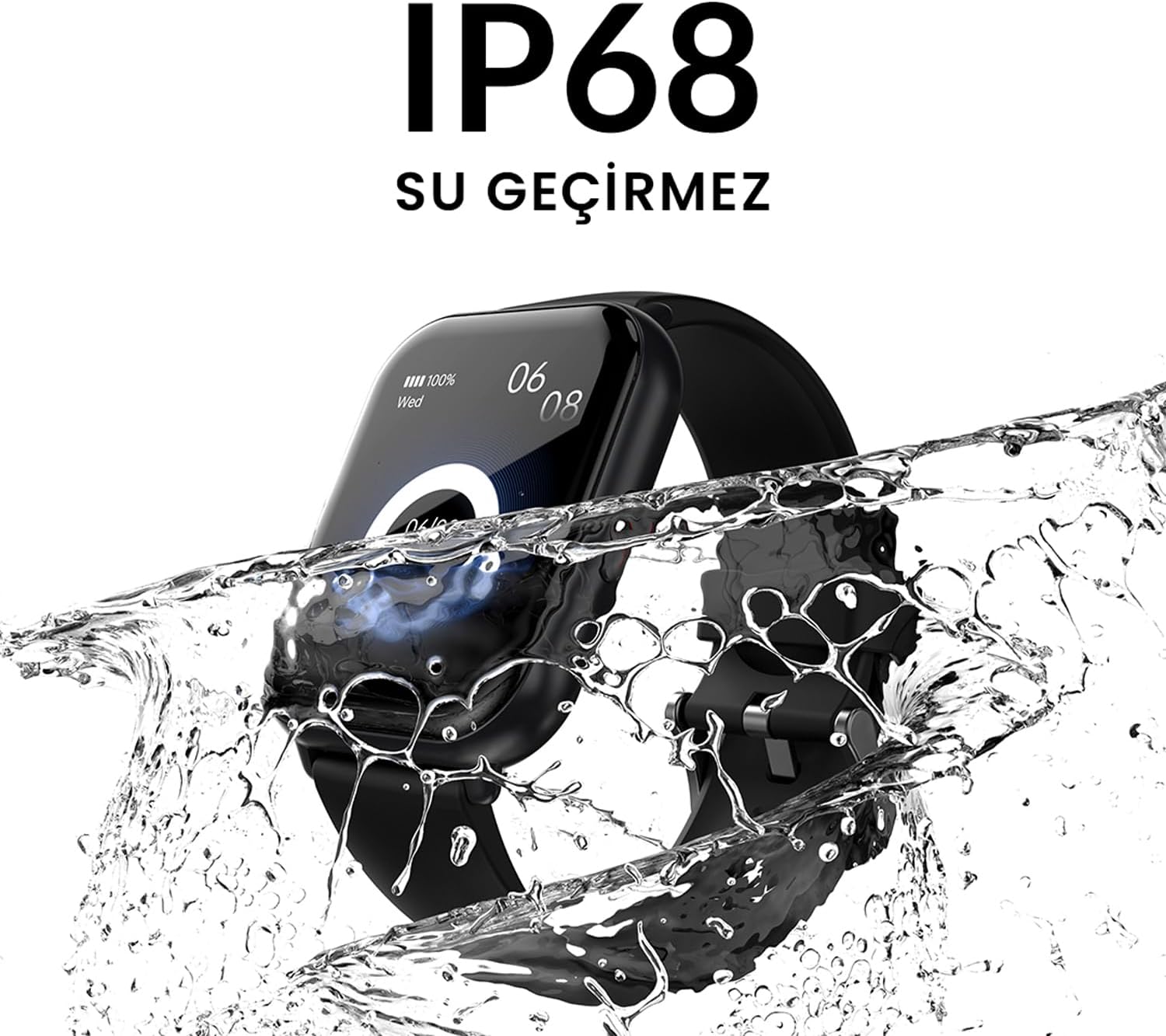
- წყლის წინააღმდეგობა: IP68 certified for water resistance.
- სპორტული რეჟიმები: მხარს უჭერს 100-ზე მეტ სპორტულ რეჟიმს მრავალფეროვანი აქტივობის თვალყურის დევნებისთვის.
2.2. კომპონენტები და ეკრანი

სურათი 2.2.1: The HiFuture Future Zone2 Smartwatch in silver and white, showcasing its sleek design and vibrant display with activity metrics.
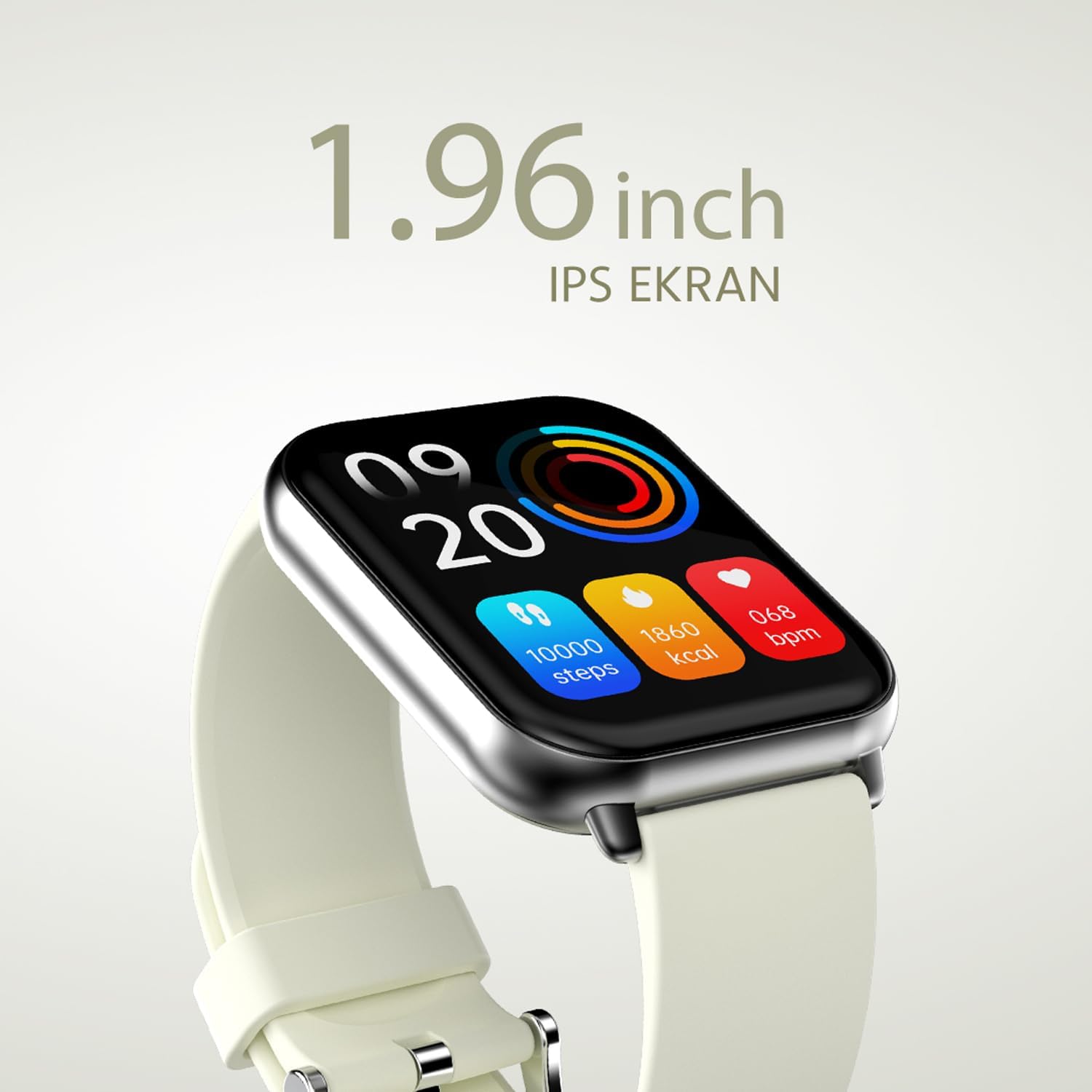
სურათი 2.2.2: დეტალური view of the smartwatch display, highlighting its 1.96-inch IPS screen, which offers clear and crisp visuals.

სურათი 2.2.3: The smartwatch accompanied by icons representing its core features: 1.96-inch IPS screen, wireless connectivity, 7-day battery life, and IP68 water resistance.

სურათი 2.2.4: The smartwatch surrounded by various sport icons, indicating its support for over 100 different sport modes for comprehensive fitness tracking.
3. დაყენება
3.1. ჭკვიანი საათის დატენვა
Before first use, fully charge your HiFuture Future Zone2 Smartwatch. Connect the charging cable to the charging port on the back of the watch and plug the USB end into a compatible power adapter (not included) or a computer's USB port. The watch display will indicate charging status. A full charge typically takes approximately 2 hours.
3.2. თქვენს სმარტფონთან დაწყვილება
- ჩამოტვირთეთ აპლიკაცია: ძიება the official HiFuture companion app on your smartphone's app store (Google Play Store for Android or Apple App Store for iOS). Install the app.
- Bluetooth-ის ჩართვა: დარწმუნდით, რომ Bluetooth ჩართულია თქვენს სმარტფონზე.
- გახსენით აპლიკაცია: Launch the HiFuture app and follow the on-screen instructions to create an account or log in.
- მოწყობილობის დამატება: Within the app, navigate to the "Add Device" or "Pair Device" section. The app will search for nearby smartwatches.
- აირჩიეთ თქვენი საათი: Select "HiFuture Future Zone2" from the list of discovered devices.
- დაადასტურეთ დაწყვილება: A pairing request will appear on both your phone and the smartwatch. Confirm the pairing on both devices.
- სრული დაყენება: Once paired, the app will guide you through initial settings such as personal information, notification preferences, and watch face customization.
Note: For optimal performance, ensure your smartphone's operating system and the smartwatch app are up to date.
4. საოპერაციო ინსტრუქციები
4.1. ძირითადი ნავიგაცია
- სენსორული ეკრანი: მენიუებსა და ეკრანებში ნავიგაციისთვის გადაფურცლეთ მარცხნივ, მარჯვნივ, ზემოთ ან ქვემოთ. შეეხეთ ვარიანტის ასარჩევად.
- გვერდითი ღილაკი: Press the side button to return to the home screen or wake up the display. A long press may access power options or a quick menu.
4.2. Bluetooth-ით ზარები
The Future Zone2 Smartwatch supports Bluetooth calling, allowing you to make and receive calls directly from your wrist when connected to your smartphone.
- Enable Call Audio: Ensure that the smartwatch is connected to your phone for both data and call audio. This setting is usually managed within your phone's Bluetooth settings after initial pairing.
- ზარების განხორციელება: Access the dialer or contact list on your smartwatch. Tap to dial a number or select a contact to initiate a call.
- ზარების მიღება: როდესაც ზარი შემოვა, საათი აჩვენებს აბონენტის ID-ს. შეეხეთ მწვანე ხატულას პასუხის გასაცემად, ან წითელ ხატულას უარყოფისთვის.
- ზარის დროს: You can speak directly into the watch's built-in microphone and listen through its speaker. Options to mute, adjust volume, or transfer the call to your phone may be available on the watch screen.
სურათი 4.2.1: The smartwatch screen showing a missed call notification, demonstrating its Bluetooth calling capability.
4.3. მუსიკის დაკვრის კონტროლი
Control your smartphone's music playback directly from your smartwatch.
- Access Music Control: Swipe on your watch face or navigate through the app list to find the "Music" or "Media Control" icon.
- დაკვრის კონტროლი: From this screen, you can play/pause, skip tracks (next/previous), and adjust the volume of the music playing on your connected smartphone.
4.4. აქტივობის თვალყურის დევნება
The smartwatch automatically tracks your daily steps, distance, and calories burned. You can view these metrics on the watch display or in the companion app for more detailed insights.
- Დღიური აქტივობა: The main watch face or a dedicated activity screen will show your current steps, calories, and heart rate (if applicable).
- სპორტული რეჟიმები: Select a specific sport mode (e.g., running, cycling, walking) from the watch's menu before starting an activity for more accurate tracking.
5. მოვლა
5.1. თქვენი ჭკვიანი საათის გაწმენდა
- გაწმინდეთ საათის ეკრანი და კორპუსი რბილი, ბუსუსების გარეშე ქსოვილით.
- ჯიუტი ლაქებისთვის, დampქსოვილი ოდნავ დაასველეთ წყლით. მოერიდეთ უხეში ქიმიკატების ან აბრაზიული მასალების გამოყენებას.
- დატენვამდე დარწმუნდით, რომ დამტენის კონტაქტები სუფთა და მშრალია.
5.2. წყალგამძლეობა (IP68)
The HiFuture Future Zone2 Smartwatch is IP68 water-resistant, meaning it can withstand immersion in water up to 1.5 meters for up to 30 minutes. It is suitable for daily use, such as hand washing or light rain.
- Do not use the watch for diving, snorkeling, or high-pressure water activities.
- Avoid exposing the watch to hot water, steam, or detergents, as this may compromise its water resistance.
- If the watch gets wet, dry it thoroughly before charging or operating.

სურათი 5.2.1: The smartwatch shown with water splashing over it, illustrating its IP68 water resistance rating.
5.3. ბატარეის მოვლა
- ბატარეის ხანგრძლივობის გასახანგრძლივებლად, მოერიდეთ მის ხშირ სრულად დაცლას.
- დატენეთ საათი მხოლოდ მოწოდებული დამტენი კაბელის გამოყენებით.
- ხანგრძლივი პერიოდის განმავლობაში არ გამოყენების შემთხვევაში, შეინახეთ საათი გრილ, მშრალ ადგილას.
6. Დიაგნოსტიკა
6.1. გავრცელებული პრობლემები და გადაწყვეტილებები
| საკითხი | შესაძლო მიზეზი | გამოსავალი |
|---|---|---|
| უყურე არ ირთვება | დაბალი ბატარეა; მოწყობილობა გაყინულია; | Charge the watch for at least 30 minutes. If still unresponsive, perform a forced restart (refer to device-specific instructions, usually a long press of the side button). |
| სმარტფონთან დაწყვილება შეუძლებელია | Bluetooth გამორთულია; აპლიკაციის პრობლემა; საათი ვერ ხერხდება | Ensure Bluetooth is on for both devices. Restart both the watch and phone. Clear the app's cache or reinstall it. Make sure the watch is in pairing mode. |
| Bluetooth calling not working | Incorrect Bluetooth profile; app permissions | Check your phone's Bluetooth settings to ensure the watch is connected for "Calls" or "Phone audio." Verify app permissions for phone calls. |
| აქტივობის არაზუსტი თვალყურის დევნება | არასწორი ცვეთა; პროგრამული უზრუნველყოფის გაუმართაობა | Ensure the watch is worn snugly on your wrist. Restart the watch. Update the watch firmware via the app if available. |
7. სპეციფიკაციები
| ფუნქცია | დეტალი |
|---|---|
| ბრენდი | HiFuture |
| მოდელის სახელი | Smartwatch (Future Zone2) |
| მოდელის ნომერი | ZONE2 SILVER WHITE |
| ფერი | Silver and White (as per product title, though spec says Grey) |
| ეკრანის ზომა | 41 Millimeters (1.96 inches IPS) |
| დაკავშირების ტექნოლოგია | Bluetooth |
| განსაკუთრებული თვისებები | Music Player, Distance Tracker, Bluetooth Calling |
| თავსებადი მოწყობილობები | Smartphone, Tablet, Other Portable Devices |
| ბატარეის შემადგენლობა | Lithium-ion (1 Lithium-polymer battery included) |
| მრავალჯერადი დატენვის ბატარეა | დიახ |
| წყლის წინააღმდეგობა | IP68 სერთიფიცირებული |
| GPS | არ არის GPS |
| ფორმა | მოედანი |
| მწარმოებელი | HiFuture Group |
8. გარანტია და მხარდაჭერა
8.1. პროდუქტის გარანტია
Specific warranty details for the HiFuture Future Zone2 Smartwatch are typically provided with your purchase documentation or on the manufacturer's official webსაიტი. გთხოვთ, შეინახოთ შეძენის დამადასტურებელი საბუთი გარანტიის მოთხოვნისთვის.
Note: Information regarding guaranteed software updates and spare parts availability is not explicitly provided.
8.2. მომხმარებელთა მხარდაჭერა
For technical assistance, troubleshooting beyond this manual, or warranty inquiries, please contact HiFuture customer support through their official webსაიტზე ან თქვენი პროდუქტის შეფუთვასთან ერთად მოცემულ საკონტაქტო ინფორმაციაზე.
თქვენ ასევე შეგიძლიათ მიმართოთ product page on Amazon.com.be დამატებითი ინფორმაციისა და მომხმარებლისთვისviews.


