1. შესავალი
Thank you for choosing the FIREBAT MN56 Mini PC. This manual provides essential information for setting up, operating, and maintaining your device. Please read it thoroughly before use and keep it for future reference.
The FIREBAT MN56 is a compact and powerful mini desktop computer designed for various applications, including business, education, gaming, multimedia, and photo/video editing. It features an AMD Ryzen 7 8745HS processor, high-speed DDR5 memory, and a PCIe 4.0 SSD for exceptional performance.
2. პაკეტის შიგთავსი
გთხოვთ, დარწმუნდეთ, რომ შეფუთვაში ყველა ნივთია:
- 1 x FIREBAT MN56 AMD Ryzen 7 8745HS Mini PC
- 1 x US Power Supply (19V 6.32A 120W)
- 1 x Vertical Bracket
- 1 x HDMI კაბელი
- 1 x მომხმარებლის სახელმძღვანელო (ეს დოკუმენტი)

Image: The FIREBAT MN56 Mini PC shown with its power adapter, HDMI cable, and vertical stand.
3. პროდუქტი დასრულდაview და მახასიათებლები
3.1. სპეციფიკაციები
| კომპონენტი | დეტალი |
|---|---|
| მოდელი | MN56 |
| ზომები | 13 სმ x 13 სმ x 5.4 სმ (5 x 5 x 2 ინჩი) |
| წონა | 0.53kg (1 pound) |
| CPU | AMD Ryzen 7 8745HS (8 Cores, 16 Threads, up to 4.9GHz) |
| გრაფიკა | AMD Radeon 780M (2600MHz GPU) |
| მეხსიერება | 32GB DDR5 5600MHz (2x16GB), expandable up to 96GB (48GBx2) |
| შენახვა | 1TB PCIe 4.0 M.2 SSD, expandable up to 4TB |
| უსადენო კავშირი | Wi-Fi 6 (802.11ax), Bluetooth 5.2 |
| LAN | 2 x 2.5 Gbps RJ45 |
| ვიდეო გამომავალი | 1 x HDMI 2.1, 1 x DP 1.4, 1 x USB-C 4.0 (supports DP Alt Mode) |
| USB პორტები | 2 x USB 2.0 Type-A, 2 x USB 3.2 Type-A, 1 x USB-C 4.0 (PD/DP/DATA), 1 x USB-C IN |
| აუდიო | 1 x 3.5 მმ აუდიო ჯეკი |
| სხვა | RGB კონტროლი |
3.2. ძირითადი მახასიათებლები
- ძლიერი პროცესორი: Equipped with AMD Ryzen 7 8745HS for high performance in demanding tasks.
- ინტეგრირებული გრაფიკა: AMD Radeon 780M provides strong graphics performance, suitable for gaming and multimedia.
- მაღალსიჩქარიანი მეხსიერება და შენახვა: Dual-channel DDR5 5600MHz RAM and PCIe 4.0 SSD ensure fast data access and multitasking.
- სამმაგი ეკრანის გამომავალი: Supports 4K triple display output via HDMI 2.1, DP 1.4, and USB-C 4.0 for enhanced productivity.
- Dual 2.5G RJ45 Ports: Offers high-speed network connectivity, ideal for work, gaming, and web სერფინგი.
- გაფართოებული კავშირი: Features Wi-Fi 6 and Bluetooth 5.2 for robust wireless connections.
- გაფართოებადი სიმძლავრე: Memory and storage are upgradeable to meet future needs.
- ეფექტური გაგრილება: Dual fans with high-efficiency thermal grease ensure stable performance and heat dissipation.
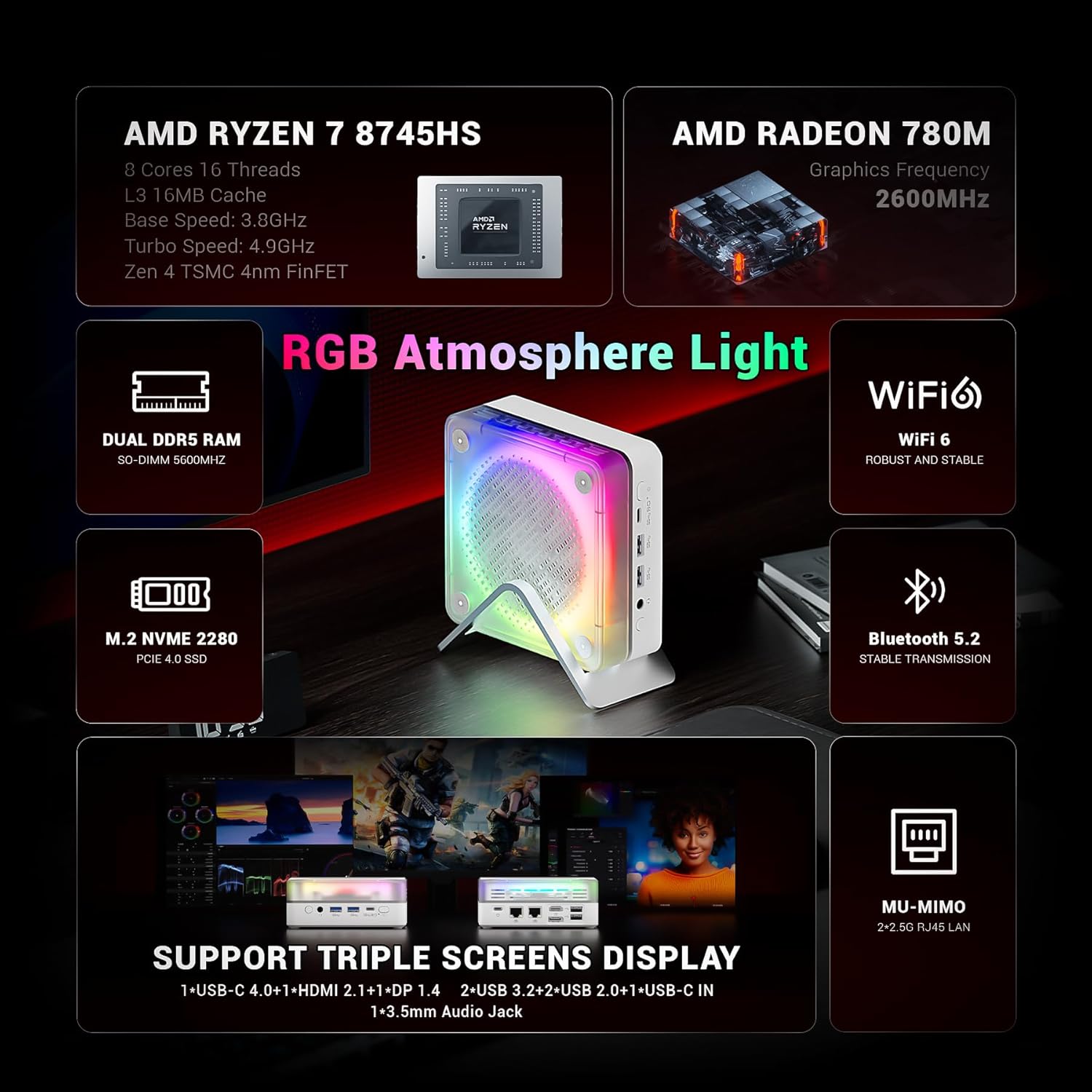
სურათი: ოვერview of the FIREBAT MN56's key features, highlighting its AMD Ryzen 7 8745HS processor, Radeon 780M graphics, DDR5 RAM, PCIe 4.0 SSD, Wi-Fi 6, Bluetooth 5.2, and various ports.

Image: A graphic illustrating the performance of the Ryzen 7 8745HS CPU compared to other processors.
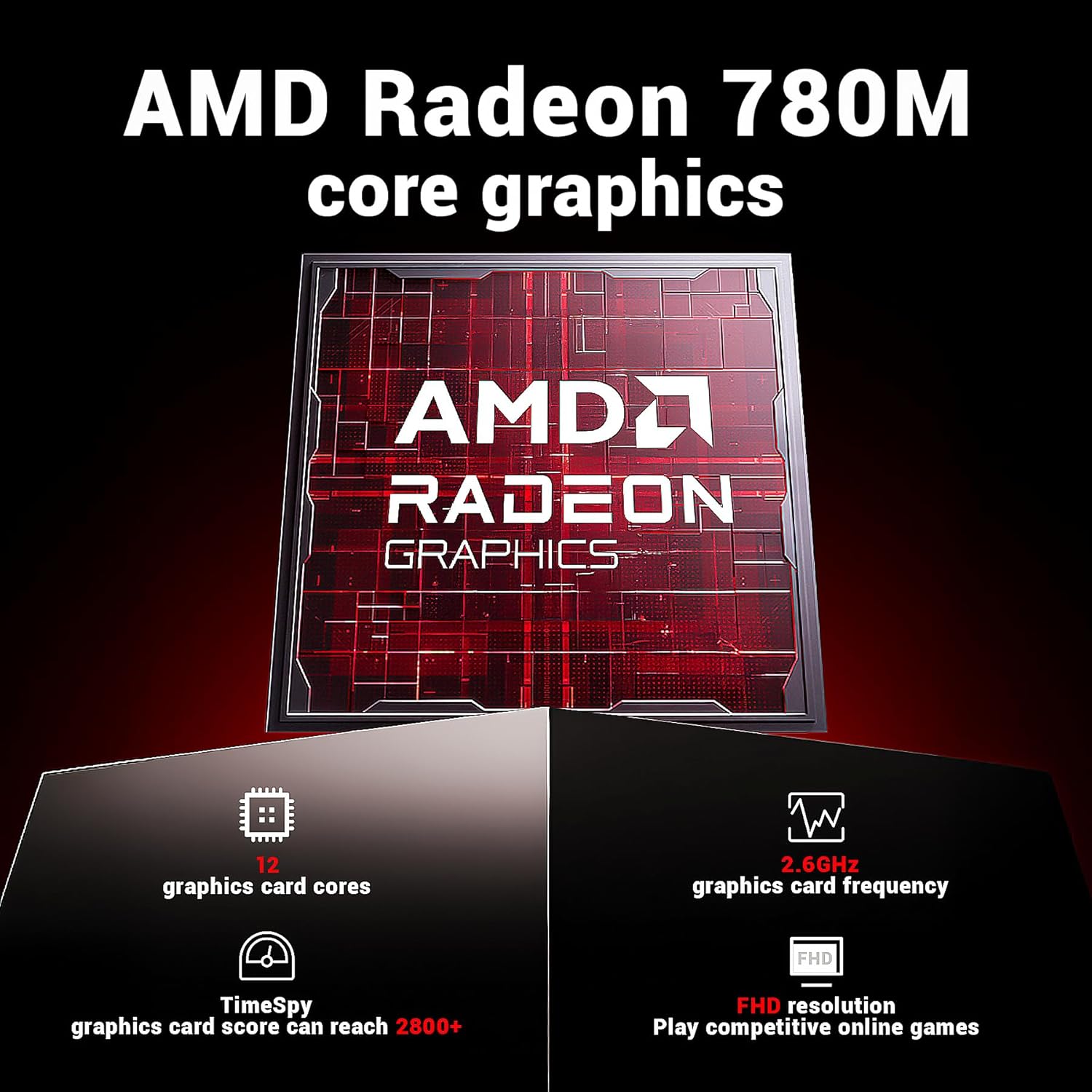
Image: Details on the AMD Radeon 780M integrated graphics, including its 12 graphics card cores and 2.6GHz frequency.

Image: The Mini PC connected to a display, emphasizing its ultra-fast startup and smooth operation.
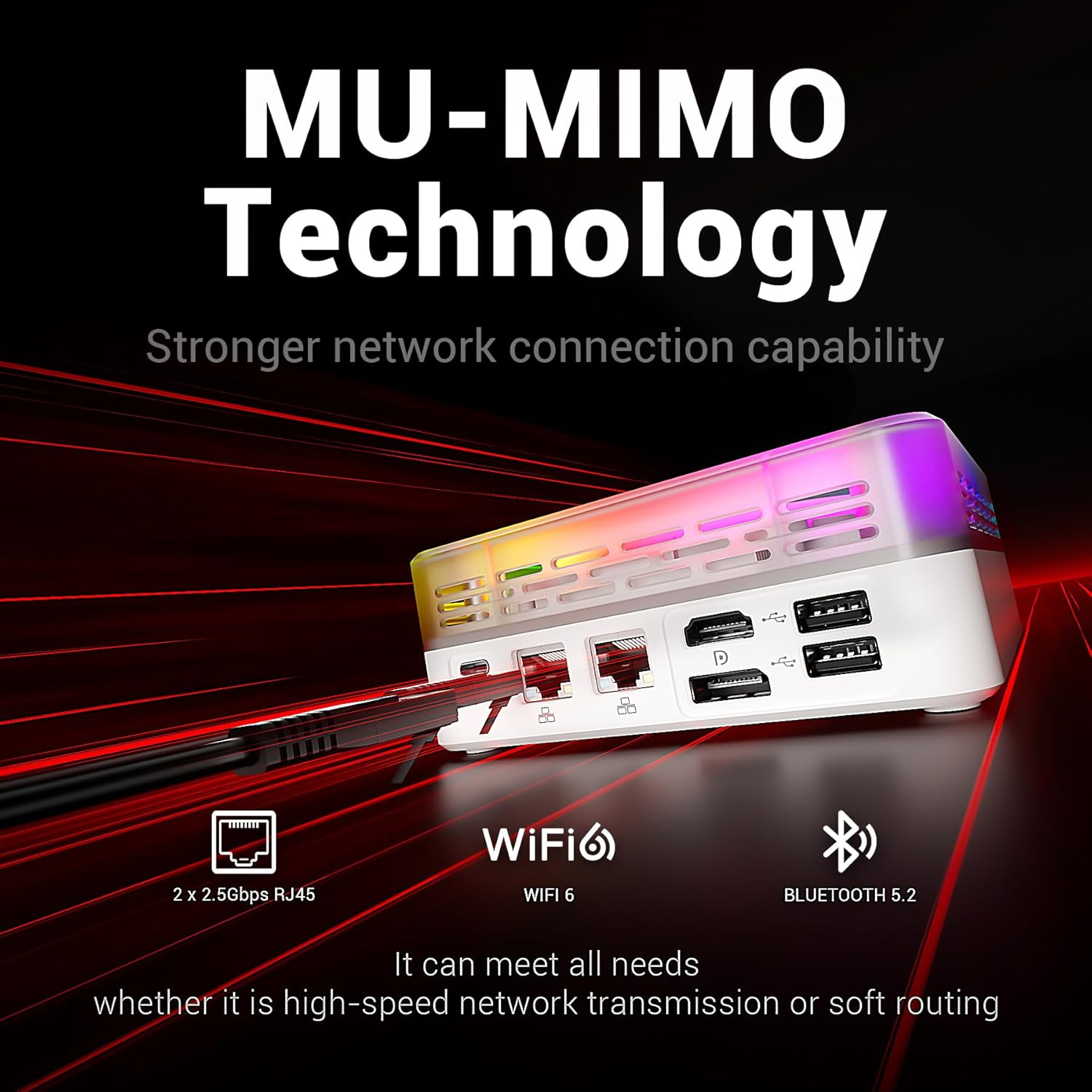
Image: Highlighting the MU-MIMO technology and dual 2.5Gbps RJ45 ports for stronger network connection capability.
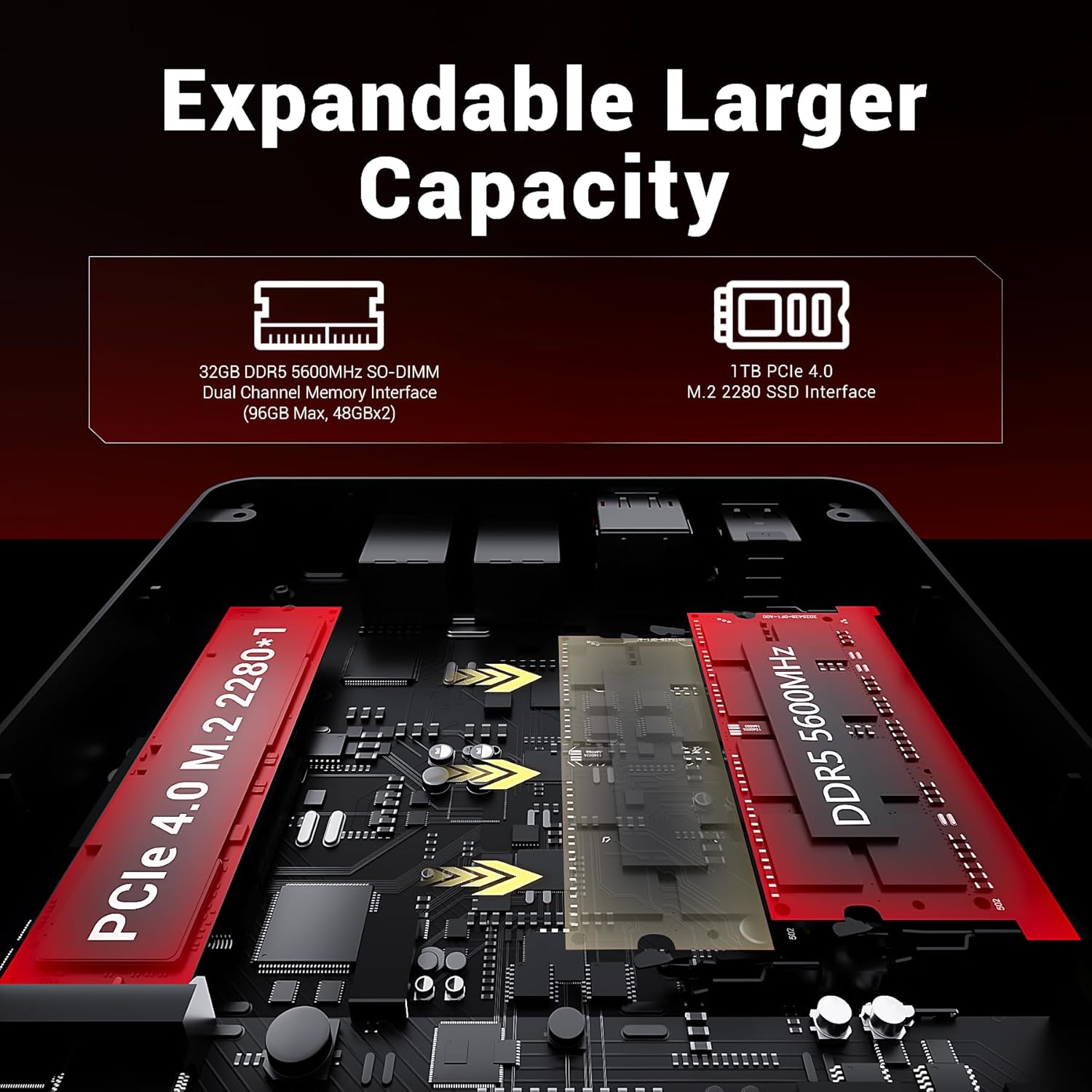
Image: An internal diagram showing the DDR5 SO-DIMM and M.2 2280 SSD slots for expandable capacity.

Image: A diagram illustrating the dual-fan cooling system and high-efficiency thermal grease for optimal heat dissipation.

სურათი: დეტალური view of the Mini PC's front and rear ports, including USB, HDMI, DP, LAN, and audio jacks.
4. დაყენების გზამკვლევი
4.1. დენის დაკავშირება
- Connect the power adapter to the "USB-C IN" port on the Mini PC.
- შეაერთეთ დენის ადაპტერი კედლის განყოფილებაში.
4.2. Connecting to a Display
The MN56 supports up to three displays simultaneously.
- Connect one end of the HDMI cable (included) to the HDMI 2.1 port on the Mini PC.
- Connect the other end of the HDMI cable to an HDMI input on your monitor or TV.
- For additional displays, use the DP 1.4 port or the USB-C 4.0 port (with a compatible USB-C to DisplayPort/HDMI adapter, not included).
4.3. პერიფერიული მოწყობილობების დამაკავშირებელი
- კლავიატურა და მაუსი: Connect your USB keyboard and mouse to any of the USB 2.0 or USB 3.2 Type-A ports.
- ქსელი: For wired internet, connect an Ethernet cable from your router/modem to either of the 2.5Gbps RJ45 LAN ports. For wireless, the device supports Wi-Fi 6.
- აუდიო: ყურსასმენები ან დინამიკები შეაერთეთ 3.5 მმ აუდიო ბუდეში.
4.4. პირველი ჩატვირთვა
- დარწმუნდით, რომ ყველა საჭირო კაბელი დაკავშირებულია.
- დააჭირეთ მინი კომპიუტერის წინა მხარეს მდებარე ჩართვის ღილაკს.
- ოპერაციული სისტემის დაყენების დასასრულებლად მიჰყევით ეკრანზე მოცემულ ინსტრუქციებს.
5. საოპერაციო ინსტრუქციები
5.1. ენერგიის მენეჯმენტი
- ჩართვა: დააჭირეთ დენის ღილაკს.
- Ძილის რეჟიმი: Briefly press the power button while the PC is on, or select "Sleep" from the operating system's power options.
- გამორთვა: Select "Shut Down" from the operating system's power options. Do not unplug the power adapter directly without proper shutdown to prevent data loss.
- გადატვირთვა: Select "Restart" from the operating system's power options.
5.2. RGB განათების კონტროლი
The Mini PC features customizable RGB atmosphere lighting. Use the dedicated RGB control port or software (if available) to adjust lighting effects and colors.
5.3. BIOS/UEFI წვდომა
BIOS/UEFI პარამეტრებზე წვდომისთვის, ჩართეთ მინი კომპიუტერი და განმეორებით დააჭირეთ ღილაკს დელ or F2 key (key may vary, refer to on-screen prompts during boot) immediately after pressing the power button.
6. მოვლა
6.1. დასუფთავება
- დასუფთავებამდე დარწმუნდით, რომ მოწყობილობა გამორთულია და გამორთულია.
- გარე ზედაპირის გასაწმენდად გამოიყენეთ რბილი, მშრალი ქსოვილი.
- For dust accumulation in vents, use compressed air. Do not insert any objects into the vents.
- მოერიდეთ თხევადი საწმენდების ან აბრაზიული მასალების გამოყენებას.
6.2. შენახვა და დამუშავება
- Store the Mini PC in a cool, dry place away from direct sunlight and extreme temperatures.
- მოერიდეთ მოწყობილობის თავზე მძიმე საგნების დადებას.
- არ დაუშვათ მოწყობილობის წყალთან ან ჭარბ ტენიანობასთან შეხება.
6.3. Upgrading Memory and Storage
The FIREBAT MN56 allows for memory and storage upgrades. For detailed instructions on how to open the chassis and install components, please refer to the official FIREBAT support website or contact customer service. Ensure the device is powered off and unplugged before performing any internal upgrades.
7. Დიაგნოსტიკა
| პრობლემა | შესაძლო მიზეზი | გამოსავალი |
|---|---|---|
| დენი არ არის/არ ირთვება | დენის ადაპტერი სწორად არ არის შეერთებული; დენის სოკეტის პრობლემა; გაუმართავი დენის ადაპტერი. | Ensure power adapter is securely connected to both the PC and the wall outlet. Try a different outlet. Test with another compatible power adapter if available. |
| მონიტორზე ჩვენება არ არის | Display cable loose or incorrect; Monitor input not selected; Faulty monitor/cable. | Check HDMI/DP/USB-C cable connections. Ensure the monitor is set to the correct input source. Try a different cable or monitor. |
| ინტერნეტთან კავშირი არ არის (სადენიანი) | Ethernet cable loose; Router/modem issue; Network driver issue. | Ensure Ethernet cable is securely connected. Restart your router/modem. Check network settings in the operating system. Update network drivers. |
| Wi-Fi კავშირი არ არის | Wi-Fi disabled; Incorrect password; Router issue; Driver issue. | Ensure Wi-Fi is enabled in the operating system. Verify Wi-Fi password. Restart your router. Update Wi-Fi drivers. |
| სისტემა ნელია ან არ რეაგირებს | Too many applications running; Low storage space; Overheating; Malware. | Close unnecessary applications. Free up disk space. Ensure proper ventilation. Run antivirus scans. Consider upgrading RAM/SSD if frequently slow. |
If you encounter issues not listed here or if the problem persists, please contact FIREBAT customer support.
8. გარანტია და მხარდაჭერა
FIREBAT products come with a standard manufacturer's warranty. Please refer to the warranty card included with your product or visit the official FIREBAT webსაიტზე დეტალური გარანტიის პირობებისთვის.
For technical support, product inquiries, or warranty claims, please contact FIREBAT customer service:
- ელფოსტა: support@firebatpc.com
- Webსაიტი: www.firebatpc.com
Please have your product model (MN56) and purchase information ready when contacting support.


