1. შესავალი
The VTech VG131-11 DECT 6.0 Cordless Phone offers reliable and clear communication with advanced features. Enjoy hands-free conversations with Bluetooth connectivity, superior range with DECT 6.0 technology, and enhanced visibility with its backlit display and large buttons. This manual provides comprehensive instructions for setting up, operating, and maintaining your new cordless phone.

Image: The VTech VG131-11 DECT 6.0 Cordless Phone handset resting in its black base unit. The handset features a blue-white display and large, green-backlit buttons.
2. რა არის ყუთში
დარწმუნდით, რომ ყველა ნივთი თქვენს პაკეტშია:
- საბაზისო ერთეული
- უსადენო ტელეფონი
- AC ადაპტერი
- ბატარეის პაკეტი
- სატელეფონო ხაზის კაბელი
3. დაყენება
3.1. საწყისი ინსტალაცია
- Connect the AC adapter to the base unit and plug it into a power outlet.
- Connect the telephone line cord to the base unit and plug the other end into a telephone wall jack.
3.2. ბატარეის მონტაჟი
- გახსენით ბატარეის განყოფილების საფარი ტელეფონის უკანა მხარეს.
- ბატარეის პაკეტის შტეფსელი საიმედოდ შეაერთეთ განყოფილების შიგნით მდებარე ბუდეში.
- მოათავსეთ ელემენტის პაკეტი წარწერით „ზემოთ“ და სადენები აკურატულად მოათავსეთ განყოფილებაში.
- დახურეთ ბატარეის განყოფილების საფარი.
3.3. ტელეფონის დატენვა
Place the handset face forward in the base unit. The CHARGE light on the base unit will illuminate, indicating proper charging. Allow the handset to charge for at least 16 hours before initial use for optimal battery performance.
4. საოპერაციო ინსტრუქციები
4.1. ზარების განხორციელება და მიღება
- To make a call: Press საუბარი, შემდეგ კი აკრიფეთ ტელეფონის ნომერი.
- To receive a call: Press საუბარი ან ნებისმიერი დარეკვის ღილაკი (0-9, #, *).
- ზარის დასასრულებლად: დააჭირეთ გამორთულია.
4.2. სპიკერფონის გამოყენება
The phone features a full-duplex speakerphone, allowing both parties to speak and be heard simultaneously for more natural conversations.
- ზარის დროს დააჭირეთ ღილაკს დინამიკი ღილაკი სპიკერფონის გასააქტიურებლად.
- დააჭირეთ დინამიკი button again to switch back to handset mode.
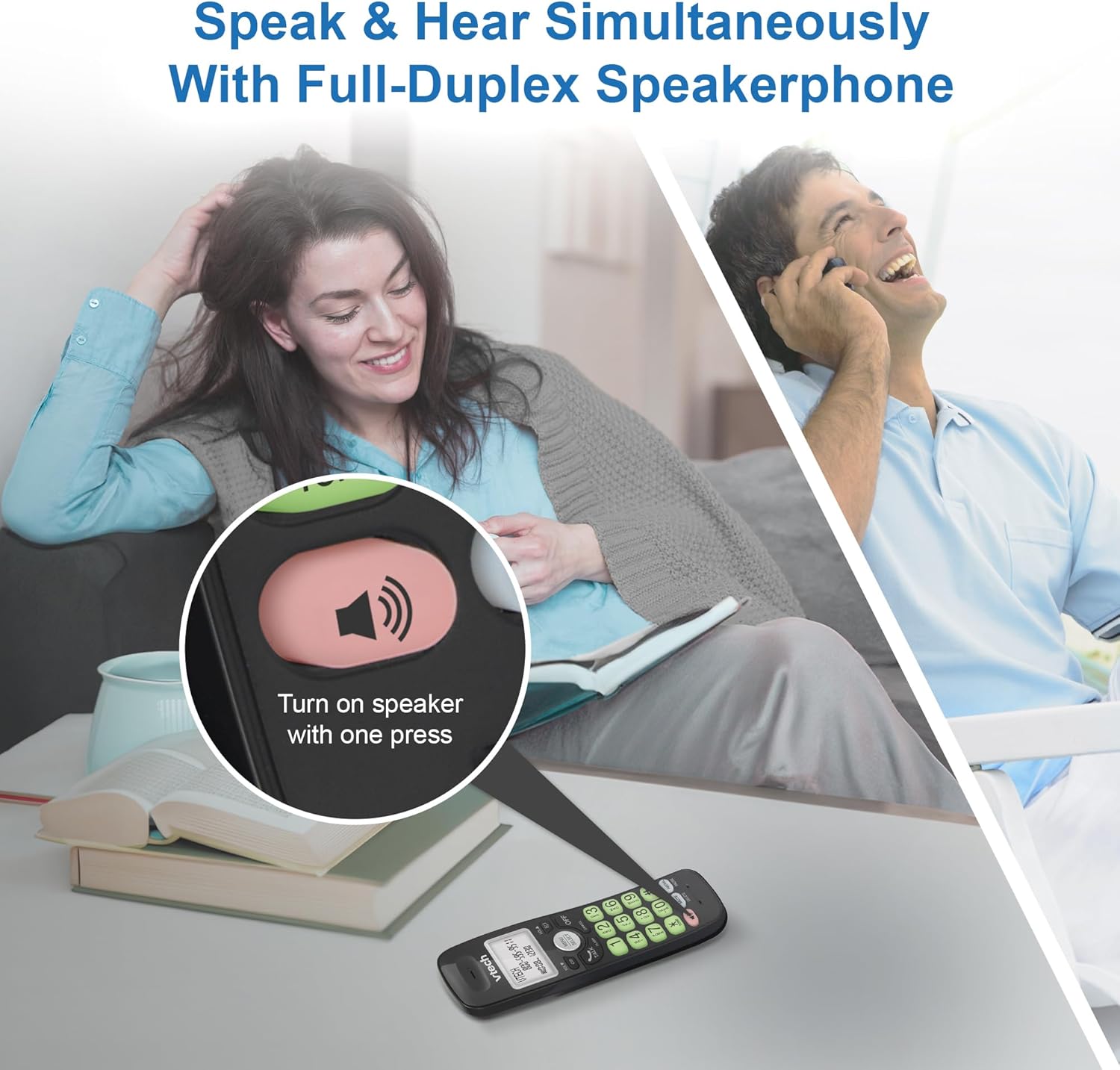
Image: A close-up of the VTech cordless phone handset showing the speakerphone button highlighted, with a person talking on the phone in the background, demonstrating the full-duplex speakerphone feature.
4.3. Volume Control and Mute
- To adjust earpiece or speakerphone volume during a call, press VOL ▼ or ხმის სიმძლავრე ▲.
- To mute the microphone during a call, press დადუმება. The other party cannot hear you, but you can still hear them. Press დადუმება ისევ დადუმების გასახსნელად.

სურათი: დეტალური view of the VTech cordless phone handset, highlighting the 'MUTE' button, indicating its function for silencing the microphone during a call.
4.4. Caller ID and Phonebook
The handset displays the name, number, time, and date of incoming calls. The phone also includes a 30-name and number phonebook directory.
- ხელახლაview Caller ID history, press CID.
- To access the phonebook, press მენიუ/არჩევა, then navigate to the Phonebook option.

Image: A person smiling while holding the VTech cordless phone, with an overlay showing a digital phonebook display with contact names and icons, illustrating the Caller ID and phonebook features.
5. მახასიათებლები
5.1. Bluetooth კავშირი
By pairing a Bluetooth headset, earbuds, or conference speakerphone to the system, you can enjoy a wireless calling experience. This feature is perfect for multitasking around your home or office.

Image: A woman in a kitchen pouring a drink while wearing wireless earbuds, with the VTech cordless phone and its base unit visible on the counter, demonstrating hands-free calling via Bluetooth connection.
Bluetooth მოწყობილობის დაწყვილება:
- Ensure your Bluetooth headset/earbuds are in pairing mode (refer to your device's manual).
- On the VTech phone, navigate to the Bluetooth menu (usually via მენიუ/არჩევა).
- Select 'Pair Device' or similar option.
- The phone will search for available Bluetooth devices. Select your device from the list.
- მიჰყევით ეკრანზე არსებულ ნებისმიერ მოთხოვნას დაწყვილების პროცესის დასასრულებლად.
5.2. DECT 6.0 ტექნოლოგია
Trusted by families worldwide for decades, VTech's cordless telephone transmits secure signals via the DECT 6.0 channel. This ensures crystal clear sounds, interference-free communication, and a stable operation range of up to 1000 ft outdoors, allowing you to move freely while on a call.

Image: A woman working on a laptop at a table, with the VTech cordless phone and its base unit nearby, and a graphic indicating DECT 6.0 digital technology, highlighting its superior range and clarity.
5.3. Backlit Display and Big Buttons
The phone features a blue-white backlit display and green backlit keypad for easier viewing and dialing in dim light conditions. The large buttons enhance usability, especially for those with visual impairments.

სურათი: ახლო ხედი view of the VTech cordless phone handset, emphasizing its backlit LCD screen and large, clearly visible buttons, designed for better visibility and ease of use.
5.4. Easy Wall Mount
The base unit is designed for easy wall mounting, fitting all standard wall mount plates without the need for additional brackets. Simply slide the base unit into the mounting plate using the built-in mounting holes for convenient placement.

Image: The VTech cordless phone base unit shown mounted on a wall, highlighting its built-in mounting holes on the back of the base for easy installation.
5.5. Hearing Aid Compatible
This phone is designed to be compatible with hearing aids, providing a clearer audio experience for users with hearing devices.

Image: A woman with a hearing aid talking on the VTech cordless phone, illustrating the phone's hearing aid compatibility feature.
5.6. პროდუქტი დასრულდაview ვიდეო
ვიდეო: პროდუქტის მოკლე მიმოხილვაview of the VTech VG131-11 DECT 6.0 Cordless Phone, showcasing its key features and ease of use.
6. მოვლა
To ensure the longevity and optimal performance of your VTech cordless phone, follow these maintenance guidelines:
- დასუფთავება: გაწმინდეთ ტელეფონი და ბაზა რბილი ქსოვილით.amp ქსოვილი. არ გამოიყენოთ საწმენდი სპრეი ან უხეში ქიმიკატები.
- ბატარეის მოვლა: Avoid exposing the battery to extreme temperatures. If the phone will not be used for an extended period, remove the battery from the handset.
- განთავსება: Keep the phone away from heat sources, direct sunlight, and moisture.
7. Დიაგნოსტიკა
If you experience any issues with your VTech cordless phone, please refer to the following common problems and solutions:
| პრობლემა | გამოსავალი |
|---|---|
| აკრიფეთ ტონი. | Ensure the telephone line cord is securely plugged into both the base unit and the wall jack. Check if the AC adapter is properly connected to the base unit and a working power outlet. |
| ყურსასმენი არ იტენება. | Make sure the handset is correctly placed in the base unit. Clean the charging contacts on both the handset and the base unit with a dry cloth. Verify the AC adapter is plugged in. |
| ცუდი ხმის ხარისხი ან სტატიკური ხმაური. | Move closer to the base unit. Other electronic devices (Wi-Fi routers, microwaves) may cause interference; try relocating the base unit. Ensure the handset battery is fully charged. |
| Cannot connect to Bluetooth headset. | Ensure both the phone and the Bluetooth headset are in pairing mode. Make sure the headset is within range of the phone's base unit. Try restarting both devices and attempting the pairing process again. Confirm the headset is compatible with the phone's Bluetooth version. |
| ეკრანი ცარიელია ან არ იკითხება. | Ensure the handset battery is charged. If the display is dim, check if the backlight setting is enabled or adjust the contrast if available. |
8. სპეციფიკაციები
| ფუნქცია | დეტალი |
|---|---|
| მოდელის ნომერი | VG131-11 |
| პროდუქტის ზომები | 3.8 x 4.09 x 7.17 ინჩი |
| ნივთის წონა | 14.9 უნცია (0.42 კილოგრამი) |
| ბატარეები | 1 პროდუქტის სპეციფიკური ბატარეა (შედის) |
| ტელეფონის ტიპი | უკაბელო |
| მასალა | პლასტიკური |
| დენის წყარო | კაბელიანი ელექტრო |
| DECT ტექნოლოგია | DECT 6.0 |
| Bluetooth | დიახ |
| აბონენტის ID / ზარის ლოდინი | დიახ |
| Full-Duplex Speakerphone | დიახ |
| Backlit Display & Keypad | Yes (Blue-white display, green keypad) |
| კედელზე დასამაგრებელი | დიახ |
| ტელეფონების წიგნის მოცულობა | 30 სახელი და ნომერი |
| დიაპაზონი | Up to 1000 ft outdoor |
9. გარანტია და მხარდაჭერა
For warranty information, technical support, or to purchase accessories, please visit the official VTech webსაიტზე ან დაუკავშირდით მათ მომხმარებელთა მომსახურების განყოფილებას. შეინახეთ თქვენი შესყიდვის ქვითარი, როგორც შეძენის დამადასტურებელი საბუთი გარანტიის მოთხოვნის შემთხვევაში.
VTech Customer Service: www.vtechphones.com/support


