1. შესავალი
მადლობა შენაძენისთვისasing the VTech XS1050 Cordless Phone. This manual provides essential information for setting up, operating, and maintaining your new phone. Please read it thoroughly to ensure proper use and to take full advantagე მისი თვისებები.

Figure 1: VTech XS1050 Cordless Phone and Base Unit
This image shows the VTech XS1050 cordless phone handset resting in its white base unit. The handset features a digital display and a numeric keypad. The base unit also has controls for the answering machine.
2. დაყენება
2.1 პაკეტის შიგთავსი
დაწყებამდე დარწმუნდით, რომ ყველა ნივთი ხელთ არის:
- VTech XS1050 Handset
- VTech XS1050 Base Unit
- კვების ადაპტერი ბაზის ერთეულისთვის
- სატელეფონო ხაზის კაბელი
- 2 x Product-Specific Batteries (included)
- მომხმარებლის სახელმძღვანელო (ეს დოკუმენტი)
2.2 ბატარეის დაყენება
- გახსენით ბატარეის განყოფილების საფარი ტელეფონის უკანა მხარეს.
- Insert the two supplied batteries, observing the correct polarity (+ and -).
- უსაფრთხოდ დახურეთ ბატარეის განყოფილების საფარი.
2.3 ბაზისური ბლოკის შეერთება
- Connect the power adapter to the base unit and plug it into a wall outlet.
- ტელეფონის ხაზის კაბელის ერთი ბოლო შეაერთეთ საბაზო ბლოკთან, ხოლო მეორე ბოლო - ტელეფონის კედლის ბუდესთან.
2.4 საწყისი გადასახადი
Place the handset on the base unit. The battery indicator on the handset display will show charging. Allow the handset to charge for at least 16 hours before initial use to ensure optimal battery performance.
3. საოპერაციო ინსტრუქციები
3.1 ზარების განხორციელება და მიღება
- ზარის განხორციელება: აიღეთ ყურმილი, აკრიფეთ ნომერი და დააჭირეთ ღილაკს დარეკეთ ღილაკი.
- ზარის მიღება: როდესაც ტელეფონი რეკავს, დააჭირეთ ღილაკს დარეკეთ ღილაკი.
- ზარის დასრულება: დააჭირეთ ზარის დასრულება ღილაკს ან დააბრუნეთ ყურმილი ბაზაზე.
3.2 Using the Answering Machine
The VTech XS1050 features a digital answering machine with up to 30 minutes of recording time.
- შეტყობინებების დაკვრა: დააჭირეთ ითამაშეთ ღილაკი ბაზის მოწყობილობაზე.
- მისალმების ჩაწერა: Refer to the detailed instructions in the full manual for custom greeting setup.
3.3 Hands-Free Speakerphone
ზარის დროს ხელების გარეშე დინამიკის გასააქტიურებლად დააჭირეთ ღილაკს დინამიკი button on the handset. Press it again to switch back to handset mode.

Figure 2: Hands-Free Speakerphone Function
This image shows a person in a kitchen setting, using the VTech XS1050 handset on speakerphone mode while performing other tasks, indicating the convenience of the hands-free function.
3.4 ხმის რეგულირება
ზარის დროს გამოიყენეთ ხმის ამაღლება და ხმის დაკლება buttons on the side of the handset to adjust the earpiece volume. The base unit also has volume controls for the speakerphone and answering machine playback.
3.5 ტელეფონის წიგნი და სწრაფი აკრეფა
- Სატელეფონო წიგნი: Store up to 100 names and numbers. Access and manage entries via the handset menu.
- სწრაფი აკრეფა: Assign frequently called numbers to 8 dedicated speed dial keys for quick access.
3.6 Caller ID and Call History
The phone displays caller information (if available from your service provider) and stores a history of the last 20 incoming calls.

Figure 3: Caller ID and Call History Display
This image illustrates the handset's display showing multiple entries in the call history, including caller names and numbers, demonstrating the caller ID and call waiting features.
3.7 Conference Function
The intercom/hands-free function allows multiple users to participate in a conversation simultaneously, facilitating three-way conference calls.

Figure 4: Three-Way Conference Call
This image depicts three individuals engaged in separate phone conversations, symbolizing the three-way conference call capability of the VTech XS1050.
3.8 სიგნალიზაციისა და ხმის გათიშვის ფუნქცია
The handset includes an alarm function for reminders and a mute function to temporarily silence your microphone during a call.

Figure 5: Alarm and Mute Function Icons
This image shows the VTech XS1050 handset on a table, with graphic overlays of an alarm clock and a muted speaker icon, illustrating the alarm and mute functionalities.
4. ძირითადი მახასიათებლები
4.1 ტომი Ampუფრო ცოცხალი
The VTech XS1050 features an integrated volume amplifier that boosts incoming sound and voice for enhanced clarity and volume. This feature is particularly beneficial for users with hearing impairments or those who prefer a louder audio experience.

Figure 6: Volume Amplifier in Action
This image visually represents the volume amplification feature, showing sound waves emanating from the handset and an ear icon with a plus sign, indicating increased audio output for clearer conversations.
4.2 Digital Answering Machine
Record and store incoming calls when you are unavailable. The digital answering machine offers a maximum storage duration of 30 minutes, ensuring you don't miss important messages.
4.3 Backlit Screen and Keypad
The handset features a backlit screen and keypad, providing improved visibility in low-light conditions and enhancing ease of use.

Figure 7: Backlit Screen and Keypad
This image highlights the illuminated display and keys of the VTech XS1050 handset, demonstrating its backlit feature for better visibility in dim environments.
4.4 ბატარეის ხანგრძლივი მუშაობის ხანგრძლივობა
Enjoy extended conversations with up to 18 hours of talk time on a single charge, ensuring your phone is ready when you need it.

Figure 8: Up to 18 Hours Battery Life
This image features a woman talking on the VTech XS1050 handset, with a graphic overlay indicating '18 hours' talk time, emphasizing the product's long battery endurance.
4.5 Adjustable Ringtone Volume and Melodies
Customize your phone experience by adjusting the ringtone volume and choosing from various melodies to suit your preference.

Figure 9: Adjustable Ringtone Settings
This image shows the VTech XS1050 handset with graphic icons representing a bell (ringtone) and musical notes, indicating the ability to adjust ringtone volume and select melodies.
4.6 Multilingual Help Messages
The phone supports multilingual help messages, providing assistance in various languages for user convenience.
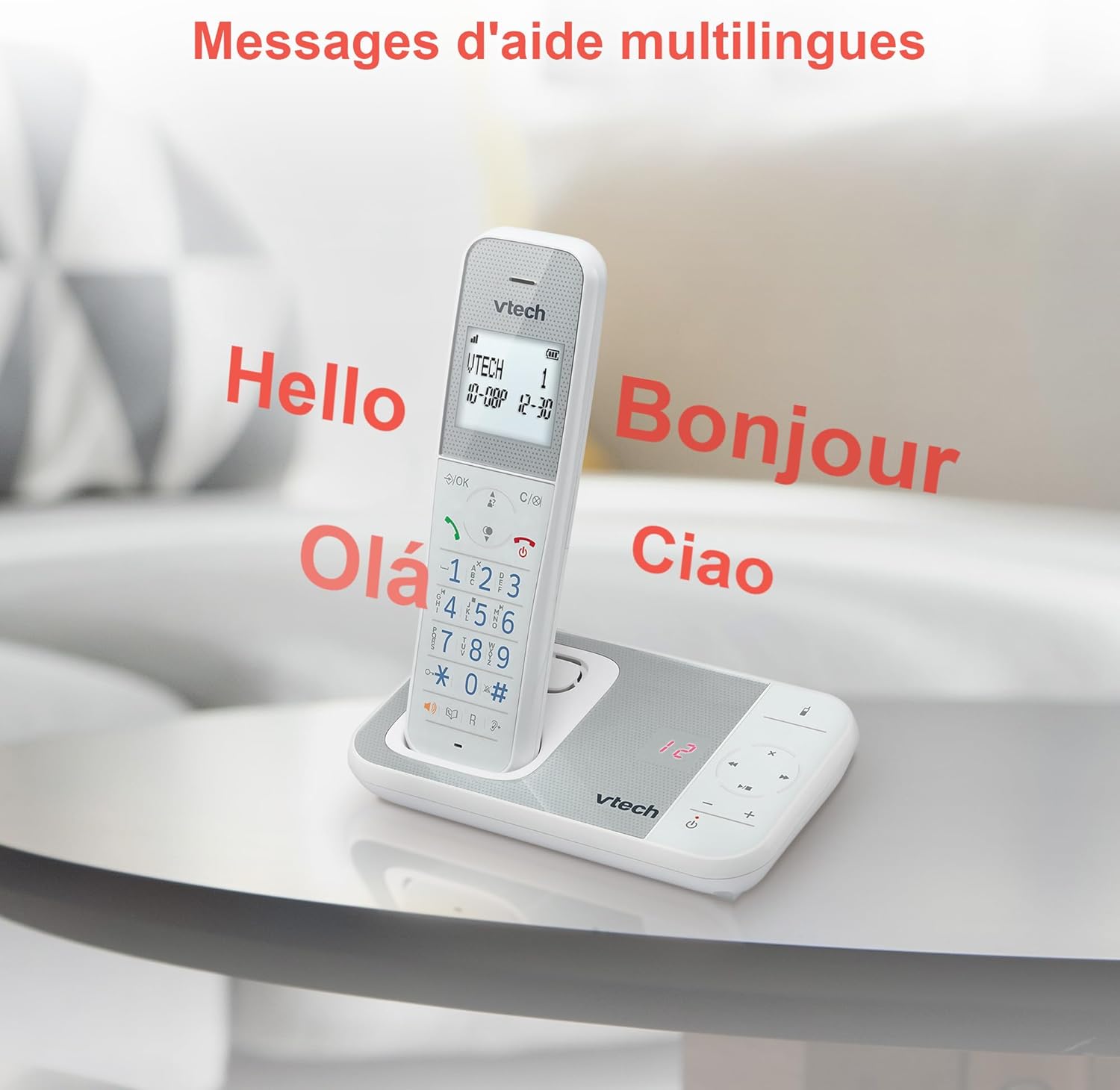
Figure 10: Multilingual Help Messages
This image displays the VTech XS1050 handset with various greetings like 'Hello', 'Bonjour', 'Olá', and 'Ciao' floating around it, illustrating the multilingual support feature.
5. მოვლა
5.1 დასუფთავება
გაწმინდეთ ტელეფონი და ბაზა რბილი ქსოვილით.amp ქსოვილი. არ გამოიყენოთ აბრაზიული საწმენდები ან გამხსნელები. დარწმუნდით, რომ ტელეფონის ღიობებში სითხე არ მოხვდება.
5.2 ბატარეის მოვლა
- Always use the supplied batteries.
- თუ ტელეფონს დიდი ხნის განმავლობაში არ გამოიყენებთ, გაჟონვის თავიდან ასაცილებლად ამოიღეთ ბატარეები.
- გადაყარეთ ძველი ბატარეები პასუხისმგებლობით ადგილობრივი წესების შესაბამისად.
6. Დიაგნოსტიკა
If you experience issues with your VTech XS1050, please refer to the following common problems and solutions:
| პრობლემა | შესაძლო მიზეზი | გამოსავალი |
|---|---|---|
| არ არის აკრიფეთ ხმა | ტელეფონის ხაზის კაბელი სწორად არ არის შეერთებული. | დარწმუნდით, რომ ტელეფონის კაბელი საიმედოდ არის შეერთებული ბაზის ბლოკსა და კედლის ბუდეში. |
| ტელეფონი არ ირთვება | Batteries are not charged or incorrectly installed. | Check battery polarity and ensure the handset is properly seated on the base unit for charging. Verify power adapter connection. |
| ხმის ცუდი ხარისხი | ჩარევა სხვა ელექტრონული მოწყობილობებიდან. | Move the base unit or handset away from other electronic devices such as TVs, computers, or microwaves. |
| ავტომოპასუხე არ იწერს | Memory full or answering machine is off. | Delete old messages to free up space. Ensure the answering machine function is activated. |
7. სპეციფიკაციები
| ფუნქცია | დეტალი |
|---|---|
| ბრენდი | VTech |
| მოდელი | XS1050 |
| ფერი | თეთრი |
| ტელეფონის ტიპი | უსადენო (DECT) |
| ბატარეების რაოდენობა | 2 (Product Specific - Included) |
| მასალა | პლასტიკური |
| დენის წყარო | იკვებება ბატარეით |
| აკრიფეს ტიპი | ერთჯერადი კლავიატურა |
| ელემენტის ზომები (L x W x H) | 18.5 x 15.1 x 6.6 სანტიმეტრი |
| პასუხების სისტემის ტიპი | ციფრული |
| ნივთის წონა | 400 გრამი |
| Answering Machine Capacity | 30 წუთამდე |
| ტელეფონების წიგნის მოცულობა | 100 სახელი და ნომერი |
| ზარის ისტორია | 20 ჩანაწერი |
| საუბრის დრო | 18 საათამდე |
8. გარანტია და დახმარება
8.1 ინფორმაცია გარანტიის შესახებ
დეტალური გარანტიის ინფორმაციისთვის, გთხოვთ, იხილოთ თქვენს პროდუქტთან ერთად მოწოდებული გარანტიის ბარათი ან ეწვიოთ VTech-ის ოფიციალურ ვებგვერდს. webსაიტი. შეინახეთ თქვენი შესყიდვის ქვითარი შეძენის დასადასტურებლად.
8.2 მომხმარებელთა მხარდაჭერა
If you require further assistance or have questions not covered in this manual, please contact VTech customer support. Contact details can typically be found on the VTech webადგილზე ან პროდუქტის შეფუთვაში.


