შესავალი
This manual provides comprehensive instructions for the setup, operation, and maintenance of your Ceybo RC813 FMB1 Voice Remote Control. This remote is designed to work seamlessly with a wide range of TCL QLED Smart TVs, offering convenient control and voice assistant capabilities.

სურათი 1: წინა და უკანა view of the Ceybo RC813 FMB1 Voice Remote Control. The front features various buttons including navigation, volume, channel, and dedicated app shortcuts. The back is smooth and ergonomic.
დაყენება
1. ბატარეის მონტაჟი
The RC813 FMB1 remote control requires two (2) AAA batteries (not included) for operation. Follow these steps to install the batteries:
- იპოვეთ ბატარეის განყოფილების საფარი დისტანციური მართვის უკანა მხარეს.
- განყოფილების გასახსნელად გადაწიეთ სახურავი ქვემოთ ან დააჭირეთ საკეტს.
- ჩადეთ ორი AAA ელემენტი, დარწმუნდით, რომ დადებითი (+) და უარყოფითი (-) ტერმინალები სწორად ემთხვევა განყოფილების შიგნით არსებულ ინდიკატორებს.
- დააბრუნეთ ბატარეის განყოფილების საფარი მისი თავის ადგილზე გადასრიალებით, სანამ არ დააწკაპუნებს.

სურათი 2: Illustration of the battery compartment and proper insertion of AAA batteries.
2. დისტანციური მართვის დაწყვილება
To ensure full functionality, including voice control, the remote must be paired with your TCL Smart TV. Follow these steps:
- Ensure your TCL Smart TV is powered on.
- მიმართეთ დისტანციური მართვის პულტი ტელევიზორისკენ.
- ერთდროულად დააჭირეთ და გააჩერეთ "კარგი" button (center of the navigation pad) and the "Home" button (house icon) for approximately 2 seconds.
- A pairing confirmation message should appear on your TV screen, indicating successful pairing.
- If pairing fails, ensure the batteries are correctly installed and try again. Move closer to the TV if necessary.
დისტანციური მართვის მართვა
ღილაკის ფუნქციონირება დასრულდაview
The RC813 FMB1 remote control features a variety of buttons for intuitive navigation and control of your TCL Smart TV. Refer to the image below for button layout.
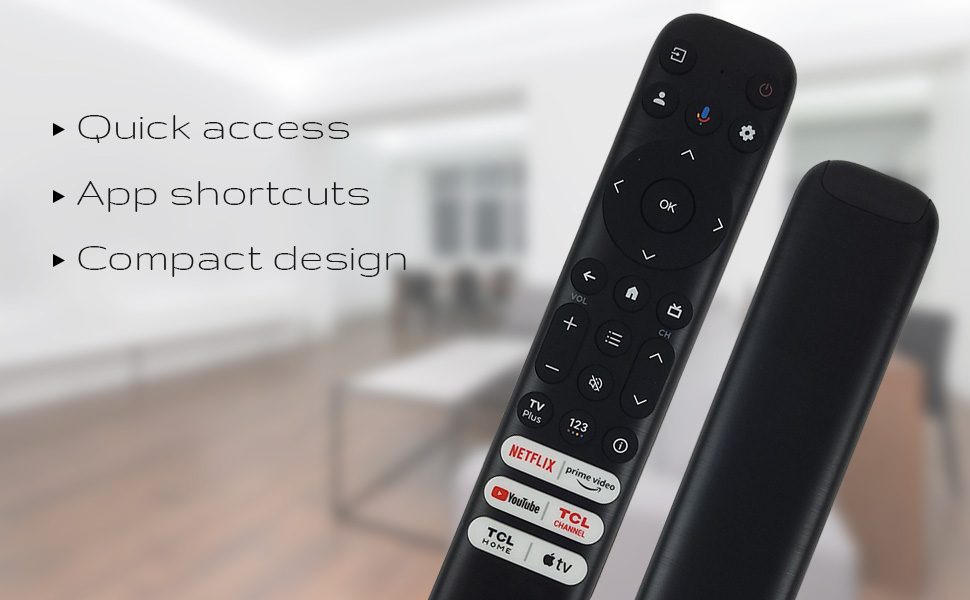
სურათი 3: The remote's design emphasizes quick access, app shortcuts, and a compact form factor for ease of use.
- Ჩამრთველი ღილაკი (⏻): რთავს ან გამორთავს ტელევიზორს.
- ნავიგაციის პანელი (ზემოთ, ქვემოთ, მარცხნივ, მარჯვნივ): გამოიყენება მენიუში ნავიგაციისთვის და პარამეტრების შესარჩევად.
- OK ღილაკი: Confirms selections or opens items.
- უკანა ღილაკი: უბრუნდება წინა ეკრანს ან მენიუს.
- მთავარი ღილაკი (სახლის ხატულა): ბრუნდება ტელევიზორის მთავარ ეკრანზე.
- ხმის აწევა/დაკლება: არეგულირებს ტელევიზორის ხმის დონეს.
- არხი ზემოთ/ქვემოთ: ტელევიზიის არხებს ცვლის.
- პარამეტრების ღილაკი (სიჩქარის ხატულა): ტელევიზორის პარამეტრებზე წვდომა.
- შეყვანის ღილაკი: Changes the TV's input source.
ხმის ასისტენტის ფუნქციონირება
The remote features a dedicated button for Google Assistant, allowing you to control your TV and search for content using voice commands.
- Google ასისტენტის ღილაკი (მიკროფონის ხატულა): Press and hold this button, then speak your command clearly into the remote. Release the button when you are finished speaking.
- Examples of commands include: "Open Netflix," "ძიება action movies," "What's the weather like?", "Turn up the volume."
Dedicated Shortcut Buttons
Quickly access your favorite streaming services and TCL features with the dedicated shortcut buttons located at the bottom of the remote.

სურათი 4: Dedicated shortcut buttons for popular streaming services and TCL applications.
- Netflix: Direct access to the Netflix streaming service.
- პრემიერ ვიდეო: Direct access to Amazon Prime Video.
- YouTube: Direct access to YouTube.
- TCL Channel: პირდაპირი წვდომა TCL არხზე.
- TCL Home: Direct access to TCL Home features.
- Apple TV: Direct access to Apple TV.
თავსებადობა
The Ceybo RC813 FMB1 Voice Remote Control is compatible with a wide range of TCL QLED Smart TV models, including those with Google TV functionality. Below is a list of some compatible models:
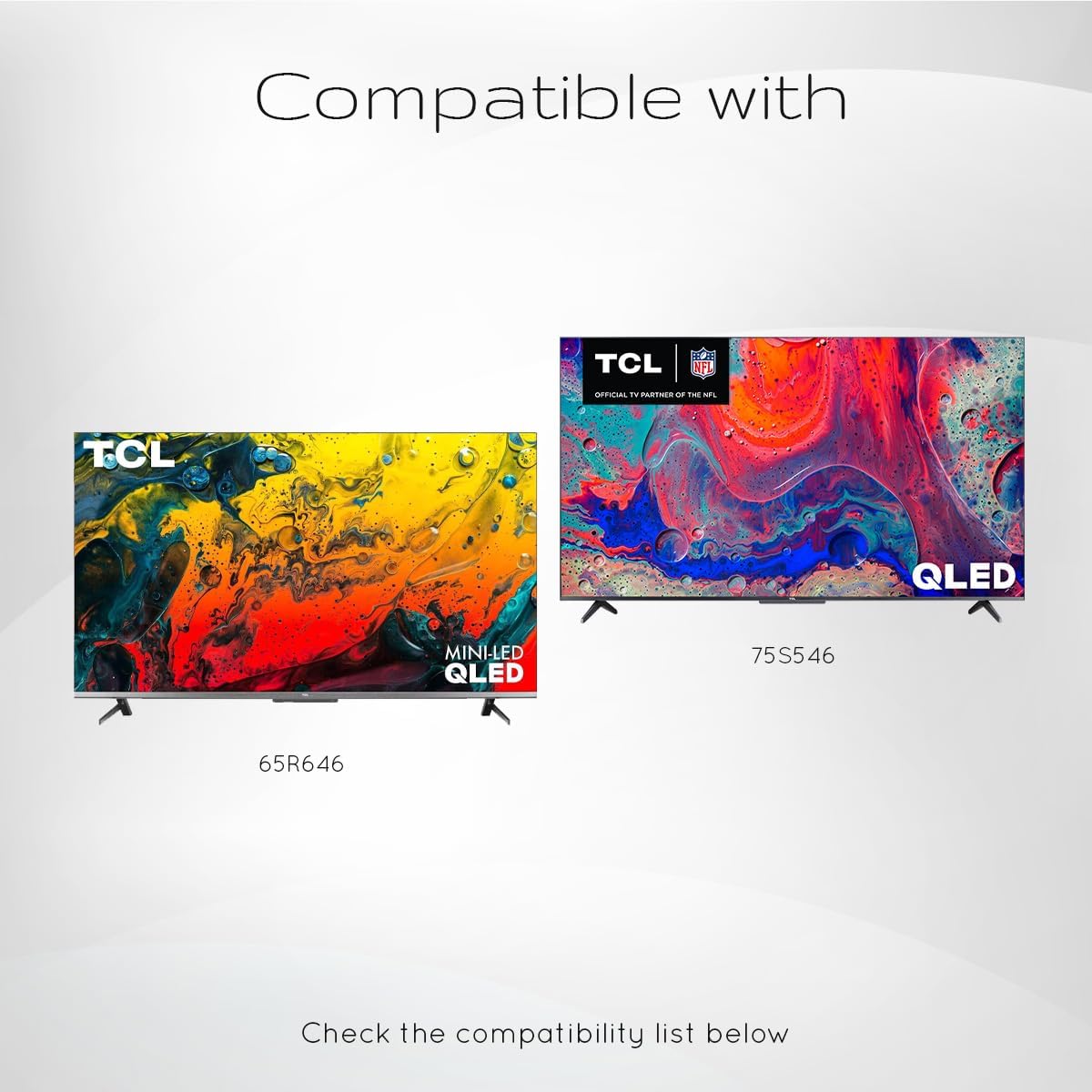
სურათი 5: Examples of compatible TCL QLED TV models.
- Google TV 65Q750G
- Google TV 55Q750G
- Google TV 75Q750G
- Google TV 50Q750G
- Google TV 43Q750G
- Google TV 58Q750G
- 65QM850G
- 55QM850G
- 75QM850G
- 58QM850G
- And many more TCL QLED Smart TV models.
Note: Always verify compatibility with your specific TV model before use.
მოვლა
ბატარეის გამოცვლა
When the remote control's performance degrades or it stops responding, it is likely time to replace the batteries. Follow the battery installation steps outlined in the "Setup" section.
- Always replace both AAA batteries at the same time.
- არ აურიოთ ძველი და ახალი ბატარეები, ან სხვადასხვა ტიპის ბატარეები.
- გადაყარეთ გამოყენებული ბატარეები პასუხისმგებლობით ადგილობრივი წესების შესაბამისად.
დისტანციური მართვის პულტის გაწმენდა
To maintain the remote control's appearance and functionality, clean it periodically.
- დისტანციური მართვის პულტის ზედაპირის გასაწმენდად გამოიყენეთ რბილი, მშრალი ქსოვილი.
- ჯიუტი ჭუჭყისთვის, ოდნავampქსოვილი დაასველეთ წყლით ან რბილი, არააბრაზიული საწმენდი საშუალებით. მოერიდეთ ზედმეტ ტენიანობას.
- Do not use harsh chemicals, solvents, or abrasive cleaning materials, as these can damage the remote's finish or internal components.
პრობლემების მოგვარება
If you encounter issues with your Ceybo RC813 FMB1 remote control, refer to the following common problems and their solutions:
| პრობლემა | შესაძლო მიზეზი / გამოსავალი |
|---|---|
| დისტანციური მართვა არ რეაგირებს. |
|
| ხმოვანი კონტროლი არ მუშაობს. |
|
| Shortcut buttons are not working. |
|
სპეციფიკაციები
| ფუნქცია | დეტალი |
|---|---|
| მოდელის ნომერი | RC813 FMB1 |
| ბრენდი | ცეიბო |
| დაკავშირების ტექნოლოგია | Bluetooth |
| თავსებადი მოწყობილობები | TCL QLED Smart Televisions |
| სპეციალური ფუნქცია | Voice Search (Google Assistant) |
| დენის წყარო | 2 x AAA ბატარეები (არ შედის) |
| ნივთის წონა | 3.2 უნცია (დაახლოებით 90.7 გრამი) |
| პაკეტის ზომები | 8 x 2 x 0.5 ინჩი (დაახლოებით 20.3 x 5.1 x 1.3 სმ) |


