1. შესავალი
The ASMAX F1 Motorcycle Bluetooth Headset is an advanced communication system designed for motorcyclists. It features Bluetooth 5.3 technology, supporting up to 10 riders with a communication range of up to 1.8km. The F1 offers dual intercom modes (Free and Group Mesh), voice control, superior sound quality with ENC noise reduction, and an IP67 waterproof rating. Its magnetic mounting system and fast-charging capabilities ensure convenience and reliability for all your rides.
2. უსაფრთხოების ინფორმაცია
- ყოველთვის პრიორიტეტი მიანიჭეთ საგზაო უსაფრთხოებას. არ გამოიყენოთ მოწყობილობა ისე, რომ ყურადღება გადაგატანინოთ მგზავრობისგან.
- ველოსიპედით სეირნობამდე დარწმუნდით, რომ ყურსასმენი საიმედოდ არის დამაგრებული თქვენს ჩაფხუტზე.
- Adjust volume levels to ensure you can still hear ambient traffic sounds.
- არ სცადოთ მოწყობილობის დაშლა ან მოდიფიცირება, რადგან ამან შეიძლება გააუქმოს გარანტია და შექმნას უსაფრთხოების რისკები.
- შეინახეთ მოწყობილობა ექსტრემალური ტემპერატურისა და მზის პირდაპირი სხივებისგან.
- Charge the device using only the provided cable and a compatible power source.
3. პაკეტის შიგთავსი
დარწმუნდით, რომ თქვენს პაკეტში ყველა ნივთია:
- ASMAX F1 Bluetooth Headset Unit(s)
- Speaker and Microphone Kit(s)
- Magnetic Mounting Base(s)
- USB დამტენი კაბელი(ები)
- მომხმარებლის სახელმძღვანელო
- Mounting Accessories (e.g., adhesive pads, clips)

Image: ASMAX F1 Headset and included accessories.
4. პროდუქტი დასრულდაview
4.1 კომპონენტები
The ASMAX F1 unit features a sleek design with an illuminated cross-shaped indicator. It is designed for easy attachment to most motorcycle helmets.

Image: ASMAX F1 Bluetooth Headset units.
4.2 კონტროლი და ინდიკატორები
The ASMAX F1 is equipped with intuitive controls and indicators for ease of use while riding.
- ინტერკომის ღილაკი: Initiates and manages intercom connections.
- ხმის +/- ღილაკები: არეგულირებს აუდიოს ხმას.
- ფუნქციის ღილაკი: Multi-purpose button for various operations.
- LED ინდიკატორი: Displays device status (e.g., power, pairing, charging).
- ხმის კონტროლი: Activates functions using voice commands (e.g., "Hi Max").

Image: ASMAX F1 controls and helmet compatibility.
5. დაყენება
5.1 Installation on Helmet
The ASMAX F1 features a magnetic mounting system for easy and secure attachment to your helmet.
- ჩაფხუტის გვერდზე შეარჩიეთ შესაფერისი ადგილი, როგორც წესი, მარცხენა მხარეს, რათა დარწმუნდეთ, რომ ის არ გიშლით ხელს მხედველობაში ან ჩაფხუტის ფუნქციონირებაში.
- Clean the helmet surface thoroughly where the mounting base will be attached.
- Attach the magnetic mounting base to the helmet using the provided adhesive pad or clamp. Ensure it is firmly secured.
- Insert the speakers into the helmet's ear pockets. Ensure they are positioned directly over your ears for optimal sound.
- Route the microphone boom or wired microphone to a position near your mouth, ensuring clear voice pickup and minimal wind noise.
- Connect the speaker and microphone cables to the ASMAX F1 unit.
- Attach the ASMAX F1 unit to the magnetic mounting base. The strong magnet will secure it in place.
5.2 საწყისი დატენვა
Before first use, fully charge the ASMAX F1 unit. The 1250mAh battery supports fast charging.
- Connect the provided USB charging cable to the ASMAX F1 unit's charging port.
- კაბელის მეორე ბოლო შეაერთეთ USB კვების ადაპტერთან (არ მოყვება) ან კომპიუტერის USB პორტთან.
- The LED indicator will show charging status. Once fully charged, the indicator will change (refer to specific LED behavior in the full manual).
- მოწყობილობის დატენვა შესაძლებელია გამოყენების დროს.
6. საოპერაციო ინსტრუქციები
6.1 ჩართვა/გამორთვა
- ჩართვა: Press and hold the Function Button for approximately 3 seconds until the LED indicator lights up and you hear a voice prompt.
- Გამორთვა: Press and hold the Function Button for approximately 3 seconds until the LED indicator turns off and you hear a voice prompt.
6.2 Bluetooth-ის დაწყვილება მობილურ მოწყობილობასთან
The ASMAX F1 uses Bluetooth 5.3 for stable connections.
- With the ASMAX F1 powered off, press and hold the Function Button for approximately 5-7 seconds until the LED indicator flashes rapidly (usually blue/red alternating), indicating pairing mode.
- On your mobile phone, enable Bluetooth and search for new devices.
- Select "ASMAX F1" from the list of available devices.
- Once paired, the LED indicator will change (e.g., slow blue flashes) and you will hear a confirmation tone.

Image: Universal pairing capability of ASMAX F1.
6.3 Intercom Modes
The ASMAX F1 supports various intercom modes for group communication.
- Თავისუფალი რეჟიმი: For spontaneous connections within range. Up to 10 riders can join instantly.
- ჯგუფური რეჟიმი (MESH კომუნიკაცია): For private conversations with a team of up to 10 riders. Supports 1-on-1 chats within the group.
- CloudTalk Mode: (Requires app update) Supports cross-brand cloud intercom for up to 50 people, anywhere with a mobile network.

Image: ASMAX F1 10-Rider Mesh Group Intercom.
6.4 ხმის კონტროლი
Activate voice commands by saying "Hi Max" followed by your command. This allows for hands-free operation.
- "Hi Max, Music On"
- "Hi Max, Next Track"
- "Hi Max, Volume Up/Down"
- "Hi Max, Answer The Phone"
- "Hi Max, End Intercom"
- "Hi Max, Phone Pairing"
- "Hi Max, Group Mesh"
- "Hi Max, Free Mode"

Image: ASMAX F1 Voice Control feature.
6.5 აუდიო მრავალამოცანა
The ASMAX F1 allows for simultaneous audio streams, such as listening to music while receiving navigation instructions or participating in an intercom conversation.

Image: ASMAX F1 Audio Multitasking.
7. მოვლა
- დასუფთავება: გაწმინდეთ ერთეული რბილით, დamp ქსოვილი. არ გამოიყენოთ უხეში ქიმიკატები ან აბრაზიული საწმენდები.
- შენახვა: შეინახეთ მოწყობილობა გრილ, მშრალ ადგილას, როდესაც არ იყენებთ.
- ბატარეის მოვლა: ბატარეის ოპტიმალური ხანგრძლივობისთვის, მოერიდეთ მის ხშირ სრულად დაცლას. რეგულარულად დატენეთ.
- წყლის წინააღმდეგობა: The ASMAX F1 is IP67 waterproof. While it can withstand rain and splashes, avoid prolonged submersion.

Image: ASMAX F1 IP67 Waterproof feature.
8. Დიაგნოსტიკა
| პრობლემა | შესაძლო მიზეზი | გამოსავალი |
|---|---|---|
| მოწყობილობა არ ჩაირთვება. | დაბალი ბატარეა. | დატენეთ მოწყობილობა სრულად. |
| ტელეფონთან დაწყვილება შეუძლებელია. | მოწყობილობა დაწყვილების რეჟიმში არ არის; ტელეფონზე Bluetooth გამორთულია. | Ensure device is in pairing mode (flashing LED). Turn on phone's Bluetooth. Forget previous pairings on phone. |
| ინტერკომის დაკავშირების პრობლემები. | Out of range; interference; incorrect mode. | Ensure units are within range. Check for obstacles. Verify correct intercom mode (Free/Group). |
| ცუდი აუდიო ხარისხი / ხმაური. | Microphone position; speaker placement; high speed. | Adjust microphone closer to mouth. Ensure speakers are aligned with ears. ENC noise reduction works best with visor closed at high speeds. |
| ხმოვანი ბრძანებები არ რეაგირებს. | Microphone issue; noisy environment; incorrect command. | Ensure microphone is clear. Speak clearly. Try again in a quieter environment. Refer to voice command list. |
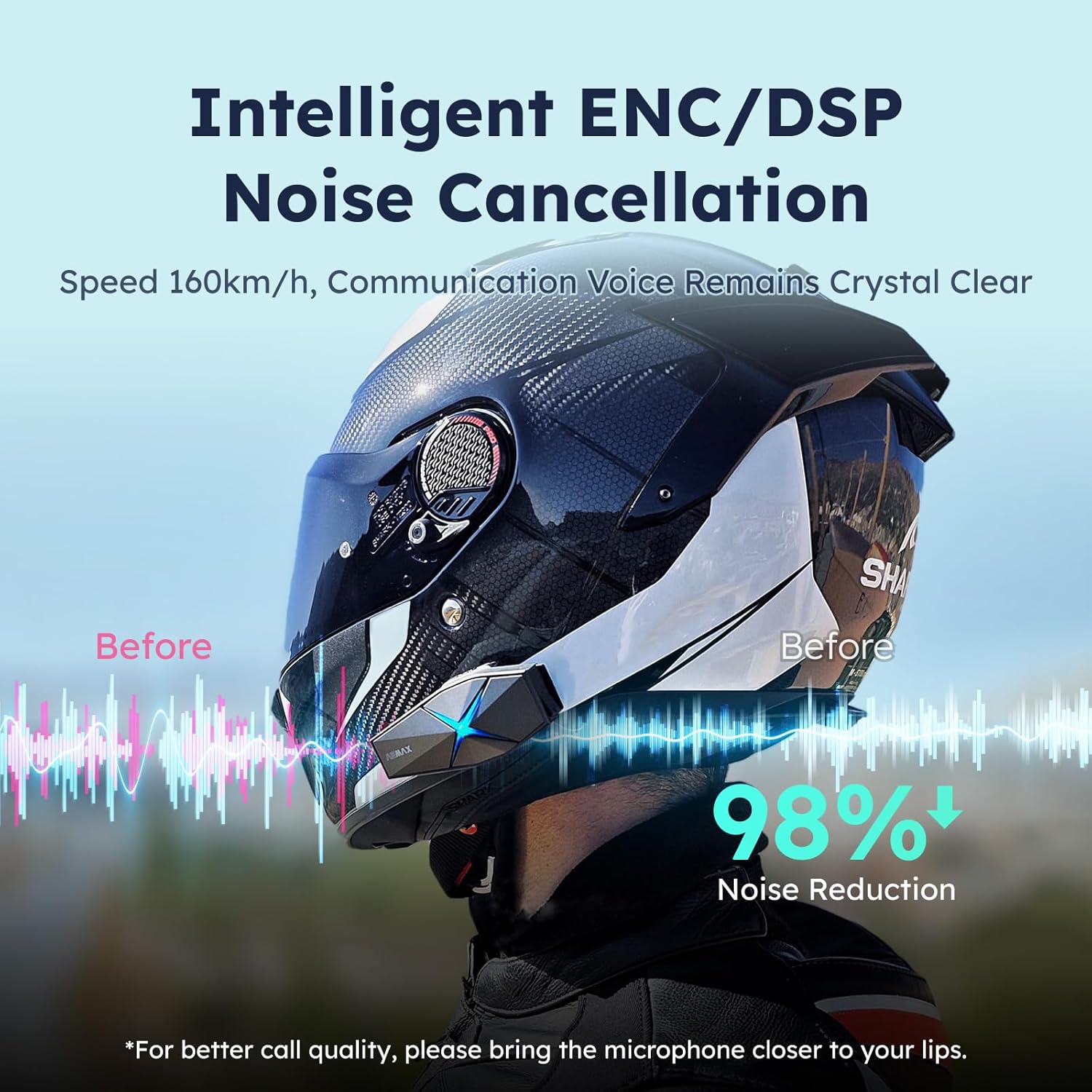
Image: ASMAX F1 Noise Cancellation technology.
9. სპეციფიკაციები
| ფუნქცია | დეტალი |
|---|---|
| მოდელის სახელი | ASMAX F1 (F1 DP) |
| Bluetooth ვერსია | 5.3 |
| ინტერკომის დიაპაზონი | Up to 1.8 km (10 riders) |
| ბატარეის ტევადობა | 1250 mAh |
| დამუხტვა | Fast Charging, USB |
| წყალგაუმტარი რეიტინგი | IP67 |
| ხმაურის კონტროლი | Active Noise Cancellation (ENC/DSP) |
| ხმის კონტროლი | "Hi Max" commands |
| აუდიო ფუნქციები | Audio Multitasking, Superior Sound Quality |
| ზომები | Approx. 86mm x 36mm x 23.6mm (unit) |
| წონა | Approx. 50g (unit) |
| ყურის განთავსება | ყურში |
| წინაღობა | 32 Ohm |
| მგრძნობელობა | 105 დბ |
| სიხშირის პასუხი | 20 ჰც (მინიმალური) |

Image: ASMAX F1 Dual-Chip Octa-Core technology.
10. გარანტია და მხარდაჭერა
ASMAX products come with a standard manufacturer's warranty. For specific warranty terms and conditions, please refer to the warranty card included in your product packaging or visit the official ASMAX webსაიტი.
For technical support, troubleshooting assistance, or any inquiries regarding your ASMAX F1 headset, please contact ASMAX customer service through their official channels. Contact information can typically be found on the ASMAX webადგილზე ან პროდუქტის შეფუთვაში.
Regularly check the ASMAX website or app for firmware updates to ensure optimal performance and access to new features, such as CloudTalk Mode.


