უსაფრთხოების მნიშვნელოვანი ინფორმაცია
Please read all safety instructions before using your homary Smart Nightstand.
- Always unplug the wireless charger when not in use.
- Do not place heavy objects on the nightstand that could cause it to tip over.
- Keep the nightstand away from heat sources and liquids to prevent damage to the electrical components.
- Ensure the nightstand is placed on a stable, level surface.
- Avoid exposing the nightstand to direct sunlight or extreme temperatures.
პროდუქტი დასრულდაview
The homary Smart Nightstand (Model GY-J040528) is a modern bedside table designed for convenience and style. It features integrated charging capabilities and ampშენახვა.
- უსადენო დამუხტვის პანელი: Located on the top surface for compatible devices.
- USB and Type-C Ports: For wired charging of various devices.
- ორი სათავსო უჯრა: Provides organized storage for personal items.
- გამძლე კონსტრუქცია: Crafted from engineered wood with a faux leather finish.
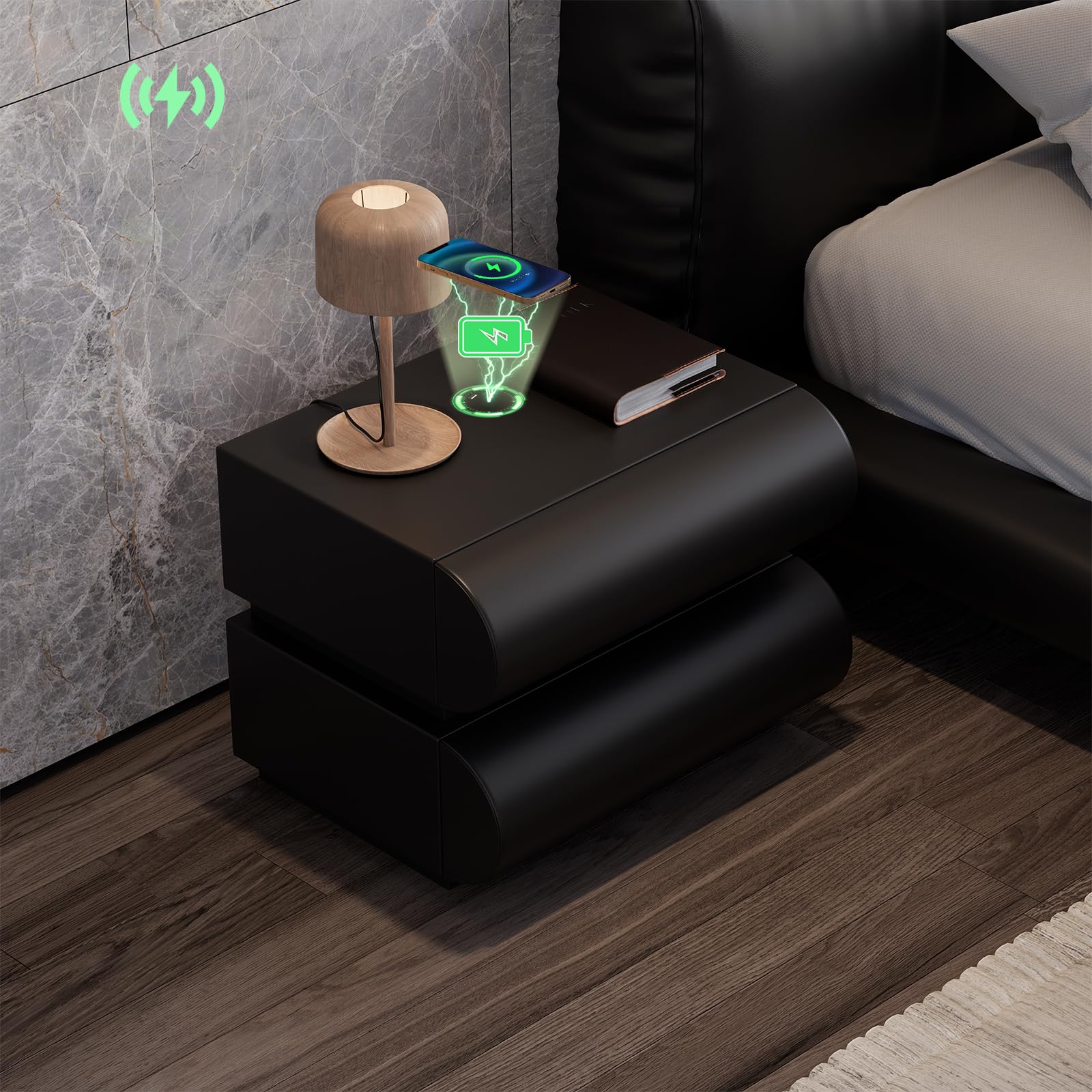
Image: The homary Smart Nightstand in black, showcasing its modern design and two drawers.
დაყენება
The homary Smart Nightstand comes fully assembled, requiring no complex setup.
- შეფუთვა: Carefully remove the nightstand from its packaging. Inspect for any shipping damage.
- განთავსება: Position the nightstand on a stable, level surface next to your bed or desired location. Ensure adequate space for drawer operation.
- დენის კავშირი: Locate the power cable for the charging station. Connect it to a suitable wall outlet. The nightstand's smart features (wireless charger, USB/Type-C ports) will now be active.

Image: A person standing next to the nightstand with a drawer open, demonstrating its height and drawer access.
ოპერაციული ინსტრუქციები
უსადენო დატენვა
The nightstand features a built-in wireless charging pad on its top surface.
- Ensure the nightstand is plugged into a power source.
- Place your Qi-compatible device (e.g., smartphone) directly onto the designated wireless charging area on the nightstand's top surface.
- The device should indicate that it is charging. If not, adjust its position on the pad until charging begins.

Image: A smartphone charging wirelessly on the nightstand's surface, with charging icons visible.
USB და Type-C დამტენი პორტები
For devices not compatible with wireless charging, or for faster charging, use the integrated USB and Type-C ports.
- Ensure the nightstand is plugged into a power source.
- Connect your device's charging cable to the appropriate USB or Type-C port on the nightstand.
- დააკავშირეთ კაბელის მეორე ბოლო თქვენს მოწყობილობას.
- თქვენი მოწყობილობის დატენვა უნდა დაიწყოს.
უჯრის ოპერაცია
The nightstand features two smooth-gliding drawers for storage.
- To open a drawer, gently pull the front panel.
- დასახურად, უჯრა მჭიდროდ დააჭირეთ მანამ, სანამ ბოლომდე არ ჩაჯდება.
- შეუფერხებელი მუშაობისა და დაზიანების თავიდან ასაცილებლად, მოერიდეთ უჯრების გადატვირთვას.

Image: An open drawer of the nightstand, highlighting its construction and storage capacity.
მოვლა
Proper care will ensure the longevity and appearance of your homary Smart Nightstand.
- დასუფთავება: გაწმინდეთ ხელოვნური ტყავის ზედაპირი რბილი, დamp ქსოვილი. მოერიდეთ აბრაზიულ საწმენდ საშუალებებს ან მკაცრ ქიმიკატებს, რადგან მათ შეუძლიათ დააზიანონ ზედაპირი.
- დაღვრა: Immediately wipe up any spills to prevent staining, especially on the faux leather.
- მტვერსასრუტი: რეგულარულად გაწმინდეთ საწოლის მაგიდა მშრალი, რბილი ქსოვილით.
- უჯრის სლაიდები: If drawers become stiff, a small amount of silicone-based lubricant can be applied to the slides.
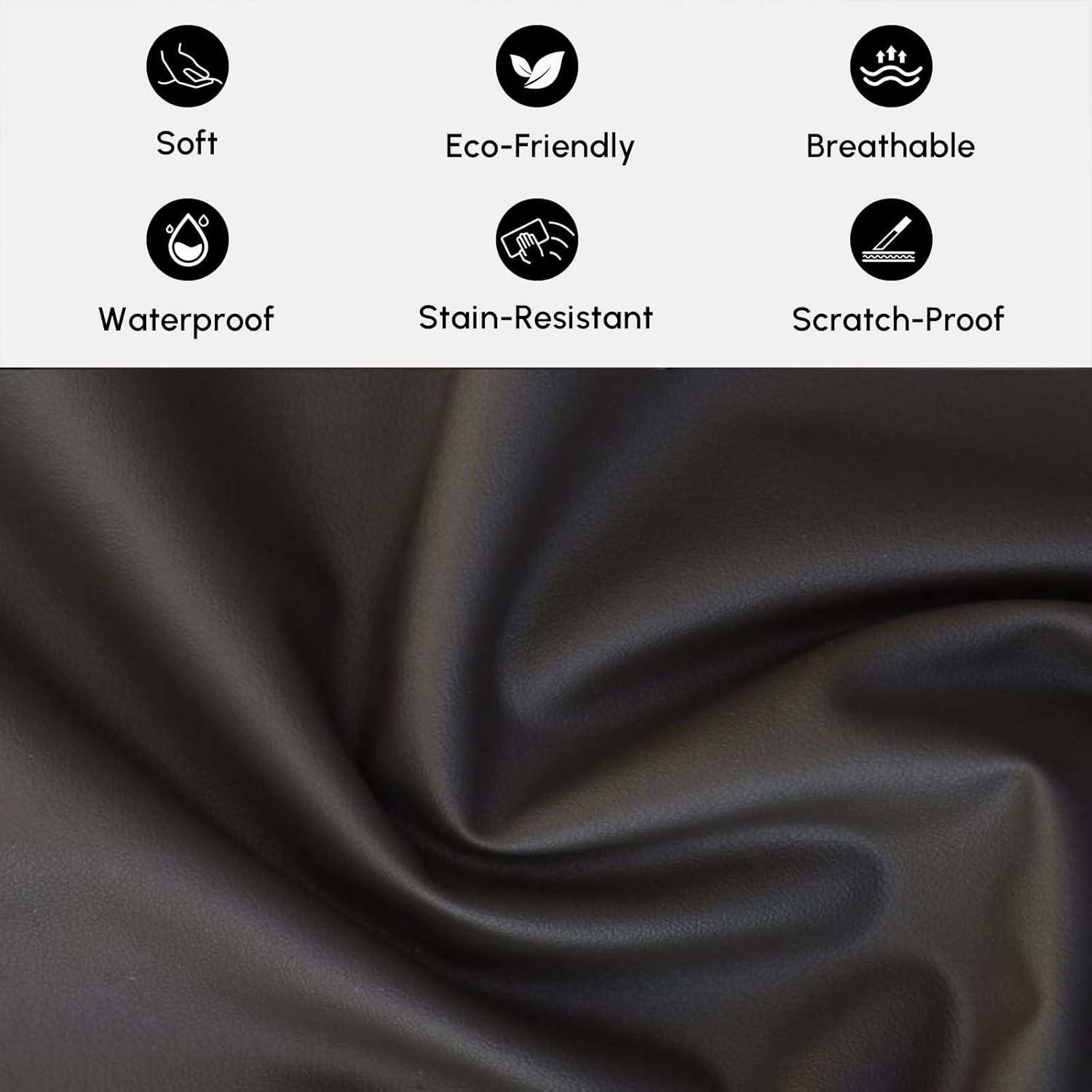
სურათი: ახლო ხედი view of the faux leather material, illustrating its texture and properties like being soft, eco-friendly, breathable, waterproof, stain-resistant, and scratch-proof.
პრობლემების მოგვარება
Wireless Charger Not Working
- შეამოწმეთ სიმძლავრე: Ensure the nightstand is properly plugged into a functional wall outlet.
- მოწყობილობის თავსებადობა: Verify that your device is Qi-compatible for wireless charging.
- მოწყობილობის განთავსება: Adjust the device's position on the charging pad. It may need to be precisely centered.
- დაბრკოლებები: Remove any thick phone cases or metallic objects between the device and the charging pad.
USB/Type-C Ports Not Charging
- შეამოწმეთ სიმძლავრე: Ensure the nightstand is plugged in.
- კაბელის მთლიანობა: Try a different charging cable to rule out a faulty cable.
- Port Condition: Inspect the ports for any debris or damage.
Drawers Sticking or Not Opening Smoothly
- გადატვირთვა: შეამცირეთ უჯრაში არსებული ნივთების წონა ან მოცულობა.
- დაბრკოლება: Check for any objects blocking the drawer slides.
- დონის ზედაპირი: Ensure the nightstand is on a level surface, as unevenness can affect drawer alignment.
სპეციფიკაციები
| ბრენდი | ჰომარი |
| მოდელის სახელი | GY-J040528 |
| ფერი | შავი |
| მასალის ტიპი | Faux Leather; MDF |
| ჩარჩო მასალა | ინჟინერიული ხე |
| უჯრის რაოდენობა | 2 |
| ელემენტის ზომები (L x W x H) | 15.7 x 19.7 x 19.7 ინჩი (400 x 500 x 500 მმ) |
| ნივთის წონა (დაახლოებით) | 33 ფუნტი (15 კგ) |
| Max Load Capacity (Approx.) | 66 ფუნტი (30 კგ) |
| საჭიროა შეკრება | არა |

Image: Detailed dimensions and weight specifications for the nightstand and its drawers.
საგარანტიო ინფორმაცია
Specific warranty details for the homary Smart Nightstand (Model GY-J040528) may vary. Please refer to the warranty card included with your product or contact homary customer support for detailed information regarding warranty coverage and terms.
მომხმარებელთა მხარდაჭერა
If you have any questions, require assistance, or need to report an issue, please contact homary customer support.
- ელფოსტა: service@homary.com
- Please include your order number when contacting support via email.
- Customer service typically responds within 24 hours, excluding public holidays.

Image: Homary customer support details, including email and response time.


