1. შესავალი
This manual provides detailed instructions for the safe and efficient operation of your VGKE Mini Projector, model TS-6. Please read this manual thoroughly before using the projector and retain it for future reference.
The VGKE Mini Projector TS-6 is a portable Full HD projector designed for home entertainment, offering versatile connectivity options including WiFi and Bluetooth for seamless integration with various devices.
2. პროდუქტი დასრულდაview
2.1 ძირითადი მახასიათებლები
- Full HD 1080p Native Resolution (Supports 4K Sources)
- Built-in WiFi 6 for fast wireless connectivity
- Bluetooth 5.2 for external audio devices
- Portable design with a retractable stand
- 90-degree flip adjustment for ceiling projection
- Electric Focus and Keystone Correction (Auto Keystone 15° Vertical Only, 4-Direction, 4-Point Correction)
- 60-100% Zoom function
- Wide compatibility with Android, iOS, Laptops, TV Sticks, HDMI, and USB devices

Figure 1: VGKE Mini Projector TS-6. This image displays the compact and portable design of the projector.

Figure 2: Key features of the VGKE Mini Projector, including high brightness, Full HD resolution, 4K source support, and a retractable stand.
2.2 პაკეტის შიგთავსი
გთხოვთ, შეამოწმოთ შეფუთვა შემდეგი ნივთებისთვის:
- VGKE Mini Projector TS-6
- დენის ადაპტერი
- დისტანციური მართვა
- მომხმარებლის სახელმძღვანელო
- HDMI კაბელი (შეიძლება განსხვავდებოდეს რეგიონის/პაკეტის მიხედვით)
3. დაყენება
3.1 განთავსება
Position the projector on a stable, flat surface. Ensure adequate ventilation around the device. The projector features a 90-degree flip adjustment, allowing for flexible placement, including ceiling projection.

Figure 3: Projector demonstrating 90-degree flip adjustment for versatile projection angles, including ceiling projection.
3.2 დენის კავშირი
- შეაერთეთ კვების ადაპტერი პროექტორის კვების შეყვანის პორტთან.
- შეაერთეთ დენის ადაპტერი კედლის განყოფილებაში.
- დააჭირეთ ჩართვის ღილაკს პროექტორზე ან დისტანციურ მართვის პულტზე მოწყობილობის ჩასართავად.
3.3 საწყისი ფოკუსი და საკვანძო რეგულირება
Upon initial power-on, adjust the focus and keystone to achieve a clear, rectangular image.
- ელექტრო ფოკუსი: Use the remote control to adjust the focus until the image is sharp.
- საკვანძო შესწორება: The projector supports auto 15° vertical keystone correction. Manual 4-direction and 4-point correction are also available via the settings menu for precise image alignment.

Figure 4: Illustration of the Electric Focus and various Keystone Correction options available on the projector.
4. საოპერაციო ინსტრუქციები
4.1 მოწყობილობების დაკავშირება
პროექტორი გთავაზობთ დაკავშირების რამდენიმე ვარიანტს:
- HDMI: Connect laptops, TV sticks, gaming consoles (Switch/PS5), or TV boxes via the HDMI ports.
- USB: Insert USB sticks or external storage devices into the USB ports for media playback.
- აუდიო პორტი: დააკავშირეთ ყურსასმენები ან გარე დინამიკები.
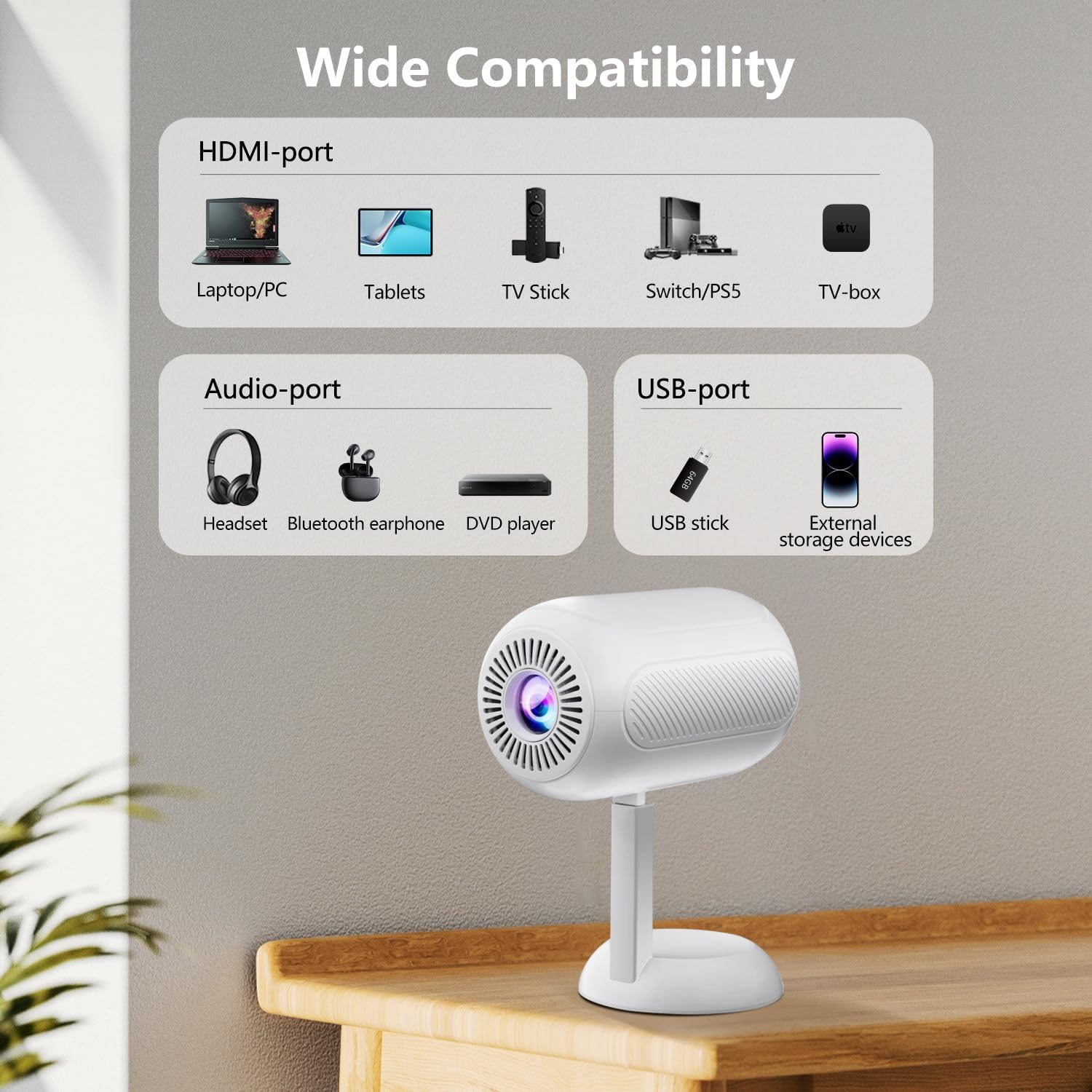
სურათი 5: დასრულდაview of the projector's connectivity ports, including HDMI, USB, and Audio ports.
4.2 უსადენო კავშირი (WiFi და Bluetooth)
The projector supports WiFi 6 and Bluetooth 5.2 for wireless connections.
- WiFi კავშირი:
- Navigate to the projector's settings menu.
- Select "Network" or "WiFi Settings".
- Choose your desired WiFi network and enter the password.
- Once connected, you can use screen mirroring features.
- Bluetooth კავშირი:
- გადადით პროექტორის პარამეტრების მენიუში.
- Select "Bluetooth Settings".
- ჩართეთ Bluetooth და მოძებნეთ ხელმისაწვდომი მოწყობილობები.
- Select your Bluetooth speaker or headphones to pair.

Figure 6: The projector connected wirelessly via WiFi and Bluetooth, demonstrating compatibility with iOS, Android, and Windows devices.
4.3 ეკრანის ასახვა
The projector supports screen mirroring from Android, iOS, and Windows devices. Ensure your device and the projector are connected to the same WiFi network.
- IOS მოწყობილობებისთვის:
- On the projector, select the "iOS Cast" or "Screen Mirroring" option.
- On your iOS device, open Control Center and tap "Screen Mirroring".
- აირჩიეთ პროექტორი ხელმისაწვდომი მოწყობილობების სიიდან.
- Android მოწყობილობებისთვის:
- On the projector, select the "Android Cast" or "Screen Mirroring" option.
- On your Android device, enable "Wireless Display," "Smart View," or "Cast" (names may vary by device).
- აირჩიეთ პროექტორი ხელმისაწვდომი მოწყობილობების სიიდან.
შენიშვნა: Due to HDCP copyright protocols, certain streaming services (e.g., Netflix, Disney+, Prime Video, Hulu) may not support direct screen mirroring. For these services, it is recommended to use a TV Stick (e.g., Amazon Fire Stick, Roku) connected via HDMI.
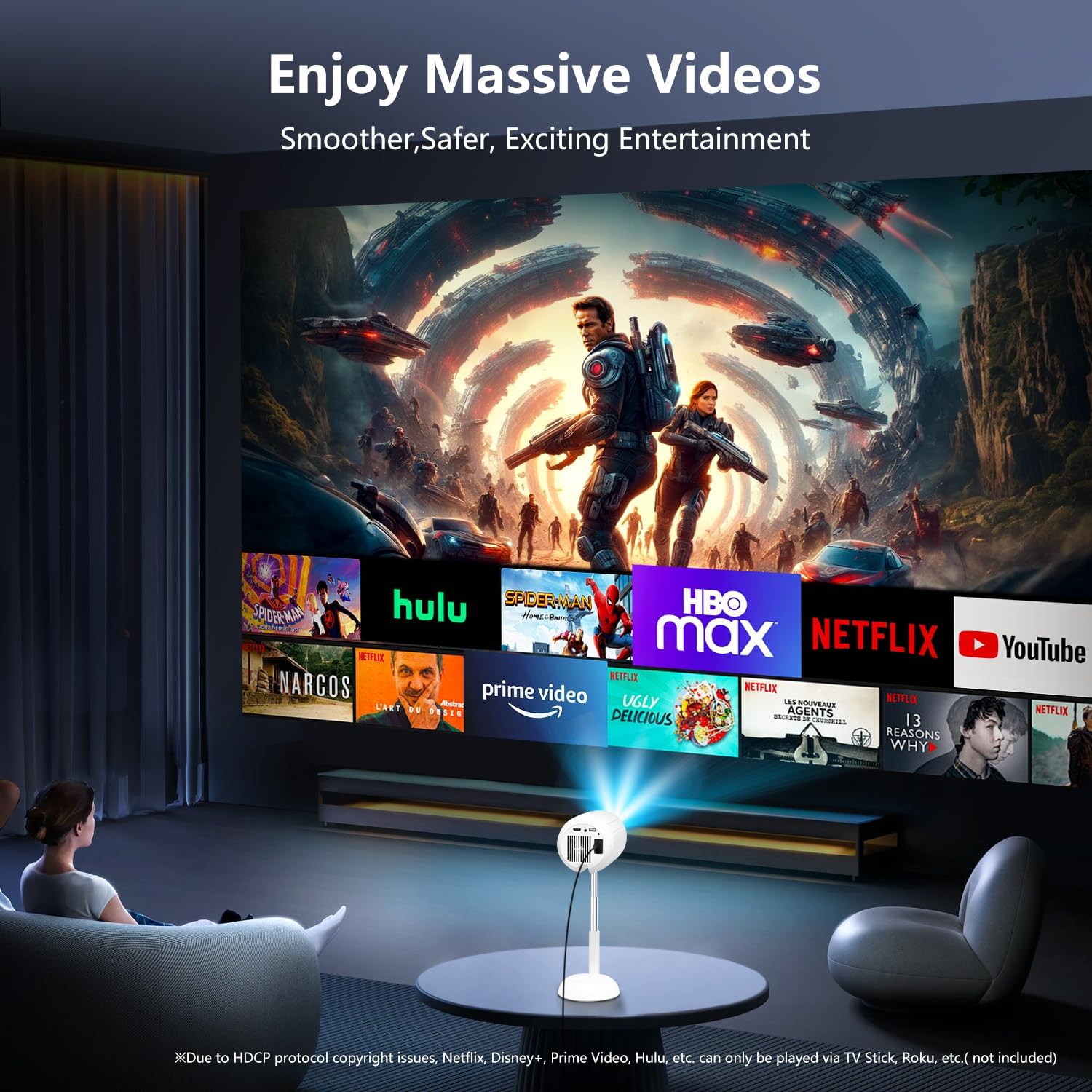
Figure 7: The projector displaying content from various streaming services, highlighting the use of external devices for copyrighted content.
5. მოვლა
5.1 ლინზის გაწმენდა
პროექტორის ლინზის ნაზად გასაწმენდად გამოიყენეთ რბილი, უბუტუსო ქსოვილი, რომელიც სპეციალურად ოპტიკური ლინზებისთვისაა შექმნილი. მოერიდეთ აბრაზიული საწმენდების ან ზედმეტი ძალის გამოყენებას, რადგან ამან შეიძლება ლინზა დაკაწროს.
5.2 პროექტორის კორპუსის გაწმენდა
Wipe the exterior of the projector with a soft, dry cloth. Do not use liquid cleaners or solvents, as they may damage the finish.
5.3 ვენტილაცია
Ensure the ventilation openings are clear of dust and obstructions to prevent overheating. Do not block the air vents during operation.
6. Დიაგნოსტიკა
| პრობლემა | შესაძლო მიზეზი | გამოსავალი |
|---|---|---|
| სურათი არ არის ნაჩვენები | Power cable disconnected; incorrect input source; device not connected properly. | Check power connection; select correct input source (HDMI, USB, etc.); ensure cables are securely connected. |
| ბუნდოვანი გამოსახულება | Out of focus; incorrect keystone adjustment. | Adjust electric focus using the remote; perform keystone correction. |
| ხმა არ არის | Volume too low; external audio device not connected/paired; projector muted. | Increase volume; connect/pair Bluetooth device; unmute projector. |
| ეკრანის ასახვა არ მუშაობს | Devices not on same WiFi network; HDCP restrictions; WiFi signal weak. | Ensure both devices are on the same WiFi; use HDMI for restricted content; check WiFi signal strength. |
7. სპეციფიკაციები
| ფუნქცია | დეტალი |
|---|---|
| ბრენდი | VGKE |
| მოდელის ნომერი | TS-6 |
| ჩვენების გარჩევადობა | 1920 x 1080 (სრული HD) |
| დაკავშირების ტექნოლოგია | Bluetooth, HDMI, USB, Wi-Fi |
| განსაკუთრებული თვისებები | Built-In Wi-Fi, Bluetooth |
| პროდუქტის ზომები | 4.93 x 4.93 x 8.45 ინჩი |
| ნივთის წონა | 2.88 ფუნტი |
| რეკომენდებული გამოყენება | სახლის კინო |
8. გარანტია და მხარდაჭერა
For warranty information and technical support, please refer to the contact details provided on the VGKE official webსაიტი ან თქვენი შესყიდვის დოკუმენტაცია. შეინახეთ შეძენის დამადასტურებელი საბუთი გარანტიის მოთხოვნებისთვის.
For further assistance, you may contact VGKE customer service through their official channels.


