1. შესავალი
The boAt Nirvana Space TWS Earbuds are designed to provide an immersive audio experience with advanced features. This manual provides detailed instructions for setup, operation, and maintenance to ensure optimal performance and longevity of your earbuds.

Image: boAt Nirvana Space TWS Earbuds (Pink Punch) and their charging case.
2. პაკეტის შიგთავსი
- boAt Nirvana Space Truly Wireless In-Ear Earbuds
- დამუხტვის ქეისი
- USB დამტენი კაბელი
- მომხმარებლის სახელმძღვანელო
- Additional Eartips
3. ყურსასმენებისა და ქეისის დატენვა
Before first use, fully charge the earbuds and charging case. Connect the provided USB cable to the charging port on the case and a power source. The LED indicator on the case will show charging status. A full charge takes approximately 1.5 hours.
The earbuds feature ASAP Charge technology. A quick 15-minute charge provides up to 240 minutes (4 hours) of audio playback.

Image: Charging the boAt Nirvana Space earbuds case via USB-C.

Image: Illustration of ASAP Charge feature, highlighting 15 minutes of charge for 4 hours of playtime.
4. დაწყვილება და დაკავშირება
4.1 საწყისი დაწყვილება
- გახსენით დამტენი ქეისი. ყურსასმენები ავტომატურად გადავა დაწყვილების რეჟიმში.
- თქვენს მოწყობილობაზე (სმარტფონი, პლანშეტი, ლეპტოპი) ჩართეთ Bluetooth.
- ძიება 'Nirvana Space' in the list of available Bluetooth devices and select it to connect.
- დაკავშირების შემდეგ, თქვენ გაიგონებთ ხმოვან შეტყობინებას და ყურსასმენებზე LED ინდიკატორი შეიცვლება.
4.2 მრავალპუნქტიანი კავშირი
The Nirvana Space earbuds support multipoint connection, allowing you to connect to two devices simultaneously. This enables seamless switching between devices, for example, watching a video on your tablet and answering a call on your phone without re-pairing.

Image: Multipoint Connectivity, showing earbuds connected to both a tablet and a smartphone.
4.3 Google-ის სწრაფი დაწყვილება
For Android devices, Google Fast Pair allows for quick and effortless connection. Simply open the charging case near your Android device, and a pop-up notification will appear for instant pairing.
5. საოპერაციო ინსტრუქციები
5.1 შეეხეთ კონტროლი
The earbuds feature intuitive touch controls for managing music, calls, and features. Refer to the boAt Hearables App for customizable touch functions.
5.2 ყურშიდა ამოცნობა
The earbuds automatically detect when they are in your ears. Music playback will pause when an earbud is removed and resume when re-inserted, providing a seamless listening experience.

Image: Instant In-Ear Detection feature, showing automatic play/pause functionality.
6. აუდიო ფუნქციები
6.1 360 Spatial Audio
Experience an immersive soundscape with boAt 360 Spatial Audio. This feature creates a cinematic effect, enveloping you with sound from all directions, enhancing your movie and music experience.

Image: boAt 360 Spatial Audio feature banner.
6.2 ხმაურის აქტიური გაუქმება (ANC)
The Nirvana Space earbuds offer up to 32dB Active Noise Cancellation, effectively reducing ambient sounds. This allows you to focus on your audio content without distractions from your surroundings.

Image: Active Noise Cancellation feature banner, highlighting 32dB noise reduction.
6.3 10mm Diamond-Like Carbon (DLC) Drivers
Equipped with 10mm Diamond-Like Carbon (DLC) drivers, these earbuds deliver crisp sound with outstanding balance and tonality, providing a rich audio experience with deep bass.
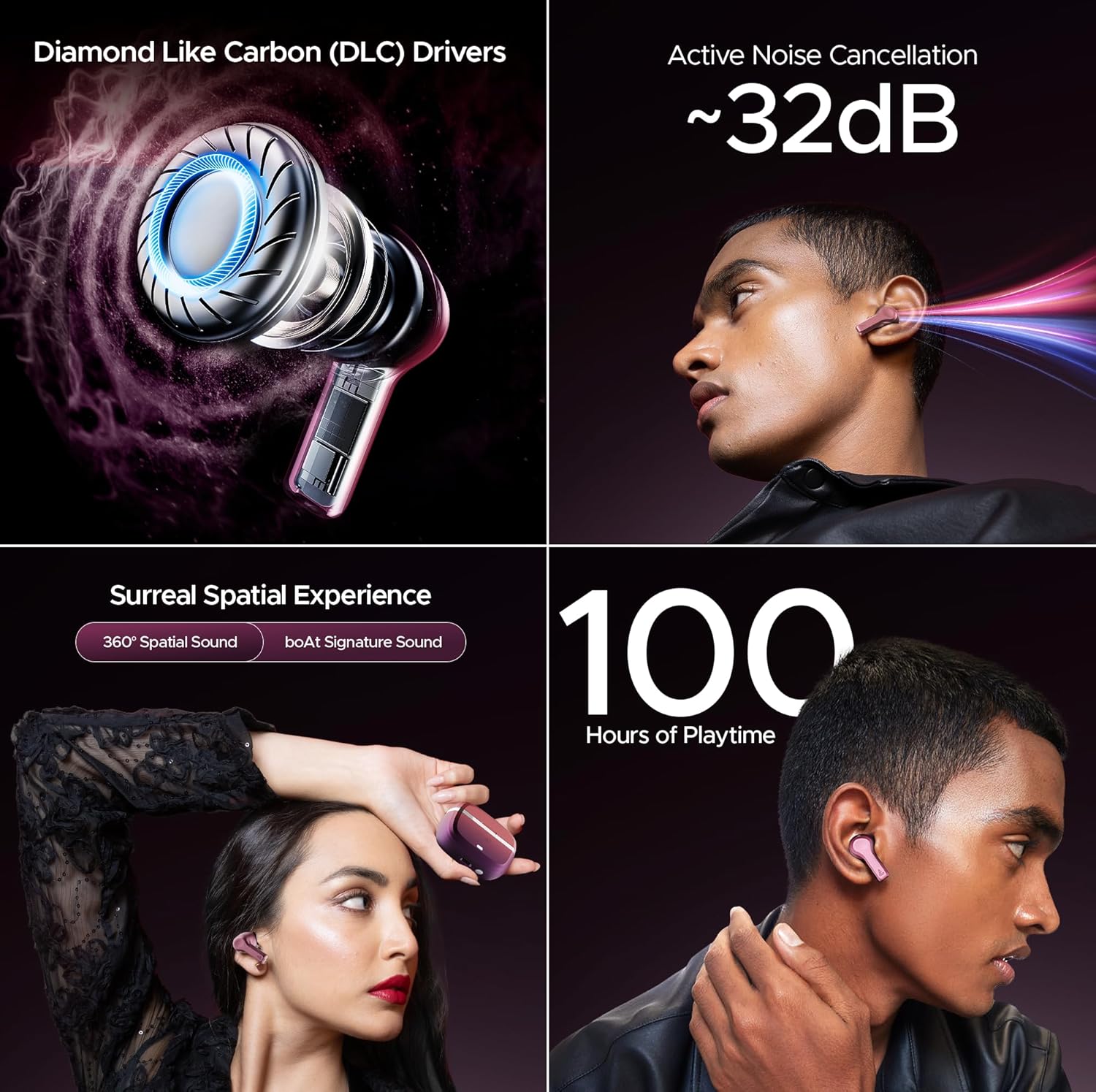
სურათი: მეტიview of key audio features including DLC Drivers, ANC, Spatial Audio, and battery life.
6.4 boAt Signature Sound
Enjoy the signature boAt sound profile, optimized for a powerful and dynamic listening experience across various genres.
6.5 BEAST Mode
Activate BEAST Mode for ultra-low latency (60ms), ideal for gaming and video streaming, ensuring synchronized audio and visuals.
6.6 ატმოსფერული რეჟიმი
When you need to be aware of your surroundings, switch to Ambient Mode. This feature allows external sounds to pass through, keeping you connected to your environment without removing the earbuds.
7. ზარის ხარისხი
The Nirvana Space earbuds are equipped with 4 microphones and AI-ENx Technology. This technology enhances call clarity by isolating your voice and reducing background noise, ensuring clear conversations even in noisy environments.

Image: Quad Mics with AI-ENx Technology for enhanced call clarity.
8. boAt Hearables აპლიკაცია
Download the boAt Hearables App to unlock the full potential of your Nirvana Space earbuds. The app allows for customization of touch controls, sound personalization with boAt Adaptive EQ, and access to various features and settings.

Image: boAt Hearables App interface for customizing settings and features. Download the app via this link: https://l.ead.me/bdAX6k
9. ბატარეის ხანგრძლივობა
The boAt Nirvana Space earbuds offer an impressive 100 hours of total playback time with the charging case. This extended battery life ensures long listening sessions without frequent recharging.

Image: 100 Hours of Playtime feature banner.
10. მოვლა
To maintain the performance and longevity of your earbuds:
- ყურსასმენები და დამტენი ქეისი სუფთა და მშრალი შეინახეთ.
- Avoid exposing them to extreme temperatures or direct sunlight.
- Use a soft, dry cloth for cleaning. Do not use abrasive cleaners.
- Store in the charging case when not in use to protect them from dust and damage.
11. Დიაგნოსტიკა
11.1 ყურსასმენები არ წყვილდება
- დარწმუნდით, რომ ორივე ყურსასმენი დატენულია.
- ყურსასმენები ისევ ქეისში მოათავსეთ, დახურეთ სახურავი, დაელოდეთ რამდენიმე წამი და შემდეგ ისევ გახსენით დაწყვილების რეჟიმში ხელახლა გადასასვლელად.
- Forget 'Nirvana Space' from your device's Bluetooth settings and attempt to pair again.
11.2 ერთი ყურსასმენი არ მუშაობს
- შეამოწმეთ, ორივე ყურსასმენი დატენულია თუ არა.
- სცადეთ ყურსასმენების გადატვირთვა (გადატვირთვის კონკრეტული ინსტრუქციებისთვის იხილეთ სრული მომხმარებლის სახელმძღვანელო).
11.3 ზარის დაბალი ხარისხი
- დარწმუნდით, რომ ყურსასმენები სწორად არის ჩასმული თქვენს ყურებში.
- Check for any obstructions around the microphone areas.
- If in a very noisy environment, try moving to a quieter location.
12. სპეციფიკაციები
| ფუნქცია | სპეციფიკაცია |
|---|---|
| მოდელის სახელი | Nirvana Space |
| ხმაურის კონტროლი | Active Noise Cancellation (~32dB) |
| დაკავშირების ტექნოლოგია | უსადენო (Bluetooth v5.3) |
| Bluetooth დიაპაზონი | 10 მეტრი |
| ბატარეის ხანგრძლივობა | 100 საათი (დამტენი ქეისით) |
| დატენვის დრო | 1.5 საათი |
| აუდიო დრაივერის ტიპი | Dynamic Driver (10mm DLC) |
| მიკროფონები | 4 მიკროფონი AI-ENx ტექნოლოგიით |
| წყლის წინააღმდეგობის დონე | წყალგამძლე |
| კონტროლის მეთოდი | აპლიკაცია / შეხება |
| ნივთის წონა | 140 გრამი |
13. გარანტია და მხარდაჭერა
Your boAt Nirvana Space TWS Earbuds come with a manufacturer's warranty. For detailed warranty information, service requests, or technical support, please visit the official boAt webსაიტზე ან დაუკავშირდით მათ მომხმარებელთა მომსახურების სამსახურს. შეინახეთ თქვენი შესყიდვის ქვითარი გარანტიის მოთხოვნებისთვის.
Visit the official boAt Store: ნავების მაღაზია Amazon-ზე


