1. პროდუქტი დასრულდაview
The HIFI WALKER H20 Ultra is a high-resolution digital audio player designed for audiophiles. It features advanced audio processing, versatile connectivity, and a user-friendly interface, delivering studio-grade sound quality in a portable form factor.

2. პაკეტის შიგთავსი
დარწმუნდით, რომ ქვემოთ ჩამოთვლილი ყველა ნივთი შედის თქვენს პაკეტში:
- H20 Ultra MP3 Player
- USB-C მონაცემთა კაბელი
- 128GB TF ბარათი
- ხავერდის შესანახი ჩანთა
- მომხმარებლის სახელმძღვანელო

3. მოწყობილობის განლაგება და მართვა
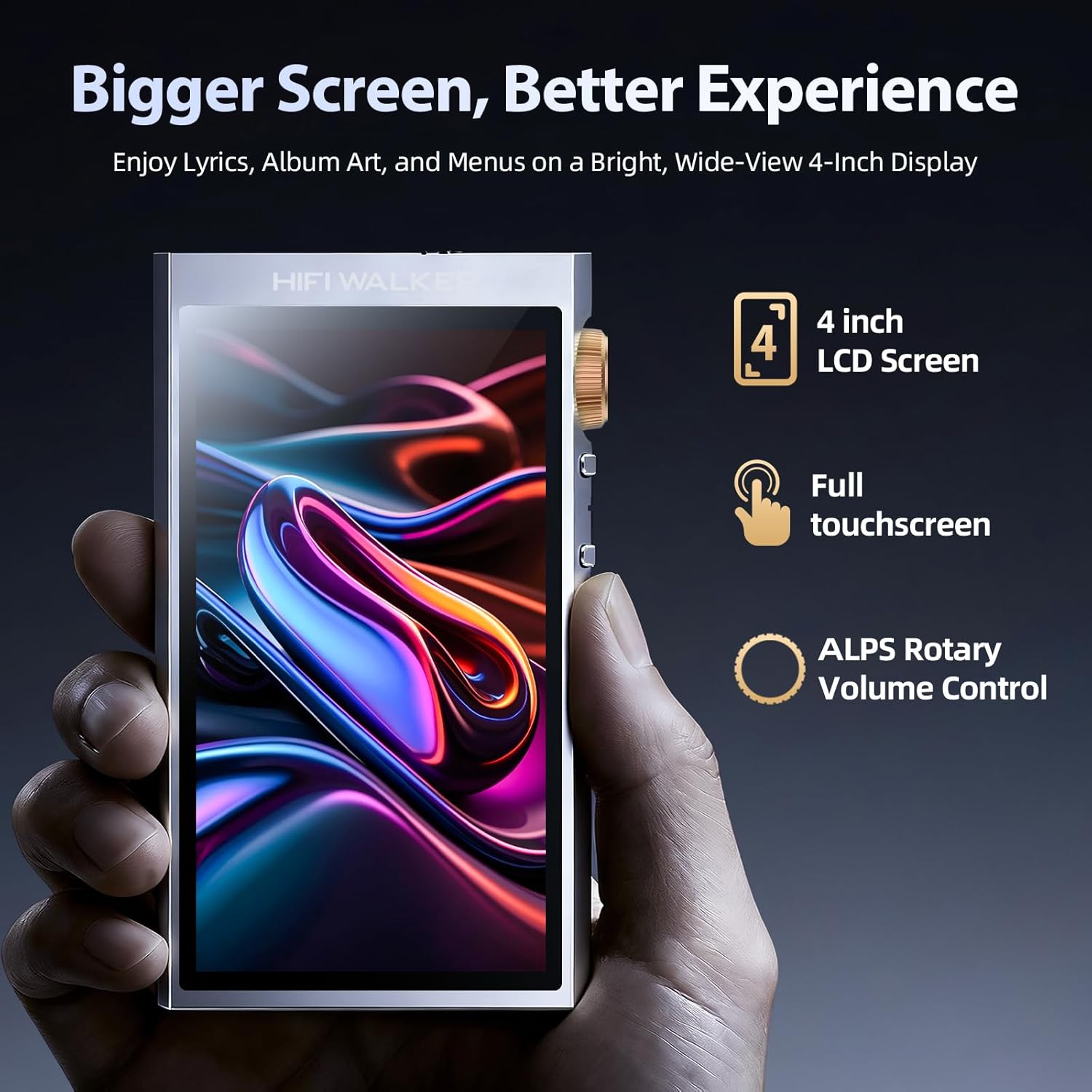
Familiarize yourself with the physical layout and controls of your H20 Ultra player.
გვერდითი კონტროლი

- ხმის ღილაკი: Rotatable knob for precise volume adjustment.
- დენის ღილაკი: Press and hold to power on/off. Short press to toggle screen on/off.
- წინა/შემდეგი ჩანაწერის ღილაკები: ნავიგაცია ტრეკებს შორის.
- დაკვრის/პაუზის ღილაკი: აკონტროლეთ მუსიკის დაკვრა.
Top and Bottom Ports
- 3.5mm Single-Ended Output: სტანდარტული ყურსასმენის ჯეკი.
- 4.4 მმ დაბალანსებული გამომავალი: For high-fidelity audio with compatible headphones.
- USB-C პორტი: For charging, data transfer, and USB DAC functionality.
- MicroSD ბარათის სლოტი: 1 ტბ-მდე გაფართოებული მეხსიერებისთვის.
4. დაყენება
4.1 მოწყობილობის დატენვა
Before first use, fully charge your H20 Ultra. Connect the provided USB-C cable to the device and a compatible USB power adapter (not included). The device supports 3-hour fast charging and offers up to 36 hours of playback on a full charge.

4.2 MicroSD ბარათის ჩასმა
The H20 Ultra comes with 128GB of internal storage and supports expandable storage via a microSD card up to 1TB. Gently insert the microSD card into the designated slot until it clicks into place.
4.3 ჩართვა/გამორთვა
Press and hold the Power button on the side of the device for a few seconds to power it on or off. A short press will toggle the screen on or off during operation.
4.4 საწყისი ენის შერჩევა
Upon first startup, you will be prompted to select your preferred language from the touchscreen interface.
5. საოპერაციო ინსტრუქციები
5.1 მომხმარებლის ინტერფეისის ნავიგაცია
The H20 Ultra features a 4-inch full touchscreen with an intuitive UI. Navigate through menus and options by tapping and swiping. Physical buttons on the side provide quick access to playback controls and volume adjustment.

5.2 მუსიკის დაკვრა
The H20 Ultra supports a wide array of high-resolution audio formats, including DSD, FLAC, WAV, ALAC, APE, M4A, and MP3. It offers native DSD256 decoding and PCM up to 768kHz/32bit.

მუსიკის დათვალიერება
Access your music library through categories such as All Songs, Folders, Albums, Artists, and Genres. You can also create and manage playlists.
ექვალაიზერის პარამეტრები
Customize your audio experience with the built-in equalizer. Choose from preset modes (e.g., Pop, Blues, Classic, Jazz, Rock, Dance, Metal, Voice) or create a custom profile რომ მოერგოს თქვენს პრეფერენციებს.

5.3 Bluetooth კავშირი
The H20 Ultra features Bluetooth 5.2 with support for aptX HD and LDAC codecs, ensuring high-resolution wireless audio streaming. It supports both transmitter (TX) and receiver (RX) modes.

დაწყვილება Bluetooth მოწყობილობებთან
- გადადით პარამეტრები > უსადენო პარამეტრები > Bluetooth.
- Bluetooth-ის გადართვა ON.
- აირჩიეთ Bluetooth სკანირება to search for available devices.
- Choose your desired device from the list to pair.
5.4 Wi-Fi კავშირი
The device supports Wi-Fi for firmware updates and receiving songs wirelessly. To connect to Wi-Fi, navigate to პარამეტრები > უსადენო პარამეტრები > Wi-Fi, turn it ON, and select your network.
5.5 USB DAC ფუნქციონალობა
The H20 Ultra can function as a USB DAC, allowing it to process digital audio from your computer or other devices for enhanced sound quality. Connect the device to your computer via the USB-C cable and select the USB DAC mode in the settings.
6. მოვლა
6.1 ბატარეის მოვლა
To prolong battery life, avoid fully discharging the device frequently. Charge the 3000mAh battery regularly. The device supports up to 36 hours of playback and 3-hour fast charging.
6.2 დასუფთავება
Use a soft, dry cloth to clean the device. Avoid using harsh chemicals or abrasive materials that could damage the screen or casing.
6.3 პროგრამული უზრუნველყოფის განახლებები
Periodically check for firmware updates to ensure optimal performance and access to new features. Connect the device to Wi-Fi and navigate to პარამეტრები > სისტემის პარამეტრები > პროგრამული უზრუნველყოფის განახლება.
7. Დიაგნოსტიკა
- მოწყობილობა არ ჩართულია: დარწმუნდით, რომ მოწყობილობა სრულად დატენილია. შეაერთეთ ის კვების წყაროსთან და სცადეთ ხელახლა.
- ხმა არ არის: Check headphone connections (3.5mm or 4.4mm) and ensure volume is not muted or too low. Verify that the correct output mode is selected.
- Bluetooth კავშირის პრობლემები: Ensure Bluetooth is enabled on both the H20 Ultra and the pairing device. Try unpairing and re-pairing the devices. Move closer to the Bluetooth device to reduce interference.
- Files not recognized: აუდიოს უზრუნველყოფა files are in a supported format. Verify that the microSD card is properly inserted and not corrupted. Try updating the music database via settings.
- სენსორული ეკრანი არ რეაგირებს: Restart the device. If the issue persists, perform a factory reset (note: this will erase all data).
8. სპეციფიკაციები
| საქონლის მოდელის ნომერი | H20 ულტრა |
| ბრენდი | HIFI WALKER |
| DAC ჩიპი | ESS ES9038Q2M |
| მეხსიერების შენახვის მოცულობა | 128 GB (გაფართოება microSD ბარათის საშუალებით 1 ტბ-მდე) |
| დაკავშირების ტექნოლოგია | Bluetooth 5.2 (aptX HD, LDAC), USB-C, Wi-Fi |
| ეკრანის ზომა | 4 ინჩი |
| ბატარეა | 3000 mAh (36 საათამდე დაკვრა) |
| აუდიო გამომავალი | 3.5mm Single-Ended, 4.4mm Balanced |
| მხარდაჭერილი აუდიო ფორმატები | DSD256, PCM up to 768kHz/32bit, WAV, FLAC, ALAC, APE, M4A, MP3, etc. |
| ნივთის წონა | 14.4 უნცია |
| მწარმოებელი | HIFI WALKER |
9. გარანტია და მხარდაჭერა
For warranty information and customer support, please refer to the specific warranty card included in your product package or visit the official HIFI WALKER website. The manufacturer is HIFI WALKER.