შესავალი
The RGBlink MSP331U is a high-performance 4K60 game capture card designed for seamless streaming and recording on various platforms including PS5, Xbox, PC, and more. It offers uncompressed 4K video capture at 60 frames per second with HDR support, ensuring every detail is preserved for professional-grade video quality. With its plug-and-play USB 3.1 compatibility across Windows, macOS, and Linux, it provides a fast and stable connection without the need for additional drivers. The device also features versatile audio mixing capabilities and ultra-low latency for real-time performance, making it an ideal solution for content creators and live broadcasters.

Figure 1: RGBlink 4K60 Game Capture Card (Grey-4k video capture)
დაყენების სახელმძღვანელო
რა არის ყუთში
- RGBlink MSP331U Capture Card
- USB-A/C to USB-C Cable (40 inches)
- მომხმარებლის სახელმძღვანელო
თქვენი მოწყობილობის დაკავშირება
The RGBlink MSP331U is designed for effortless plug-and-play operation. Connect your HDMI source (e.g., PS5, Xbox, PC, camera, TV box) to the HDMI Input port on the capture card. For monitoring, connect an external display to the HDMI Loop Out port. Finally, connect the capture card to your computer (Windows, macOS, or Linux) using the provided USB 3.1 Type-C cable. The device will be automatically recognized by your operating system, allowing you to begin capturing or streaming immediately.

Figure 2: Interface Diagram showing HDMI In, Audio In, USB Out, Audio Out, and HDMI Loop Out ports.

Figure 3: The capture card offers seamless plug-and-play compatibility with Windows, Mac, and Linux operating systems, supporting popular software like OBS and Potplayer.
ოპერაციული ინსტრუქციები
Audio Capture and Mixing
The MSP331U allows for versatile audio capture and mixing. You can mix HDMI audio with external line-in audio using the 3.5mm analog input. This feature is ideal for integrating commentary or other audio sources directly into your stream or recording. The device supports crystal-clear audio with a 24-bit color depth and 48kHz sample rate, ensuring high-fidelity sound for your content.

Figure 4: The capture card supports 24-bit audio depth and 48kHz sampling rate for high-quality audio capture.
სტრიმინგი და ჩაწერა
This capture card is fully compatible with popular streaming and recording software such as OBS, Twitch, and Vmix. It supports uncompressed 4K video at 60fps with HDR, and 2K at 240Hz, providing ultra-low latency (under 100ms) for real-time feedback. This ensures your streams and recordings are crisp, vibrant, and lag-free, enhancing the viewer experience. The dynamic light pipe on the front of the device indicates the signal strength and capture status, allowing you to monitor your connection at a glance.
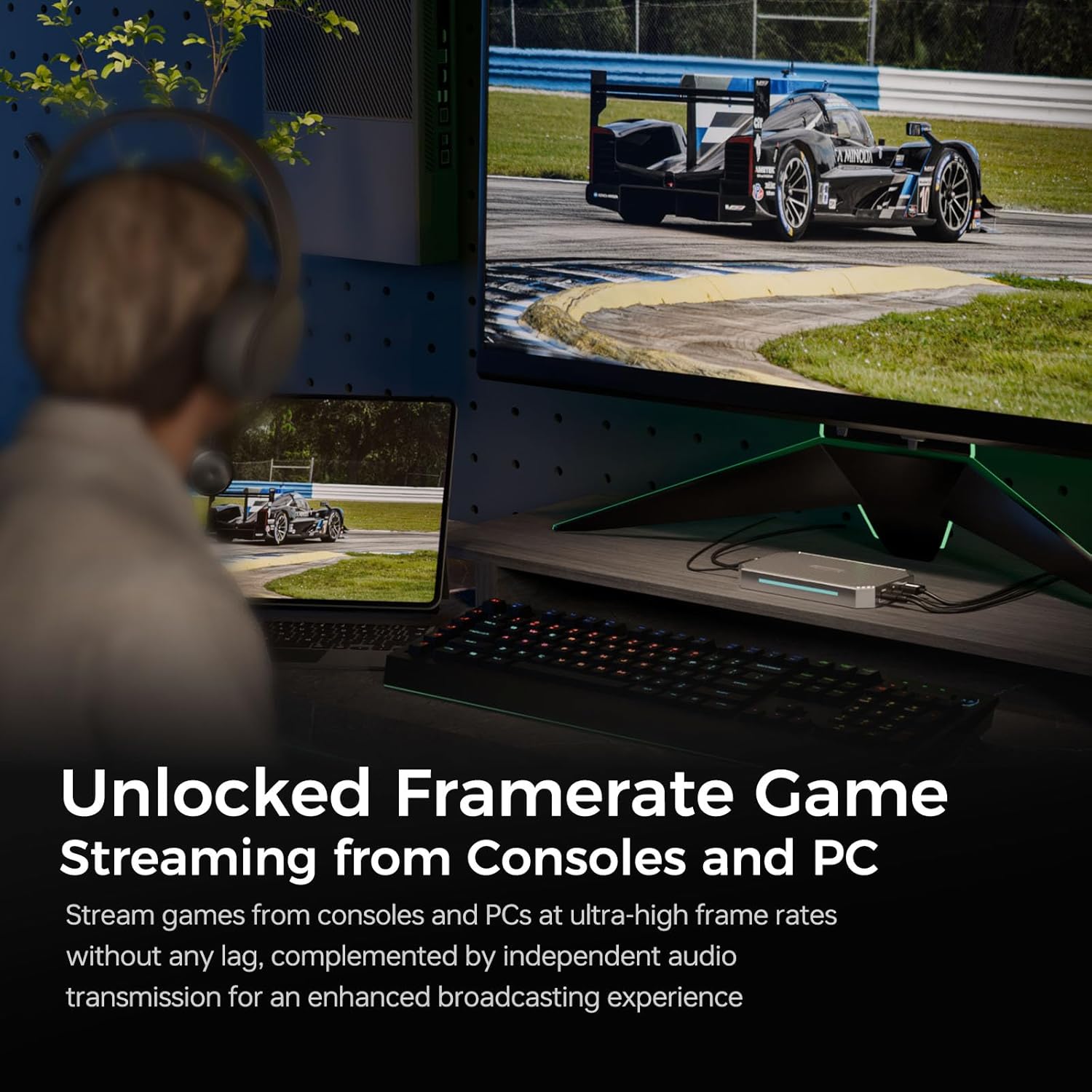
Figure 5: Stream games from consoles and PCs at ultra-high frame rates without any lag, complemented by independent audio transmission for an enhanced broadcasting experience.
Figure 6: The RGBlink MSP331U is compatible with a wide range of applications and platforms, including OBS, XSplit, YouTube, Zoom, Twitch, Facebook, and vMix.
მოვლა
To ensure the longevity and optimal performance of your RGBlink 4K60 Game Capture Card, follow these simple maintenance guidelines:
- დასუფთავება: Use a soft, dry cloth to gently wipe the exterior of the device. Avoid using liquid cleaners or abrasive materials, as they may damage the finish or internal components.
- შენახვა: როდესაც არ იყენებთ, შეინახეთ გადაღების ბარათი გრილ, მშრალ ადგილას, მოარიდეთ მზის პირდაპირ სხივებს და ექსტრემალურ ტემპერატურას.
- სითბოს მართვა: The robust metal construction of the RGBlink MSP331U is designed to dissipate heat effectively, preventing overheating during extended use. Ensure adequate airflow around the device to maintain optimal operating temperatures.
- საკაბელო მოვლა: Handle all cables with care. Avoid sharp bends or kinks, and always grasp the connector when plugging or unplugging to prevent damage to the cable or ports.
პრობლემების მოგვარება
If you encounter issues with your RGBlink 4K60 Game Capture Card, please refer to the following common problems and solutions:
- Device Not Recognized / Not Working on All USB Ports: Some users have reported that the device can be sensitive to specific USB 3.x ports, particularly very fast ones (e.g., USB 3.2 Gen 2). If the device is not recognized or is unstable, try connecting it to a different USB 3.0 or USB 3.1 port on your computer. Ensure your USB drivers are up to date.
- Video Freezing or Artifacts (especially with cameras): If you are using a camera as an input source, ensure its settings (resolution, frame rate) are configured correctly and are compatible with the capture card's capabilities. Incorrect settings can lead to instability.
- სიგნალის არარსებობა / შავი ეკრანი: Verify that all HDMI and USB cables are securely connected. Ensure your input source is powered on and outputting a signal. Check the dynamic light pipe on the capture card; if it's red, there might be no input signal.
- აუდიო პრობლემები: Confirm that audio settings in your capturing software (e.g., OBS) are correctly configured to capture audio from the RGBlink device. Check the 3.5mm audio input/output connections if you are using external audio sources.
- მუშაობის პრობლემები (შეფერხება/შეფერხება): While the MSP331U offers ultra-low latency, ensure your computer meets the recommended system requirements for 4K60 capture and streaming. Close unnecessary background applications to free up system resources.
For further assistance, please refer to the official RGBlink support resources or contact their customer service.
ტექნიკური მახასიათებლები
| ფუნქცია | დეტალი |
|---|---|
| ბრენდი | RGB ბმული |
| სერიალი | ვიდეო გადაღების ბარათი |
| საქონლის მოდელის ნომერი | MSP331U |
| ოპერაციული სისტემის თავსებადობა | Linux, MacOS, Windows |
| ნივთის წონა | 1.94 ფუნტი |
| პროდუქტის ზომები (LxWxH) | 5.15 x 3.18 x 0.09 ინჩი |
| ფერი | Grey-4k video capture |
| მწარმოებელი | Xiamen RGBlink Science & Technology Co.,Ltd. |
| წარმოშობის ქვეყანა | ჩინეთი |
| პირველი ხელმისაწვდომი თარიღი | 20 წლის 2024 სექტემბერი |
| აპარატურა ინტერფეისი | USB 3.1 Type C, HDMI |
| ვიდეო გადაღების გარჩევადობა | 4K |
| პროდუქტის რეკომენდებული გამოყენება | ვიდეო გადაღება |
გარანტია და მხარდაჭერა
Product Protection Plans
Optional protection plans may be available for your RGBlink 4K60 Game Capture Card. These plans can offer extended coverage beyond the standard manufacturer's warranty. For details on available plans, please check with your retailer at the time of purchase.
- 4-წლიანი დაცვის გეგმა: One-time payment of $17.99 (USD).
- სრული დაცვა: Monthly payment of $16.99 (USD/month), covering all eligible past and future purchases.
ინფორმაცია მწარმოებლის შესახებ
RGBlink is a leading manufacturer of pro video scaling, switching, and routing technologies, founded in 2009. With years of dedicated R&D experience, RGBlink has a global presence in over 140 countries and regions, serving over 200,000 live streams. They are committed to providing advanced video processing and switching solutions.
For direct support and to explore more products, visit the RGBlink Store.


