1. შესავალი
This manual provides detailed instructions for the installation, operation, and maintenance of the JJCEQBPE ACR10R-D16TE4 Rail Energy Meter. This device is designed for accurate power consumption monitoring in various industrial and scientific applications. Please read this manual thoroughly before using the product to ensure correct and safe operation.
2. პროდუქტი დასრულდაview
The ACR10R-D16TE4 is a rail-mounted energy meter equipped with three split-core current transformers (CTs) for measuring AC current up to 120A. It provides precise monitoring of power consumption, making it suitable for three-phase systems. The meter features a digital display for real-time data and is designed for easy integration into existing electrical panels.
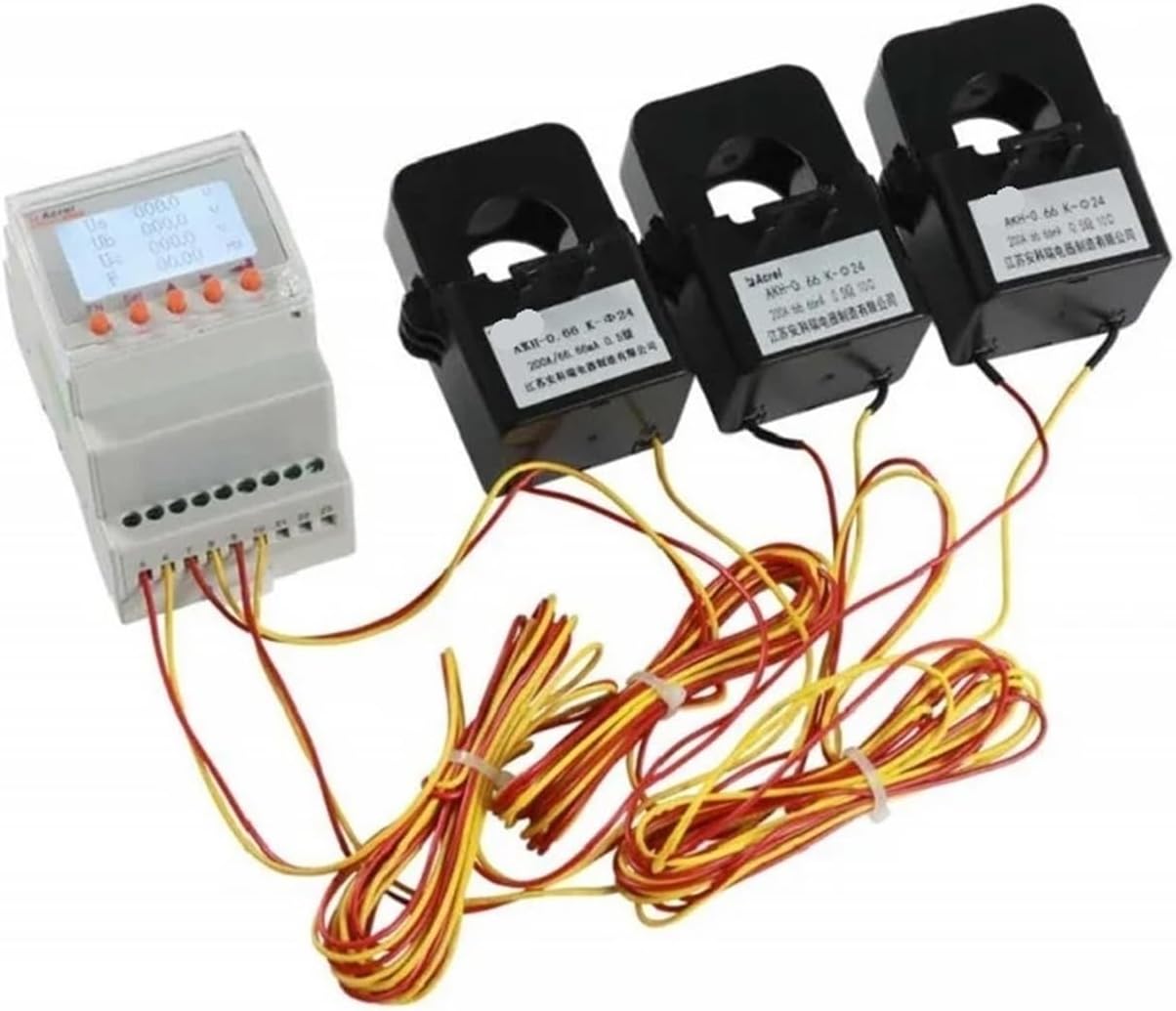
Figure 2.1: The ACR10R-D16TE4 Rail Energy Meter with its three accompanying split-core current transformers.
3. სპეციფიკაციები
| ფუნქცია | სპეციფიკაცია |
|---|---|
| მოდელის ნომერი | ACR10R-D16TE4 |
| ზომები | 85 x 74 x 54 მმ |
| ოპერაციული ტემპერატურა | -10°C-დან +55°C-მდე |
| გამოყვანის ტომიtage | AC 85-265V, DC 100-400V |
| სიზუსტის კლასი | 0.5 |
| ენერგიის დიაპაზონის გაზომვა | 0-999999.99 კვტ.სთ |
| ფაზა | სამი ფაზა |
| მაქსიმალური ოპერაციული დენი | 50A - 79A (with 120A CTs) |
| რეიტინგული ტომიtage | 220 ვ |
| ელექტრომომარაგება | AC |
| ნივთის წონა | 7.1 უნცია |
4. დაყენება
Before proceeding with installation, ensure that the power supply to the circuit where the meter will be installed is completely disconnected. Verify all components are present and undamaged. The ACR10R-D16TE4 is designed for DIN rail mounting.
5. გაყვანილობის დიაგრამა
Proper wiring is critical for accurate measurement and safe operation. Refer to the diagram below for connecting the energy meter and current transformers to your electrical system. Ensure all connections are secure and follow local electrical codes.
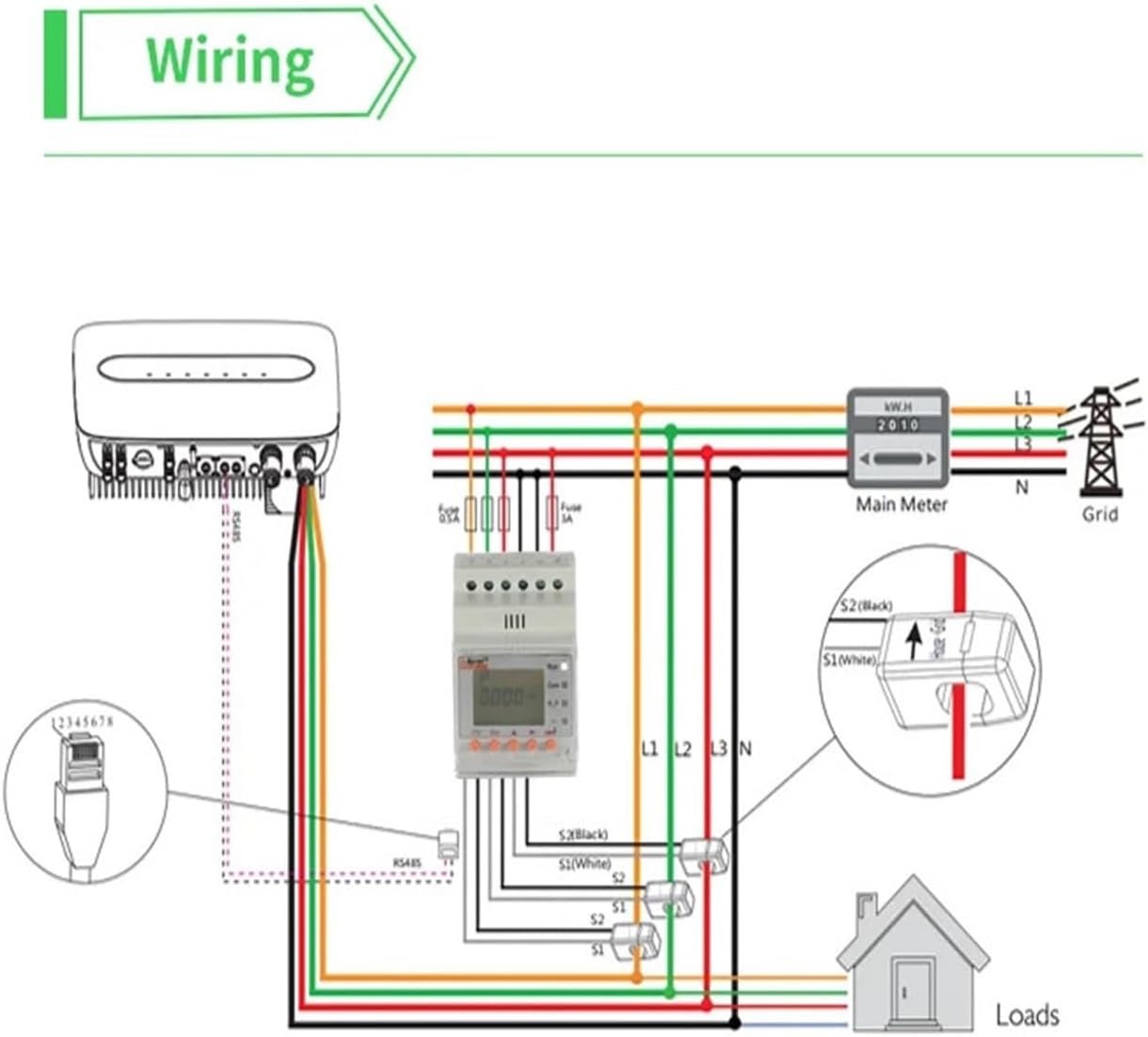
Figure 5.1: Wiring diagram illustrating the connection of the energy meter, current transformers (CTs), and the RS485 communication interface to a three-phase system, including the main meter, grid, and loads. Note the S1 and S2 connections for each CT.
- შეაერთეთ ტtage inputs (L1, L2, L3, N) from the main power supply to the corresponding terminals on the energy meter.
- For each phase, pass the load wire through the designated split-core current transformer.
- Connect the S1 and S2 terminals of each current transformer to the respective current input terminals on the energy meter. Ensure correct polarity.
- If using the RS485 communication, connect the RS485+ and RS485- terminals to your communication network.
6. მონტაჟი
The ACR10R-D16TE4 is designed for easy installation on a standard 35mm DIN rail.

Figure 6.1: Installation diagram with dimensional drawings of the meter and visual steps for DIN rail mounting.
- Prepare the DIN Rail: Ensure the 35mm DIN rail is securely mounted within your electrical enclosure.
- Engage the Buckle: On the back of the meter, push the buckle away from the main body to prepare it for mounting.
- Mount the Meter: Position the meter onto the DIN rail, ensuring the top edge hooks onto the rail. Push the meter downwards and then push the buckle back into place to secure it firmly on the DIN rail.
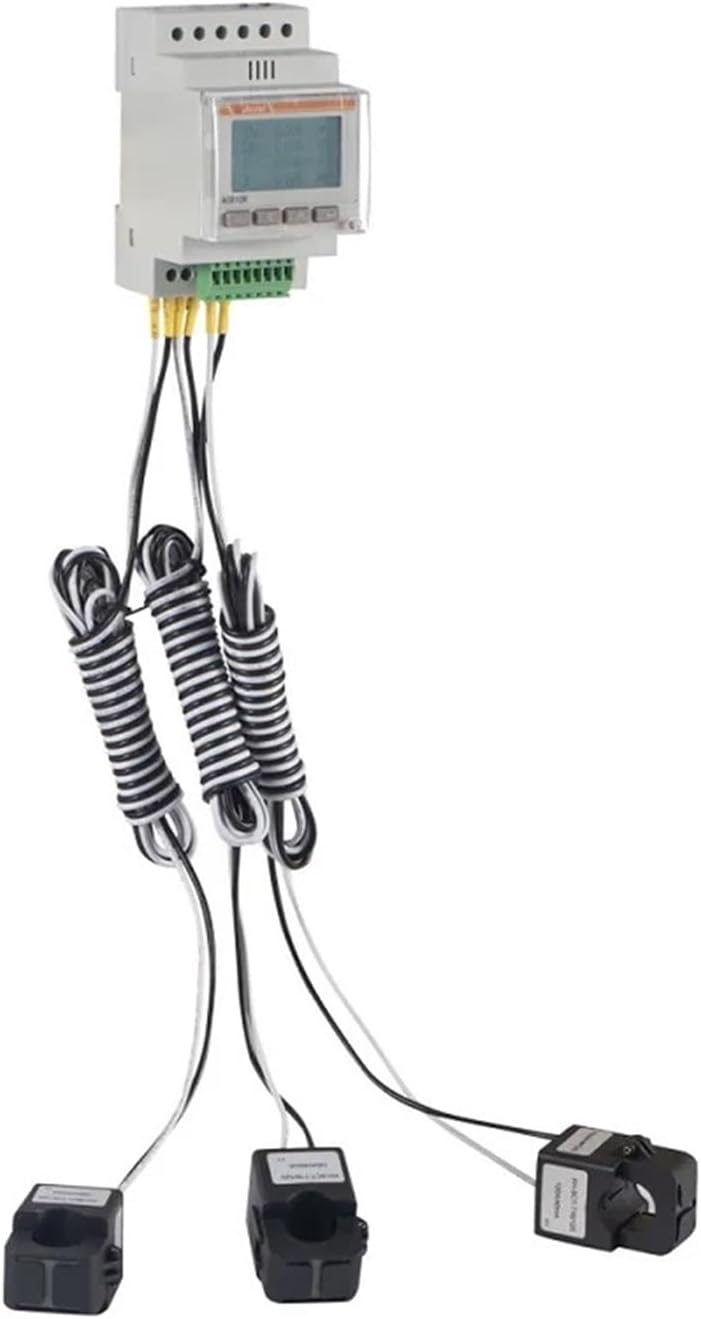
Figure 6.2: The ACR10R-D16TE4 meter securely mounted on a DIN rail.
7. საოპერაციო ინსტრუქციები
Once installed and wired correctly, restore power to the circuit. The meter's display will illuminate, showing various parameters. Use the navigation buttons on the front panel to cycle through different measurement displays such as voltage (Ua, Ub, Uc), current (Ia, Ib, Ic), frequency (Hz), and total energy consumption (KWH).
- ჩართვა: After connecting the power supply, the meter will automatically power on and display the default measurement screen.
- ნავიგაციის ღილაკები: Use the arrow buttons (if present) or dedicated function buttons to scroll through different measurement parameters.
- მონაცემების წაკითხვა: The digital display provides real-time readings of electrical parameters. Refer to the meter's on-screen labels for specific data points.
8. მოვლა
The ACR10R-D16TE4 energy meter requires minimal maintenance. Regular checks can help ensure its longevity and accurate performance.
- დასუფთავება: Keep the meter's display and casing clean using a soft, dry cloth. Do not use abrasive cleaners or solvents.
- კავშირის შემოწმება: Periodically inspect all wiring connections to ensure they remain tight and free from corrosion. Ensure power is off before checking connections.
- გარემო პირობები: დაზიანების თავიდან ასაცილებლად, დარწმუნდით, რომ სამუშაო გარემო რჩება მითითებულ ტემპერატურასა და ტენიანობაში.
9. Დიაგნოსტიკა
თუ თქვენს ენერგიის მრიცხველთან დაკავშირებით პრობლემები შეგექმნათ, იხილეთ შემდეგი გავრცელებული პრობლემები და მათი გადაჭრის გზები:
| პრობლემა | შესაძლო მიზეზი | გამოსავალი |
|---|---|---|
| Meter display is off | No power supply or incorrect wiring | Check power connections and ensure voltage is within specified range. Verify wiring against diagram. |
| არაზუსტი წაკითხვები | Incorrect CT installation or wiring polarity | Ensure CTs are installed correctly on the load wires and S1/S2 connections have correct polarity. |
| Communication error (RS485) | არასწორი გაყვანილობა ან კონფიგურაცია | Verify RS485 wiring and communication settings (baud rate, parity, etc.) on both the meter and the connected device. |
10. გარანტია და მხარდაჭერა
For warranty information and technical support, please refer to the documentation provided at the point of purchase or contact your vendor. Keep your purchase receipt as proof of purchase for any warranty claims.

