1. უსაფრთხოების მნიშვნელოვანი ინსტრუქციები
Before operating the LOTTO Vivo Foldable Electric Treadmill, please read and understand all safety instructions. Keep this manual for future reference.
უსაფრთხოების ზოგადი გაფრთხილებები
- სარბენი ბილიკი ყოველთვის ბრტყელ, სტაბილურ ზედაპირზე მოათავსეთ.
- სარბენი ბილიკის გარშემო საკმარისი თავისუფალი სივრცის უზრუნველყოფა (მინიმუმ 2 მეტრი უკან და 0.6 მეტრი თითოეულ მხარეს).
- ბავშვები და შინაური ცხოველები ყოველთვის მოარიდეთ სარბენ ბილიკს, განსაკუთრებით მუშაობის დროს.
- არ გამოიყენოთ სარბენი ბილიკი, თუ მას დაზიანებული კაბელი ან შტეფსელი აქვს, ან თუ ის გამართულად არ მუშაობს.
- ჩაიცვით შესაბამისი სპორტული ფეხსაცმელი და ტანსაცმელი.
- Use the safety key at all times. Attach the clip to your clothing before starting your workout.
- არ ახვიდეთ ან არ ჩამოხვიდეთ სარბენ ბილიკზე, როდესაც ქამარი მოძრაობს.
- ნებისმიერი ვარჯიშის პროგრამის დაწყებამდე გაიარეთ კონსულტაცია ექიმთან.

სურათი: A warning sign indicating to keep young children away from the machine at all times and to be aware that contact with the moving surface may result in severe friction burns.
ელექტრო უსაფრთხოება
- შეაერთეთ სარბენი ბილიკი სათანადოდ დამიწებულ გამოსასვლელში.
- არ გამოიყენოთ გაფართოების კაბელები ან გადამყვანები.
- Unplug the treadmill from the power outlet before cleaning, maintenance, or moving.
2. დაყენება და შეკრება
The LOTTO Vivo treadmill comes 95% pre-assembled. Follow these steps for final setup.
სარბენი ბილიკის გაშლა
- ფრთხილად ამოიღეთ სარბენი ბილიკი შეფუთვიდან.
- სარბენი ბილიკი მოათავსეთ ბრტყელ, სტაბილურ ზედაპირზე.
- ასწიეთ სარბენი ბილიკი მანამ, სანამ ის ვერტიკალურ მდგომარეობაში არ ჩამაგრდება.
- Lower the console and handlebars into their operating position, securing any locking pins or knobs.
დამაკავშირებელი სადენები
Ensure all internal wires are properly connected before fully assembling. Avoid pinching wires when folding or unfolding.

სურათი: A caution sign illustrating the importance of ensuring the wire is well-connected before assembly and to avoid applying pressure to the wire while folding the treadmill.
პირველადი შემოწმება
- Check all bolts and nuts are tightened.
- Ensure the running belt is centered and tensioned correctly.
- შეაერთეთ დენის კაბელი დამიწებულ ელექტრო განყოფილებაში.
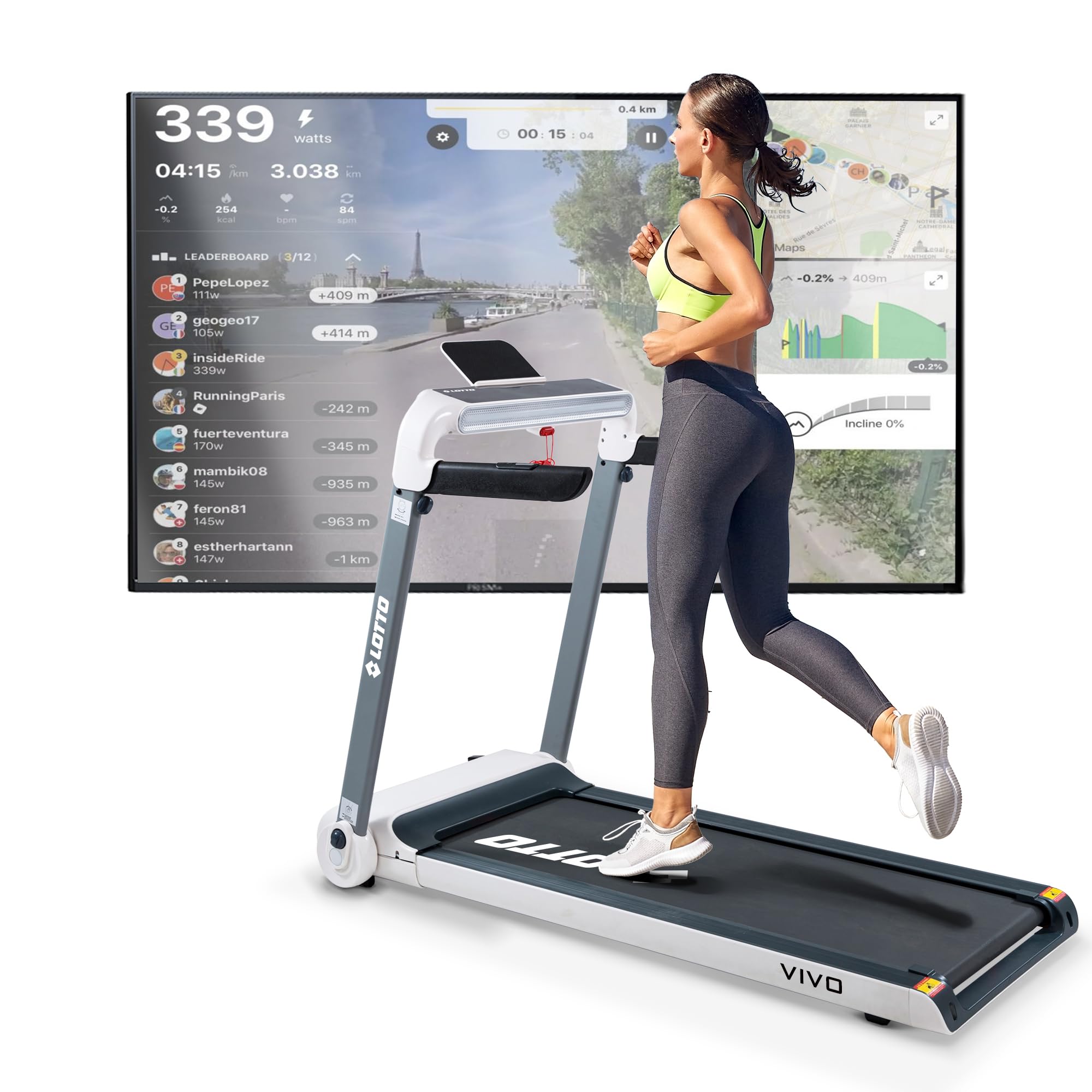
სურათი: წინა view of the LOTTO Vivo Foldable Electric Treadmill, showcasing its design and console.
3. საოპერაციო ინსტრუქციები
Familiarize yourself with the treadmill's controls and features for an effective workout.
კონსოლი დასრულდაview
The LED display provides essential workout data:
- სიჩქარე: Current belt speed (1-15 km/h).
- დრო: თქვენი ვარჯიშის ხანგრძლივობა.
- მანძილი: სულ გავლილი მანძილი.
- კალორიები: სავარაუდო დამწვარი კალორიები.
- პულსი: Heart rate reading from handlebar sensors.
- დახრილობა: Current incline level (1-15 levels).

სურათი: ახლოდან view of the treadmill's LED control panel, showing the display and various control buttons.
ვარჯიშის დაწყება
- Attach the safety key clip to your clothing and insert the safety key into the console slot.
- დააჭირეთ ღილაკს „დაწყება“. ღვედი დაბალი სიჩქარით დაიწყებს მოძრაობას.
- Adjust the speed using the '+' and '-' buttons on the console or handlebars.
- Adjust the incline using the 'INCLINE +' and 'INCLINE -' buttons on the console or handlebars.

სურათი: დეტალური view of the handlebar controls, showing buttons for adjusting speed and incline during a workout.
წინასწარ განსაზღვრული პროგრამები
The treadmill offers 24 predefined workout programs. Select a program from the console to automatically adjust speed and incline according to the program's profile.
Bluetooth კავშირი და აპლიკაციები
Connect your smartphone or tablet via Bluetooth to enhance your workout experience with compatible applications.
- Spax: For tracking and managing workouts.
- კინომაპი: Experience interactive video workouts with real-world routes.
- Zwift: Train in a virtual world with other users.
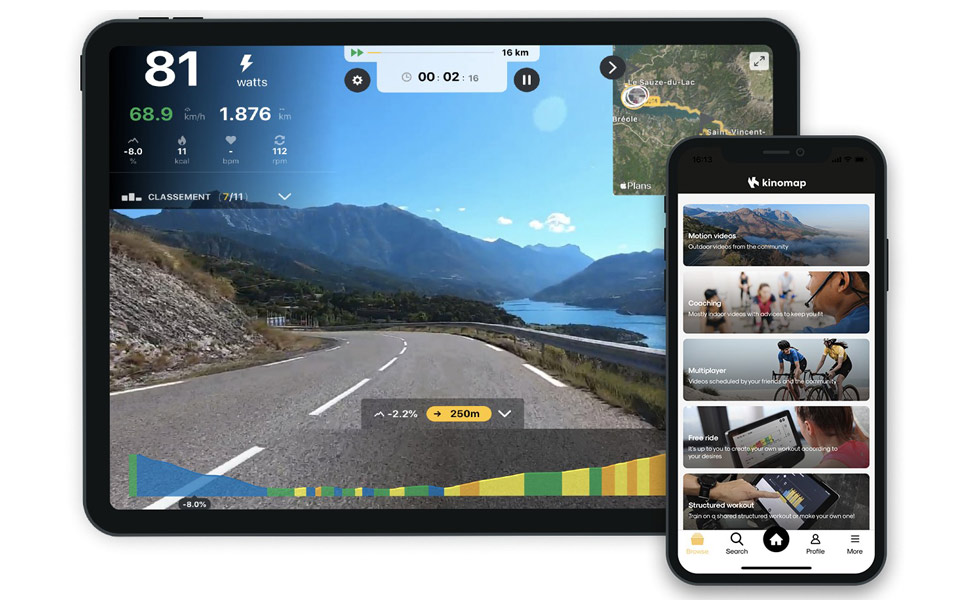
სურათი: A screenshot displaying the Kinomap application interface, showing a virtual running route and workout data.
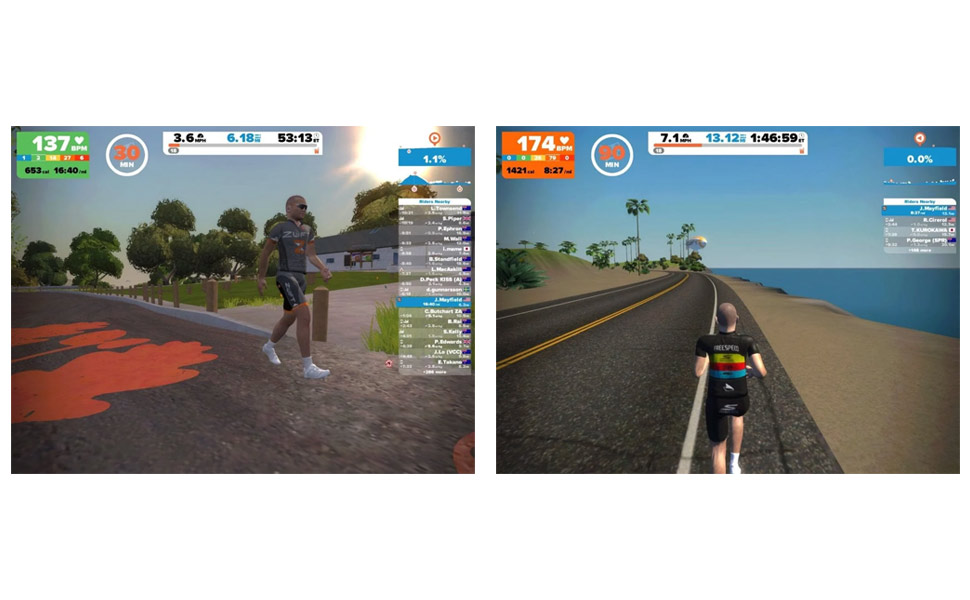
სურათი: A screenshot displaying the Zwift application interface, showing avatars running in a virtual environment.
ვარჯიშის შეწყვეტა
Press the 'STOP' button or pull the safety key to immediately stop the treadmill.
4. მოვლა
რეგულარული მოვლა უზრუნველყოფს თქვენი სარბენი ბილიკის ხანგრძლივობას და ოპტიმალურ მუშაობას.
შეზეთვა
The running belt requires lubrication every 600 hours of use (approximately 20ml of lubricant).
- ასწიეთ სარბენი ქამრის ერთი მხარე.
- Apply the lubricant oil in the middle of the running board.
- Start the treadmill at the lowest speed (1 km/h) for a few minutes to spread the lubrication oil evenly over the running board.

სურათი: A diagram showing how to apply lubricant to the treadmill belt, along with warnings against eating the oil and to store it in a shaded place.
დასუფთავება
- ყოველი გამოყენების შემდეგ გაწმინდეთ სარბენი ბილიკი რეკლამითamp ქსოვილი ოფლისა და მტვრის მოსაშორებლად.
- არ გამოიყენოთ აბრაზიული გამწმენდები ან გამხსნელები.
- Regularly vacuum under the treadmill to prevent dust buildup in the motor area.
შენახვა
The LOTTO Vivo treadmill is foldable for compact storage.
- დარწმუნდით, რომ სარბენი ბილიკი გამორთულია და გამორთულია.
- Lift the running deck until it locks into the vertical folded position.
- Use the integrated transport wheels to move the treadmill to your desired storage location.

სურათი: The LOTTO Vivo treadmill shown in its compact, folded position, highlighting its space-saving design.
5. Დიაგნოსტიკა
ეს განყოფილება გთავაზობთ გადაწყვეტილებებს იმ გავრცელებული პრობლემებისთვის, რომლებსაც შეიძლება წააწყდეთ.
საერთო საკითხები და გადაწყვეტილებები
- სარბენი ბილიკი არ ირთვება:
- დარწმუნდით, რომ კვების კაბელი საიმედოდ არის შეერთებული დამიწებულ როზეტში.
- Check that the safety key is correctly inserted into the console.
- დარწმუნდით, რომ ამომრთველი არ გაითიშა.
- Running belt slips or hesitates:
- The running belt may need lubrication (refer to Maintenance section).
- შესაძლოა, ქამრის დაჭიმულობას კორექტირება დასჭირდეს. თუ არ ხართ დარწმუნებული, მიმართეთ კვალიფიციურ ტექნიკოსს.
- არაჩვეულებრივი ხმები:
- შეამოწმეთ, ხომ არ არის ქამრის ქვეშ ფხვიერი ნაწილები ან უცხო საგნები.
- თუ ხმაური გაგრძელდა, შეწყვიტეთ გამოყენება და დაუკავშირდით მომხმარებელთა მხარდაჭერის სამსახურს.
- Bluetooth კავშირის პრობლემები:
- Ensure Bluetooth is enabled on your device and the treadmill.
- Try restarting both the treadmill and your device.
- Ensure no other devices are connected to the treadmill via Bluetooth.
If you encounter an issue not listed here or if the problem persists, please contact customer support.
6. სპეციფიკაციები
| ბრენდი | ლოტო |
| მოდელი | ვივო |
| Motor Horsepower (Continuous) | 2.5 HP |
| მაქსიმალური სიმძლავრე | 4 HP |
| სიჩქარის დიაპაზონი | 1 - 15 კმ/სთ |
| დახრილობის დონეები | 15 (Motorized) |
| გაშვებული ზედაპირზე | 121 x 46 სმ |
| მომხმარებლის მაქსიმალური წონა | 120 კგ |
| ჩვენების ტიპი | LED |
| ჩვენების მეტრიკა | Calories burned, Distance, Heart rate, Time, Speed |
| პროგრამების რაოდენობა | 24 |
| დაკავშირება | Bluetooth (Spax, Kinomap, Zwift compatible) |
| განსაკუთრებული თვისებები | Shock absorber, Compact design, Automatic incline, Bluetooth speakers, Tablet/smartphone holder |
| აწყობილი ზომები (L x W x H) | 156.7 x 77 x 119.5 სმ |
| დაკეცილი ზომები (L x W x H) | 156.7 x 77 x 33.5 სმ |
| წმინდა წონა | 50 კგ |
| მთლიანი წონა | 60 კგ |
| მასალა | მეტალი |
| ფერი | თეთრი |
| მოყვება კომპონენტები | Safety key, Power cord, User manual |
7. გარანტია და მხარდაჭერა
Specific warranty information for the LOTTO Vivo Foldable Electric Treadmill is typically provided with your purchase documentation. Please refer to the warranty card or contact your retailer for details regarding coverage and duration.
მომხმარებელთა მხარდაჭერა
For technical assistance, parts, or service inquiries, please contact the retailer or manufacturer directly. Have your product model (Vivo) and ASIN (B0DGQB77HT) ready when contacting support.


