შესავალი
This manual provides essential information for the safe and efficient operation of your Panasonic TV-65Z80AEZ 65-inch 4K Ultra HD OLED Smart TV. Please read these instructions thoroughly before using your television and retain them for future reference. This 4K OLED television from the Z80 series features integrated Fire TV, offering a comprehensive entertainment experience.
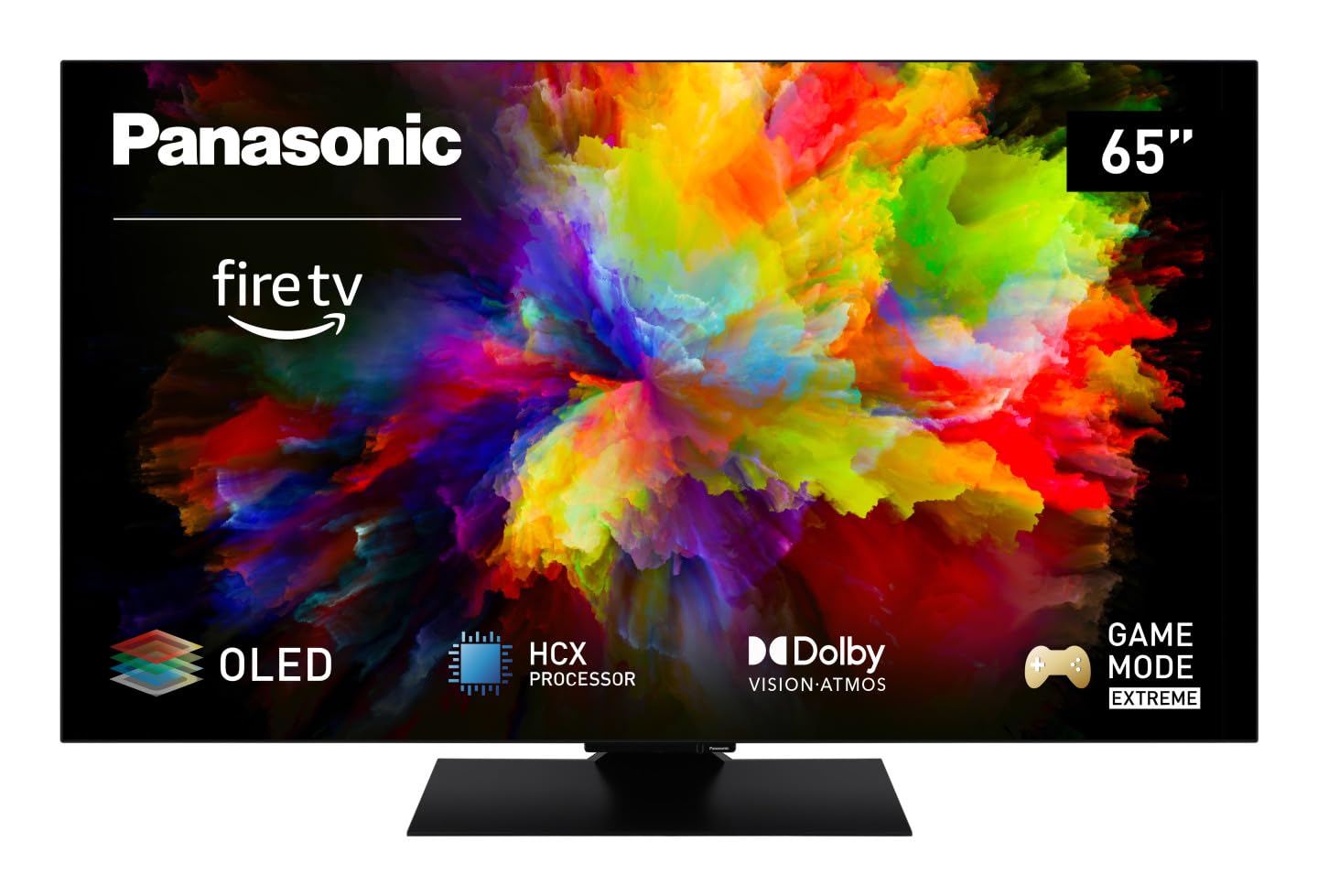
სურათი: წინა მხარე view of the Panasonic TV-65Z80AEZ 65-inch 4K OLED Smart TV.
უსაფრთხოების ინფორმაცია
Always follow basic safety precautions when using this television to reduce the risk of fire, electric shock, and injury. Keep the television away from water and moisture. Do not block ventilation openings. Use only attachments/accessories specified by the manufacturer. Refer all servicing to qualified service personnel.
- ელექტრომომარაგება: დარწმუნდით, რომ კვების ბლოკიtage matches the rating label on the TV.
- ვენტილაცია: Do not cover or block any ventilation openings. Allow adequate space around the TV for proper airflow.
- დასუფთავება: გაწმენდის წინ გამორთეთ ტელევიზორი დენის წყაროდან. გამოიყენეთ რბილი, მშრალი ქსოვილი. არ გამოიყენოთ თხევადი ან აეროზოლური საწმენდები.
- მონტაჟი: If wall-mounting, ensure the wall mount is compatible with the TV's VESA standards and can support its weight. Follow the wall mount manufacturer's instructions carefully.
პაკეტის შიგთავსი
დარწმუნდით, რომ შეფუთვაში ყველა ნივთია:
- Panasonic TV-65Z80AEZ 65-inch 4K OLED Smart TV
- დისტანციური მართვა
- AAA Batteries (2x) for Remote Control
- დენის კაბელი
- ტელევიზორის სადგამის კომპონენტები (ასეთის არსებობის შემთხვევაში)
- სწრაფი დაწყების სახელმძღვანელო (ეს დოკუმენტი წარმოადგენს ყოვლისმომცველ სახელმძღვანელოს)
დაყენება
1. ფიზიკური მონტაჟი
სადგამის მონტაჟი: If using the included stand, carefully attach it to the television according to the diagrams in the quick start guide. Ensure all screws are securely fastened. Place the TV on a stable, level surface.
კედელზე მონტაჟი: If wall-mounting, consult a professional installer. Ensure the wall mount is rated for the TV's weight and size. Do not attempt to wall-mount the TV without proper tools and expertise.
2. მოწყობილობების დამაკავშირებელი
ტელევიზორის უკანა მხარეს შესაბამის პორტებთან შეაერთეთ თქვენი გარე მოწყობილობები, როგორიცაა საკაბელო ტელევიზიის მიმღებები, Blu-ray ფლეერები, სათამაშო კონსოლები და ხმის სისტემები.

სურათი: გვერდი view of the Panasonic TV-65Z80AEZ, illustrating the slim profile და დაკავშირების პორტები.
- HDMI: For high-definition video and audio. This TV supports HDMI 2.1 for advanced gaming features.
- USB: For connecting USB storage devices or other peripherals. This TV has 2 USB ports.
- Ethernet: სადენიანი ინტერნეტ კავშირისთვის.
- ანტენა/კაბელი: ანტენის ან საკაბელო ტელევიზიის შესაერთებლად.
3. პირველადი ჩართვა და ქსელის დაყენება
- ჩადეთ თანდართული AAA ბატარეები დისტანციურ მართვაში.
- შეაერთეთ დენის კაბელი ტელევიზორთან, შემდეგ კი დენის წყაროსთან.
- დააჭირეთ ჩართვის ღილაკს დისტანციური მართვის პულტზე ან ტელევიზორზე.
- Follow the on-screen instructions to select your language, region, and connect to your Wi-Fi network. You can also use a wired Ethernet connection.
4. Fire TV Setup
Your Panasonic TV-65Z80AEZ comes with Fire TV built-in. During the initial setup, you will be prompted to sign in with your Amazon account or create a new one. This enables access to streaming services, apps, and personalized recommendations.
ტელევიზორის მართვა
1. ძირითადი კონტროლი
Use the remote control to navigate the TV's interface. The remote includes standard buttons for power, volume, channel, input selection, and navigation within the Fire TV interface.
2. ჭკვიანი ტელევიზორის ფუნქციები
- Fire TV: The intuitive 4K Fire TV home screen provides instant access to live TV, streaming apps, and personalized recommendations for up to 6 user profiles.
- Alexa ხმის კონტროლი: Control your Smart TV using voice commands through the integrated Alexa. Press the microphone button on your remote and speak your command.
- AirPlay: Easily share content from your Apple devices (iPhone, iPad, Mac) to your TV for a seamless viewგამოცდილება.
3. სურათის ხარისხი
- OLED & HCX Processor: Experience deep blacks and natural colors. The HCX processor ensures a cinematic experience with stunning image quality.
- Multi HDR Support: Enjoy optimized brightness, contrast, and colors scene by scene with support for Dolby Vision, HLG, HDR10, and HDR10+, ensuring exceptional images.
4. აუდიო ფუნქციები
- Surround Sound Pro & Dolby Atmos: აამაღლე შენი viewing experience with immersive Dolby Atmos and Surround Sound Pro technology, including an integrated subwoofer, for a cinema-worthy audio experience.
5. Extreme Game Mode
This mode is designed for gamers, offering ultra-low latency, Variable Refresh Rate (VRR), 120 Hz refresh rate, and Auto Low Latency Mode (ALLM) via HDMI 2.1. It also supports AMD FreeSync Premium and NVIDIA G-SYNC for fluid and responsive gameplay.
მოვლა
Proper maintenance ensures the longevity and performance of your television.
- ეკრანის წმენდა: ფრთხილად გაწმინდეთ ეკრანი რბილი, ბუსუსების გარეშე ქსოვილით. ჯიუტი ლაქების შემთხვევაში, ოდნავ გაწმინდეთampქსოვილი წყლით ან სპეციალური ეკრანის საწმენდი საშუალებით დაასველეთ. არასდროს შეასხუროთ სითხე პირდაპირ ეკრანზე.
- კაბინეტის დასუფთავება: ტელევიზორის კორპუსის გასაწმენდად გამოიყენეთ რბილი, მშრალი ქსოვილი.
- მტვერსასრუტი: რეგულარულად გაწმინდეთ მტვერი ვენტილაციის ღიობებში, რათა თავიდან აიცილოთ გადახურება.
- დენის კაბელი: პერიოდულად შეამოწმეთ კვების კაბელი დაზიანების არსებობაზე. დაზიანების შემთხვევაში, დაუყოვნებლივ შეცვალეთ იგი ავტორიზებული ნაწილით.
პრობლემების მოგვარება
თუ თქვენს ტელევიზორთან დაკავშირებით პრობლემები შეგექმნათ, იხილეთ შემდეგი გავრცელებული გადაწყვეტილებები:
| პრობლემა | შესაძლო გამოსავალი |
|---|---|
| არ არის ძალა | დარწმუნდით, რომ კვების კაბელი მყარად არის შეერთებული როგორც ტელევიზორში, ასევე დენის წყაროში. შეამოწმეთ, მუშაობს თუ არა დენის წყარო სხვა მოწყობილობის შეერთებით. |
| სურათი არ არის, მაგრამ ხმა არის | Check the input source. Press the 'Input' or 'Source' button on your remote to cycle through inputs. Ensure connected devices are powered on. |
| ხმა არ არის, მაგრამ სურათი არის | Check the volume level. Ensure 'Mute' is not activated. Check audio cables if using external speakers. Verify audio output settings in the TV menu. |
| დისტანციური მართვა არ მუშაობს | შეცვალეთ ელემენტები. დარწმუნდით, რომ დისტანციურ პულტსა და ტელევიზორის ინფრაწითელ სენსორს შორის არანაირი დაბრკოლება არ არის. |
| Wi-Fi-სთან დაკავშირება შეუძლებელია | დარწმუნდით, რომ თქვენი Wi-Fi როუტერი ჩართულია და მუშაობს. ხელახლა შეიყვანეთ Wi-Fi პაროლი. სცადეთ როგორც ტელევიზორის, ასევე როუტერის გადატვირთვა. |
თუ პრობლემა ამ გადაწყვეტილებების მოსინჯვის შემდეგაც არ მოგვარდება, გთხოვთ, დაუკავშირდეთ მომხმარებელთა მხარდაჭერის სამსახურს.
სპეციფიკაციები
| ფუნქცია | დეტალი |
|---|---|
| ბრენდი | Panasonic |
| მოდელის ნომერი | TV-65Z80AEZ |
| ეკრანის ზომა | 65 ინჩი |
| ჩვენების ტექნოლოგია | OLED |
| რეზოლუცია | 4K Ultra HD |
| განახლების სიხშირე | 120 ჰც |
| ოპერაციული სისტემა | FireOS |
| დაკავშირების ტექნოლოგია | Bluetooth, HDMI, Wi-Fi |
| კავშირის პორტები | Ethernet, HDMI, USB |
| სულ USB პორტები | 2 |
| განსაკუთრებული თვისებები | OLED, Dolby Vision, Dolby Atmos, Fire TV, Extreme Game Mode |
| თავსებადი მოწყობილობები | Laptop, Gaming Console, Smartphone, Tablet, Speakers |
| ასპექტის თანაფარდობა | 16:9 |
| პროდუქტის ზომები (DxWxH) | 4.7D x 144.4W x 82.4H სანტიმეტრი |
| მოყვება კომპონენტები | Television, Remote Control, Batteries |
გარანტია და მხარდაჭერა
Your Panasonic TV-65Z80AEZ is covered by a manufacturer's warranty. Please refer to the warranty card included with your product for specific terms and conditions, including the warranty period and coverage details. For technical support, service, or further assistance, please visit the official Panasonic support website or contact their customer service helpline. Keep your purchase receipt as proof of purchase for warranty claims.


