შესავალი
The Klarstein CircleDry 16L Smart Dehumidifier is designed to maintain an optimal indoor climate by efficiently removing excess moisture from the air. This manual provides essential information for the safe and effective operation, setup, and maintenance of your dehumidifier. Please read these instructions thoroughly before use and keep them for future reference.
უსაფრთხოების ინსტრუქციები
- დარწმუნდით, რომ კვების წყარო ემთხვევა მოცtagმითითებულია მოწყობილობის რეიტინგის ეტიკეტზე.
- Do not operate the dehumidifier with a damaged power cord or plug. Contact qualified service personnel for repairs.
- მოწყობილობა მოარიდეთ სითბოს წყაროებს, მზის პირდაპირ სხივებს და აალებადი მასალების ზემოქმედებას.
- Do not block the air inlet or outlet. Maintain adequate clearance around the unit for proper airflow.
- Always unplug the dehumidifier before cleaning, maintenance, or when not in use.
- არ ჩაყოთ მოწყობილობა, დენის კაბელი ან შტეფსელი წყალში ან სხვა სითხეებში.
- ეს მოწყობილობა არ არის განკუთვნილი შეზღუდული ფიზიკური, სენსორული ან გონებრივი შესაძლებლობების მქონე პირებისთვის, ან გამოცდილებისა და ცოდნის ნაკლებობის მქონე პირებისთვის, თუ მათ არ აქვთ ზედამხედველობა ან ინსტრუქცია მოწყობილობის გამოყენების შესახებ მათი უსაფრთხოებისთვის პასუხისმგებელი პირის მიერ.
- ბავშვები უნდა იყვნენ მეთვალყურეობის ქვეშ, რათა დარწმუნდეთ, რომ ისინი არ თამაშობენ მოწყობილობას.
- The dehumidifier uses R290 refrigerant. Handle with care and ensure proper ventilation during maintenance.
პროდუქტი დასრულდაview
The Klarstein CircleDry 16L Smart Dehumidifier is a compact and efficient unit designed for rooms up to 32 m². It features a powerful compressor, smart humidity control, and Wi-Fi connectivity for remote operation.

ძირითადი მახასიათებლები:
- მაღალი ეფექტურობა: Removes up to 16 liters of moisture per day.
- ჭკვიანი ტენიანობის კონტროლი: Adjustable relative humidity between 30% and 90%, or Comfort Mode.
- Wi-Fi კავშირი: Control via the Klarstein IoT app.
- 24-საათიანი ტაიმერი: Flexible scheduling for operation.
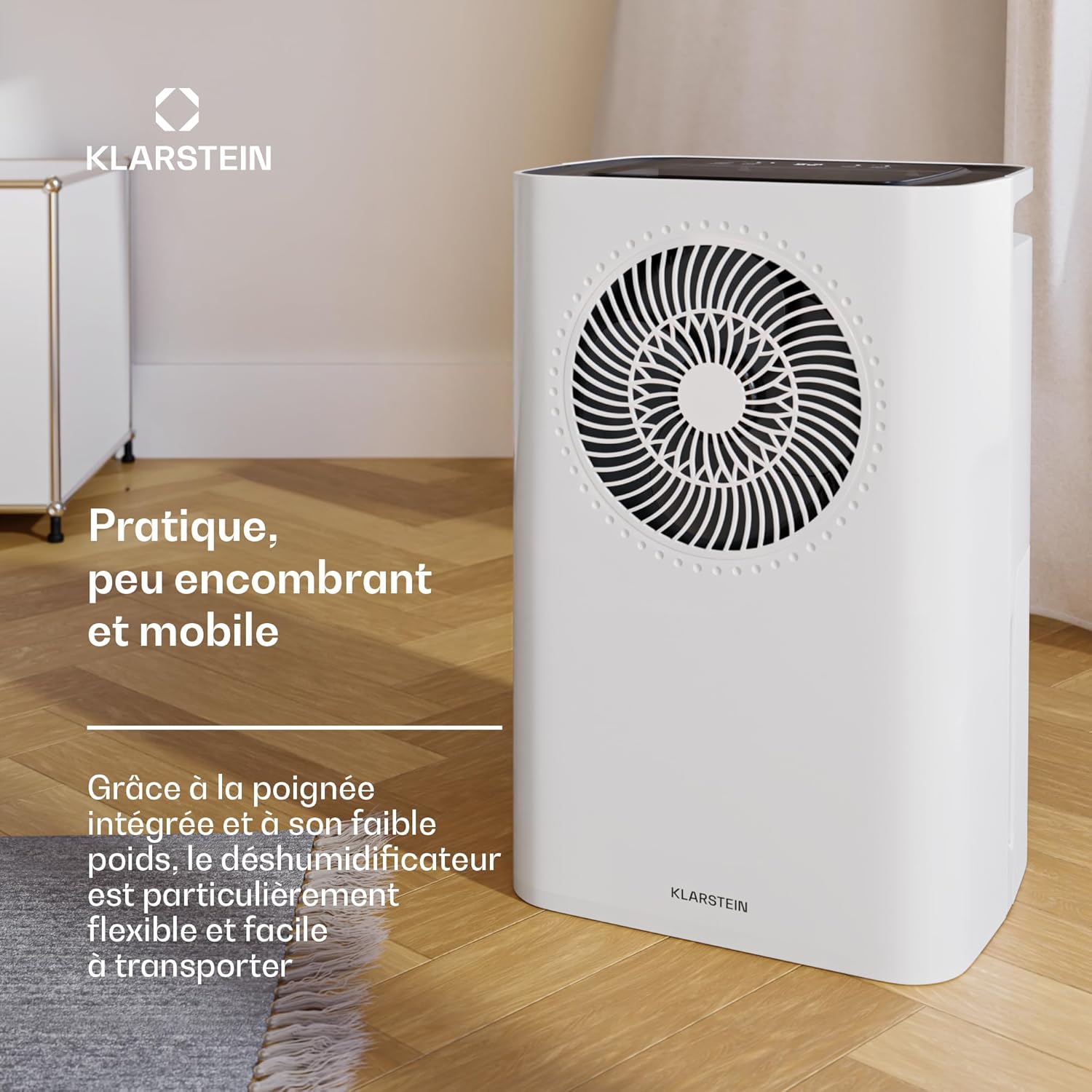
- პორტატული დიზაინი: Lightweight with an integrated handle for easy transport.
- მოსახსნელი წყლის ავზი: 2 ლიტრიანი ტევადობით, ავტომატური გამორთვით შევსებისას.
- უწყვეტი დრენაჟი: Option for direct water drainage.
- Washable Nylon Filter: მარტივი მოვლისთვის.
- მშვიდი ოპერაცია: Noise level between 38-41 dB.
დაყენება
1. ამოფუთვა
- ფრთხილად ამოიღეთ ჰაერის გამშრობი შეფუთვიდან.
- ამოიღეთ ყველა შესაფუთი მასალა და დარწმუნდით, რომ არცერთი კომპონენტი არ აკლია ან არ არის დაზიანებული.
2. დასაქმების
- Place the dehumidifier on a firm, level surface.
- ჰაერის სათანადო ცირკულაციისთვის დარწმუნდით, რომ მოწყობილობის გარშემო მინიმუმ 20 სმ (8 ინჩი) თავისუფალი ადგილია.
- Avoid placing the unit near walls, furniture, or curtains that could obstruct airflow.
3. დენის კავშირი
- შეაერთეთ დენის კაბელი დამიწებულ ელექტრო განყოფილებაში.
- Do not use extension cords or multi-plugs unless absolutely necessary and rated for the appliance's power requirements.
4. წყლის დრენაჟის ვარიანტები
The dehumidifier offers two drainage methods: using the removable water tank or continuous drainage.
a. Removable Water Tank
- The unit comes with a 2-liter removable water tank.
- Ensure the tank is correctly inserted before operation. The unit will automatically shut off when the tank is full.
b. Continuous Drainage
- For continuous operation without emptying the tank, connect a drainage hose (not included) to the continuous drainage port.
- Ensure the hose is sloped downwards to allow gravity drainage into a suitable receptacle or drain.

ოპერაციული ინსტრუქციები
საკონტროლო პანელი დასრულდაview
The dehumidifier features an intuitive LED display and control buttons on the top panel.

1. ჩართვა/გამორთვა
- დააჭირეთ ძალაუფლება ღილაკი მოწყობილობის ჩართვის ან გამორთვისთვის.
2. სასურველი ტენიანობის დაყენება
- გამოიყენეთ ტენიანობა buttons (usually '+' and '-') to set the desired relative humidity level between 30% and 90%.
- The unit will operate until the set humidity level is reached, then cycle on and off to maintain it.
3. კომფორტის რეჟიმი
- აირჩიეთ კომფორტის რეჟიმი for automatic humidity control optimized for typical living conditions. The unit will adjust its operation to maintain a comfortable humidity level.
4. ტაიმერის ფუნქცია
- დააჭირეთ ტაიმერი ღილაკი დაგვიანებული დაწყების ან გაჩერების დროის დასაყენებლად (24 საათამდე).
- Adjust the hours using the appropriate buttons.
5. ვენტილატორის სიჩქარე
- The unit offers two fan speeds (High and Low). Select the desired speed using the ვენტილატორის სიჩქარე ღილაკი.
6. Wi-Fi and App Control
The Klarstein CircleDry 16L can be controlled remotely via the Klarstein IoT app.
- ჩამოტვირთეთ Klarstein IoT app თქვენი სმარტფონის აპლიკაციების მაღაზიიდან (ხელმისაწვდომია iOS და Android-ისთვის).
- ჰაერის გამშრობის სახლის Wi-Fi ქსელთან დასაკავშირებლად, მიჰყევით აპლიკაციაში მოცემულ ინსტრუქციებს.
- Once connected, you can control power, humidity settings, timer, and monitor the unit from anywhere.

მოვლა
რეგულარული მოვლა უზრუნველყოფს ოპტიმალურ მუშაობას და ახანგრძლივებს თქვენი ჰაერის გამშრობის მომსახურების ვადას.
1. წყლის ავზის დაცლა
- When the water tank is full, the unit will automatically shut off and an indicator light will illuminate.
- ფრთხილად ამოიღეთ წყლის ავზი მოწყობილობიდან.
- შეგროვებული წყალი გადაწურეთ.
- Reinsert the empty water tank firmly into the unit until it clicks into place. The unit will resume operation.
2. ჰაერის ფილტრის გაწმენდა
The washable nylon filter should be cleaned regularly (every 2-4 weeks, depending on usage) to prevent dust buildup and maintain efficiency.
- გამორთეთ ჰაერის გამშრობი დენის წყაროდან.
- Locate and remove the air filter (refer to the product diagram for exact location).
- Gently wash the filter with warm, soapy water. Rinse thoroughly.
- ფილტრს მოწყობილობაში ხელახლა ჩადგმამდე მიეცით საშუალება, რომ მთლიანად გაშრეს ჰაერზე. არ გამოიყენოთ საშრობი ან პირდაპირი სითბო.
3. განყოფილების ექსტერიერის გაწმენდა
- გაწურეთ გამწმენდის გარე ნაწილი რბილი, დamp ქსოვილი.
- Do not use harsh chemicals, abrasive cleaners, or solvents, as these can damage the surface.
4. შენახვა
- If storing the unit for an extended period, ensure the water tank is empty and clean, and the air filter is clean and dry.
- შეინახეთ ჰაერის გამშრობი გრილ, მშრალ ადგილას, მოარიდეთ მზის პირდაპირ სხივებს და ექსტრემალურ ტემპერატურას.
პრობლემების მოგვარება
მომხმარებელთა მხარდაჭერის სამსახურთან დაკავშირებამდე, გთხოვთ, გაეცნოთ შემდეგ პრობლემების მოგვარების სახელმძღვანელოს გავრცელებული პრობლემების შესახებ.
| პრობლემა | შესაძლო მიზეზი | გამოსავალი |
|---|---|---|
| ჰაერის გამშრობი არ ირთვება. | არ არის კვების წყარო. Water tank is full or incorrectly inserted. | შეამოწმეთ, არის თუ არა დენის კაბელი საიმედოდ მიერთებული. Empty and reinsert the water tank correctly. |
| მოწყობილობა მუშაობს, მაგრამ წყალს არ აგროვებს. | Room humidity is already low. ჰაერის ფილტრი ჩაკეტილია. Temperature is too low (below 5°C). | Check the current humidity level. The unit will stop if the set humidity is reached. გაასუფთავეთ ჰაერის ფილტრი. The unit operates between 5°C and 32°C. |
| ჰაერის ნაკადი სუსტია ან ხმაურიანი. | ჰაერის ფილტრი ჩაკეტილია. ჰაერის შესასვლელი/გამომავალი დაბლოკილია. | გაასუფთავეთ ჰაერის ფილტრი. დარწმუნდით, რომ მოწყობილობის გარშემო არანაირი დაბრკოლება არ არის. |
| Wi-Fi კავშირის პრობლემები. | არასწორი Wi-Fi პაროლი. Dehumidifier too far from router. Router settings (2.4GHz required). | გადაამოწმეთ Wi-Fi პაროლი. Move the dehumidifier closer to the Wi-Fi router. Ensure your router is broadcasting a 2.4GHz network. Consult your router's manual. |
სპეციფიკაციები
Technical specifications for the Klarstein CircleDry 16L Smart Dehumidifier.
| ფუნქცია | დეტალი |
|---|---|
| მოდელის ნომერი | DXJ10-Kl-CDS-16-WH |
| ბრენდი | კლარშტეინი |
| სიმშრალის ტევადობა | 16 ლიტრი/დღეში |
| წყლის ავზის ტევადობა | 2 ლიტრი |
| ოთახის რეკომენდებული ზომა | 32 მ²-მდე |
| ძალაუფლება | 290 ვატი |
| ხმაურის დონე | 38 - 41 დბ |
| მაცივარი | R290 (ეკოლოგიურად სუფთა) |
| ოპერაციული ტემპერატურის დიაპაზონი | 5°C-დან 32°C-მდე |
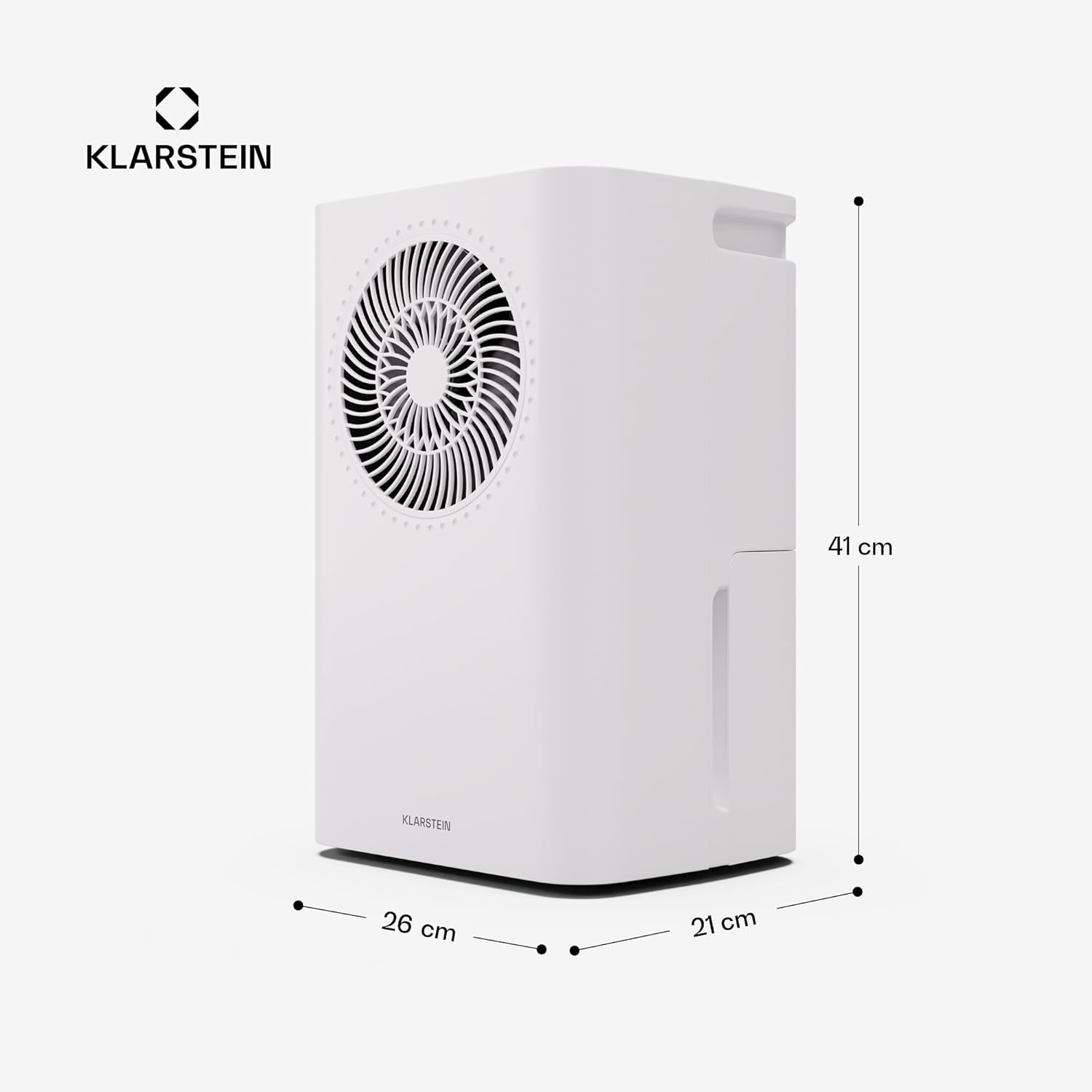
| ზომები (L x W x H) | 26 x 21 x 40 სმ |
| წონა | 9 კგ |
| მასალა | ABS პლასტიკური, მეტალი |
გარანტია და მხარდაჭერა
For warranty information, please refer to the documentation provided with your purchase or visit the official Klarstein website. If you encounter any issues not covered in this manual or require technical assistance, please contact Klarstein customer support.
ონლაინ დახმარება: ეწვიეთ www.klarstein.com ხშირად დასმული კითხვების, პროდუქტის რეგისტრაციისა და საკონტაქტო ინფორმაციისთვის.