შესავალი
Thank you for choosing the Haomuren K1 Mini Portable Bluetooth Karaoke Machine. This manual provides essential information for the safe and efficient operation of your new device. Please read it thoroughly before use and retain it for future reference.
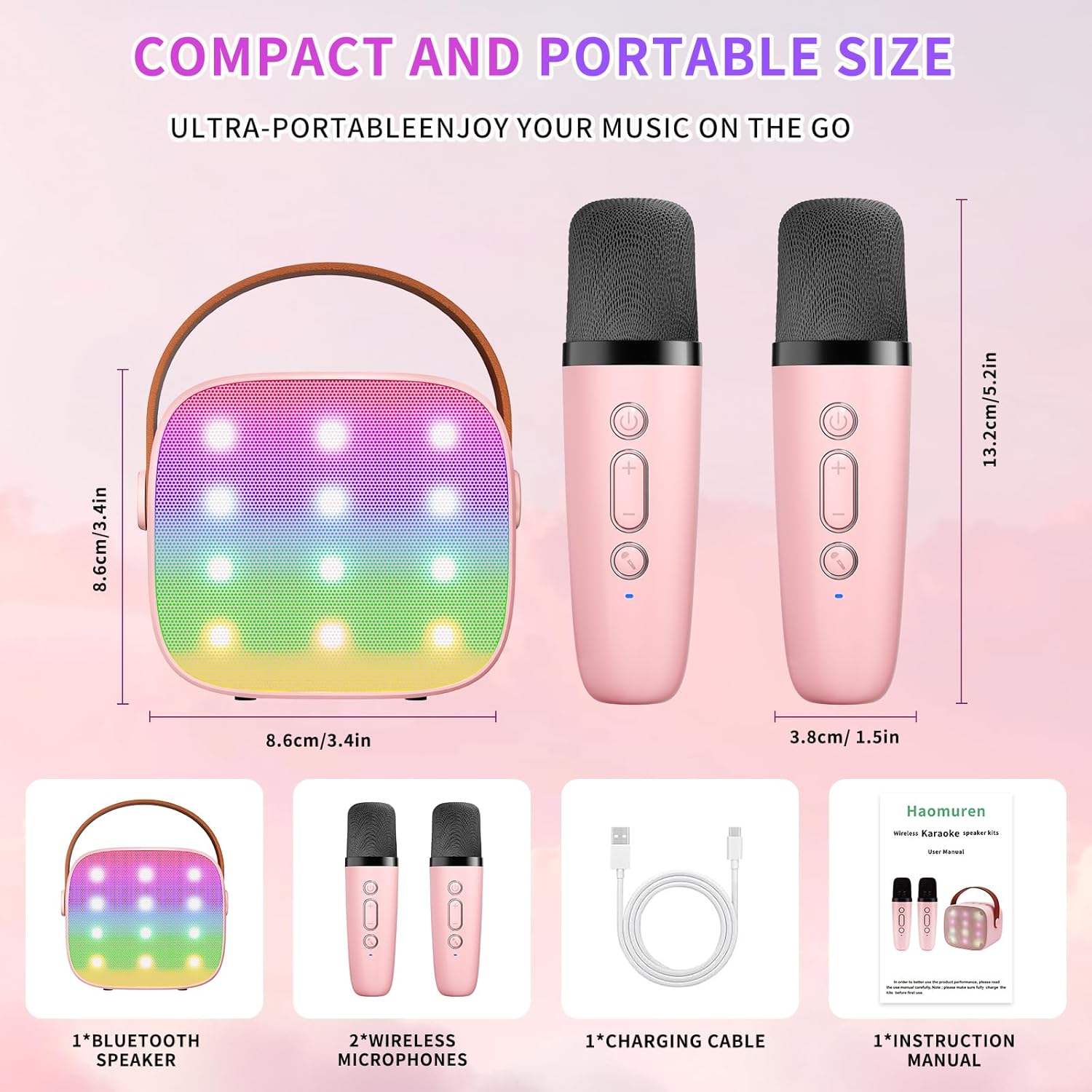
რა არის ყუთში
- Karaoke Machine (Speaker) x 1
- უკაბელო მიკროფონი x 2
- Type-C დამტენი კაბელი x 1
- მომხმარებლის სახელმძღვანელო x 1
დაყენება
1. მოწყობილობის დატენვა
Before initial use, fully charge the karaoke machine and both microphones. Use the provided Type-C charging cable.
- სპიკერი: Connect the Type-C cable to the speaker's charging port. The speaker has an 1800mAh battery and typically charges in 1-2 hours.
- მიკროფონები: Connect the Type-C cable to the charging port at the bottom of each microphone. Each microphone has a 600mAh battery.

2. ჩართვა/გამორთვა
- სპიკერი: Press and hold the power button on the top panel of the speaker until the LED lights illuminate.
- მიკროფონები: Press and hold the power button on each microphone until the blue indicator light turns on.
3. Bluetooth დაწყვილება
The speaker and microphones are designed for instant pairing. Once both are powered on, they should automatically connect. To connect the speaker to an external device (smartphone, tablet, PC):
- Ensure the karaoke machine speaker is powered on and in Bluetooth mode (indicated by a voice prompt).
- On your external device, enable Bluetooth and search for available devices.
- Select "K1" (or similar model name) from the list to pair. A confirmation sound will indicate successful pairing.

ოპერაციული ინსტრუქციები
1. Speaker Controls
The speaker features intuitive buttons on its top panel:
- Ხმის დაწევა (-): Decreases the speaker volume.
- ძალა/თამაში/პაუზა: Short press to play/pause music. Long press to power on/off the speaker.
- ხმის გაზრდა (+): Increases the speaker volume.
- რეჟიმი (M): Switches between different input modes (Bluetooth, TF Card).
- LED განათების კონტროლი: Short press to cycle through 6 different LED lighting modes.
- Original Vocal/Accompaniment: Press this button to remove or restore original vocals from a song, allowing you to sing along to the instrumental track.

2. მიკროფონის მართვა
Each wireless microphone has the following controls:
- დენის ღილაკი: Press and hold to power on/off the microphone.
- ხმის გაზრდა (+): Increases microphone volume.
- Ხმის დაწევა (-): Decreases microphone volume.
- ხმის შეცვლის ღილაკი: Short press to cycle through 5 different voice effects.

3. Voice Changing Modes
The microphones offer 5 unique voice effects to enhance your karaoke experience:
- ორიგინალური ხმა
- ქალის ხმა
- მამაკაცის ხმა
- ბავშვის ხმა
- მონსტრის ხმა
4. LED განათება
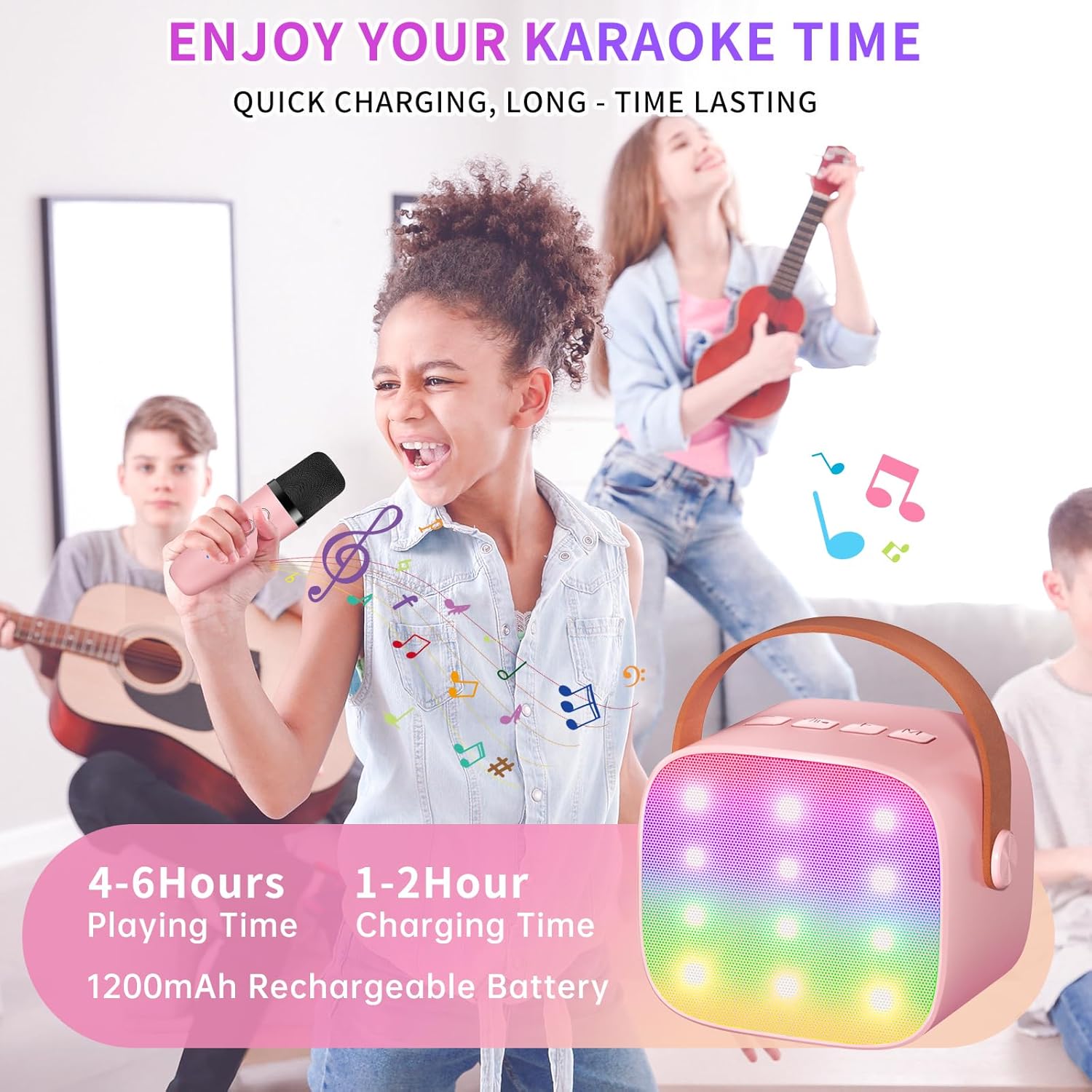
The speaker features built-in LED lights with 6 dynamic modes that synchronize with the music, creating an immersive atmosphere. Use the dedicated LED Light Control button on the speaker to cycle through these modes.

5. Music Playback Options
The Haomuren K1 supports various music playback methods:
- Bluetooth: Connect wirelessly to your smartphone, tablet, or PC.
- TF ბარათი: Insert a TF (MicroSD) card into the designated slot on the back of the speaker to play stored music files.
- ყურსასმენის გამომავალი: Use the 3.5mm headphone jack for private listening.
მოვლა
- დასუფთავება: Use a soft, dry cloth to clean the exterior of the speaker and microphones. Do not use liquid cleaners or abrasive materials.
- შენახვა: შეინახეთ მოწყობილობა გრილ, მშრალ ადგილას, მოარიდეთ მზის პირდაპირ სხივებს და ექსტრემალურ ტემპერატურას.
- ბატარეის მოვლა: To prolong battery life, avoid fully discharging the device frequently. Charge the device regularly, even if not in use for extended periods.
პრობლემების მოგვარება
- დინამიკიდან ხმა არ ისმის:
- დარწმუნდით, რომ დინამიკი ჩართულია და დატენილია.
- Check the speaker's volume level.
- Verify that the speaker is correctly paired via Bluetooth to your device.
- If using a TF card, ensure it is inserted correctly and contains compatible audio files.
- მიკროფონი არ მუშაობს:
- Ensure the microphone is powered on and charged.
- შეამოწმეთ მიკროფონის ხმის დონე.
- Confirm the microphone is automatically paired with the speaker.
- Bluetooth გათიშვა:
- Ensure the speaker and your device are within the effective Bluetooth range (typically 10 meters).
- Turn off and restart both the speaker and your device, then attempt to re-pair.
- შეამოწმეთ სხვა უკაბელო მოწყობილობებიდან ნებისმიერი ჩარევა.
- დამახინჯებული ხმა:
- Lower the volume on both the speaker and your connected device.
- Ensure the microphones are not too close to the speaker to avoid feedback.
- შეამოწმეთ აუდიო წყარო ხარისხის პრობლემებისთვის.
სპეციფიკაციები
| ფუნქცია | სპეციფიკაცია |
|---|---|
| ბრენდი | ჰაომურენი |
| მოდელის ნომერი | K1 |
| სამონტაჟო ტიპი | მაგიდის |
| დენის წყარო | იკვებება ბატარეით |
| კონექტორის ტიპი | 3.5 მმ ყურსასმენი, Type-C დამტენი |
| მასალა | აკრილონიტრილის ბუტადიენ სტირინი (ABS) |
| ნივთის წონა | 14.9 უნცია |
| არხების რაოდენობა | 2 |
| აუდიო შეყვანა | უკაბელო მიკროფონები |
| სიხშირის პასუხი | 10 კჰც |
| პროდუქტის ზომები | 3.7 x 4.1 x 4.3 ინჩი |
| ბატარეები | საჭიროა 1 AAA ბატარეა (შედის) |
| დაკავშირების ტექნოლოგია | Bluetooth, USB, უსადენო |
გარანტია და მხარდაჭერა
Haomuren is committed to providing high-quality audio products. Your K1 Mini Portable Bluetooth Karaoke Machine comes with the following:
- უფასო ჩანაცვლება: In case of product defects.
- 365 დღიანი გარანტია: Covering manufacturing defects and malfunctions.
- ტექნიკური მხარდაჭერა: Dedicated support is available for any operational questions or issues.
For further assistance, please contact Haomuren customer service through your purchase platform or visit the official Haomuren webსაიტი.


