1. შესავალი
This manual provides detailed instructions for the safe and proper installation, operation, and maintenance of your MOUNTUP MU0057-L Full Motion TV Wall Mount. Please read all instructions carefully before installation to ensure correct setup and to prevent damage or injury. Keep this manual for future reference.
The MOUNTUP MU0057-L is designed to securely mount most 42-75 inch flat or curved screen televisions weighing up to 99 lbs (45 kg). It features a 30-inch extension arm, +/-90° swivel, +5°/-10° tilt, and +/-3° leveling for optimal viewმოქნილობა.
2. უსაფრთხოების ინფორმაცია
WARNING: Failure to read and follow these instructions may result in serious personal injury, property damage, or voiding of warranty.
- წონის ტევადობა: არ გადააჭარბოთ მაქსიმალურ დასაშვებ წონას - 99 ფუნტს (45 კგ). ეს სამაგრი განკუთვნილია მხოლოდ მითითებული მაქსიმალური წონის მქონე პროდუქტებთან გამოსაყენებლად. მითითებულ მაქსიმალურ წონაზე მძიმე პროდუქტებთან გამოყენებამ შეიძლება გამოიწვიოს არასტაბილურობა, რაც შეიძლება გამოიწვიოს დაზიანება.
- ტელევიზორის ზომა: This mount is compatible with TVs from 42 to 75 inches.
- VESA თავსებადობა: Ensure your TV's VESA pattern (mounting hole spacing) is within the range of 150x100mm to 600x400mm.
- კედლის ტიპი: This mount is designed for installation on solid concrete/brick walls or single wood studs. არ დააინსტალიროთ მარტო drywall-ზე.
- პროფესიონალური ინსტალაცია: If you have any doubts about your ability to safely install this mount, consult a qualified professional.
- კომპონენტის შემოწმება: Before installation, verify that all components are present and undamaged. Do not use damaged or defective parts.
- ინსტრუმენტები: ინსტალაციისთვის გამოიყენეთ შესაბამისი ხელსაწყოები.
3. პაკეტის შიგთავსი
Please check the package to ensure all parts are included and undamaged. If any parts are missing or damaged, contact MOUNTUP customer service.
- კედლის ფილის აწყობა
- სატელევიზიო ფრჩხილები (2)
- სამონტაჟო აპარატურის ნაკრები (სხვადასხვა ხრახნები, საყელურები, შუასადებები, ანკერები)
- Bubble დონე
- საბურღი შაბლონი
- ინსტრუქციის სახელმძღვანელო
4. სპეციფიკაციები
| სპეციფიკაცია | ღირებულება |
|---|---|
| მოდელი | MU0057-L |
| ტელევიზიის ზომის თავსებადობა | 42 - 75 ინჩი |
| წონის ტევადობა | 99 ფუნტამდე (45 კგ) |
| VESA თავსებადობა | 150x100 მმ-დან 600x400 მმ-მდე |
| კედლიდან გაფართოება | 3 ინჩი (შეკუმშული) 30 ინჩამდე (გაფართოებული) |
| მბრუნავი დიაპაზონი | +/-90° |
| დახრის დიაპაზონი | +5° / -10° |
| დონის რეგულირება | +/-3° |
| მასალა | მეტალი |
| ფერი | შავი |
| ნივთის წონა | 13.77 ფუნტი |
შენიშვნა: The TV plate is offset approximately 8.5 inches (215mm) from the wall plate center. Consider this when positioning your TV on the wall.

Image: TV Plate Offset Diagram
5. ინსტალაციის ინსტრუქცია
5.1 წინასწარი ინსტალაციის შემოწმება
- Verify TV Compatibility: Check your TV's size, weight, and VESA mounting pattern. The VESA pattern refers to the four mounting holes on the back of your TV.
- კედლის ტიპის იდენტიფიცირება: Determine if your wall is solid concrete/brick or a single wood stud.
- Check TV Ports: Ensure the mount will not block any necessary ports on your TV.

Image: Available VESA Patterns and TV Mounting Holes

Image: Diverse Wall Compatibility

Image: Ensure Mount Won't Block Ports
5.2 ეტაპობრივი ინსტალაცია
The installation process involves three main steps:
- Mount Brackets to TV: Attach the TV brackets to the back of your television using the appropriate screws, washers, and spacers from the hardware kit. Ensure they are securely fastened.
- კედლის ფირფიტის დაყენება: Using the provided drilling template and bubble level, mark and drill pilot holes in your wall. Secure the wall plate assembly to the wall with the appropriate anchors and lag bolts.
- ტელევიზორის კედელზე დაკიდება: Carefully lift your TV with the attached brackets and hook them onto the wall plate. Secure the TV to the wall plate using the safety screws or locking mechanisms.


Image: Easy & Quick 3-Step Installation Overview
6. ექსპლუატაცია და რეგულირება
6.1 გაფართოება და შეკუმშვა
The mount allows your TV to extend up to 30 inches from the wall and retract to approximately 3 inches, providing flexibility for various viewing positions and saving space when not in use.
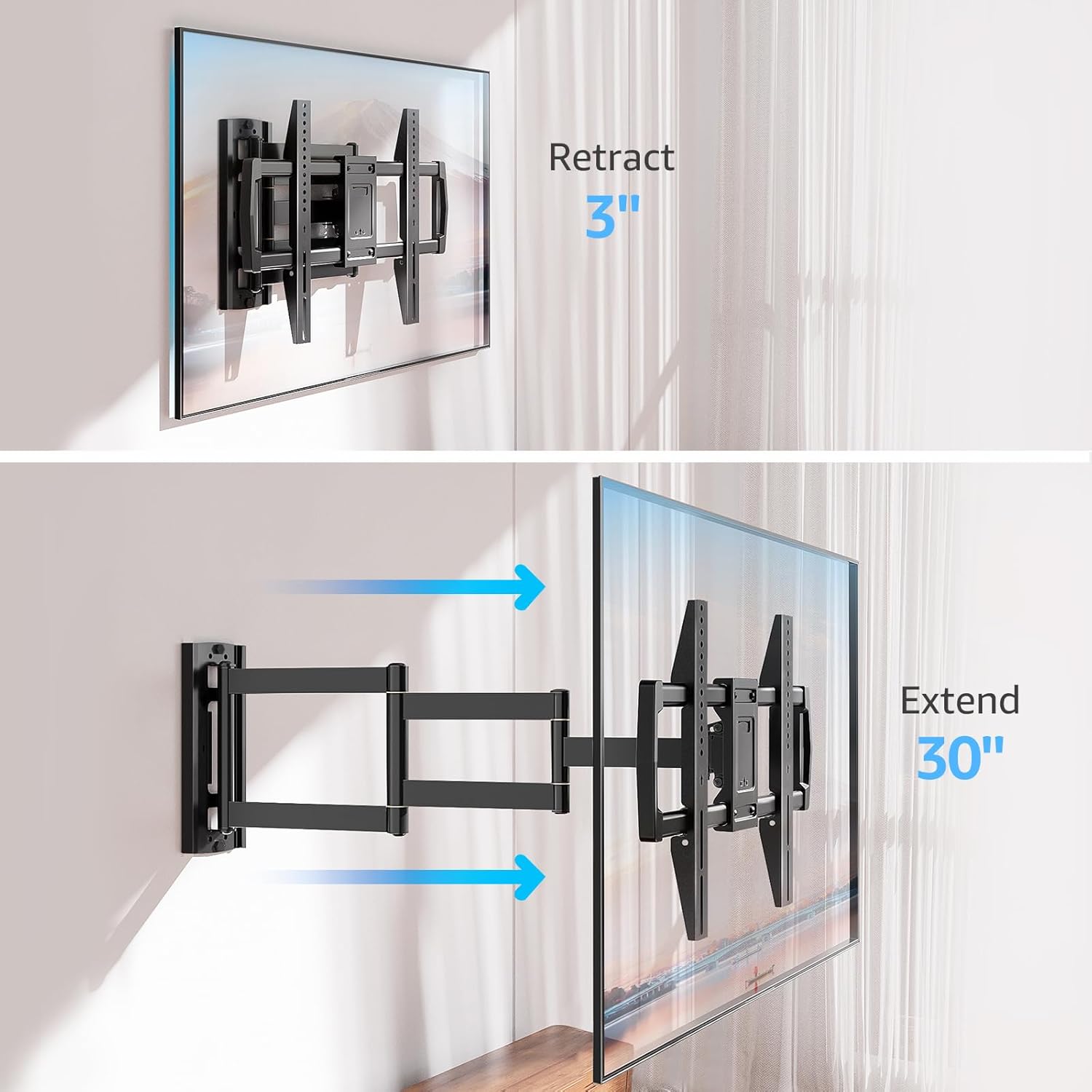
Image: Mount Extension and Retraction
6.2 ბრუნვის რეგულირება
The articulating arm allows for a smooth +/-90° swivel, enabling you to adjust the TV's angle to suit different viewing areas within a room, including corner mounting scenarios.
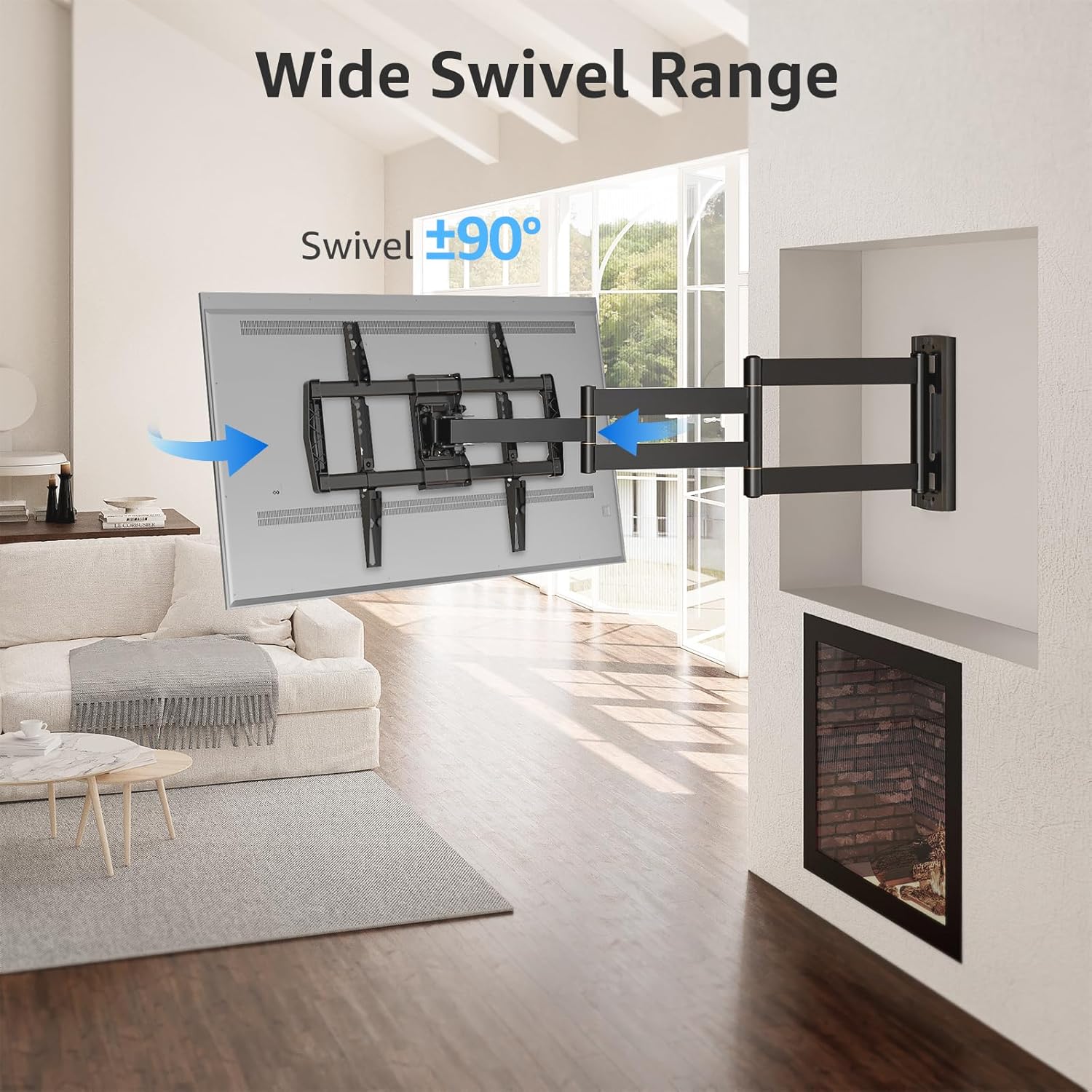
Image: Wide Swivel Range for Corner Mounting
6.3 დახრის რეგულირება
Adjust the TV's vertical angle with a +5°/-10° tilt range. This feature helps reduce glare from lights or windows and provides a comfortable viewing კუთხე
6.4 Leveling Adjustment
After installation, you can make minor horizontal adjustments of +/-3° to ensure the TV is perfectly level.

Image: Level and Tilt Adjustments
7. მოვლა
რეგულარული მოვლა უზრუნველყოფს თქვენი ტელევიზორის კედლის სამაგრის ხანგრძლივ მუშაობას და უსაფრთხო მუშაობას.
- დასუფთავება: გაწმინდეთ სამაგრი რბილი, მშრალი ქსოვილით. მოერიდეთ აბრაზიული საწმენდების ან გამხსნელების გამოყენებას, რომლებმაც შეიძლება დააზიანოს საფარი.
- შესაკრავის შემოწმება: Periodically check all screws and bolts to ensure they remain tight and secure. Re-tighten if necessary.
- მოძრაობის შემოწმება: Test the mount's full range of motion (extension, retraction, swivel, tilt) occasionally to ensure smooth operation.
8. Დიაგნოსტიკა
თუ ინსტალაციის დროს ან მის შემდეგ პრობლემებს წააწყდებით, იხილეთ შემდეგი გავრცელებული პრობლემები და მათი გადაჭრის გზები:
- ტელევიზორი არ არის ჰორიზონტალური: Use the +/-3° post-installation leveling feature to adjust the TV's horizontal position.
- მთა ფხვიერად გამოიყურება: Re-check all wall and TV fasteners to ensure they are securely tightened. Do not overtighten.
- Difficulty moving the arm: The mount's joints may be stiff initially. Apply gentle force. If persistent, ensure no cables are snagged.
- TV not fitting VESA pattern: Double-check your TV's VESA pattern against the mount's specifications (150x100mm to 600x400mm). If incompatible, the mount cannot be used.
9. გარანტია და მხარდაჭერა
MOUNTUP is dedicated to providing quality products and customer satisfaction. While specific warranty details are not provided in this document, MOUNTUP offers comprehensive support.
If you have any questions, require assistance with installation, or need to report a missing/damaged part, please contact MOUNTUP customer service. Experts are available 7 days a week to provide support and advanced technology solutions.
For more information or to contact support, please visit the official MOUNTUP store or webსაიტი.


