1. დაყენების გზამკვლევი
1.1 პაკეტის შიგთავსი
დაწყებამდე დარწმუნდით, რომ ყველა ნივთი თქვენს შეფუთვაშია:
- საბაზისო ერთეული
- 3 უსადენო ტელეფონი
- 3 AC ადაპტერი
- სატელეფონო ხაზის კაბელი
- 3 NiMH ბატარეა
- კედელზე სამაგრი
- Abridged User’s Manual
- სწრაფი დაწყების სახელმძღვანელო

Image: The VTech CS5329-3 cordless phone system, showing the main base unit and three cordless handsets with their charging cradles.
1.2 ბატარეის დაყენება
Each cordless handset requires a NiMH battery for operation. To install:
- გახსენით ბატარეის განყოფილების საფარი ტელეფონის უკანა მხარეს.
- ბატარეის პაკეტის შტეფსელი საიმედოდ შეაერთეთ განყოფილების შიგნით მდებარე ბუდეში.
- მოათავსეთ ბატარეის პაკეტი განყოფილებაში.
- დახურეთ ბატარეის განყოფილების საფარი.
1.3 ბაზისური ბლოკის შეერთება
Connect the base unit to your telephone line and a power outlet:
- ტელეფონის ხაზის კაბელის ერთი ბოლო შეაერთეთ TEL LINE ბუდეში, რომელიც ბაზის უკანა მხარესაა.
- ტელეფონის ხაზის კაბელის მეორე ბოლო შეაერთეთ ტელეფონის კედლის ბუდეში.
- ცვლადი დენის ადაპტერის პატარა ბოლო შეაერთეთ POWER ბუდეში, რომელიც ბაზის უკანა მხარესაა.
- ცვლადი დენის ადაპტერის დიდი ბოლო შეაერთეთ კედლის როზეტში, რომელიც არ კონტროლდება კედლის ჩამრთველით.
1.4 Handset Charging
Place each handset in its respective charging cradle or the main base unit. The handsets will begin charging automatically. Allow at least 10-12 hours for the initial charge before first use to ensure optimal battery performance.
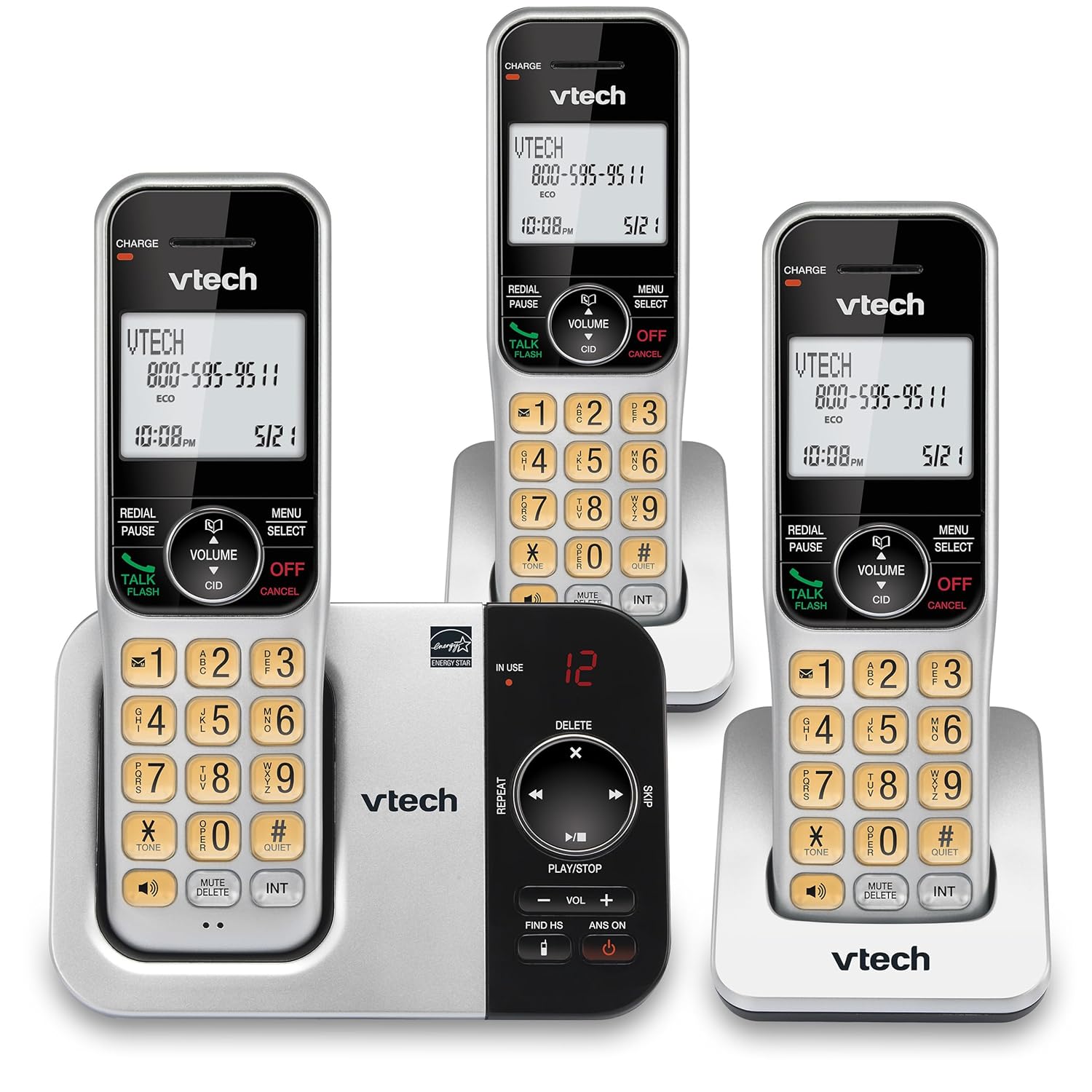
სურათი: ალტერნატივა view of the VTech CS5329-3 phone system, highlighting the compact design of the handsets and charging cradles.
2. საოპერაციო ინსტრუქციები
2.1 ზარების განხორციელება და მიღება
ზარის განსახორციელებლად დააჭირეთ ღილაკს საუბარი / ფლეში button, then dial the number. To receive a call, simply lift the handset from the cradle or press any key (except გამორთვა/გაუქმება).
2.2 ციფრული პასუხების სისტემა
The integrated digital answering system offers up to 23 minutes of recording time for incoming messages, announcements, and memos. You can play back messages directly from the base unit or any handset. The lighted display on the handset indicates the number of new messages waiting.
2.3 სრული დუპლექსის დინამიკი
Enjoy clear, natural conversations with the full-duplex handset speakerphone. This feature allows both parties to speak and be heard simultaneously, enhancing call quality and participation.
2.4 აბონენტის ID
Caller ID entries are displayed on the large, backlit LCD screen of the handset, making it easy to identify callers even in low-light conditions. The screen provides high-contrast text for readability.
2.5 ზარის ბლოკირება
Effectively manage unwanted calls by utilizing the Call Block feature. You can input and/or save up to 150 names and numbers in the call block directory to prevent them from ringing through.
2.6 გაფართოებადობა
The VTech CS5329-3 system is expandable up to 5 handsets using only one phone jack. Additional CS5309 accessory handsets (sold separately) can be placed anywhere in your home or office near an outlet, providing flexible and convenient communication throughout your space.

Image: Another perspective of the VTech CS5329-3 phone system, showcasing the sleek design and keypad layout of the handsets.
3. მოვლა
3.1 თქვენი ტელეფონის გაწმენდა
გაწმინდეთ ტელეფონი და ბაზა რბილი, ოდნავ მშრალი ქსოვილით.amp ქსოვილი. არ გამოიყენოთ საწმენდი სპრეი ან უხეში ქიმიკატები, რადგან მათ შეიძლება დააზიანონ საფარი ან ელექტრო კომპონენტები.
3.2 ბატარეის მოვლა
To maintain optimal battery life, ensure handsets are placed on their charging cradles when not in use. Avoid exposing batteries to extreme temperatures.
4. Დიაგნოსტიკა
If you experience issues with your VTech CS5329-3 phone system, try the following common troubleshooting steps:
- არ არის აკრიფეთ ხმა: Ensure the telephone line cord is securely connected to both the base unit and the wall jack. Check if other phones in your home have a dial tone.
- ძალა არ არის: Verify that the AC adapter is properly plugged into the base unit and a working electrical outlet.
- ხმის ცუდი ხარისხი: მიუახლოვდით საბაზო მოწყობილობას. დარწმუნდით, რომ არ არსებობს დიდი ლითონის საგნები ან სხვა ელექტრონული მოწყობილობები, რომლებიც ხელს უშლიან სიგნალს.
- ტელეფონი არ იტენება: Make sure the handset is properly seated in the charging cradle and the charging contacts are clean.
- ავტომოპასუხე არ იწერს: Check the recording time available. Ensure the answering system is turned ON.
For more detailed troubleshooting, refer to the Abridged User’s Manual included in your package.
5. სპეციფიკაციები
| ფუნქცია | დეტალი |
|---|---|
| პროდუქტის ზომები | 5.54 x 7.31 x 2.99 ინჩი; 2.36 ფუნტი |
| საქონლის მოდელის ნომერი | CS5329-3 |
| ბატარეები | საჭიროა 3 AAA ბატარეა. (შედის) |
| მწარმოებელი | VTech |
| ფერი | ვერცხლისფერი/შავი |
| ტელეფონის ტიპი | უკაბელო |
| მასალა | პლასტიკური |
| დენის წყარო | კაბელიანი ელექტრო |
| პასუხების სისტემის ტიპი | ციფრული |
| ნივთის წონა | 1.07 კგ |
| თავსებადი მოწყობილობები | PSTN Landline Connections |
6. გარანტია და მხარდაჭერა
Your VTech CS5329-3 Cordless Phone System is covered by a manufacturer's warranty. Please refer to the warranty information provided in your Abridged User’s Manual for specific terms and conditions.
For technical support, product registration, or to purchase additional accessories, please visit the official VTech website or contact their customer service. Contact details can typically be found in your product documentation or on the VTech brand store page.
დამატებითი ინფორმაციისთვის შეგიძლიათ ეწვიოთ VTech მაღაზია Amazon-ზე.


