1. შესავალი
This manual provides essential information for the safe and efficient installation, operation, and maintenance of the Weidmuller UR20-FBC-MOD-TCP-ECO I/O Module. Please read this manual thoroughly before attempting to install or operate the device.
The UR20-FBC-MOD-TCP-ECO is an industrial I/O module designed for robust performance in various automation applications. It features a 24 VDC input voltage and push-in termination style for reliable connections.
2. უსაფრთხოების ინფორმაცია
- Always disconnect power before installing, wiring, or servicing the module.
- მონტაჟი და მოვლა უნდა განხორციელდეს მხოლოდ კვალიფიციური პერსონალის მიერ.
- Ensure proper grounding to prevent electrical shock and ensure correct operation.
- Operate the module within the specified environmental conditions (temperature, humidity).
- Do not expose the module to excessive moisture or corrosive substances.
3. პროდუქტი დასრულდაview
The Weidmuller UR20-FBC-MOD-TCP-ECO is a compact I/O module designed for distributed control systems. It integrates seamlessly into industrial networks, providing reliable data acquisition and control capabilities.
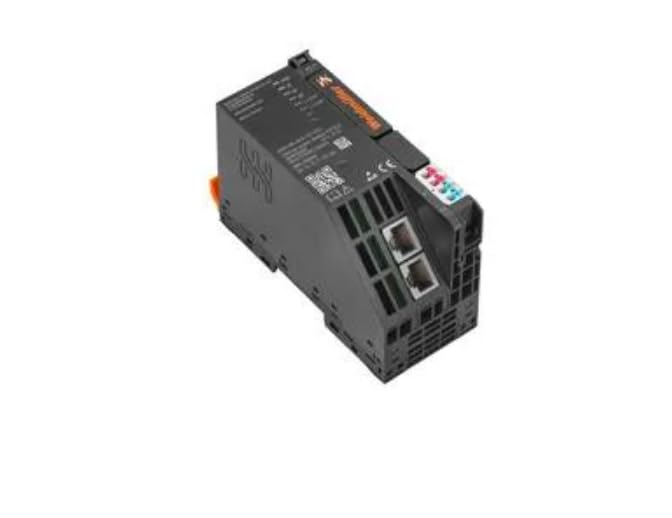
3.1 ძირითადი მახასიათებლები
- კომპაქტური დიზაინი სივრცის დაზოგვის ინსტალაციისთვის.
- Push-in termination technology for quick and reliable wiring.
- ოპერაციული ტემპერატურის ფართო დიაპაზონი (-20°C-დან +60°C-მდე).
- Ethernet/TCP communication capabilities.
4. დაყენება და ინსტალაცია
4.1 მონტაჟი
- Ensure the DIN rail is securely mounted in a suitable enclosure.
- Align the module's DIN rail clip with the top edge of the DIN rail.
- Press the module firmly downwards until it clicks into place on the DIN rail.
- Verify that the module is securely fastened and does not wobble.
4.2 გაყვანილობა
The UR20-FBC-MOD-TCP-ECO utilizes push-in termination for electrical connections. Ensure all wires are stripped to the recommended length before insertion.
- ელექტრომომარაგება: Connect a stable 24 VDC power supply to the designated power terminals. Observe correct polarity (+ and -).
- ქსელთან კავშირი: Connect standard Ethernet cables to the RJ45 ports for network communication.
- I/O კავშირები: Connect field devices to the appropriate input/output terminals as per your system design. Refer to the system documentation for specific pin assignments.
- Ensure all connections are firm and free from loose strands.
4.3 საწყისი ჩართვა
After all connections are made and verified, apply power to the module. Observe the status indicator LEDs for proper initialization.
5. ოპერაცია
Once powered, the UR20-FBC-MOD-TCP-ECO module will establish communication with the connected network controller. The module's operational status can be monitored via its integrated LED indicators.
5.1 სტატუსის ინდიკატორები
Refer to the module's labeling for the exact meaning of each LED. Typically, these include:
- დენის LED: Indicates power supply status.
- ქსელის სტატუსის LED: Indicates network connection and communication activity.
- I/O Status LEDs: Indicate the status of individual input/output channels.
5.2 ქსელური კომუნიკაცია
The module communicates over Ethernet using TCP/IP protocols. Configuration of network parameters (e.g., IP address) is typically performed via the connected controller or a dedicated configuration tool.
6. მოვლა
Regular maintenance ensures the longevity and reliable operation of the I/O module.
- დასუფთავება: პერიოდულად გაწმინდეთ მოდულის გარე მხარე რბილი, მშრალი ქსოვილით. არ გამოიყენოთ აბრაზიული საწმენდები ან გამხსნელები. გაწმენდამდე დარწმუნდით, რომ დენის წყარო გათიშულია.
- ინსპექტირება: Regularly inspect wiring connections for tightness and signs of damage or corrosion. Check for any physical damage to the module housing.
- Firmware განახლებები: Consult the Weidmuller website or your system integrator for information on available firmware updates. Follow all instructions carefully when performing updates.
7. Დიაგნოსტიკა
ეს განყოფილება იძლევა რჩევებს გავრცელებული პრობლემების გადასაჭრელად. რთული პრობლემების შემთხვევაში დაუკავშირდით ტექნიკურ მხარდაჭერას.
| პრობლემა | შესაძლო მიზეზი | გამოსავალი |
|---|---|---|
| არ არის კვების LED ინდიკატორი | No power supply; incorrect wiring; faulty module. | Check 24 VDC power supply; verify wiring polarity; test with a known good power source. |
| Network Status LED off/flashing incorrectly | No network connection; incorrect network settings; faulty cable. | Check Ethernet cable connection; verify network configuration (IP address, subnet mask); replace cable. |
| შეყვანა/გამოსვლა არ პასუხობს | Incorrect I/O wiring; faulty field device; software configuration error. | Verify I/O wiring; test field device independently; check controller software configuration. |
8. ტექნიკური მახასიათებლები
| პარამეტრი | ღირებულება |
|---|---|
| მოდელის ნომერი | UR20-FBC-MOD-TCP-ECO |
| ნაწილის ნომერი | 2659700000 |
| მწარმოებელი | ვეიდმულერი |
| შეყვანის მოცულობაtage | 24 VDC |
| შეწყვეტის სტილი | Push-In |
| მინიმალური სამუშაო ტემპერატურა | -20°C |
| მაქსიმალური სამუშაო ტემპერატურა | +60°C |
| ნივთის წონა | 6.99 ფუნტი |
9. ინფორმაცია გარანტიის შესახებ
Weidmuller products are manufactured to high-quality standards. For specific warranty terms and conditions, please refer to the official Weidmuller warranty statement available on their webადგილზე ან დაუკავშირდით თქვენს ადგილობრივ დისტრიბუტორს. შეინახეთ შეძენის დამადასტურებელი საბუთი გარანტიის მოთხოვნებისთვის.
10. ტექნიკური მხარდაჭერა
For technical assistance, product inquiries, or service requests, please contact your authorized Weidmuller distributor or visit the official Weidmuller webსაიტი დახმარების რესურსებისა და საკონტაქტო ინფორმაციისთვის.


