1. შესავალი
Thank you for choosing the Jonsbo ZB-120W PC Case Fan. This fan is designed to provide efficient cooling for your computer system while offering customizable ARGB lighting effects through its unique infinity mirror design. This manual provides detailed instructions for installation, operation, maintenance, and troubleshooting to ensure optimal performance and longevity of your product.
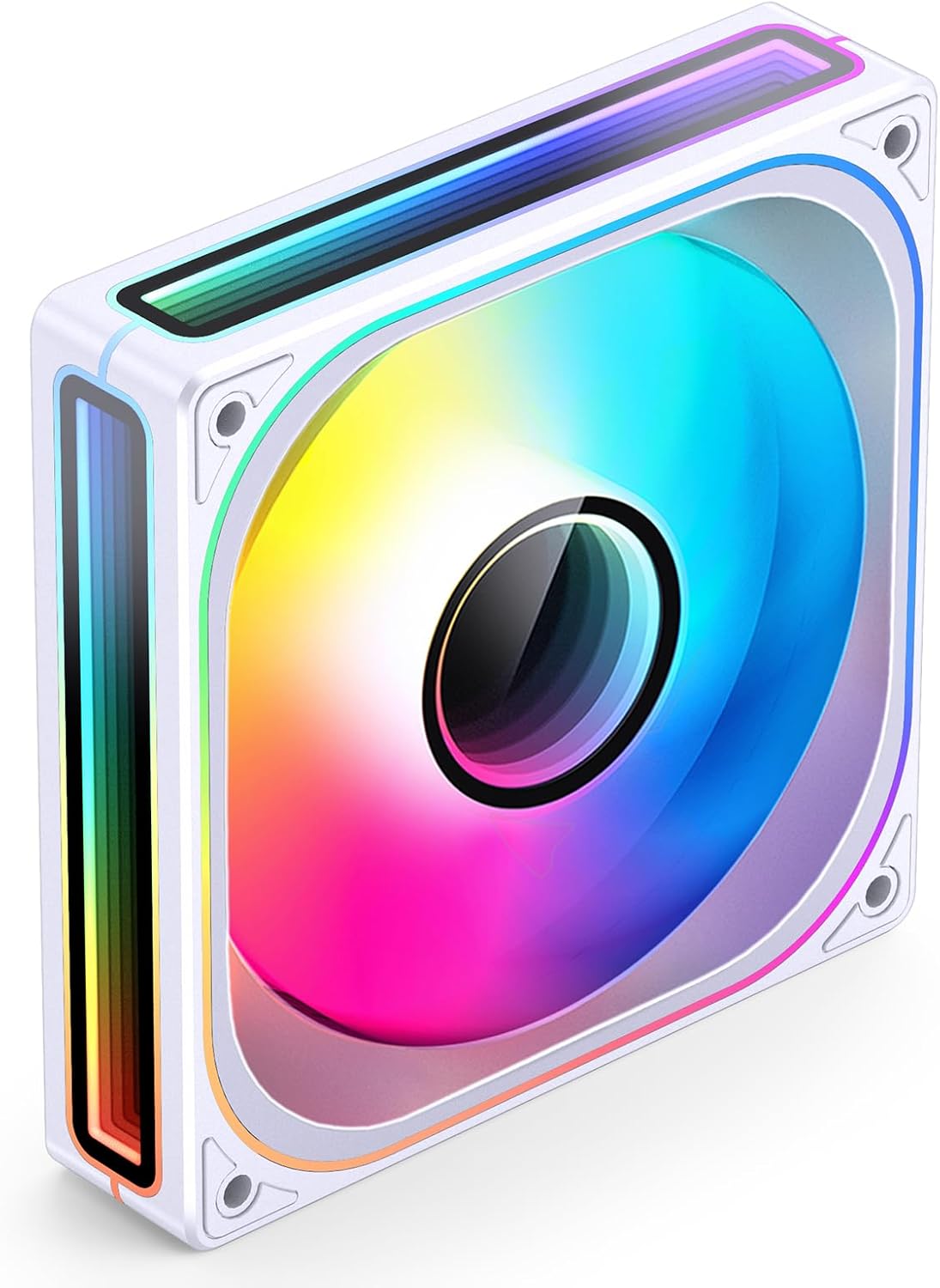
სურათი 1.1: The Jonsbo ZB-120W PC Case Fan, showcasing its vibrant ARGB lighting and infinity mirror effect.
2. უსაფრთხოების ინფორმაცია
- ნებისმიერი შიდა კომპონენტის დაყენებამდე ან გამოყენებამდე ყოველთვის გამორთეთ კომპიუტერიდან კვება.
- Handle the fan by its frame to avoid damaging the blades or wiring.
- ელექტროსტატიკური განმუხტვის (ESD) შედეგად კომპონენტების დაზიანების თავიდან ასაცილებლად, უზრუნველყავით სათანადო დამიწება.
- Do not attempt to modify the fan or its cables. Unauthorized modifications may void the warranty and pose safety risks.
- Keep the fan away from liquids and excessive moisture.
3. პაკეტის შიგთავსი
დარწმუნდით, რომ შეფუთვაში ყველა ნივთია:
- Jonsbo ZB-120W PC Case Fan (1 unit)
- სამონტაჟო ხრახნები (4 ერთეული)
- მომხმარებლის სახელმძღვანელო (ეს დოკუმენტი)
4. მონტაჟი
4.1 ფიზიკური მონტაჟი
- Identify the desired mounting location within your PC case (e.g., front, top, rear, bottom).
- Position the fan in the chosen location, ensuring the airflow direction is correct for your cooling setup (typically intake from front/bottom, exhaust from rear/top).
- Align the fan's screw holes with the corresponding holes on your PC case or radiator.
- დაამაგრეთ ვენტილატორი მოწოდებული სამონტაჟო ხრახნებით. ზედმეტად არ მოუჭიროთ.

სურათი 4.1: Example of Jonsbo ZB series fans installed within a computer case.
4.2 ელექტრული კავშირები
The Jonsbo ZB-120W fan features an integrated cable design for simplified wiring, connecting to your motherboard via a single line for both power and ARGB control.

სურათი 4.2: The integrated cable design simplifies connection to the motherboard.
- Locate the 4-pin PWM fan header on your motherboard. This header controls fan speed.
- Connect the fan's 4-pin PWM connector to the motherboard's 4-pin fan header.
- Locate the 3-pin 5V ARGB header (often labeled 'ADD_HEADER', 'JRAINBOW', 'VDG', or '5V-D-G') on your motherboard. არ შეაერთოთ 12 ვოლტიან RGB ჰედერთან, რადგან ეს დააზიანებს LED-ებს.
- Connect the fan's 3-pin ARGB connector to the motherboard's 3-pin 5V ARGB header. The fan also features male and female ARGB connectors for daisy-chaining multiple ARGB devices.
- დარწმუნდით, რომ ყველა კავშირი უსაფრთხოა.

სურათი 4.3: Close-up of the fan's integrated 4-pin PWM and 3-pin ARGB connectors.
5. ოპერაცია
5.1 ვენტილატორის სიჩქარის კონტროლი (PWM)
The Jonsbo ZB-120W fan utilizes Pulse Width Modulation (PWM) technology, allowing your motherboard to dynamically control the fan speed based on system temperature. This ensures optimal cooling performance and reduced noise levels when full speed is not required.
- Access your motherboard's BIOS/UEFI settings or use motherboard-specific software (e.g., ASUS AI Suite, Gigabyte SIV, MSI Dragon Center) to configure fan curves.
- Adjust the fan speed profile to balance cooling performance and acoustic levels according to your preferences.
5.2 ARGB განათების კონტროლი
The fan's Addressable RGB (ARGB) lighting can be synchronized and controlled through compatible motherboard software. This allows for a wide range of customizable lighting effects, including the unique infinity mirror illusion.

სურათი 5.1: The infinity mirror effect on the Jonsbo ZB-120W fan.
- Install the ARGB control software provided by your motherboard manufacturer (e.g., ASUS Aura Sync, MSI Mystic Light Sync, Gigabyte RGB Fusion, ASRock Polychrome Sync).
- Ensure the software detects the connected ARGB devices.
- Use the software to select desired lighting modes, colors, and effects.

სურათი 5.2: The Jonsbo ZB-120W fan supports various motherboard ARGB synchronization software.
ვიდეო 5.1: დასრულდაview of the Jonsbo ZA/ZB series fans, demonstrating their ARGB lighting effects and design.
6. მოვლა
რეგულარული მოვლა ხელს უწყობს თქვენი ვენტილატორის ოპტიმალური მუშაობის უზრუნველყოფას და მისი სიცოცხლის ხანგრძლივობის გაზრდას.
- დასუფთავება: Periodically clean dust from the fan blades and frame using compressed air or a soft, dry cloth. Ensure the computer is powered off and unplugged before cleaning.
- ინსპექტირება: შეამოწმეთ კაბელები ცვეთის ან დაზიანების ნიშნების გამო. დარწმუნდით, რომ ყველა შეერთება საიმედოდ არის დამაგრებული.
7. Დიაგნოსტიკა
If you encounter issues with your Jonsbo ZB-120W fan, refer to the following common problems and solutions:
| პრობლემა | შესაძლო მიზეზი | გამოსავალი |
|---|---|---|
| ვენტილატორი არ ტრიალებს | Loose or incorrect PWM connection; insufficient power. | Ensure the 4-pin PWM connector is securely attached to the motherboard. Check BIOS/UEFI settings for fan control. |
| ARGB lighting not working or incorrect colors | Loose or incorrect ARGB connection; incompatible ARGB header (12V instead of 5V); software issue. | Verify the 3-pin ARGB connector is securely attached to a 5V ARGB header. Ensure motherboard ARGB software is installed and updated. Restart the system. |
| გადაჭარბებული ხმაური | Dust accumulation; fan operating at high RPM; loose mounting. | Clean the fan blades. Adjust fan speed curves in BIOS/UEFI or software. Ensure mounting screws are tightened appropriately. |
8. სპეციფიკაციები
Detailed technical specifications for the Jonsbo ZB-120W PC Case Fan:
| ფუნქცია | სპეციფიკაცია |
|---|---|
| ბრენდი | ჯონსბო |
| მოდელი | ZB-120W |
| დენის კონექტორის ტიპი | 4-პინიანი PWM (ვენტილატორი), 3-პინიანი 5V ARGB (განათება) |
| ტtage | DC 12 Volts (Fan), 5 Volts (LED) |
| ვატtage | 1 ვატი |
| გაგრილების მეთოდი | იძულებითი ჰაერი |
| თავსებადი მოწყობილობები | დესკტოპ კომპიუტერები |
| მასალა | პლასტიკური |
| ბრუნვის მაქსიმალური სიჩქარე | 2400 RPM |
| ზომები | 7.01 x 5.75 x 1.26 ინჩი (პაკეტი) |
| ნივთის წონა | 7 უნცია |

სურათი 8.1: Performance specifications for Jonsbo ZB series fans, including noise, rotational speed, and airflow.
9. გარანტია და მხარდაჭერა
Jonsbo products are manufactured to high-quality standards. For warranty information, technical support, or service inquiries, please contact your retailer or visit the official Jonsbo webსაიტი. გთხოვთ, შეინახოთ შეძენის დამადასტურებელი საბუთი გარანტიის მოთხოვნისთვის.
Jonsbo Official Webსაიტი: www.jonsbo.com


