შესავალი
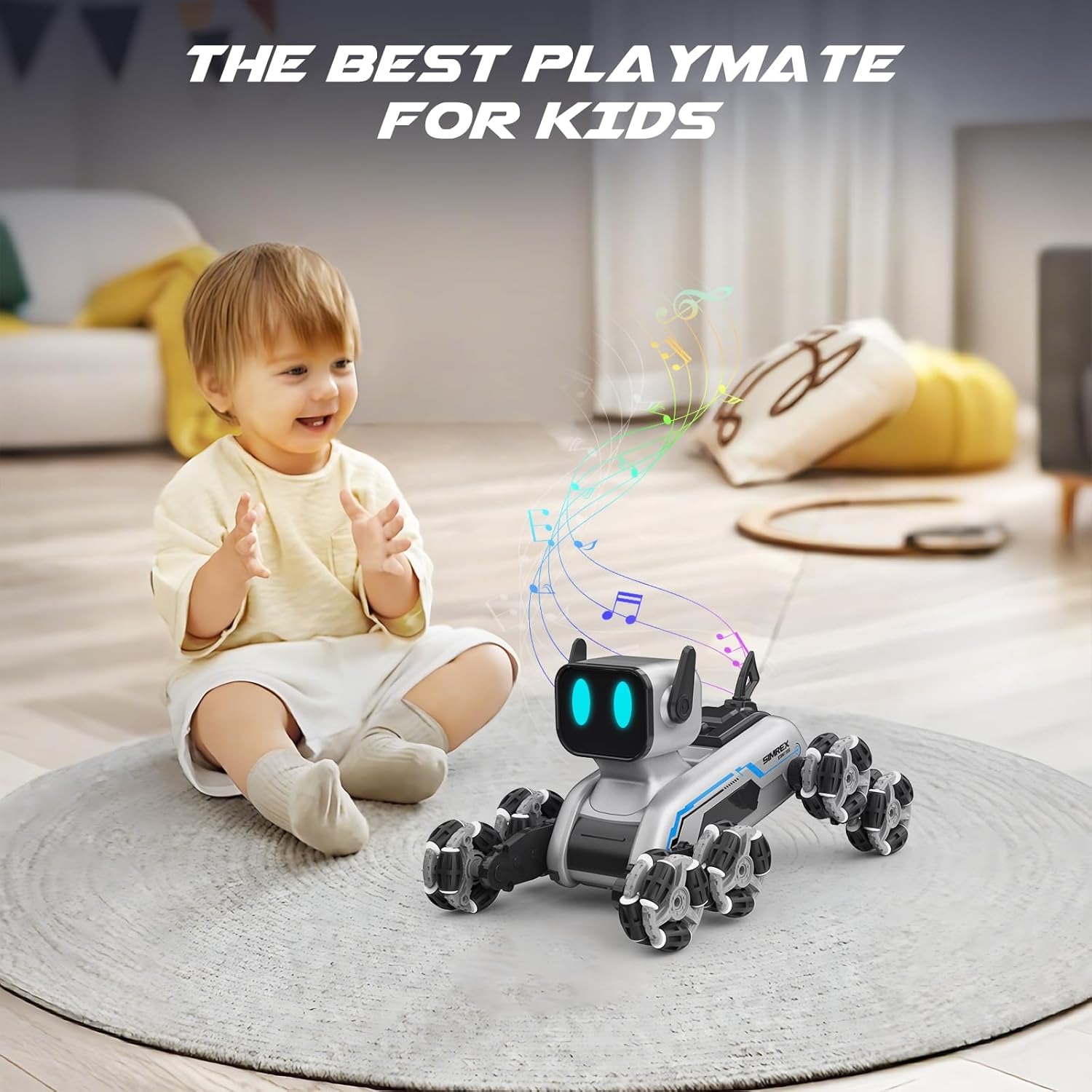
The SIMREX Robot Dog RC Stunt Car is an advanced robotic companion designed for dynamic play. Featuring an innovative 8-wheel Mecanum system, RGB LED eyes, and dual control options, this toy offers unparalleled mobility and interactive experiences. It is suitable for ages 6 and up.

ძირითადი მახასიათებლები:
- Dynamic 8-wheel Mecanum system for 360° mobility.
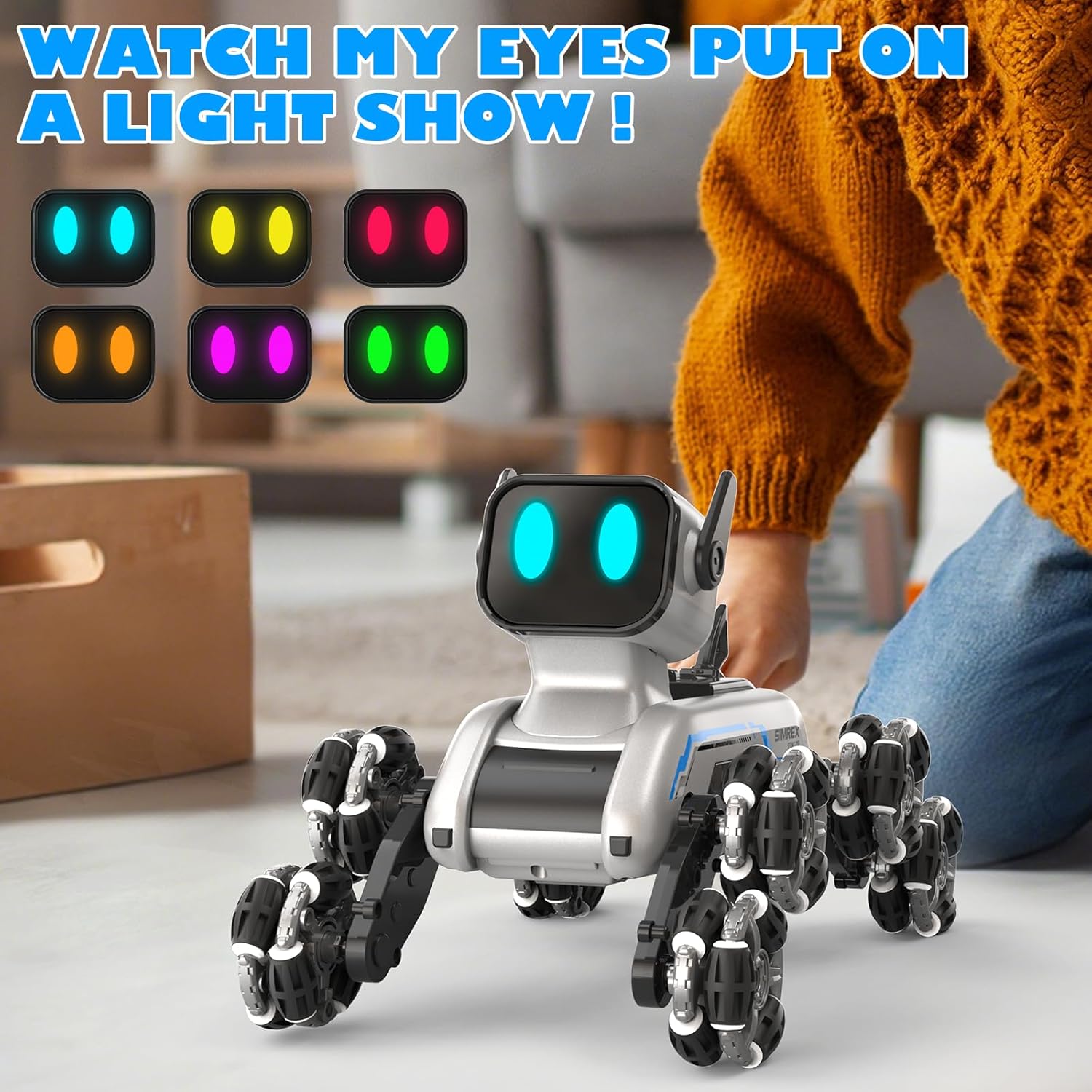
- Auto-changing RGB LED eyes for expressive interaction.
- Dual control system: ergonomic 2.4GHz remote controller and gesture-sensing wristband.
- 8 dynamic action modes with three interactive sound effects.
- One-touch demo button for impressive stunt sequences.
- Premium durability with industrial-grade Mecanum wheels and high-traction rubber treads.
- Dual 500mAh Li-ion batteries for extended runtime and quick USB recharging.
უსაფრთხოების ინფორმაცია
WARNING: Small Parts. Not for children under 3 years.
- თამაშის დროს ყოველთვის აკონტროლეთ ბავშვები.
- არ იმუშაოთ წყალთან ახლოს ან სველ ამინდში.
- შეჯახების თავიდან ასაცილებლად, მოერიდეთ ხალხმრავალ ადგილებში მუშაობას.
- არ დაშალოთ ან შეცვალოთ პროდუქტი.
- დარწმუნდით, რომ ბატარეები სწორი პოლარობით არის ჩასმული.
- Remove batteries from the toy and remote control when not in use for extended periods.
რა არის ყუთში
Your SIMREX Robot Dog RC Stunt Car package includes the following components:
- 1 x Eight-Wheel Robot Dog
- 1 x 2.4 GHz დისტანციური მართვა
- 2 x 3.7V 800mAh Li-ion Batteries
- 1 x Remote Control Switch (Gesture-sensing wristband)
- 1 x Operation Guide (User Manual)
- 1 x Screwdriver
- 1 x USB დამტენი კაბელი
დაყენების სახელმძღვანელო
1. ბატარეის მონტაჟი
Robot Dog: Use the included screwdriver to open the battery compartment on the robot dog. Insert one of the 3.7V 800mAh Li-ion batteries, ensuring correct polarity. Close the compartment securely.
დისტანციური მართვა: Open the battery compartment on the back of the 2.4GHz remote control. Insert 2 x AA batteries (not included), observing polarity. Close the compartment.
Gesture-Sensing Wristband: The wristband typically has a built-in rechargeable battery. Refer to the charging instructions below.

2. Charging the Robot Dog Battery
Connect the 3.7V 800mAh Li-ion battery to the USB charging cable. Plug the USB cable into a standard USB power adapter (e.g., computer USB port, wall adapter). The indicator light on the USB cable will show charging status. Charging typically takes approximately 60-90 minutes for a full charge. Do not overcharge.
3. ჩართვა და დაწყვილება
Turn on the robot dog using the power switch. Turn on your preferred controller (remote control or gesture-sensing wristband). The robot dog and controller will automatically pair via 2.4GHz wireless technology. A successful connection is usually indicated by a steady light on both devices.
ოპერაციული ინსტრუქციები
1. დისტანციური მართვის ოპერაცია
The ergonomic remote control allows for precise movements. Use the joysticks and buttons to control the robot dog's direction, speed, and special functions. Refer to the diagram below for button functions.
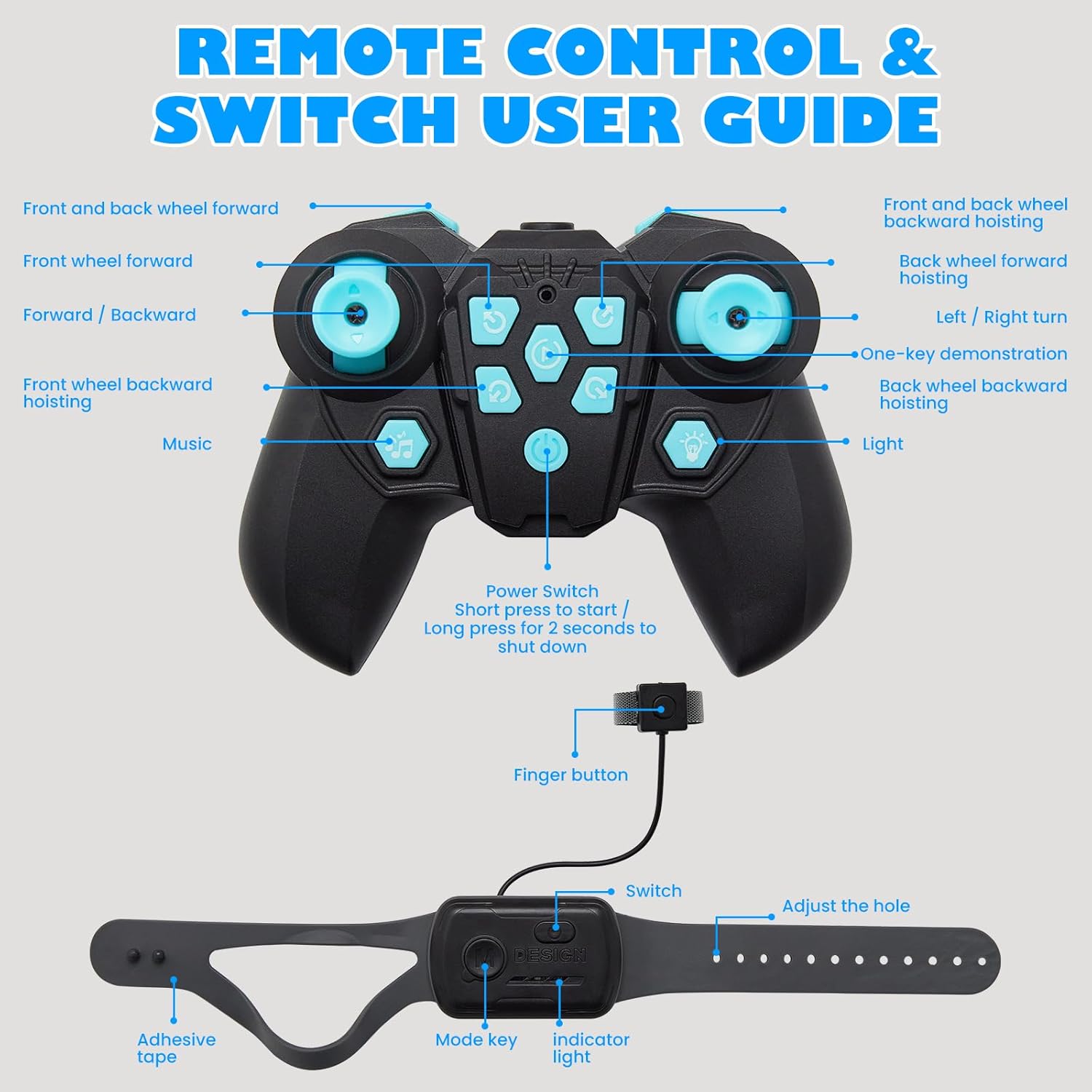
- მარცხენა ჯოისტიკი: Controls forward/backward movement and turning.
- მარჯვენა ჯოისტიკი: Controls sideways movement and rotation.
- ფუნქციის ღილაკები: Activate specific stunts, sound effects, and LED eye changes.
- One-Key Demo: Press to activate pre-programmed stunt sequences.
2. Gesture Sensing Wristband Operation
Wear the wristband on your hand. The robot dog will respond to your hand gestures, allowing for hands-free control. Tilt your hand forward, backward, left, or right to control movement. Specific gestures may activate stunts or modes.

3. Dynamic Action Modes and LED Eyes
The robot dog features 8 dynamic action modes, including combat stance, stealth crawl, speed dash, handstands, and spins. These modes are often accompanied by three interactive sound effects. The RGB LED eyes can change colors, adding to the robot's expressive capabilities.

მოვლა
- დასუფთავება: Wipe the robot dog and controllers with a soft, dry cloth. Do not use water or chemical cleaners.
- ბატარეის მოვლა:
- Always remove batteries if the toy will not be used for an extended period.
- შეინახეთ ბატარეები გრილ, მშრალ ადგილას.
- არ დაუშვათ ბატარეები ექსტრემალურ ტემპერატურაზე ან მზის პირდაპირ შუქზე.
- დაცლილი ელემენტები პასუხისმგებლობით გადააგდეთ ადგილობრივი რეგულაციების შესაბამისად.
- შენახვა: Store the robot dog and its accessories in a clean, dry environment away from direct sunlight and extreme temperatures.
პრობლემების მოგვარება
| პრობლემა | შესაძლო მიზეზი | გამოსავალი |
|---|---|---|
| Robot dog does not turn on. | ბატარეა დაბალია ან სწორად არ არის დამონტაჟებული. | Charge the robot dog's battery. Ensure the battery is inserted with correct polarity. |
| Remote control or wristband not responding. | Controller batteries are low or not paired. | Replace batteries in the remote control. Ensure both the robot dog and controller are powered on and within range for pairing. |
| Robot dog moves erratically or not as expected. | ჩარევა ან დაბალი ბატარეა. | Ensure no other 2.4GHz devices are causing interference. Recharge the robot dog's battery. |
| Sound effects or LED eyes not working. | Function not activated or low battery. | Press the correct function button on the remote. Recharge the robot dog's battery. |
სპეციფიკაციები
- პროდუქტის ზომები: 9.84 x 6.29 x 6.69 ინჩი
- ნივთის წონა: 1.9 ფუნტი
- მოდელის ნომერი: TOY2503
- მწარმოებლის მიერ რეკომენდებული ასაკი: 6 - 18 წელი
- ბატარეები: 2 ლითიუმ-იონის ბატარეა (შედის)
- კონტროლის სიხშირე: 2.4 გჰც
- მწარმოებელი: სიმრექსი
გარანტია და მხარდაჭერა
For warranty information and customer support, please refer to the official SIMREX webსაიტზე ან დაუკავშირდით მათ მომხმარებელთა მომსახურების სამსახურს პირდაპირ. ასევე შეგიძლიათ ეწვიოთ SIMREX Store on Amazon პროდუქტის დამატებითი დეტალებისა და საკონტაქტო ვარიანტებისთვის.


