1. შესავალი
The WAVLINK USB-C 5 Gigabit Ethernet Adapter (Model: WL-NWU341G) provides a high-speed wired network connection for devices equipped with a USB-C port. Designed for optimal performance, this adapter allows for data transfer speeds up to 5Gbps, significantly faster than standard Gigabit Ethernet. It is an ideal solution for laptops, tablets, and other compatible devices that lack a built-in Ethernet port or require enhanced network performance for demanding tasks such as large file transfers, online gaming, or 4K video streaming.
2. მახასიათებლები
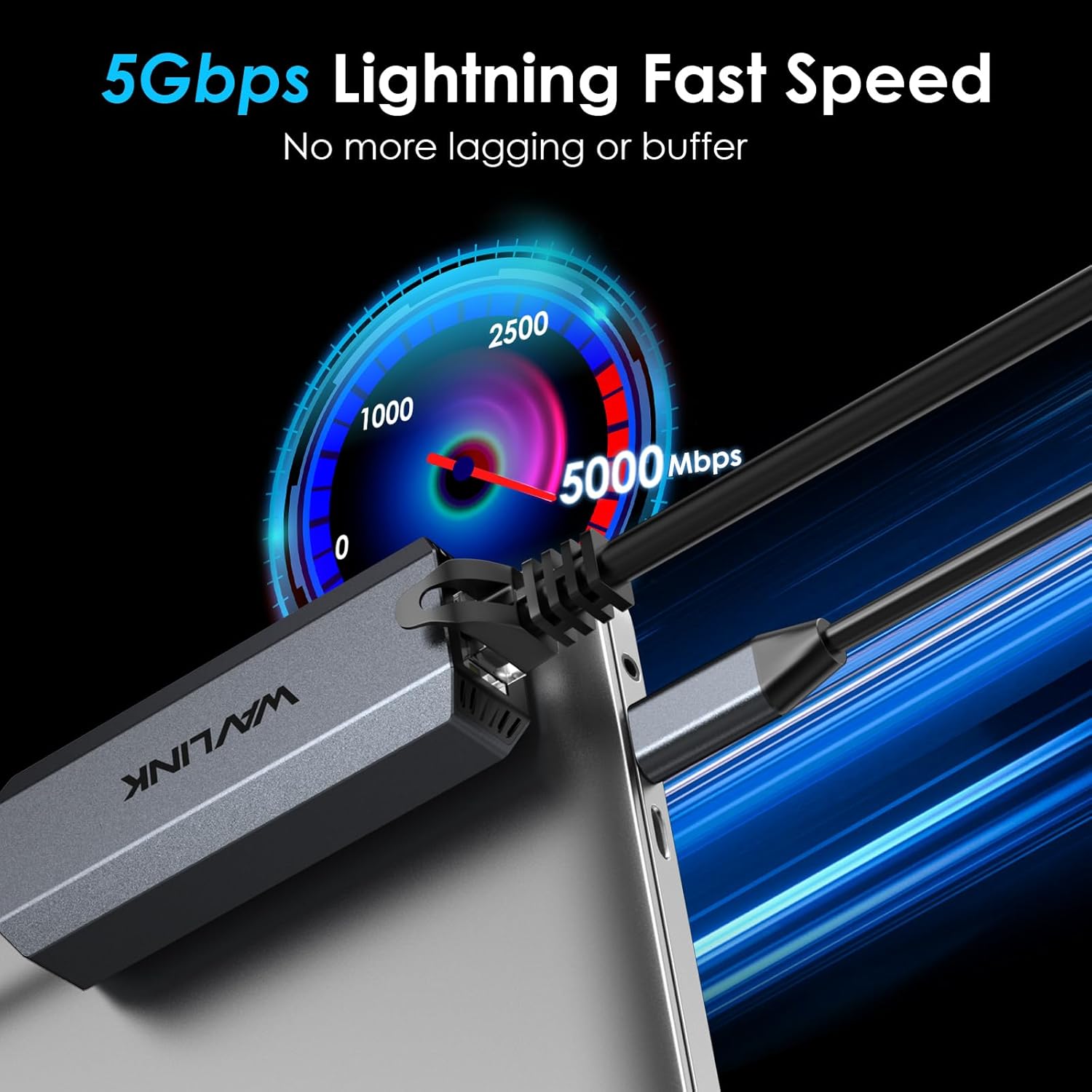
- 5Gbps Ethernet Speed: Increases data transfer speeds by up to 400% compared to Gigabit Ethernet, offering ultra-fast and stable wired connectivity.
- USB 3.1 Gen 2 Connectivity: Utilizes a USB 3.1 Gen 2 (10Gbps) Type-C connector for maximum compatibility and performance.
- ფართო თავსებადობა: Supports Microsoft Windows 10/11, 8.x, 7, Vista, XP, MacOS 10.6 and above. Compatible with Apple devices powered by M3 or above chips.
- გამძლე დიზაინი: Engineered with a premium aluminum alloy shell and internal heat dissipation design for durability and prolonged usage.
- კომპაქტური და პორტატული: Measuring 3.1 x 1.2 x 0.7 inches and weighing 2.29 ounces, it is designed for easy portability.
- გაფართოებული ფუნქციები: Supports Microsoft Wake Packet Detection (WPD), 'Wake-On-Lan', and 'RealWoW' for remote wake-up capabilities.
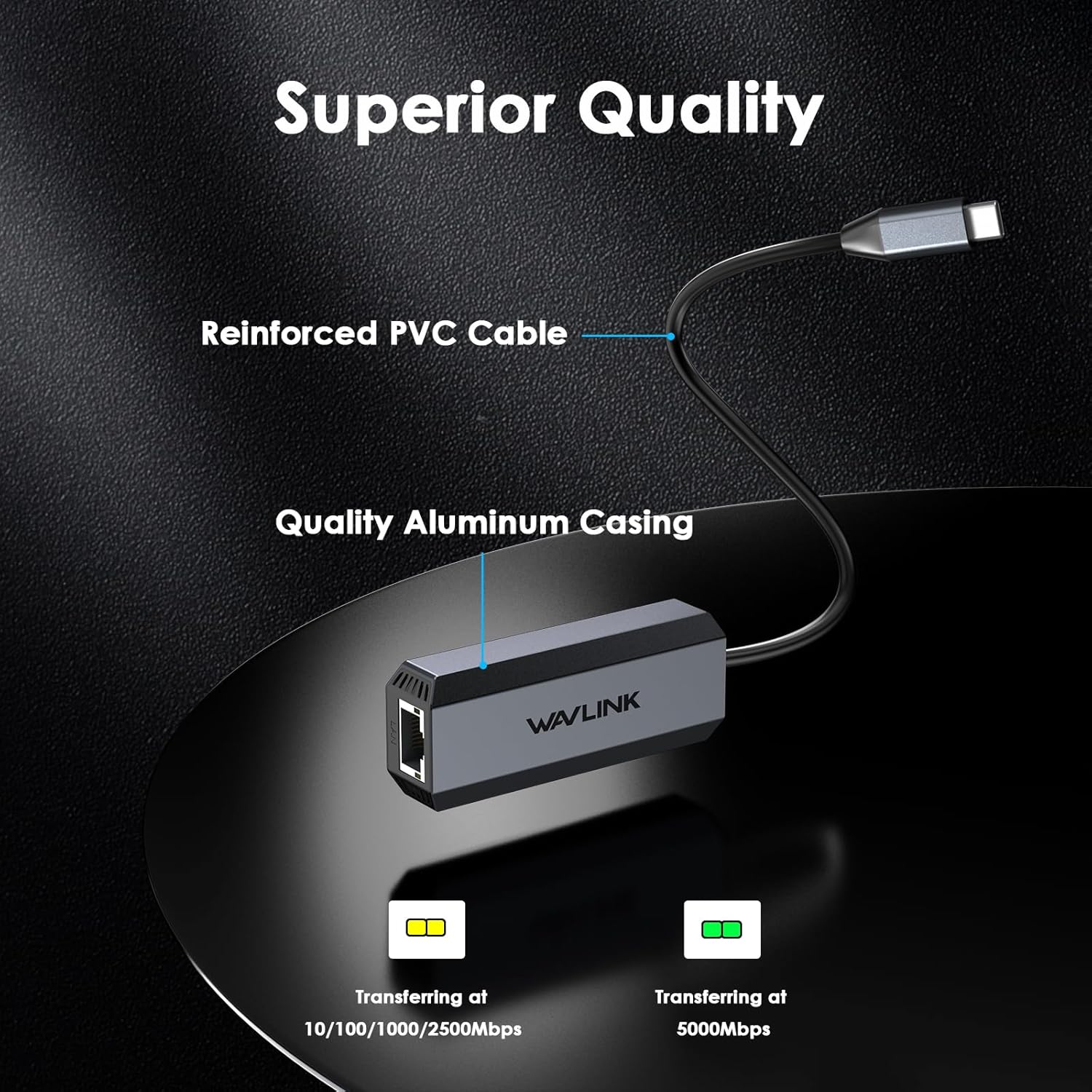
- LED ინდიკატორები: Features blinking green LED for 5000Mbps speeds and blinking amber LED for 10/100/1000/2500Mbps speeds, providing visual status of the connection.
3. პაკეტის შიგთავსი
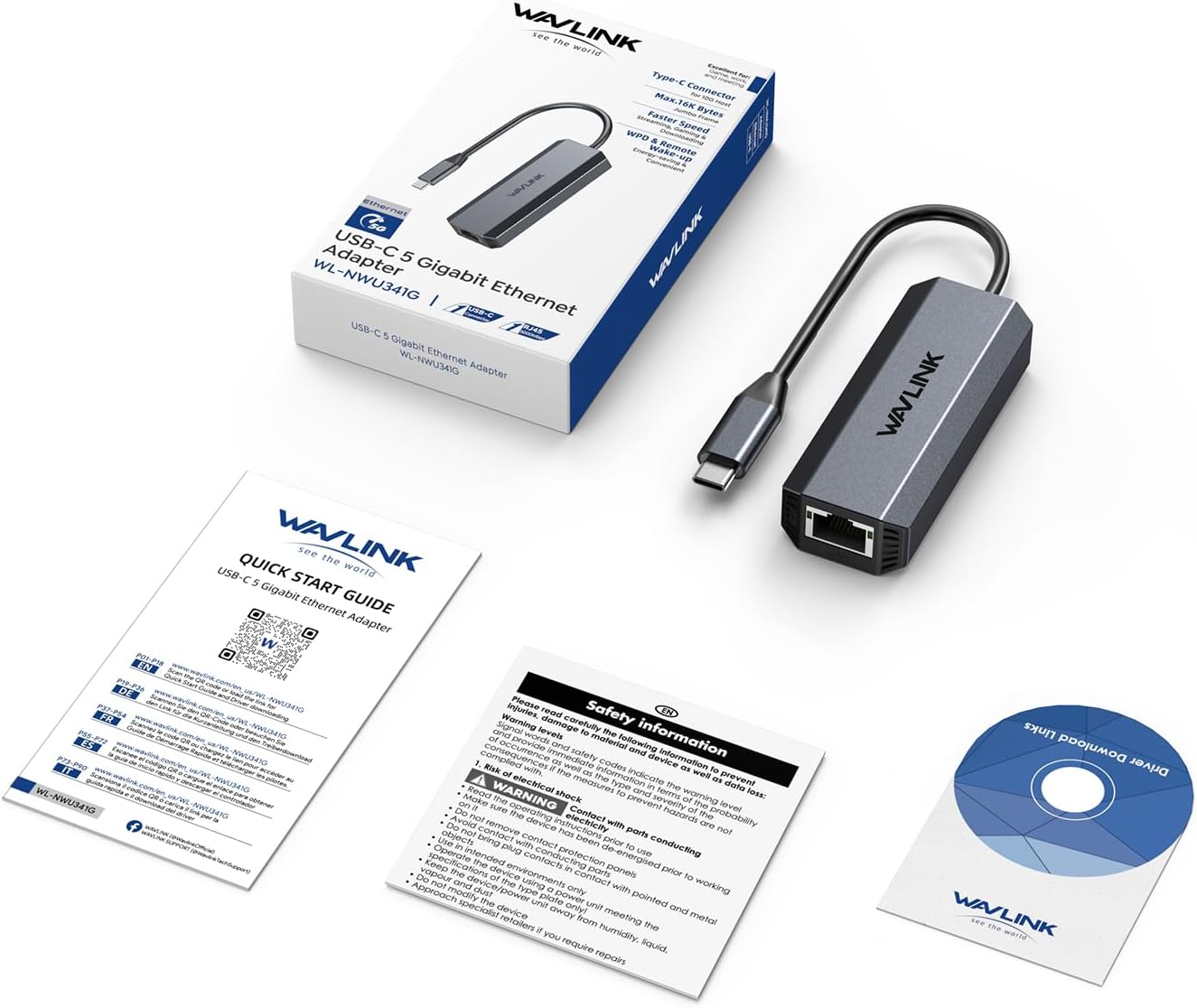
The WAVLINK USB-C 5 Gigabit Ethernet Adapter package includes the following items:
- 1 x USB-C 5 Gigabit Ethernet Adapter (WL-NWU341G)
- 1 x სწრაფი დაწყების სახელმძღვანელო
- 1 x Driver Download Links Card
- 1 x უსაფრთხოების საინფორმაციო ფურცელი
4. დაყენება და ინსტალაცია
To set up your WAVLINK USB-C 5 Gigabit Ethernet Adapter, follow these steps:
- Ethernet კაბელის შეერთება: Plug a CAT6 or higher Ethernet cable into the RJ45 port of the WAVLINK adapter. Ensure your router, Ethernet switch, or server supports 5Gb Ethernet speeds.
- მოწყობილობასთან დაკავშირება: Plug the USB-C connector of the adapter into a compatible USB 3.1 Gen 2 (10Gbps) or higher port on your laptop, tablet, or other device.
- დრაივერის ინსტალაცია:
- Windows: For Microsoft Windows 10/11, 8.x, 7, Vista, and XP, the necessary drivers (Realtek RTL8156) should install automatically upon connection.
- MacOS: For MacOS 10.6 and above, especially for older systems or if automatic installation fails, you may need to manually download and install the Realtek RTL8156 driver from the WAVLINK official website. Only compatible with Apple devices powered by M3 or above chips.
- Other OS (ChromeOS, Linux, iPadOS): Drivers may install automatically. If not, refer to the WAVLINK support website for specific instructions or driver downloads.
- დაადასტურეთ კავშირი: Check the LED indicators on the adapter. A blinking green LED indicates 5000Mbps speed, while a blinking amber LED indicates 10/100/1000/2500Mbps speeds.

5. საოპერაციო ინსტრუქციები
Once the WAVLINK USB-C 5 Gigabit Ethernet Adapter is properly installed and connected, it operates automatically, providing a stable and fast wired network connection.
- LED ინდიკატორები:
- მოციმციმე მწვანე: Indicates auto-recognition and data transfer at 5000Mbps speeds.
- მოციმციმე ქარვა: Indicates auto-recognition and data transfer at 10/100/1000/2500Mbps speeds.
- გამორთულია: The adapter is not receiving electrical power or no Ethernet connection is detected.
- Wake-On-Lan (WOL) & RealWoW: The adapter supports these features, allowing your PC to be remotely woken up from a sleeping state via the network. Ensure these features are enabled in your device's BIOS/UEFI settings and operating system network adapter properties.


6. თავსებადობა
The WAVLINK USB-C 5 Gigabit Ethernet Adapter offers broad compatibility with various operating systems and devices:
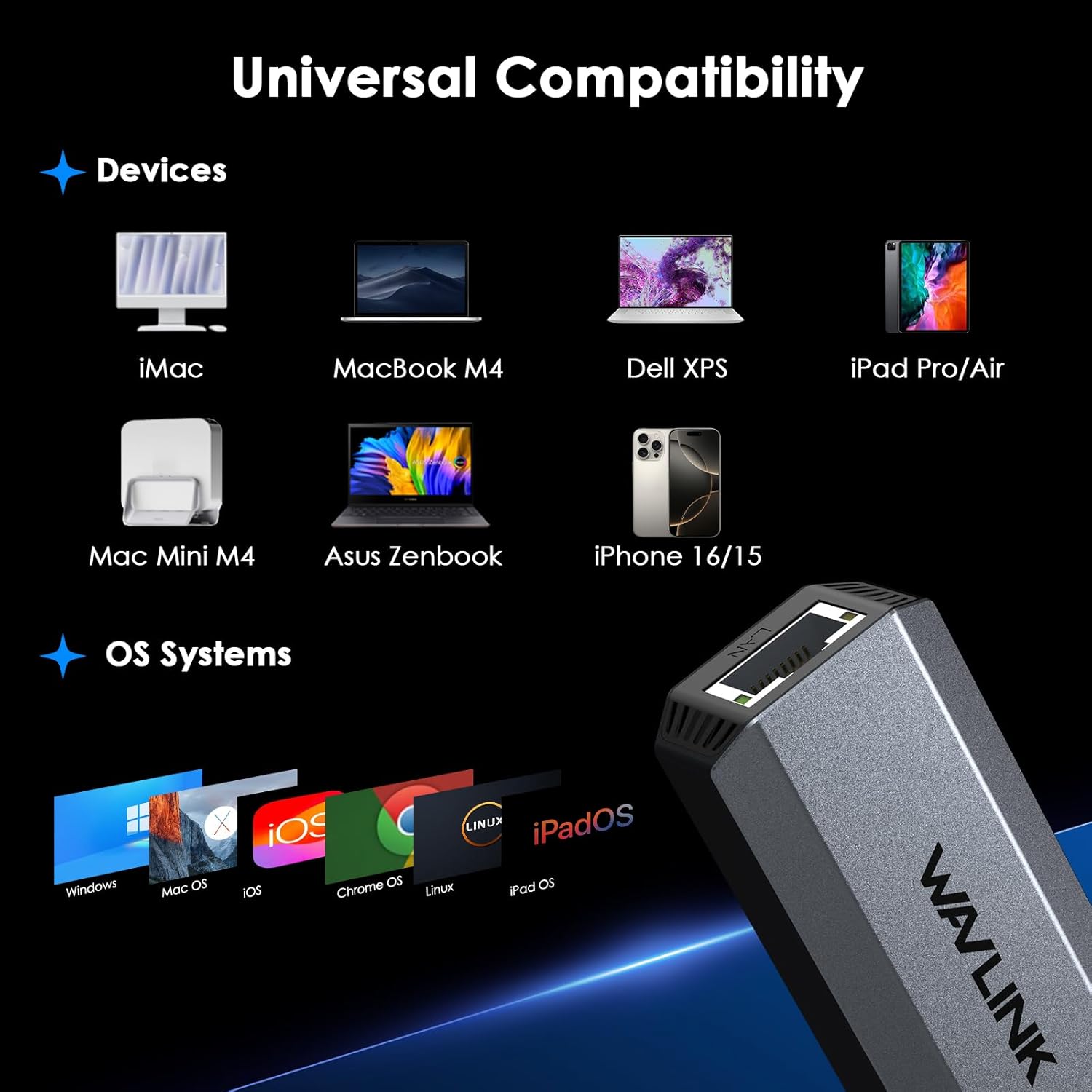
- ოპერაციული სისტემები: Microsoft Windows 10/11, 8.x, 7, Vista, XP, MacOS 10.6 and above, ChromeOS, Linux, iPadOS.
- Apple მოწყობილობები: Fully compatible with Apple devices powered by M3 or above chips. For older MacOS versions, manual driver installation may be required.
- მოწყობილობის ტიპები: Laptops, tablets (e.g., iPad Pro/Air), desktop PCs, and other devices with a USB-C port supporting USB 3.1 Gen 2 (10Gbps) or higher.
7. Დიაგნოსტიკა
- ნელი სიჩქარე:
- Ensure you are using a CAT6 or higher Ethernet cable.
- Verify your router, Ethernet switch, or server supports 5Gb Ethernet.
- Confirm your device's USB-C port complies with USB 3.2 Gen2 (10Gbps) or higher standards.
- Frequent Disconnections (Windows):
- Go to Device Manager, find the network adapter, right-click and select 'Properties'.
- Navigate to the 'Power Management' tab and uncheck 'Allow the computer to turn off this device to save power'.
- მძღოლის პრობლემები:
- For older systems or if automatic driver installation fails, download the latest Realtek RTL8156 driver from the official WAVLINK support page: www.wavlink.com/en_us/WL-NWU341G.
- Კავშირი არ არის:
- შეამოწმეთ ყველა საკაბელო კავშირი, რათა დარწმუნდეთ, რომ ისინი უსაფრთხოა.
- Verify that the LED indicators on the adapter are active.
- Test the adapter with a different USB-C port or another compatible device if possible.
8. სპეციფიკაციები
| ატრიბუტი | ღირებულება |
|---|---|
| პროდუქტის ზომები | 3.1 x 1.2 x 0.7 ინჩი (7.87 x 3.05 x 1.78 სმ) |
| ნივთის წონა | 2.29 უნცია (65 გრამი) |
| საქონლის მოდელის ნომერი | WL-NWU341G |
| ბრენდი | WAVLINK |
| აპარატურა ინტერფეისი | USB 3.1 ტიპის C |
| ფერი | რუხი |
| თავსებადი მოწყობილობები | Windows 10/11, 8.x, 7, Vista and XP, MacOS 10.6 and above |
| მონაცემთა გადაცემის სიჩქარე | 5000 მეგაბიტი წამში (5 გბ/წმ) |
| თავსებადი ოპერაციული სისტემების ოჯახი | ChromeOS, Linux, Windows |
| Minimum Required Operating System Version | Mac OS X 10.6 Snow Leopard, Windows 7 |

9. მოვლა
To ensure the longevity and optimal performance of your WAVLINK USB-C 5 Gigabit Ethernet Adapter, please follow these maintenance guidelines:
- დასუფთავება: Use a soft, dry cloth to clean the adapter. Avoid using liquid cleaners or aerosols, which may damage the device.
- შენახვა: შეინახეთ ადაპტერი გრილ, მშრალ ადგილას, მოარიდეთ მზის პირდაპირ სხივებს და ექსტრემალურ ტემპერატურას.
- დამუშავება: Avoid dropping the device or subjecting it to strong impacts. Do not bend the cable excessively, as this may damage internal wiring.
- ვენტილაცია: Ensure the adapter is not covered during use to allow for proper heat dissipation, especially during prolonged high-speed data transfers.
10. გარანტია და დახმარება
WAVLINK products are designed for reliability and performance. For detailed warranty information, technical support, and customer service, please visit the official WAVLINK website or refer to the contact information provided in your product's Quick Start Guide.
ონლაინ დახმარება: www.wavlink.com
ტექნიკური მხარდაჭერის ელფოსტა: support@wavlink.com


