შესავალი
This manual provides comprehensive instructions for the setup, operation, and maintenance of your Eversolo DMP-A6 Master Gen 2-Black Hi-Fi Music Streamer. Please read this manual thoroughly before using the device to ensure optimal performance and longevity.
The Eversolo DMP-A6 Master Gen 2-Black is an advanced Hi-Fi music streamer designed for high-fidelity audio playback. It features an upgraded Op-amp Chip OPA1612 for enhanced sound output and a newly designed linear power supply for ultra-low noise operation. It supports a wide range of audio formats and streaming services, offering versatile connectivity options for integration into various audio systems.
უსაფრთხოების ინფორმაცია
Always adhere to the following safety guidelines to prevent damage to the device or personal injury:
- არ დაუშვათ მოწყობილობის წყალთან ან ჭარბ ტენიანობასთან შეხება.
- უზრუნველყოს სათანადო ვენტილაცია გადახურების თავიდან ასაცილებლად. არ დაბლოკოთ ვენტილაციის ღიობები.
- გამოიყენეთ მხოლოდ მოწოდებული კვების კაბელი და აქსესუარები.
- არ სცადოთ მოწყობილობის გახსნა ან შეკეთება დამოუკიდებლად. ყველა სახის მომსახურება მიმართეთ კვალიფიციურ პერსონალს.
- მოწყობილობა მოარიდეთ მზის პირდაპირ სხივებს, სითბოს წყაროებს და ძლიერ მაგნიტურ ველებს.
- გაწმინდეთ მოწყობილობა რბილი, მშრალი ქსოვილით. მოერიდეთ აბრაზიული საწმენდი საშუალებების ან გამხსნელების გამოყენებას.
პაკეტის შიგთავსი
დარწმუნდით, რომ შეფუთვაში ყველა ნივთია:
- Eversolo DMP-A6 Master Gen 2-Black Unit
- დენის კაბელი
- USB კაბელი
- Screwdriver (for internal storage installation, if applicable)
- მომხმარებლის სახელმძღვანელო (ეს დოკუმენტი)
- ტრიგერის კაბელი
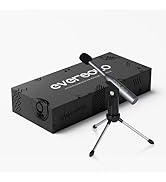
Image: Illustration of the Eversolo DMP-A6 Master Gen 2-Black package contents.
დაყენება
1. ფიზიკური განთავსება
Place the DMP-A6 Master Gen 2-Black on a stable, flat surface with adequate ventilation. Ensure there is sufficient space around the unit for airflow, especially at the rear and sides where heat dissipation occurs.
2. დენის კავშირი
Connect the provided power cable to the AC inlet on the rear of the unit and then to a suitable power outlet. Ensure the power switch is in the OFF position before connecting.
3. აუდიო კავშირები
The DMP-A6 Master Gen 2-Black offers various audio input and output options:
- ანალოგური გამომავალი: Use XLR or RCA outputs to connect to active speakers or power ampმებრძოლები.
- ციფრული შედეგები: Optical, Coaxial, and HDMI (for audio only, no video output).
- ციფრული პორტები: Coaxial, Optical, Type-C USB, and HD Bluetooth for connecting external digital audio sources.
- HDMI ARC: Connect your TV's HDMI ARC port to the DMP-A6's HDMI ARC input to transmit TV audio directly.

Image: Rear panel connections of the DMP-A6 Master Gen 2-Black.
4. ქსელის კავშირი
Connect the unit to your network via Ethernet cable for the most stable connection, or use the built-in Wi-Fi for wireless connectivity. A stable network connection is essential for streaming services and firmware updates.
5. პირველადი ჩართვა
After all connections are made, switch on the power. The device will boot up, and the 6-inch LCD color touchscreen will display the initial setup wizard.
ოპერაციული ინსტრუქციები
1. User Interface and Control
The DMP-A6 Master Gen 2-Black can be controlled via its integrated 6-inch LCD color touchscreen or through the dedicated mobile application for Android and iOS devices.

Image: Front panel and touchscreen display.
2. მობილური აპლიკაცია
Download the official Eversolo mobile application from your device's app store. The app provides comprehensive control over the streamer, including music playback, settings adjustment, and personalized playlist management.

Image: Eversolo mobile application interface.
3. Music Playback and Streaming
The device supports a wide array of music services and streaming protocols:
- Integrated Services: Access Amazon Music, TIDAL, Qobuz, HIRESAUDIO, Deezer, Tuneln Radio, and more directly from the device.
- უსადენო სტრიმინგი: Compatible with Roon Ready, TIDAL Connect, and DLNA for seamless streaming from compatible devices and servers.
- Local/Network Playback: დაუკარით მუსიკა files from local drives (USB) or network storage (NAS). The device supports cross-platform addition of music files.
- მხარდაჭერილი ფორმატები: Plays almost all ultra-high sampling master recording formats, including FLAC, WAV, APE, DSD512 (dsf/.dff/.iso/.dst) stereo/multichannel, and MQA.
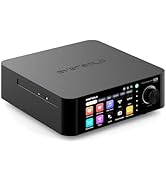
Image: Supported music services and streaming platforms.
4. დამატებითი ფუნქციები
- EOS Audio Engine: Utilizes an innovative audio processing engine that bypasses SRC limitations for high-resolution audio direct output.
- HDMI ARC & TRIGGER: HDMI ARC allows direct TV audio transmission. The TRIGGER function enables linked devices to automatically power on/off with the streamer.
- Professional EQ: Fine-tune your audio output with the built-in professional equalizer.
- OPA1612 ოპ-amp ჩიპი: Features an upgraded Op-amp chip for a warmer voice output and improved audio quality.
- Ultra-Low Noise Linear Power Supply: Ensures a clean audio signal with noise levels below 40uV.

Image: Key technical features and specifications.
მოვლა
1. დასუფთავება
Regularly clean the exterior of the unit with a soft, dry, lint-free cloth. Do not use liquid cleaners, aerosols, or solvents, as they may damage the finish or internal components.
2. პროგრამული უზრუნველყოფის განახლებები
Eversolo frequently releases firmware updates to improve performance, add features, and fix bugs. It is recommended to keep your device's firmware up to date. Updates can typically be performed directly through the device's settings menu when connected to the internet.
3. შენახვა
If storing the device for an extended period, disconnect it from power and store it in a cool, dry place, away from direct sunlight and extreme temperatures.
პრობლემების მოგვარება
| პრობლემა | შესაძლო მიზეზი | გამოსავალი |
|---|---|---|
| არავითარი ძალა | დენის კაბელი არ არის შეერთებული; დენის ჩამრთველი გამორთულია; დენის წყაროს პრობლემაა. | Ensure power cable is securely connected. Check power switch. Test power outlet with another device. |
| ხმის გამომავალი არ არის | Incorrect audio output selected; Cables not connected properly; Ampგამანათებლის/დინამიკის პრობლემა. | Verify correct output in settings. Check all audio cable connections. Test amplifier/speakers with another source. |
| ქსელთან დაკავშირება შეუძლებელია | Incorrect Wi-Fi password; Router issue; Ethernet cable disconnected. | Re-enter Wi-Fi password. Restart router. Check Ethernet cable connection. |
| სტრიმინგის სერვისები არ იტვირთება | Poor internet connection; Service outage; App issue. | Check internet speed. Verify service status online. Restart the streamer and the app. |
| მოწყობილობა არ რეაგირებს | დროებითი პროგრამული უზრუნველყოფის გაუმართაობა. | Perform a soft reset by holding the power button, or disconnect power for 30 seconds and reconnect. |
If the problem persists after attempting these solutions, please contact Eversolo customer support.
სპეციფიკაციები
| ფუნქცია | დეტალი |
|---|---|
| მოდელის სახელი | DMP-A6 Master Gen 2-Black |
| ზომები (L x W x H) | 10.63 x 7.36 x 5.34 ინჩი (დაახ.) |
| წონა | 9.24 ფუნტი |
| ოპერაციული სისტემა | Android 11 (deeply tailored system) |
| ჩვენება | 6-inch LCD Color Touchscreen |
| ოპერატიული მეხსიერება | 4 GB |
| დაკავშირება | Bluetooth, Ethernet, HDMI, IR |
| აუდიო საშუალებები | Coaxial, Optical, Type-C USB, HD Bluetooth |
| აუდიო შედეგები | HDMI (audio only), USB, Optical, Coaxial, XLR, RCA |
| მხარდაჭერილი სტრიმინგის სერვისები | Amazon Music, Deezer, HIRESAUDIO, Qobuz, Tidal, Tuneln Radio, Roon Ready, TIDAL Connect, DLNA |
| მხარდაჭერილი აუდიო ფორმატები | FLAC, WAV, APE, DSD512, MQA, PCM768kHz/32Bit |
| განსაკუთრებული თვისებები | Professional EQ, Roon Ready, Squeezelite, TIDAL Connect, HDMI ARC, TRIGGER, OPA1612 Op-amp, Ultra-Low Noise Linear Power Supply |
გარანტია და მხარდაჭერა
საგარანტიო ინფორმაცია
The Eversolo DMP-A6 Master Gen 2-Black typically comes with a 1 წლიანი შეზღუდული გარანტია შეძენის დღიდან. ეს გარანტია ფარავს წარმოების დეფექტებს და დამზადებას ნორმალური გამოყენების პირობებში. გთხოვთ, შეინახოთ შეძენის დამადასტურებელი საბუთი გარანტიის მოთხოვნებისთვის.
The warranty does not cover damage caused by misuse, accident, unauthorized modification, improper installation, or natural disasters. For detailed warranty terms and conditions, please refer to the official Eversolo webსაიტზე ან დაუკავშირდით მათ მომხმარებელთა მომსახურებას.
მომხმარებელთა მხარდაჭერა
For technical assistance, troubleshooting, or warranty inquiries, please contact Eversolo customer support through their official channels. You can typically find contact information on the Eversolo website, including support forums, email addresses, or phone numbers.
Eversolo aims to provide monthly firmware updates and encourages users to submit comments or questions via their official service channels (website forum, Facebook, Instagram, or email) for prompt responses.


