1. შესავალი
Thank you for choosing the havit OWS915 Open Ear Headphones. These headphones are designed to provide a comfortable and secure listening experience while maintaining awareness of your surroundings. Featuring Bluetooth 5.4 connectivity, 64 hours of total playtime with the charging case, IPX5 water resistance, and Environmental Noise Cancellation (ENC) for clear calls, the OWS915 is suitable for various activities.
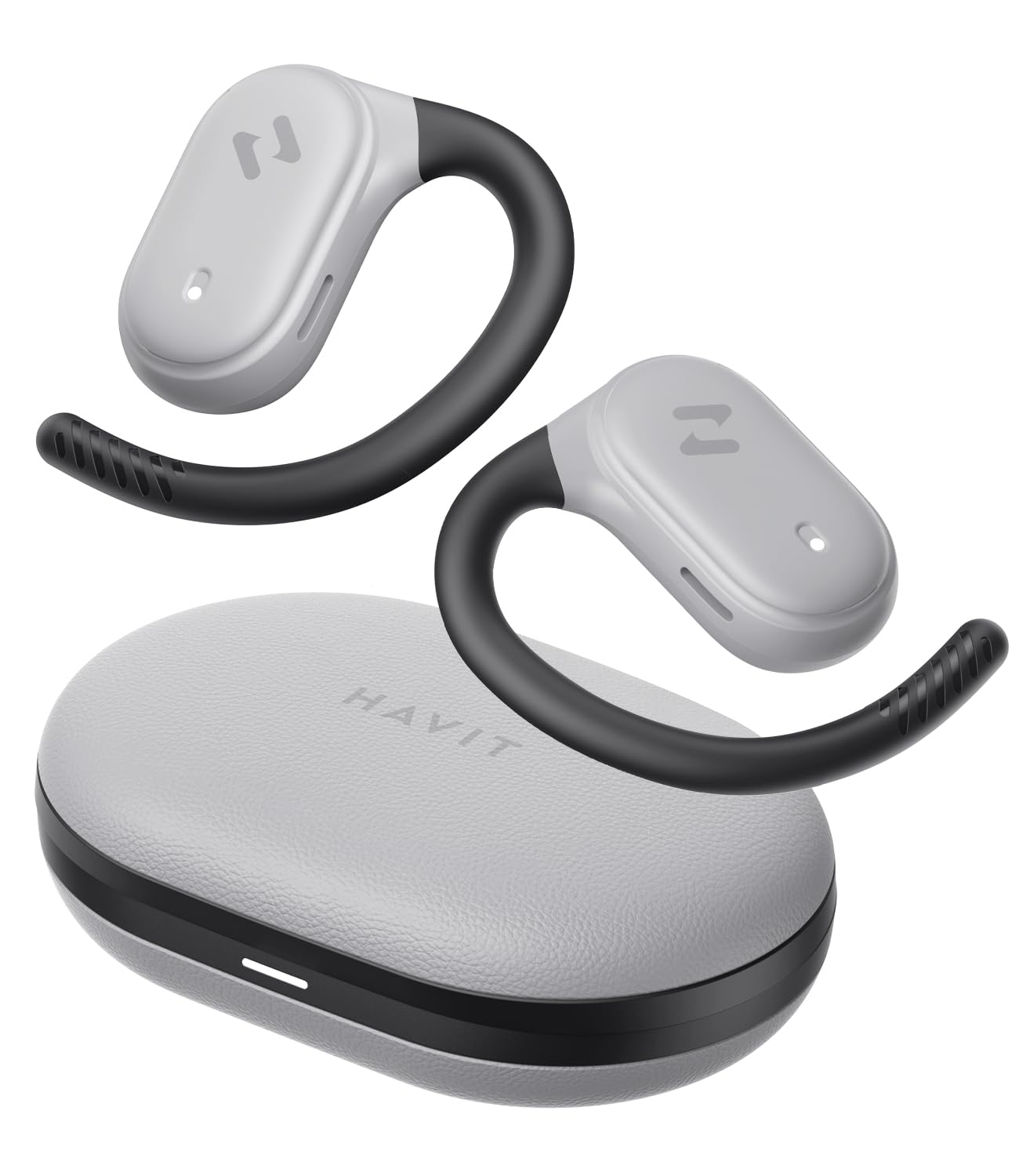
Image: havit OWS915 Open Ear Headphones and their charging case, showcasinგ პროდუქტის დიზაინი.
2. რა არის ყუთში
- havit OWS915 Open Ear Headphones (Left and Right)
- დამუხტვის ქეისი
- USB-C დამტენი კაბელი
- მომხმარებლის სახელმძღვანელო

Image: A visual representation of all items included in the havit OWS915 product packaging.
3. ტარების ინსტრუქცია
ოპტიმალური კომფორტისა და ხმის ხარისხისთვის, დარწმუნდით, რომ ყურსასმენები სწორად არის ნახმარი.
- გახსენით დამტენი და ამოიღეთ ყურსასმენები.
- ყურის კაუჭი ყურის თავზე მოათავსეთ.
- Adjust the earbud so that the speaker rests comfortably outside your ear canal, directing sound towards your ear.

Image: A three-step visual guide demonstrating the proper way to position the open-ear headphones on the ear.
4. დაყენება
4.1 საწყისი დაწყვილება
- დარწმუნდით, რომ ყურსასმენები დატენულია.
- გახსენით დამტენი ქეისი. ყურსასმენები ავტომატურად გადავა დაწყვილების რეჟიმში, რასაც მიუთითებს მოციმციმე LED შუქი.
- თქვენს მოწყობილობაზე (სმარტფონი, პლანშეტი, კომპიუტერი) ჩართეთ Bluetooth და მოძებნეთ ხელმისაწვდომი მოწყობილობები.
- Select "havit OWS915" from the list of devices.
- დაკავშირების შემდეგ, ყურსასმენებზე LED ინდიკატორი შეწყვეტს ციმციმს.
4.2 ყურსასმენებისა და ქეისის დატენვა
The headphones provide up to 8.5 hours of playtime on a single charge, with the charging case extending this to a total of 64 hours.
- ყურსასმენების დამუხტვა: Place the earbuds into the charging case. They will automatically begin charging. The indicator lights on the earbuds will show charging status.
- დამუხტვის საქმე: Connect the provided USB-C cable to the charging port on the case and to a power source. The indicator light on the case will show charging progress.

Image: The havit OWS915 headphones in their charging case, highlighting the 8.5 hours of playtime per charge and 64 hours total with the case.
5. საოპერაციო ინსტრუქციები
5.1 შეეხეთ კონტროლი
The havit OWS915 headphones feature intuitive touch controls on each earbud.
| ფუნქცია | მოქმედება |
|---|---|
| დაკვრა/პაუზა | ორჯერ შეეხეთ რომელიმე ყურსასმენს |
| წინა სიმღერა | Touch and hold left earbud for 1 second |
| შემდეგი სიმღერა | Touch and hold right earbud for 1 second |
| ზარის პასუხი/დასრულება | ორჯერ შეეხეთ რომელიმე ყურსასმენს |
| ზარის უარყოფა | Touch and hold either earbud for 1 second |
| ხმის ასისტენტი | სამჯერ შეეხეთ მარცხენა ყურსასმენს |
| თამაშის რეჟიმი/მუსიკის რეჟიმი | სამჯერ შეეხეთ მარჯვენა ყურსასმენს |

Image: A visual guide detailing the various touch control functions on the havit OWS915 earbuds.
5.2 HAVIT LIFE APP
Enhance your listening experience by downloading the HAVIT LIFE APP. The app allows you to:
- Customize EQ settings to match your audio preferences.
- Adjust touch control functions.
- Monitor headphone battery levels.
- Switch between game and music modes.

Image: Screenshots of the HAVIT LIFE APP, demonstrating options for equalizer settings and other customizations.
6. მახასიათებლები და ტექნოლოგია
6.1 Open-Ear Design and Comfort
The OWS915 headphones feature an open-ear design with lightweight (7.9 grams) and soft TPU materials, ensuring a comfortable and secure fit for extended wear without fatigue. This design allows you to remain aware of your surroundings.

Image: A person wearing the havit OWS915 headphones, illustrating the comfortable and secure open-ear design.
6.2 Powerful Sound Performance
Equipped with advanced 14.2mm dynamic drivers and bass enhancement technology, these headphones deliver rich bass and vibrant 3D surround sound for an immersive audio experience.

Image: An illustration of the 14.2mm dynamic drivers, highlighting their role in delivering powerful bass.
6.3 Crystal Clear Calls with 4-Microphone ENC
The integrated 4-microphone Environmental Noise Cancellation (ENC) technology ensures your voice is transmitted clearly during calls, even in noisy environments.
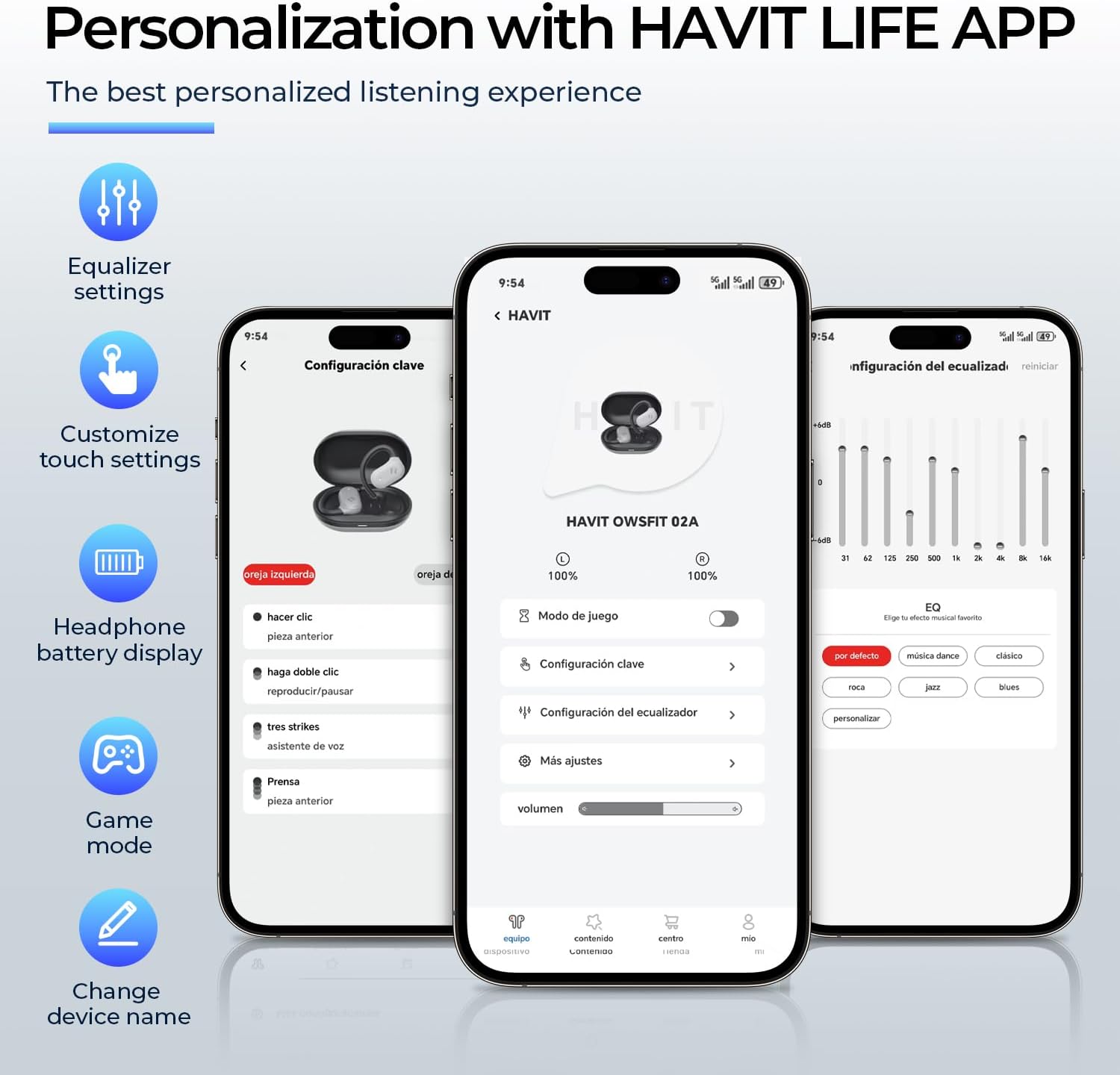
Image: A person using the havit OWS915 headphones for a call, illustrating the clear communication provided by 4-microphone ENC technology.
6.4 Cutting-Edge Directional Audio Technology
Innovative directional audio technology provides precise sound placement, minimizing sound leakage while improving bass quality. This allows you to enjoy your audio without disturbing others and without compromising your awareness.

Image: A visual representation of the directional audio technology, showing sound waves directed towards the ear with minimal leakage.
6.5 IPX5 წყალგამძლეობა
With an IPX5 rating, the OWS915 headphones are resistant to sweat and splashes, making them suitable for workouts, outdoor activities, and light rain.
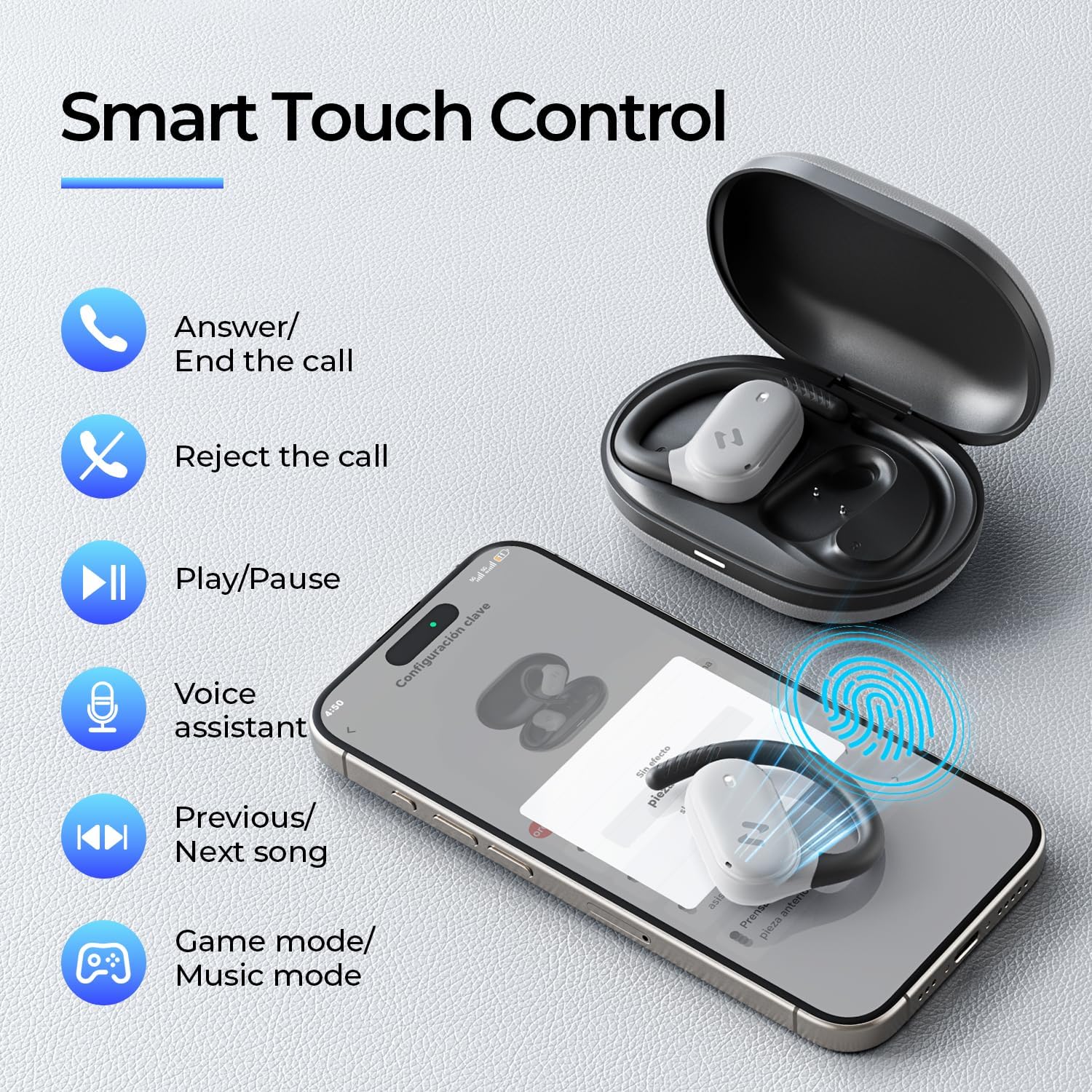
Image: The havit OWS915 headphones partially submerged in water, demonstrating their IPX5 water and sweat resistance.
7. მოვლა
- დასუფთავება: ყურსასმენები და დამტენი ქეისი რეგულარულად გაწმინდეთ რბილი, მშრალი ქსოვილით. მოერიდეთ აბრაზიული მასალების ან უხეში ქიმიკატების გამოყენებას.
- წყლის ექსპოზიცია: While IPX5 rated, avoid submerging the headphones in water. If exposed to sweat or splashes, wipe them dry before placing them back in the charging case.
- შენახვა: ყურსასმენები, როდესაც არ იყენებთ, დამტენ ქეისში შეინახეთ, რათა დაიცვათ ისინი და დატენილი იყოს.
- ბატარეის მოვლა: To prolong battery life, avoid fully discharging the headphones or charging case frequently. Charge them regularly.
8. Დიაგნოსტიკა
- ძალა არ არის: დარწმუნდით, რომ ყურსასმენები და დამტენი ქეისი სრულად არის დატენილი.
- დაწყვილების წარუმატებლობა:
- დარწმუნდით, რომ Bluetooth ჩართულია თქვენს მოწყობილობაზე.
- Ensure the earbuds are in pairing mode (flashing LED).
- გამორთეთ Bluetooth სხვა ახლომდებარე მოწყობილობებზე, რომლებიც შესაძლოა დაკავშირებას ცდილობდნენ.
- Try resetting the earbuds (refer to the full manual for specific reset instructions if needed).
- ხმა არ არის:
- შეამოწმეთ ხმის დონე როგორც თქვენს მოწყობილობაზე, ასევე ყურსასმენებზე.
- დარწმუნდით, რომ ყურსასმენები სწორად არის დაკავშირებული თქვენს მოწყობილობასთან.
- სცადეთ აუდიოს დაკვრა სხვა აპლიკაციიდან ან წყაროდან.
- ცუდი ზარის ხარისხი:
- დარწმუნდით, რომ მიკროფონები არ არის დაბრკოლებული.
- გადადით ისეთ ადგილას, სადაც ნაკლები ფონური ხმაური იქნება.
- Check your device's network connection.
9. სპეციფიკაციები
| ფუნქცია | სპეციფიკაცია |
|---|---|
| მოდელის სახელი | OWS915 |
| დაკავშირების ტექნოლოგია | უსადენო (Bluetooth 5.4) |
| Bluetooth დიაპაზონი | 10 მეტრი |
| ელემენტის ხანგრძლივობა (ყურსასმენები) | 8.5 საათი (ერთი დატენვა) |
| თამაშის საერთო დრო (ქეისით) | 64 საათი |
| წყლის წინააღმდეგობის დონე | IPX5 (წყალგამძლე) |
| აუდიო დრაივერის ზომა | 14.2 მილიმეტრი |
| კონტროლის მეთოდი | აპლიკაცია, შეეხეთ |
| მოყვება კომპონენტები | მიკროფონი |
| ნივთის წონა (ყურსასმენები) | 7.9 გრამი (თითოეული) |
| ტარების საქმე წონა | 77.8 გრამი |
| მასალა | PC + ABS + TPU |
| სიხშირის პასუხი | 20 კჰც |
| მგრძნობელობა | 118 დბ |
| წინაღობა | 32 Ohms |
10. ვიდეო სახელმძღვანელო
ვიზუალური ინფორმაციისთვის უყურეთ ამ ოფიციალურ ვიდეოსview of the havit OWS915 Open Ear Headphones.
Video: An official product video from HAVIT Direct showcasing the havit OWS915 Open Ear Headphones, including their design and features.
11. გარანტია და მხარდაჭერა
havit products come with a standard warranty. For detailed warranty information, technical support, or customer service inquiries, please refer to the warranty card included in your product packaging or visit the official havit webსაიტი. ასევე შეგიძლიათ დახმარებისთვის პირდაპირ გამყიდველს დაუკავშირდეთ.
ონლაინ დახმარება: www.havit.com/support


