1. შესავალი
Welcome to the user manual for your new TECNO POVA Curve 5G smartphone. This guide provides essential information on setting up, operating, maintaining, and troubleshooting your device. Please read this manual carefully to ensure optimal performance and longevity of your smartphone.

Figure 1: TECNO POVA Curve 5G smartphone, front and back.
2. რა არის ყუთში
Upon unboxing your TECNO POVA Curve 5G, please verify that all the following items are included:
- TECNO POVA Curve 5G Smartphone
- Power Adapter (45W Fast Charger)
- USB კაბელი
- SIM უჯრის ეჟექტორი
- ყურსასმენი
- სწრაფი დაწყების სახელმძღვანელო (ეს დოკუმენტი)

Figure 2: Key features of the TECNO POVA Curve 5G.
3. დაყენება
3.1 SIM ბარათის და SD ბარათის ჩასმა
- იპოვეთ SIM ბარათის უჯრა თქვენი მოწყობილობის გვერდზე.
- ჩადეთ SIM ბარათის უჯრის ამომხტარი ხელსაწყო უჯრის გვერდით პატარა ხვრელში და ფრთხილად დააჭირეთ მანამ, სანამ უჯრა არ ამოვარდება.
- მოათავსეთ თქვენი Nano-SIM ბარათი(ები) და/ან microSD ბარათი უჯრაზე განკუთვნილ ჭრილებში. დარწმუნდით, რომ ოქროსფერი კონტაქტები ქვემოთაა მიმართული.
- ფრთხილად ჩადეთ უჯრა მოწყობილობაში, სანამ არ დააწკაპუნებს თავის ადგილზე.
3.2 პირველადი ჩართვა და ძირითადი დაყენება
- დააჭირეთ და გეჭიროთ ჩართვის ღილაკი, სანამ TECNO-ს ლოგო არ გამოჩნდება.
- მიჰყევით ეკრანზე მოცემულ ინსტრუქციებს ენის ასარჩევად, Wi-Fi ქსელთან დასაკავშირებლად და თქვენი Google ანგარიშის დასაყენებლად.
- You will be guided through setting up security features such as fingerprint unlock or facial recognition.

სურათი 3: ქვედა view of the device, illustrating port and SIM tray location.
4. თქვენი მოწყობილობის მუშაობა
4.1 ჩვენება და ნავიგაცია
The TECNO POVA Curve 5G features a 144Hz Curved AMOLED display for smooth visuals and vibrant colors. Navigate the interface using touch gestures:
- შეეხეთ: აირჩიეთ ნივთი ან გახსენით აპლიკაცია.
- დარტყმა: გადაახვიეთ ეკრანებს ან სიებს შორის.
- Ჩქმეტა: სურათების მასშტაბირება გადიდება ან დაპატარავება და web გვერდები.
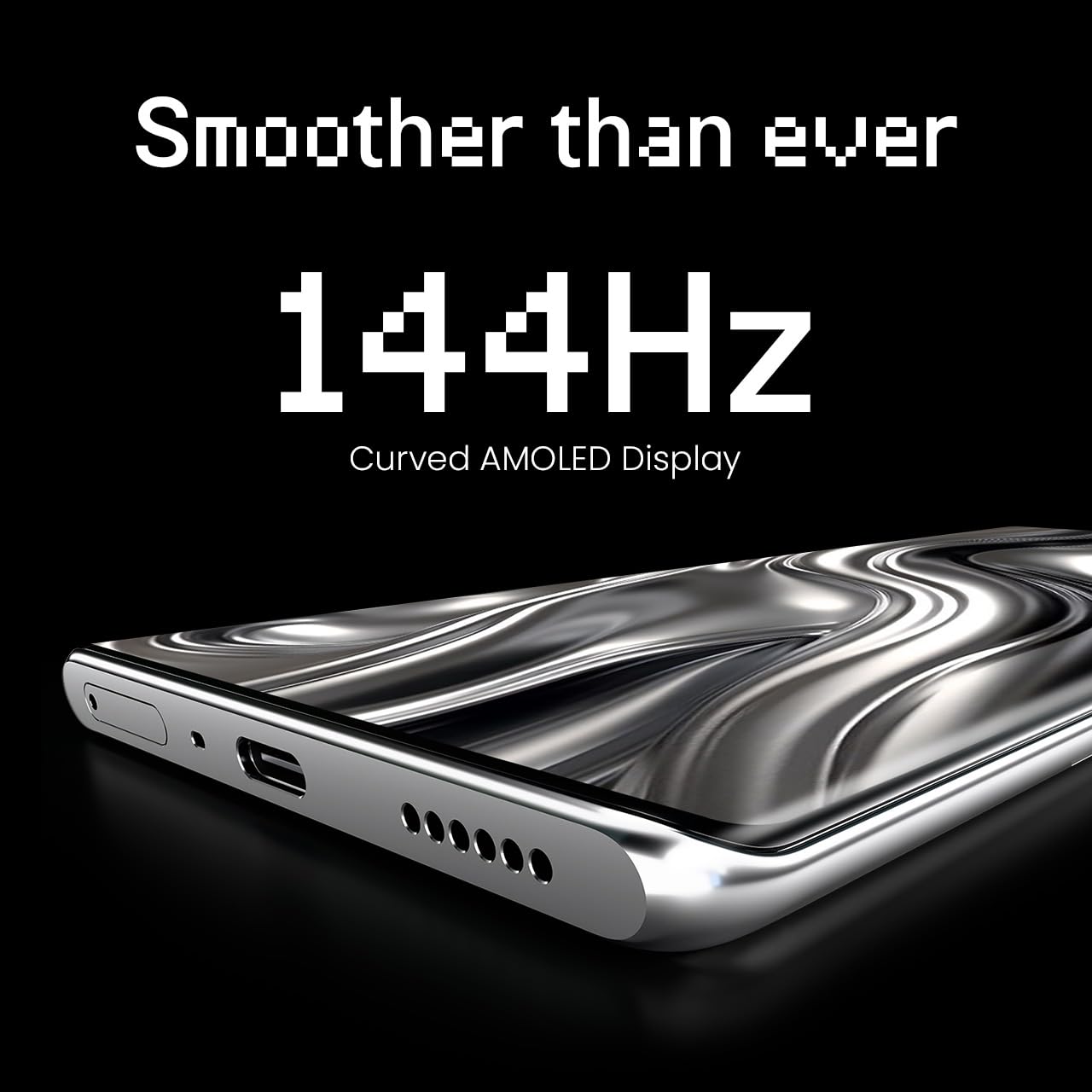
Figure 4: The 144Hz Curved AMOLED Display.
4.2 კამერის ფუნქციები
Your device is equipped with a 64MP IMX682 Rear Camera. To access the camera, tap the Camera icon on your home screen or lock screen. Key features include:
- ფოტო რეჟიმი: სტანდარტული ფოტოგრაფია.
- ვიდეო რეჟიმი: მაღალი ხარისხის ვიდეოების ჩაწერა.
- პორტრეტის რეჟიმი: Create professional-looking photos with blurred backgrounds.
- ღამის რეჟიმი: გააუმჯობესეთ დაბალი განათების პირობებში გადაღებული ფოტოები.
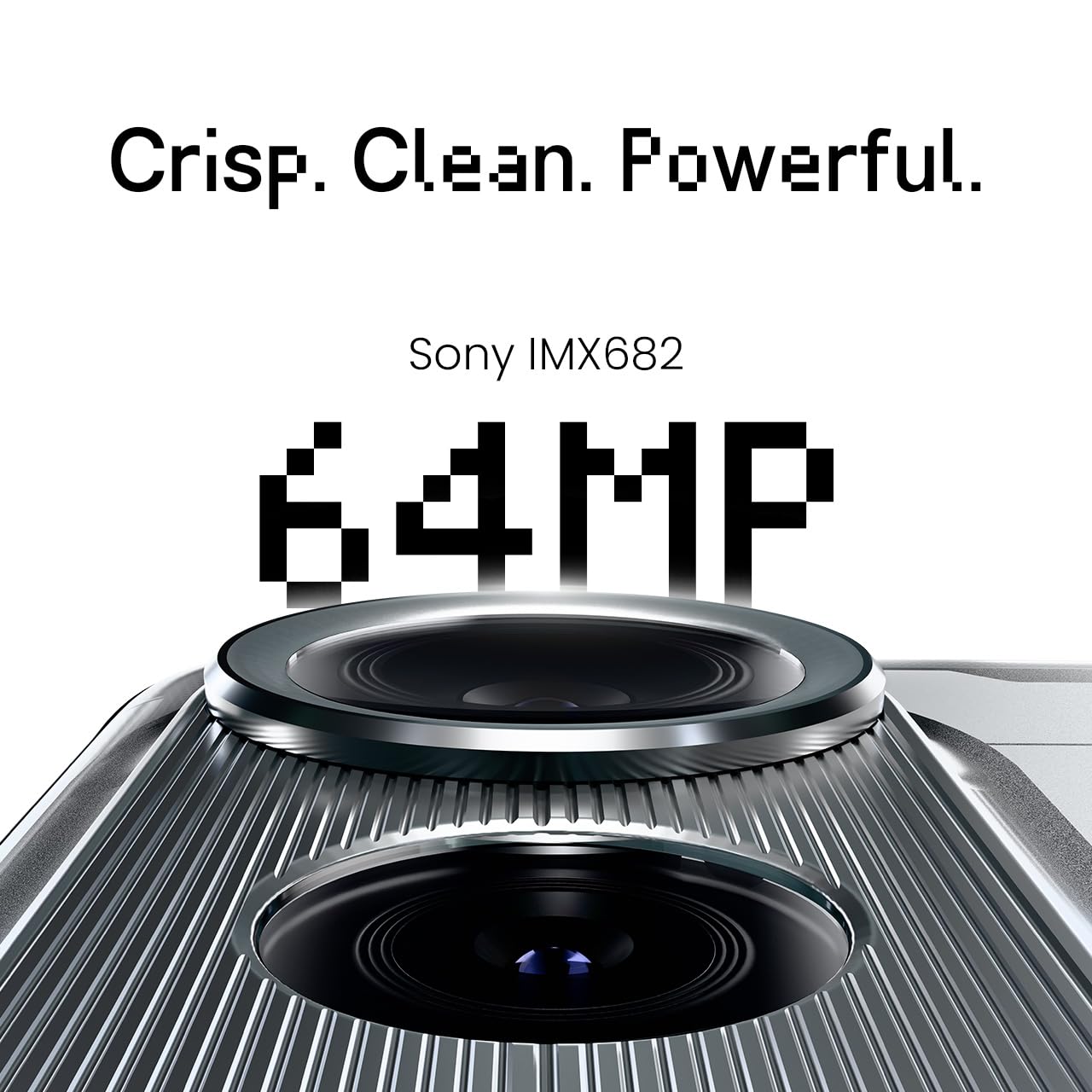
Figure 5: The 64MP IMX682 Rear Camera.
4.3 ხელოვნური ინტელექტის მახასიათებლები
The TECNO POVA Curve 5G integrates advanced AI capabilities, including support for Indian languages and an AI Call Assistant. These features are designed to enhance user experience and productivity.
- AI with Indian Language Support: Access various functions and communicate in multiple Indian languages.
- ხელოვნური ინტელექტის ზარის ასისტენტი: Manage calls intelligently, including features like AI Auto Call Answering and AI Voiceprint Suppression.

Figure 6: AI with Indian Language Support.

სურათი 7: დასრულდაview of AI features.
4.4 Battery Management and Charging
The device is powered by a 5500mAh battery and supports 45W fast charging. Use the provided power adapter and USB cable for optimal charging speed.
- To charge, connect the USB cable to the phone's USB-C port and the power adapter, then plug into a wall outlet.
- Avoid using non-certified chargers or cables to prevent damage.
4.5 დაკავშირება
Your TECNO POVA Curve 5G supports 5G cellular networks, Wi-Fi, and Bluetooth. It also features an Intelligent Signal Hub System for improved network reception.
- Wi-Fi: ხელმისაწვდომ ქსელებთან დასაკავშირებლად გადადით პარამეტრებში > ქსელი და ინტერნეტი > Wi-Fi.
- Bluetooth: სხვა Bluetooth მოწყობილობებთან დასაწყვილებლად გადადით პარამეტრებში > დაკავშირებული მოწყობილობები > Bluetooth.
- მობილური მონაცემები: დარწმუნდით, რომ თქვენი SIM ბარათი აქტიურია და მობილური მონაცემები ჩართულია პარამეტრებში > ქსელი და ინტერნეტი > მობილური ქსელი.

Figure 8: Intelligent Signal Hub System for enhanced network communication.
5. მოვლა
5.1 თქვენი მოწყობილობის გაწმენდა
To keep your smartphone clean and functional:
- ეკრანისა და კორპუსის გასაწმენდად გამოიყენეთ რბილი, უბუშტო ქსოვილი.
- მოერიდეთ უხეში ქიმიკატების, აბრაზიული მასალების ან აეროზოლური სპრეის გამოყენებას.
- არ დაუშვათ მოწყობილობა ზედმეტი ტენიანობის ქვეშ.
5.2 პროგრამული უზრუნველყოფის განახლებები
რეგულარულად შეამოწმეთ და დააინსტალირეთ პროგრამული უზრუნველყოფის განახლებები, რათა დარწმუნდეთ, რომ თქვენს მოწყობილობას აქვს უახლესი ფუნქციები, უსაფრთხოების პატჩები და მუშაობის გაუმჯობესებები. გადადით პარამეტრები > სისტემა > სისტემის განახლება.
5.3 ბატარეის მოვლა
ბატარეის გახანგრძლივების მიზნით:
- მოერიდეთ ექსტრემალურ ტემპერატურას.
- ხშირად ნუ დაუშვებთ ბატარეის სრულად დაცლას.
- გამორთეთ დამტენი, როგორც კი ბატარეა სრულად დაიტენება.
6. Დიაგნოსტიკა
This section addresses common issues you might encounter with your TECNO POVA Curve 5G.
| საკითხი | შესაძლო გამოსავალი |
|---|---|
| მოწყობილობა არ ჩაირთვება | დარწმუნდით, რომ ბატარეა დატენილია. გადატვირთვის იძულებით გასააქტიურებლად დააჭირეთ და გეჭიროთ ჩართვის ღილაკი მინიმუმ 10 წამის განმავლობაში. |
| აპლიკაციები ითიშება ან იყინება | Clear the cache of the problematic app (Settings > Apps > [App Name] > Storage > Clear cache). Restart the device. |
| ცუდი ქსელის სიგნალი | Check if your SIM card is properly inserted. Move to an area with better network coverage. Restart the device. |
| ბატარეა სწრაფად იშლება | Reduce screen brightness, close unused apps, disable unnecessary background processes, and check for power-intensive apps in battery settings. |
| სენსორული ეკრანი არ რეაგირებს | გადატვირთეთ მოწყობილობა. თუ პრობლემა კვლავ გაგრძელდა, დაუკავშირდით მომხმარებელთა მხარდაჭერის სამსახურს. |
7. სპეციფიკაციები
Key technical specifications for the TECNO POVA Curve 5G (Model: LJ8K):
- ოპერაციული სისტემა: Android 15
- ოპერატიული მეხსიერება: 8 GB (expandable with memory fusion)
- შენახვა: 128 GB / 256 GB ROM
- პროცესორი: MediaTek Dimensity 7300 Ultimate 5G
- ჩვენება: 144Hz Curved AMOLED
- უკანა კამერა: 64MP IMX682
- ბატარეა: 5500mAh with 45W Fast Charging
- ზომები: 16.4 x 7.5 x 0.7 სმ
- წონა: 177 გ
- დაკავშირება: Bluetooth, Infrared, USB, Wi-Fi, 5G

Figure 9: Processor and Memory details.
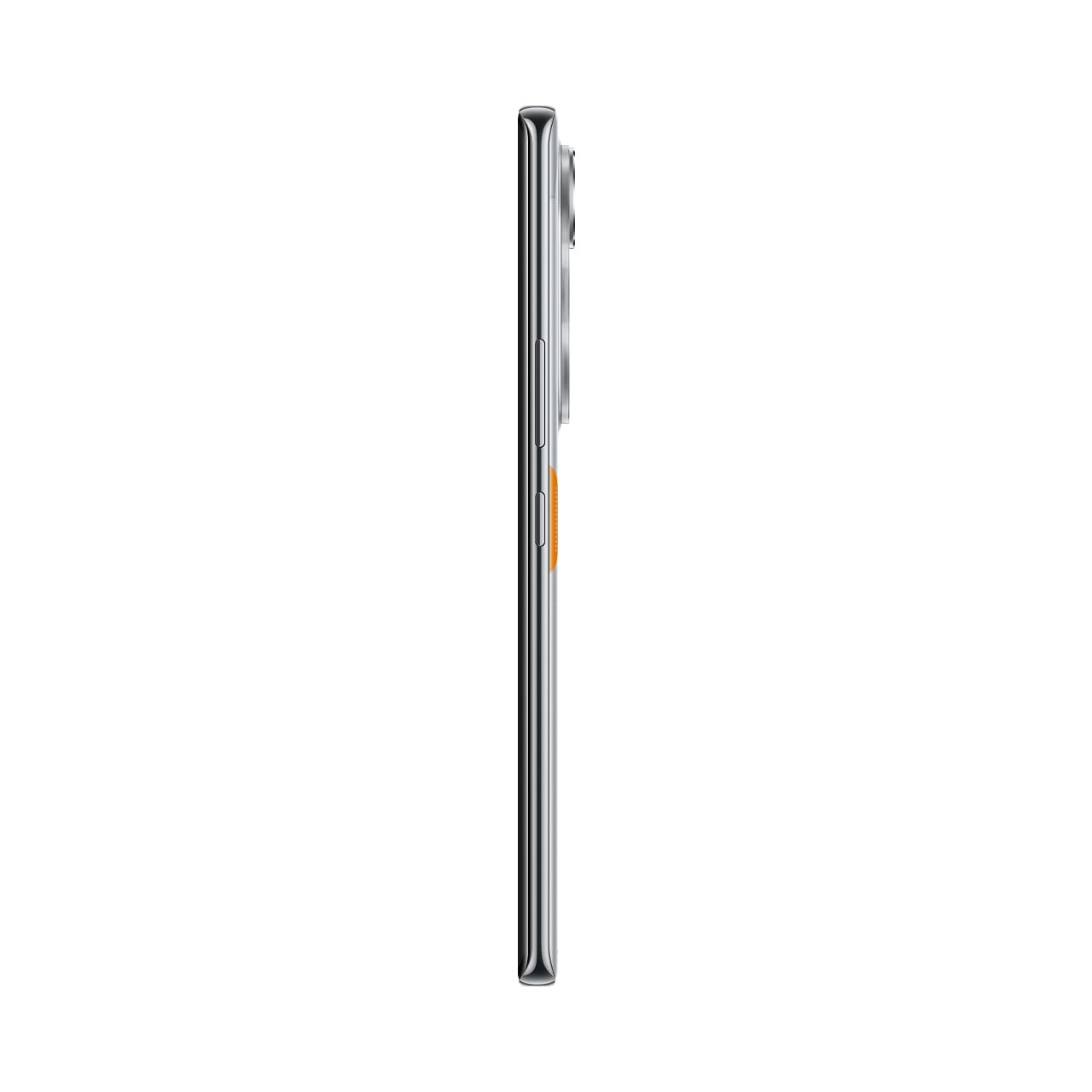
Figure 10: Slim design of the TECNO POVA Curve 5G.
8. გარანტია და მხარდაჭერა
8.1 ინფორმაცია გარანტიის შესახებ
Your TECNO POVA Curve 5G smartphone comes with a limited manufacturer's warranty. Please refer to the warranty card included in your product packaging for specific terms, conditions, and duration. Keep your proof of purchase for warranty claims.
8.2 მომხმარებელთა მხარდაჭერა
For technical assistance, service, or further inquiries, please visit the official TECNO website or contact their customer support. Details can typically be found on the manufacturer's webადგილზე ან საგარანტიო დოკუმენტაციაში.


