1. პროდუქტი დასრულდაview
The Amazon Basics Multi-Touch Trackpad is a wireless input device designed for Windows PCs, offering enhanced navigation and control through multi-touch gestures. It features dual device connectivity and a rechargeable battery for convenience.
ძირითადი მახასიათებლები:
- მრავალშეხებითი ჟესტები: Supports up to four-finger gestures for intuitive control.
- Dual Device Control: Connects to two devices via Bluetooth with easy switching.
- Integrated Buttons: Built-in left and right mouse button functionality.
- თხელი დიზაინი: Portable and sleek with colored indicator lights for enhanced functionality.
- დატენვის ბატარეა: Equipped with a lithium battery, rechargeable via USB-C.
- თავსებადობა: Designed for Windows OS. Not compatible with macOS, Chrome OS, or Linux.

სურათი 1.1: ზედა view of the Amazon Basics Multi-Touch Trackpad.
2. დაყენება და ინსტალაცია
2.1 პაკეტის შიგთავსი
დარწმუნდით, რომ ყველა ნივთი ადგილზეა:
- Amazon Basics Multi-Touch Trackpad
- USB-C დამტენი კაბელი
- მომხმარებლის სახელმძღვანელო (ეს დოკუმენტი)
2.2 Charging the Trackpad
- Locate the USB-C port on the trackpad.
- Connect the provided USB-C cable to the trackpad and the other end to a USB power source (e.g., computer USB port, USB wall adapter).
- The indicator light will show charging status. A full charge typically takes [X] hours (Note: Specific charging time not provided in source data, user should refer to product packaging or quick start guide for exact duration).
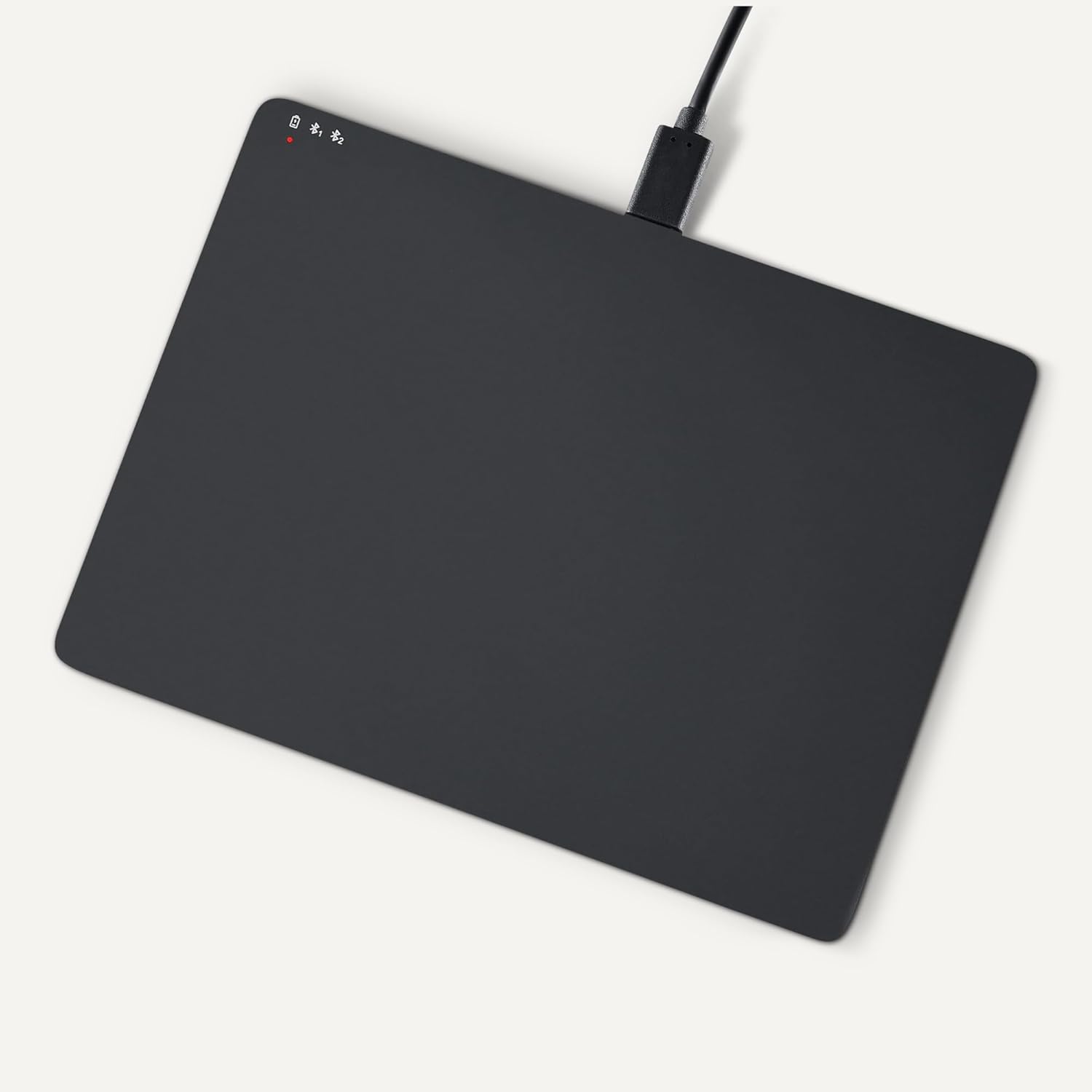
Image 2.1: Trackpad connected for charging via USB-C.
2.3 ჩართვა/გამორთვა
Locate the power switch on the side of the trackpad. Slide it to the "ON" position to power on, and "OFF" to power off.

სურათი 2.2: გვერდი view illustrating the power switch and USB-C port.
2.4 Bluetooth დაწყვილება
- Ensure the trackpad is powered on.
- On your Windows PC, navigate to პარამეტრები > მოწყობილობები > Bluetooth და სხვა მოწყობილობები.
- Turn on Bluetooth and click "Add Bluetooth or other device".
- Select "Bluetooth" from the options.
- The trackpad should appear in the list of available devices (e.g., "Amazon Basics Trackpad"). Select it to pair.
- Follow any on-screen prompts to complete the pairing process. The indicator light on the trackpad will confirm successful connection.
3. Operating the Trackpad
3.1 ძირითადი ნავიგაცია
- კურსორის გადატანა: Slide one finger across the trackpad surface.
- მარცხენა დაწკაპუნება: Press down on the lower-left area of the trackpad or tap with one finger.
- დააწკაპუნეთ მარჯვენა ღილაკით: Press down on the lower-right area of the trackpad or tap with two fingers (if configured in Windows settings).
3.2 Multi-Touch Gestures (Windows OS)
The trackpad supports various multi-touch gestures for enhanced productivity. These gestures are typically configured within Windows settings (Settings > Devices > Touchpad).
- გადახვევა: Place two fingers on the trackpad and slide them up or down to scroll vertically, or left or right to scroll horizontally.
- მასშტაბირება/შემცირება: Place two fingers on the trackpad and pinch them together to zoom out, or spread them apart to zoom in.
- Show All Open Windows (Task View): Swipe three fingers upwards.
- დესკტოპის ჩვენება: Swipe three fingers downwards.
- Switch Between Open Windows: Swipe three fingers left or right.
- ღია სამოქმედო ცენტრი: Tap with four fingers.
- Switch Desktops: Swipe four fingers left or right.
Note: Gesture functionality may vary based on your Windows version and specific settings. Refer to your Windows documentation for detailed customization options.
3.3 Dual Device Control
The trackpad can be paired with two different devices. To switch between connected devices:
- Ensure both devices are paired with the trackpad.
- Press the mode switch button located on the trackpad (refer to Image 2.2 for location).
- The indicator light will change to show which device is currently active.
4. მოვლა და მოვლა
- დასუფთავება: Use a soft, dry, lint-free cloth to clean the trackpad surface. For stubborn marks, slightly dampქსოვილი წყლით გაწმინდეთ. მოერიდეთ უხეში ქიმიკატების ან აბრაზიული მასალების გამოყენებას.
- შენახვა: When not in use for extended periods, power off the trackpad to conserve battery life. Store in a cool, dry place.
- ბატარეის მოვლა: To prolong battery life, avoid fully discharging the trackpad frequently. Recharge when the low battery indicator appears.
- მოერიდეთ სითხეებს: Keep the trackpad away from liquids and excessive moisture.
5. Დიაგნოსტიკა
| პრობლემა | შესაძლო მიზეზი | გამოსავალი |
|---|---|---|
| Trackpad does not power on. | ბატარეა დაცლილია. | Charge the trackpad using the provided USB-C cable. |
| Trackpad does not connect via Bluetooth. |
|
|
| Gestures are not working or inconsistent. |
|
|
| Trackpad is unresponsive. |
|
|
თუ პრობლემა ამ გადაწყვეტილებების მოსინჯვის შემდეგაც არ მოგვარდება, გთხოვთ, იხილოთ გარანტიისა და მხარდაჭერის განყოფილება.
6. სპეციფიკაციები
| ფუნქცია | დეტალი |
|---|---|
| ბრენდი | ამაზონის საფუძვლები |
| მოდელის ნომერი | TK053 |
| დაკავშირება | Bluetooth |
| ზომები (LxWxH) | 6.39 x 4.78 x 0.42 ინჩი |
| ნივთის წონა | 9.2 უნცია (261.2 გრამი) |
| ფერი | შავი |
| ბატარეა | 1 ლითიუმ იონური ბატარეა (შედის) |
| დატენვის პორტი | USB-C |
| თავსებადობა | Windows OS (Not compatible with macOS, Chrome OS, or Linux) |
| UPC | 840324434217 |
7. გარანტია და მხარდაჭერა
For warranty information and customer support, please refer to the official Amazon Basics website or the documentation included with your purchase. You can typically find support resources, FAQs, and contact information on the product's dedicated page on Amazon.com.
ონლაინ დახმარება: Visit the Amazon Basics Store


