1. შესავალი
Welcome to the user manual for your new Samsung Crystal UHD U8079F 4K LED TV. This guide provides essential information for setting up, operating, maintaining, and troubleshooting your television. Please read this manual thoroughly to ensure safe and optimal performance of your device.
The Samsung U8079F series offers a stunning 4K resolution, powered by the Crystal Processor 4K for enhanced picture quality. Enjoy smart features with Tizen OS, seamless connectivity with SmartThings, and an immersive gaming experience through the Gaming Hub. Advanced security is provided by Knox Security, ensuring your privacy and data are protected.
2. უსაფრთხოების ინფორმაცია
ტელევიზორის გამოყენებამდე, გთხოვთ, ყურადღებით წაიკითხოთ ყველა უსაფრთხოების ინსტრუქცია. მათმა შეუსრულებლობამ შეიძლება გამოიწვიოს ელექტროშოკი, ხანძარი ან პროდუქტის დაზიანება.
- არ დაუშვათ ტელევიზორი წვიმის ან ტენიანობის ქვეშ.
- არ დაბლოკოთ ვენტილაციის ღიობები. ტელევიზორის გარშემო უზრუნველყავით საკმარისი სივრცე ჰაერის სათანადო ნაკადისთვის.
- არ დადოთ ტელევიზორი არასტაბილურ ეტლზე, სადგამზე, სამფეხაზე, სამაგრზე ან მაგიდაზე.
- დაიცავით დენის კაბელი სიარულისგან ან დაჭერისგან.
- გამორთეთ ტელევიზორი ელექტრომომარაგებიდან ჭექა-ქუხილის დროს ან ხანგრძლივი გამოყენებისას.
- მიმართეთ ყველა მომსახურება კვალიფიციურ მომსახურე პერსონალს.
3. პაკეტის შიგთავსი
Please check that the following items are included with your TV. If any items are missing or damaged, contact your dealer.
- Samsung Crystal UHD U8079F 4K LED TV (43-inch)
- დისტანციური მართვა
- დენის კაბელი
- სადგამის კომპონენტები (ძირი და კისერი)
- მომხმარებლის სახელმძღვანელო (ეს დოკუმენტი)
- Batteries for Remote Control (2 AAA)
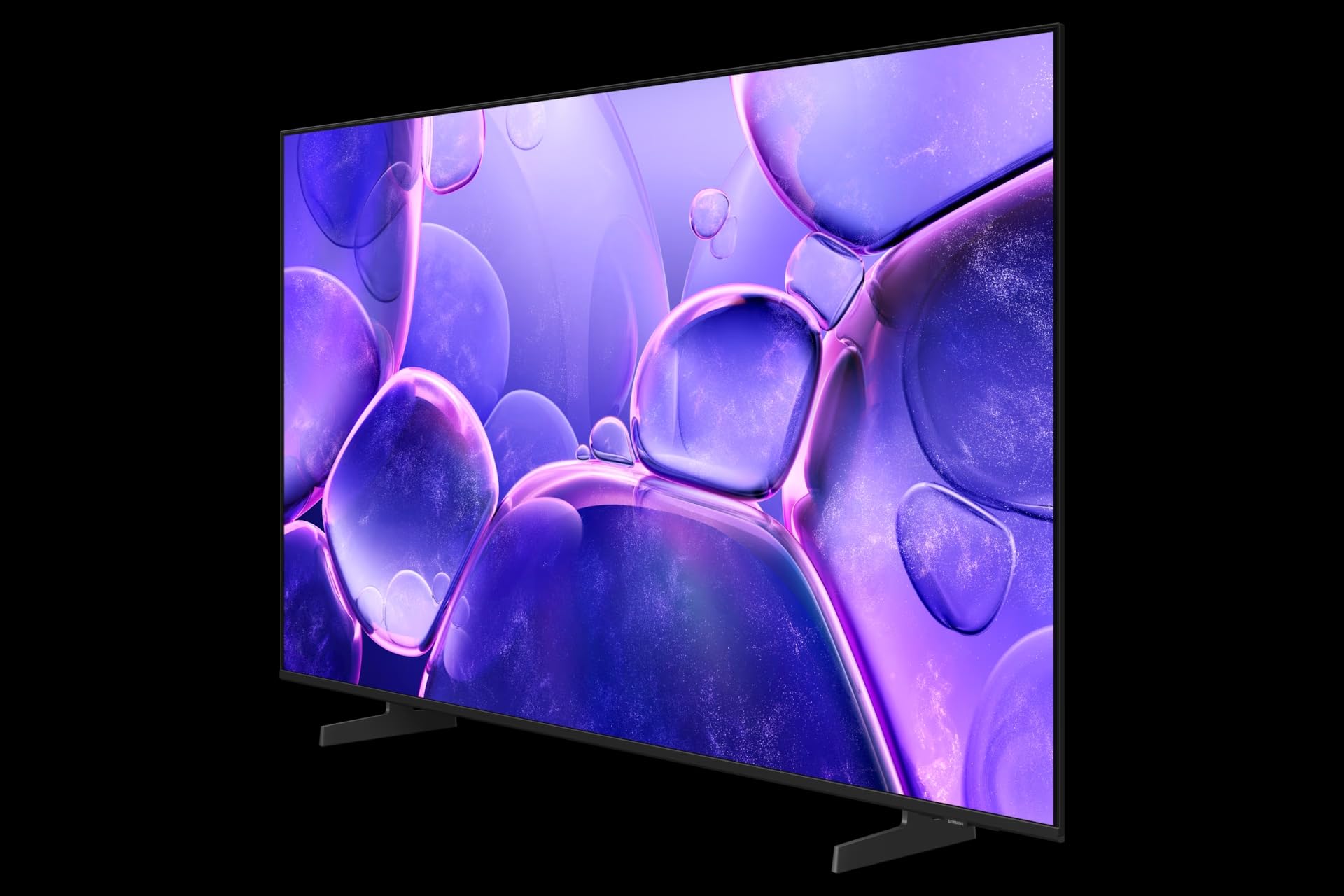
Image: The Samsung Crystal UHD U8079F 4K LED TV shown with its included stand. The screen displays a vibrant image, highlighting its 4K capabilities. The slim bezel and modern design are visible.
4. დაყენება
4.1 სადგამის მიმაგრება
- ტელევიზორის ეკრანი ფრთხილად მოათავსეთ რბილ, ბრტყელ ზედაპირზე, რათა თავიდან აიცილოთ დაზიანება.
- Assemble the stand neck to the stand base using the provided screws.
- Attach the assembled stand to the back of the TV, aligning the screw holes and securing with the provided screws.
- ტელევიზორის ვერტიკალურად დადებამდე დარწმუნდით, რომ სადგამი მყარად არის დამაგრებული.
4.2 კედელზე დამონტაჟება (არასავალდებულო)
If you choose to wall-mount your TV, use a VESA-compliant wall mount kit (sold separately). Follow the instructions provided with your wall mount kit and ensure professional installation for safety.
4.3 გარე მოწყობილობების დაკავშირება
4.3.1 დენის კავშირი
Connect the power cable to the TV's power input port, then plug the other end into a wall outlet.
4.3.2 HDMI კავშირები
Connect external devices such as Blu-ray players, game consoles, or set-top boxes to the HDMI ports on the back of the TV using HDMI cables.
4.3.3 USB კავშირი
The TV features 2 USB ports. You can connect USB storage devices (e.g., USB flash drives, external hard drives) to play media files ან პროგრამული უზრუნველყოფის განახლებებისთვის.
4.3.4 Network Connection (Ethernet & Wi-Fi)
For internet access, connect an Ethernet cable from your router to the TV's LAN port, or connect wirelessly via Wi-Fi through the TV's network settings.
4.4 საწყისი დაყენება
After connecting power and turning on the TV for the first time, an on-screen setup wizard will guide you through initial configurations, including language selection, network connection, channel scanning, and Smart Hub setup.
5. თქვენი ტელევიზორის მართვა
5.1 დისტანციური მართვა
The included remote control allows you to navigate the TV's menus and control various functions. Insert the two AAA batteries into the remote control, ensuring correct polarity.
5.2 ტელევიზორის ძირითადი ფუნქციები
- ჩართვა/გამორთვა: დააჭირეთ ჩართვის ღილაკს დისტანციურ მართვაზე ან ტელევიზორზე.
- ხმის კონტროლი: გამოიყენეთ ხმის აწევის/დაწევის ღილაკები.
- არხის შერჩევა: Use the Channel Up/Down buttons or enter channel numbers directly (if available on remote).
- წყაროს შერჩევა: Press the Source button to switch between connected devices (HDMI, TV, USB).
5.3 Smart Hub and Smart Features
თქვენი Samsung ტელევიზორი მუშაობს Tizen ოპერაციულ სისტემაზე, რაც უზრუნველყოფს წვდომას ჭკვიანი ფუნქციების ფართო სპექტრზე:
- Smart Hub: წვდომა სტრიმინგის აპლიკაციებზე, web browser, and other smart services.
- SmartThings: დააკავშირეთ და მართეთ თავსებადი ჭკვიანი სახლის მოწყობილობები პირდაპირ თქვენი ტელევიზორიდან.
- სათამაშო ჰაბი: Discover and play cloud games without a console.
- ხელოვნური ინტელექტის გაზრდა: The Crystal Processor 4K enhances lower-resolution content to near 4K quality.
- Knox Security: Built-in multi-layered security protects your personal information and connected devices.
5.4 სურათისა და ხმის პარამეტრები
Navigate to the TV's settings menu to customize picture and sound options. Adjust brightness, contrast, color, and sharpness for optimal viewing. Select sound modes, adjust equalizer settings, or connect external audio systems.
5.5 ძილის ტაიმერი
The TV includes a Sleep Timer feature, allowing you to set a specific time after which the TV will automatically turn off. This can be configured in the TV's system settings.
6. მოვლა
6.1 ტელევიზორის გაწმენდა
- ტელევიზორის გაწმენდამდე ყოველთვის გამორთეთ დენის წყაროდან.
- For the screen, gently wipe with a soft, dry microfiber cloth. Do not use alcohol, solvents, or abrasive cleaners.
- For the frame and back panel, use a soft, damp ქსოვილი.
6.2 პროგრამული უზრუნველყოფის განახლებები
Regularly check for and install software updates to ensure your TV has the latest features and security enhancements. Updates can typically be performed via the TV's settings menu when connected to the internet.
7. Დიაგნოსტიკა
თუ თქვენს ტელევიზორთან დაკავშირებით პრობლემები შეგექმნათ, იხილეთ შემდეგი გავრცელებული გადაწყვეტილებები:
- ძალა არ არის: დარწმუნდით, რომ კვების კაბელი საიმედოდ არის შეერთებული როგორც ტელევიზორთან, ასევე კედლის როზეტთან. შეამოწმეთ როზეტი სხვა მოწყობილობით.
- სურათი/ხმა არ არის: შეამოწმეთ შეყვანის წყარო. დარწმუნდით, რომ გარე მოწყობილობები ჩართულია და სწორად არის დაკავშირებული.
- დისტანციური მართვა არ მუშაობს: შეცვალეთ ელემენტები. დარწმუნდით, რომ დისტანციურ პულტსა და ტელევიზორს შორის არანაირი დაბრკოლება არ არის.
- ცუდი სურათის ხარისხი: Check cable connections. Adjust picture settings. If using an antenna, check its position.
- Არ არის ინტერნეტ კავშირი: Verify your Wi-Fi password or Ethernet cable connection. Restart your router and modem.
For more detailed troubleshooting, consult the online support resources available on the Samsung webსაიტი.
8. სპეციფიკაციები
| ფუნქცია | სპეციფიკაცია |
|---|---|
| მოდელის ნომერი | GU43U8079FU |
| ბრენდი | სამსუნგი |
| ეკრანის ზომა | 43 ინჩი (108 სმ) |
| ჩვენების ტექნოლოგია | LED |
| რეზოლუცია | 4K (3840 x 2160) |
| განახლების სიხშირე | 60 ჰც |
| ოპერაციული სისტემა | ტიზენი |
| განსაკუთრებული თვისებები | Crystal Processor 4K, AI Upscaling, SmartThings, Gaming Hub, Knox Security, Sleep Timer |
| დაკავშირება | Ethernet, Wi-Fi, HDMI, USB (2 ports) |
| ფერი | შავი |
| ზომები (D x W x H) | 15.7 x 95.8 x 55.9 სმ |
| მოყვება კომპონენტები | Power Cable, Stand, Remote Control |
9. გარანტია და მხარდაჭერა
Your Samsung TV comes with a standard manufacturer's warranty. For specific warranty terms and conditions, please refer to the warranty card included with your product or visit the official Samsung support webსაიტი.
For technical assistance, product registration, or to download the latest software and manuals, please visit www.samsung.com/support or contact Samsung customer service in your region.