1. შესავალი
This manual provides essential information for the setup, operation, and maintenance of your iFFALCON 55-Inch Class U85 Series QD-Mini LED 4K UHD Google Smart TV. Please read this manual thoroughly before using your television to ensure proper and safe operation. Keep this manual for future reference.
The iFFALCON U85 Series TV features advanced display technologies including QD-Mini LED for precise lighting, QLED for vibrant colors, 4K UHD resolution, HDR 1000 nits peak brightness, and a 144Hz native refresh rate. It integrates Google TV for smart entertainment and offers enhanced audio with Dolby Atmos and DTS Virtual X. Gaming is optimized with features like 240Hz DLG and FreeSync Premium Pro.
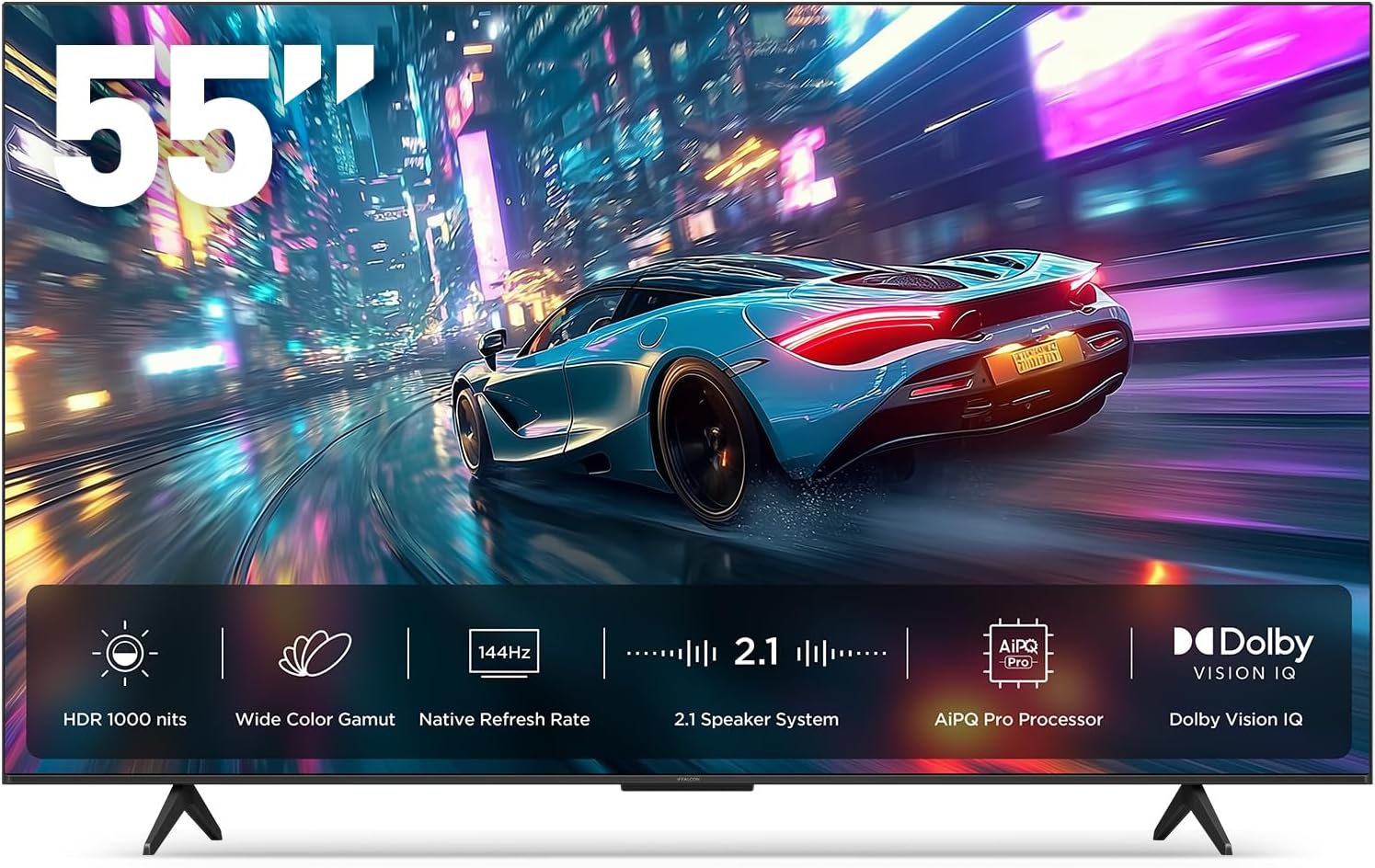
სურათი 1.1: წინა view of the iFFALCON 55-Inch U85 Series TV, showcasing its display with a vibrant image of a car on a city street.
2. რა არის ყუთში
ფრთხილად გახსენით ტელევიზორი შეფუთვიდან და დარწმუნდით, რომ ყველა ნივთი ადგილზეა. თუ რომელიმე ნივთი აკლია ან დაზიანებულია, დაუკავშირდით თქვენს გამყიდველს.
- მინი LED ტელევიზორი
- დენის კაბელი
- 2 x AAA ბატარეები დისტანციური მართვისთვის
- 6 x საყრდენი ხრახნები
- Table stands (2 pieces)
- 5 x კაბელის სამაგრი
- სწრაფი დაწყების სახელმძღვანელო
- ტელევიზორი დისტანციური
3. დაყენება
3.1 ფიზიკური დაყენება
Before proceeding, ensure the TV is placed on a stable, flat surface or securely mounted to a wall. Refer to the Quick Start Guide for detailed instructions on attaching the table stands or mounting the TV to a wall bracket (wall mount sold separately).
3.2 პერიფერიული მოწყობილობების შეერთება
Connect your external devices such as cable boxes, gaming consoles, or Blu-ray players to the TV's HDMI ports. Ensure the power cable is securely connected to the TV and a power outlet.
3.3 პირველადი ჩართვა და Google TV-ს დაყენება
- შეაერთეთ კვების კაბელი ელექტრული განყოფილებაში.
- დააჭირეთ ჩართვის ღილაკს დისტანციური მართვის პულტზე ან ტელევიზორზე.
- Follow the on-screen instructions to complete the initial setup, including network connection, Google account sign-in, and channel scanning.
4. ტელევიზორის მართვა
4.1 დისტანციური მართვის ფუნქციები
The included remote control allows you to navigate menus, adjust volume, change channels, and access smart features. Familiarize yourself with the button layout for optimal use.
4.2 Smart Features: Google TV, Google Assistant, and Alexa
Your iFFALCON U85 TV is equipped with Google TV, providing access to a wide range of streaming services and apps. Use the built-in Google Assistant or connect to an Alexa-enabled device for hands-free voice control.
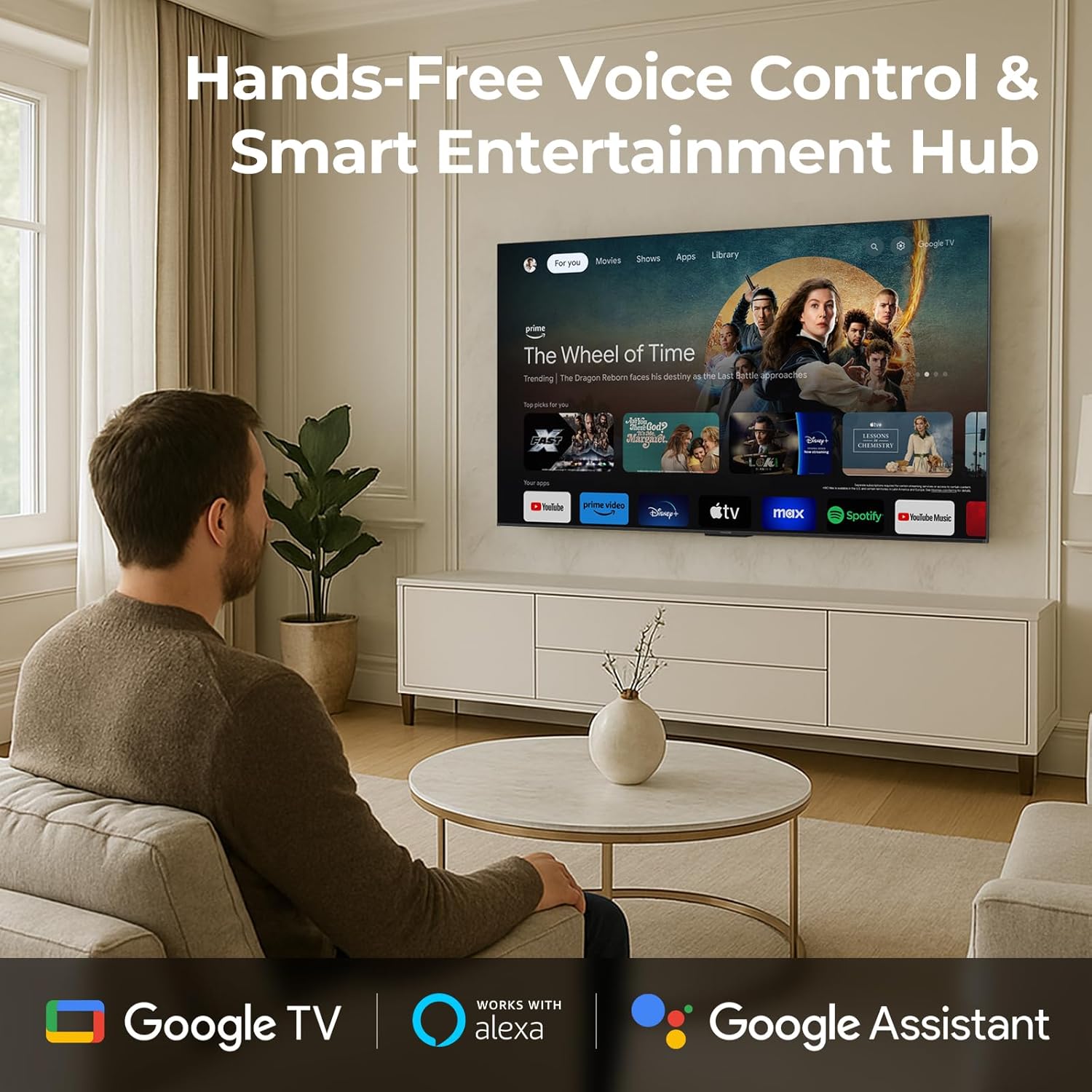
Image 4.1: A man interacting with the iFFALCON TV using voice commands, demonstrating the hands-free control feature.
4.3 სურათის პარამეტრები და ხარისხი
The U85 Series TV offers exceptional picture quality through several advanced technologies:
- QD-მინი LED: Provides precise lighting control with up to 144 local dimming zones and 1000 nits peak brightness for bright highlights and deep blacks.
- QLED Wide Color: Quantum Dot technology delivers a 93% DCI-P3 wide color gamut for true-to-life images.
- AiPQ Pro პროცესორი: Optimizes brightness, contrast, and detail in real-time for enhanced visual performance.
- Dolby Vision IQ: Automatically adjusts HDR brightness based on ambient light conditions.
- 6000:1 კონტრასტის თანაფარდობა: Achieves deep blacks and vibrant colors with enhanced contrast.

Image 4.2: Visual comparison illustrating how Mini-LED technology enhances bright highlights and deep blacks compared to conventional TVs.
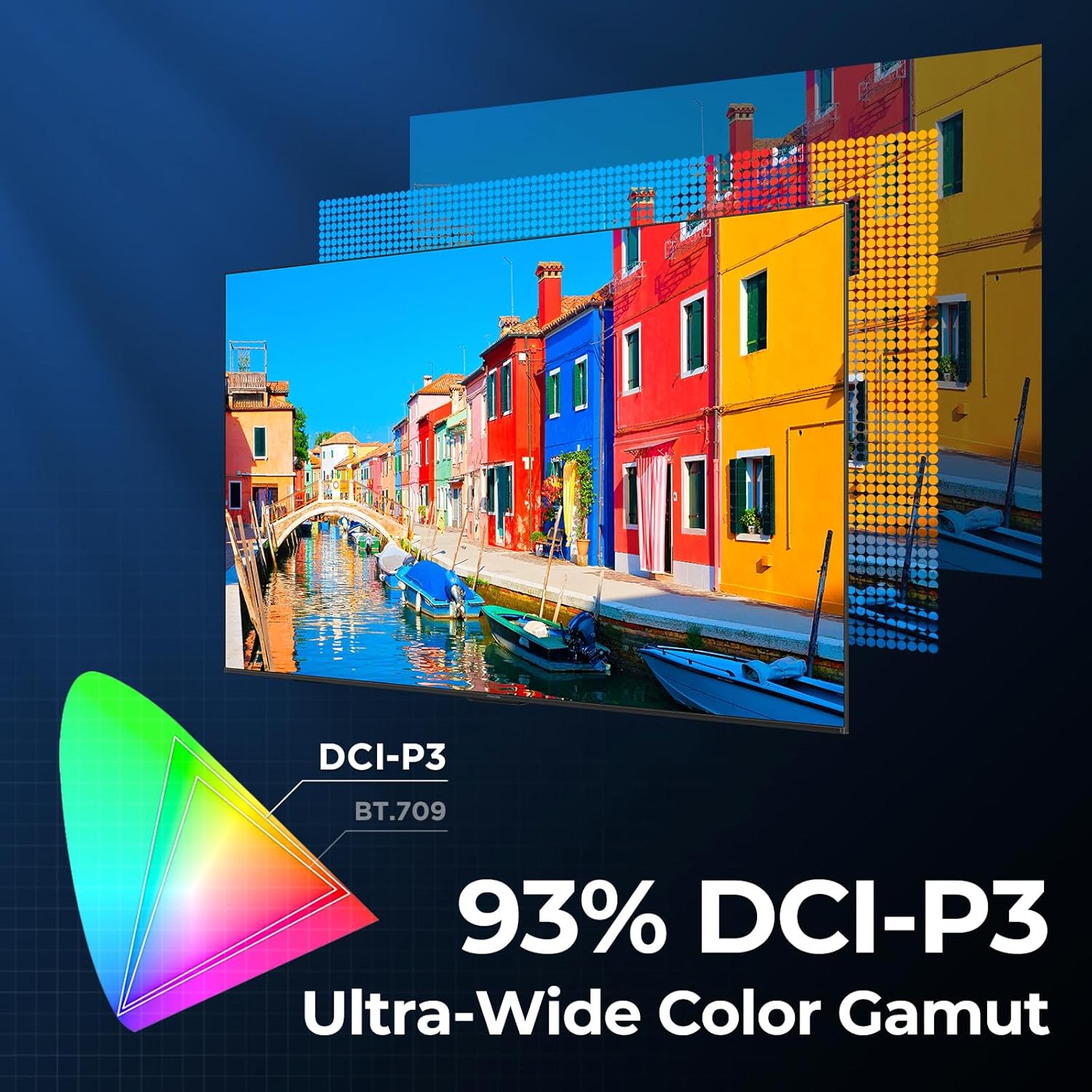
Image 4.3: Diagram showing the 93% DCI-P3 ultra-wide color gamut, indicating the TV's ability to display a broad spectrum of colors.
4.4 Audio Settings and Quality
Experience immersive sound with the TV's integrated audio features:
- 2.1-channel 50W Sound System: Delivers powerful stereo sound with deep bass.
- Dolby Atmos: Provides multi-dimensional audio that flows around and above you.
- DTS ვირტუალური X: Creates expansive, room-filling sound with virtual height and surround effects.
- IMAX გაძლიერებული: Optimizes audio and visual performance for a cinematic experience.

Image 4.4: A couple enjoying a movie on the iFFALCON TV, illustrating the immersive audio experience with sound waves emanating from the screen.
4.5 სათამაშო ფუნქციები
The iFFALCON U85 TV is designed for an optimal gaming experience:
- 4K 144Hz Panel with VRR: Ensures smooth, crystal-clear motion and reduces screen tearing.
- 240Hz DLG Acceleration: Boosts refresh rates for ultra-smooth action.
- FreeSync Premium Pro: Provides tear-free, low-latency HDR gaming.
- Game Mode & Game Bar: Dedicated settings and on-screen overlay for quick adjustments during gameplay.
- ALLM (ავტომატური დაბალი შეყოვნების რეჟიმი): Automatically switches to a low-latency mode for responsive gameplay.

Image 4.5: A gaming console connected to the iFFALCON TV, highlighting the 144Hz refresh rate and other gaming features.
4.6 თვალის კომფორტის მახასიათებლები
გაფართოებული viewing comfort, the TV incorporates multiple eye-care technologies:
- დაბალი ლურჯი შუქი: ამცირებს მავნე ლურჯი სინათლის გამოყოფას.
- Flicker Reduction: Minimizes screen flicker for a more comfortable viewგამოცდილება.
5. მოვლა
To ensure the longevity and optimal performance of your iFFALCON U85 TV, follow these maintenance guidelines:
- ეკრანის გაწმენდა: ფრთხილად გაწმინდეთ ეკრანი რბილი, მშრალი, ბუსუსების გარეშე ქსოვილით. ჯიუტი ლაქების შემთხვევაში, მსუბუქად გაწმინდეთ.ampქსოვილი წყლით ან სპეციალური ეკრანის საწმენდი საშუალებით გაწმინდეთ. მოერიდეთ უხეში ქიმიკატების ან აბრაზიული მასალების გამოყენებას.
- ჩარჩოს გაწმენდა: ტელევიზორის ჩარჩოსა და სადგამის გასაწმენდად გამოიყენეთ რბილი, მშრალი ქსოვილი.
- ვენტილაცია: ტელევიზორის გარშემო უზრუნველყოფილი უნდა იყოს საკმარისი ვენტილაცია. არ დაბლოკოთ ვენტილაციის ღიობები.
- დენის კაბელი: რეგულარულად შეამოწმეთ კვების კაბელი დაზიანების არსებობაზე. დაზიანების შემთხვევაში, შეწყვიტეთ გამოყენება და დაუკავშირდით მომხმარებელთა მხარდაჭერის სამსახურს.
- მოერიდეთ მზის პირდაპირ სხივებს: Do not expose the TV to direct sunlight or excessive heat.
6. Დიაგნოსტიკა
If you encounter issues with your TV, refer to the following common solutions. If the problem persists, contact customer support.
| პრობლემა | შესაძლო მიზეზი | გამოსავალი |
|---|---|---|
| არავითარი ძალა | დენის კაბელი არ არის შეერთებული; დენის წყარო არ მუშაობს | დარწმუნდით, რომ კვების კაბელი მყარად არის შეერთებული; შეამოწმეთ როზეტი სხვა მოწყობილობასთან. |
| სურათი არ არის, მაგრამ ხმა არის | არასწორი შეყვანის წყარო; თავისუფალი HDMI კაბელი | Select correct input source; Reconnect HDMI cable securely |
| ხმა არ არის, მაგრამ სურათი არის | Volume muted or too low; External audio device issue | Unmute or increase volume; Check connections to external audio devices |
| დისტანციური მართვა არ მუშაობს | ელემენტები დაცლილია; პულტსა და ტელევიზორს შორის დაბრკოლებაა | შეცვალეთ ბატარეები; მოაშორეთ ნებისმიერი დაბრკოლება |
| ქსელთან დაკავშირების პრობლემები | Wi-Fi სიგნალი სუსტია; როუტერის პრობლემა | Move TV closer to router or use Ethernet; Restart router |
7. სპეციფიკაციები
| ფუნქცია | დეტალი |
|---|---|
| ბრენდი | iFFALCON |
| მოდელის ნომერი | 55U85 |
| ეკრანის ზომა | 55 ინჩი |
| ჩვენების ტექნოლოგია | მინი LED, QLED |
| რეზოლუცია | 4K UHD |
| განახლების სიხშირე | 120 Hz (Native), 144Hz Game Mode Pro, 240Hz DLG |
| პიკური სიკაშკაშე | 1000 nits |
| კონტრასტის თანაფარდობა | 6000:1 |
| ადგილობრივი დაბნელების ზონები | 144 |
| განსაკუთრებული თვისებები | Dynamic Contrast Enhancer, Eye Comfort Mode, Game Mode, Intelligent Voice Recognition, Local Dimming, Dolby Vision IQ, Dolby Atmos, DTS Virtual X, IMAX Enhanced, Google TV, Google Assistant, Alexa Compatibility, FreeSync Premium Pro, ALLM |
| დაკავშირების ტექნოლოგია | Bluetooth, WiFi |
| პროდუქტის ზომები (D x W x H) | 10.8" x 48.3" x 30.2" |
| ნივთის წონა | 27.3 ფუნტი |
| საჭიროა ბატარეები | 2 AAA ელემენტი (დისტანციური პულტისთვის) |
8. გარანტია და მხარდაჭერა
Your iFFALCON 55-Inch Class U85 Series QD-Mini LED 4K UHD Google Smart TV is covered by a manufacturer's warranty. For specific warranty details and duration, please refer to the warranty card included with your product or visit the official iFFALCON support webსაიტი.
For technical assistance, troubleshooting beyond this manual, or to inquire about warranty service, please contact iFFALCON customer support. Contact information can typically be found on the manufacturer's webსაიტზე ან სწრაფი დაწყების სახელმძღვანელოში.
გთხოვთ, შეინახოთ თქვენი შეძენის მტკიცებულება გარანტიის პრეტენზიებისთვის.