1. შესავალი
This manual provides essential information for setting up, operating, maintaining, and troubleshooting your Roku Smart TV 2025 – 24-Inch Select Series 720p HD TV. Please read these instructions carefully before using your television.
The Roku Select Series HD TV offers a streamlined entertainment experience. It features bright HD picture quality, auto speech clarity, and a night mode. Access free live television directly from the home screen and utilize the voice remote for content discovery across various applications. This television is suitable for various rooms including bedrooms, living rooms, kitchens, or children's rooms.
2. რა არის ყუთში
დარწმუნდით, რომ შეფუთვაში ყველა კომპონენტია:
- Roku Select Series 24" HD TV
- სადგამები და ხრახნები
- Roku Voice Remote with batteries
- სწრაფი დაწყების სახელმძღვანელო

Image: The Roku Select Series TV box contents, showing the television, remote, and stand components.
3. დაყენება
3.1 ტელევიზორის სადგამების მიმაგრება
- ნაკაწრების თავიდან ასაცილებლად, ფრთხილად მოათავსეთ ტელევიზორის ეკრანი რბილ, სუფთა ზედაპირზე, ქვემოთ.
- თითოეული სადგამი ტელევიზორის ქვედა მხარეს შესაბამის ხრახნების ნახვრეტებთან გაასწორეთ.
- დაამაგრეთ სადგამები მოწოდებული ხრახნებით. დარწმუნდით, რომ ისინი მჭიდროდ არის დამაგრებული.
3.2 პერიფერიული მოწყობილობების შეერთება
Your Roku TV includes multiple ports for connecting external devices:
- HDMI პორტები: Connect devices such as cable boxes, gaming consoles, or Blu-ray players. The HDMI 1 (ARC) port supports Audio Return Channel for simplified audio connections.
- USB პორტი: For media playback from a USB drive or powering compatible devices.
- ანტენის/კაბელის შეყვანა: შეაერთეთ ანტენა ეთერში გადასაცემად ან საკაბელო ტელევიზიის დასაკავშირებლად.
- ოპტიკური აუდიო გამომავალი: საუნდბართან ან აუდიო მიმღებთან დასაკავშირებლად.
- AV შეყვანა: ძველი მოწყობილობების შესაერთებლად კომპოზიტური ვიდეო და სტერეო აუდიო კაბელების გამოყენებით.

Image: Close-up of the back of the Roku TV, highlighting the HDMI, USB, optical, and AV input ports.
3.3 პირველადი ჩართვა და ქსელთან დაკავშირება
- დენის კაბელი შეაერთეთ ტელევიზორში, შემდეგ კი კედლის სოკეტში.
- Insert the included AAA batteries into the voice remote.
- ტელევიზორის ჩასართავად დააჭირეთ დისტანციური მართვის პულტზე ჩართვის ღილაკს.
- მიჰყევით ეკრანზე მოცემულ ინსტრუქციებს ენის ასარჩევად, თქვენს Wi-Fi ქსელთან დასაკავშირებლად და თქვენი Roku ანგარიშის გასააქტიურებლად.
4. Operating Your Roku TV
4.1 ხმოვანი დისტანციური მართვის გამოყენება
The Roku Voice Remote simplifies navigation and content search. It features dedicated buttons for popular streaming services and voice control capabilities.
- ხმის ღილაკი: Press and hold to speak commands for searching content, launching apps, or controlling playback.
- ნავიგაციის ბალიში: Use the directional arrows and OK button to move through menus and select items.
- აპლიკაციის მალსახმობები: Dedicated buttons provide quick access to services like Netflix, Disney+, and Prime Video.
- ხმის კონტროლი: Adjust TV volume directly from the remote.
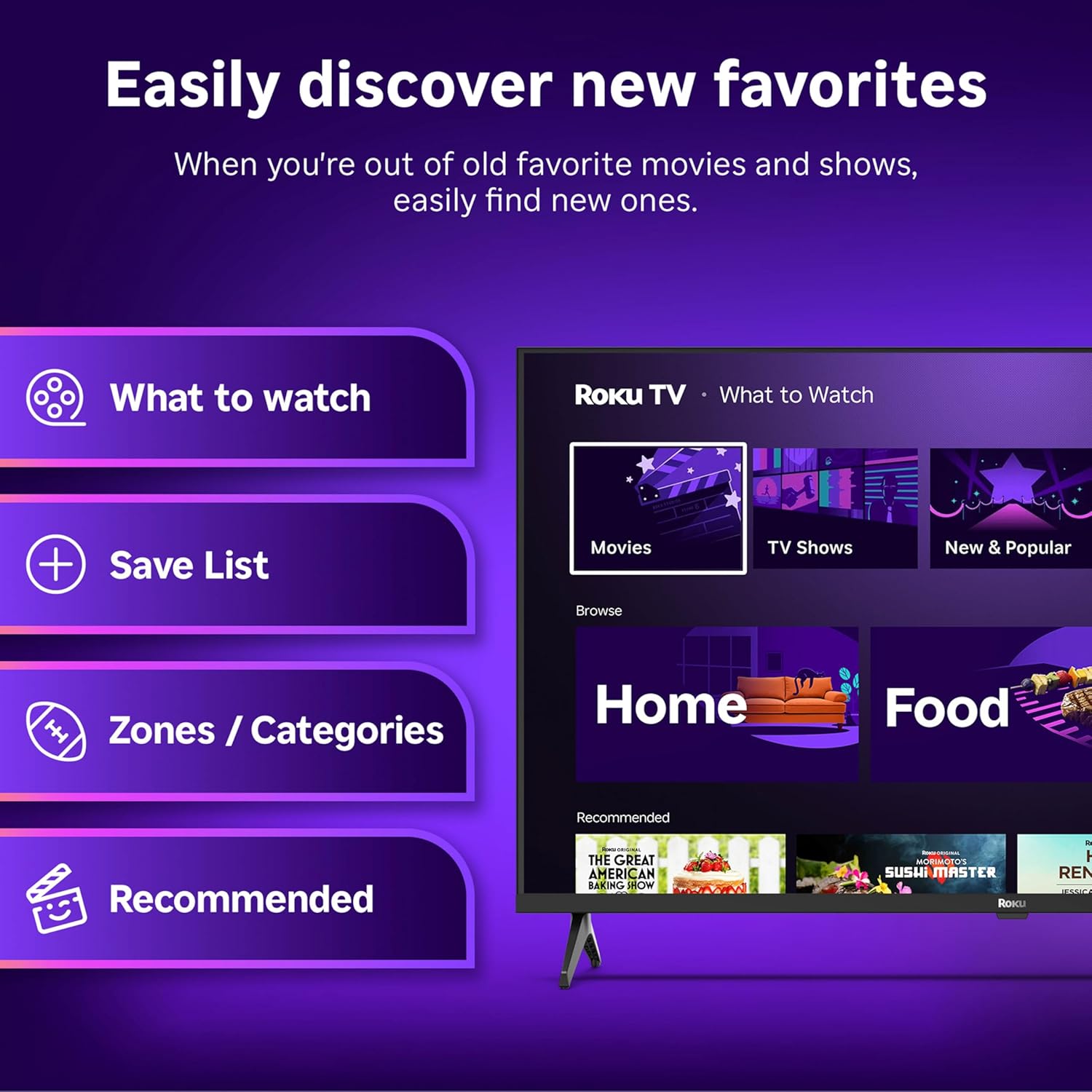
Image: The Roku Voice Remote, showing its layout and key functions.
4.2 Streaming and App Navigation
The Roku TV home screen provides quick access to all your streaming channels and inputs. You can customize the order of your apps for personalized access.
- საწყისი ეკრანი: Displays your installed apps, recommended content, and TV inputs.
- სტრიმინგის მაღაზია: Browse and add new streaming channels.
- პირდაპირი ტელევიზია: Access free live television channels directly from the home screen.
- ძიება: Use the search function or voice remote to find movies, shows, actors, or directors across various services.

Image: The Roku TV user interface, showing the home screen with app tiles and menu options.
4.3 სურათისა და ხმის პარამეტრები
Your Roku TV features Smart Picture technology to optimize viewing and offers enhanced audio features.
- Smart Picture: Automatically adjusts picture settings based on the content being viewed (e.g., movie, sports, vivid, standard).
- აუდიო სიცხადე: Designed for clear speech and louder sound.
- Bluetooth ყურსასმენის რეჟიმი: Connect your wireless headphones for private listening.

Image: A vibrant nature scene displayed on the Roku TV, demonstrating the clear picture quality.
4.4 ჭკვიანი სახლის ინტეგრაცია
The Roku TV integrates with various smart home ecosystems for convenient voice control and content sharing.
- ხმის კონტროლი: Compatible with Roku Voice, Siri, Alexa, and Google Assistant for hands-free operation.
- Apple AirPlay: Effortlessly share videos, photos, and music from your Apple devices to your TV.

Image: A Roku TV screen with a smart speaker nearby, illustrating voice control integration with smart home systems.
5. მოვლა
5.1 ტელევიზორის გაწმენდა
- ტელევიზორის გაწმენდამდე ყოველთვის გამორთეთ დენის წყაროდან.
- ეკრანისა და კორპუსის ნაზად გასაწმენდად გამოიყენეთ რბილი, უბუშტო ქსოვილი.
- ჯიუტი ლაქებისთვის, მსუბუქად დააწვეთეთampქსოვილი დაასველეთ წყლით ან რბილი, არააბრაზიული ეკრანის საწმენდი საშუალებით. არასოდეს შეასხუროთ საწმენდი პირდაპირ ეკრანზე.
- მოერიდეთ უხეში ქიმიკატების, აბრაზიული საწმენდი საშუალებების ან გამხსნელების გამოყენებას.
5.2 პროგრამული უზრუნველყოფის განახლებები
Your Roku TV receives automatic software updates to provide new features and improve performance. Ensure your TV is connected to the internet to receive these updates.
6. Დიაგნოსტიკა
If you encounter issues with your Roku TV, try the following basic troubleshooting steps:
- ძალა არ არის: დარწმუნდით, რომ კვების კაბელი საიმედოდ არის შეერთებული როგორც ტელევიზორში, ასევე მოქმედ ელექტროგადამცემში. სცადეთ სხვა გამანაწილებელი.
- სურათი/ხმა არ არის: Verify that the correct input source is selected. Check all cable connections (HDMI, AV, etc.) are secure.
- დისტანციური არ პასუხობს: შეცვალეთ პულტის ელემენტები. დარწმუნდით, რომ პულტსა და ტელევიზორს შორის არანაირი დაბრკოლება არ არის.
- ქსელთან დაკავშირების პრობლემები: Restart your Wi-Fi router. Go to the TV's network settings to reconnect to your Wi-Fi.
- App Not Loading: Try restarting the app. If the issue persists, remove the app and reinstall it from the Streaming Store.
- ქარხნის გადაყენება: As a last resort, a factory reset can resolve many software issues. This will erase all personal settings and installed apps. Access this option through the TV's Settings menu.
7. სპეციფიკაციები
| ფუნქცია | სპეციფიკაცია |
|---|---|
| ბრენდი | როკუ |
| მოდელის ნომერი | 24R2D5 |
| ეკრანის ზომა | 24 ინჩი |
| ჩვენების ტექნოლოგია | LED |
| რეზოლუცია | 720p |
| განახლების სიხშირე | 60 ჰც |
| ასპექტის თანაფარდობა | 16:9 |
| დაკავშირების ტექნოლოგია | Bluetooth, WiFi |
| განსაკუთრებული თვისებები | Bluetooth Headphone Mode, Dolby Audio, Voice Remote |
| ნივთის წონა | 5.7 ფუნტი |
| პროდუქტის ზომები | 7 x 21.1 x 14.3 ინჩი |
| საჭიროა ბატარეები | 2 AAA ელემენტი (დისტანციური პულტისთვის) |
8. გარანტია და მხარდაჭერა
For warranty information and technical support, please refer to the documentation included with your product or visit the official Roku support webსაიტი. შეინახეთ თქვენი შესყიდვის ქვითარი საგარანტიო პრეტენზიებისთვის.
Roku offers various support resources, including online FAQs, troubleshooting guides, and customer service contact options.


