პროდუქტი დასრულდაview
The Anweller P7BF is a versatile smart padlock offering multiple unlocking methods for enhanced security and convenience. It features fingerprint recognition, passcode entry, and mobile app control.
ძირითადი მახასიათებლები
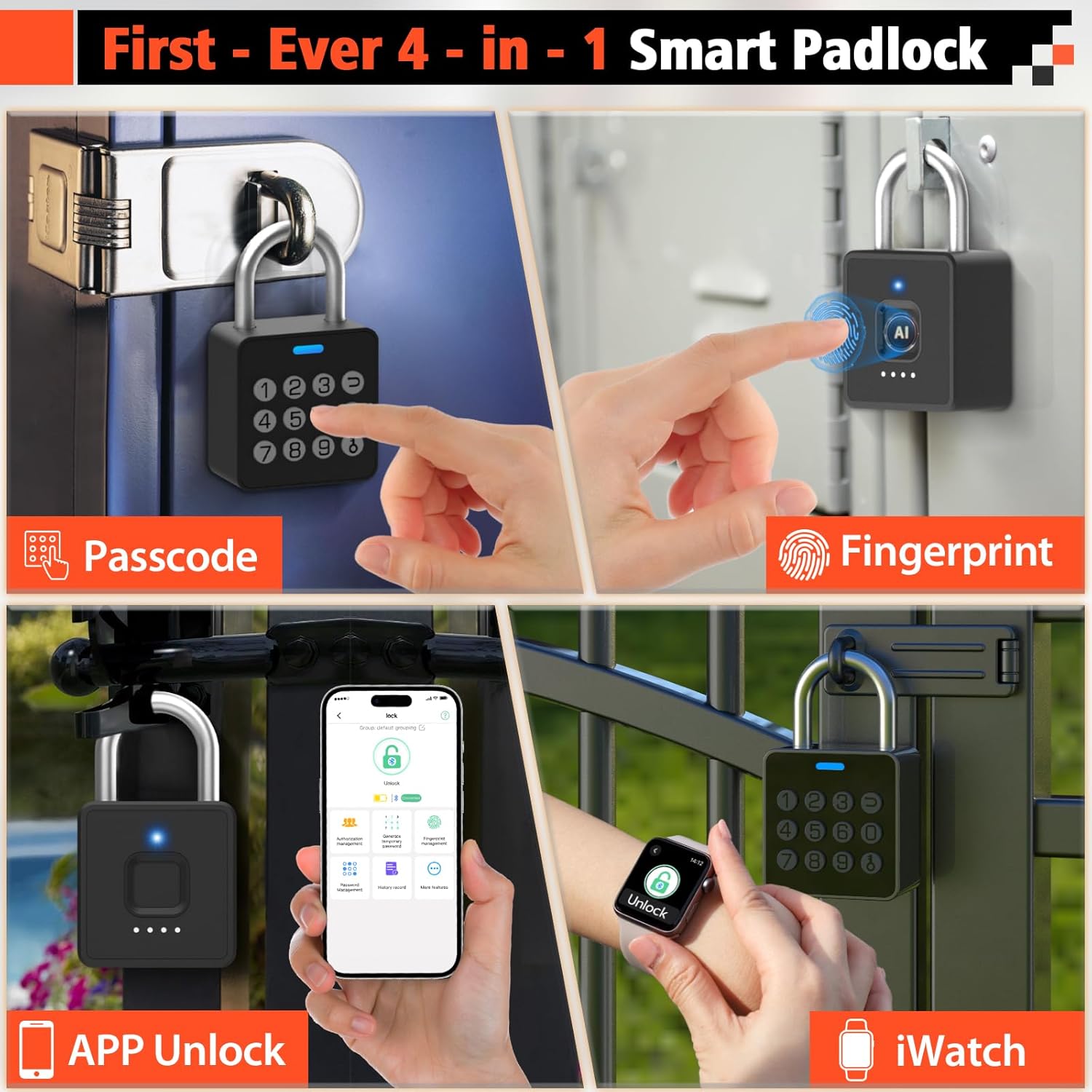
- 4-1-ში განბლოკვა: Fingerprint, Passcode, Mobile App, and iWatch.
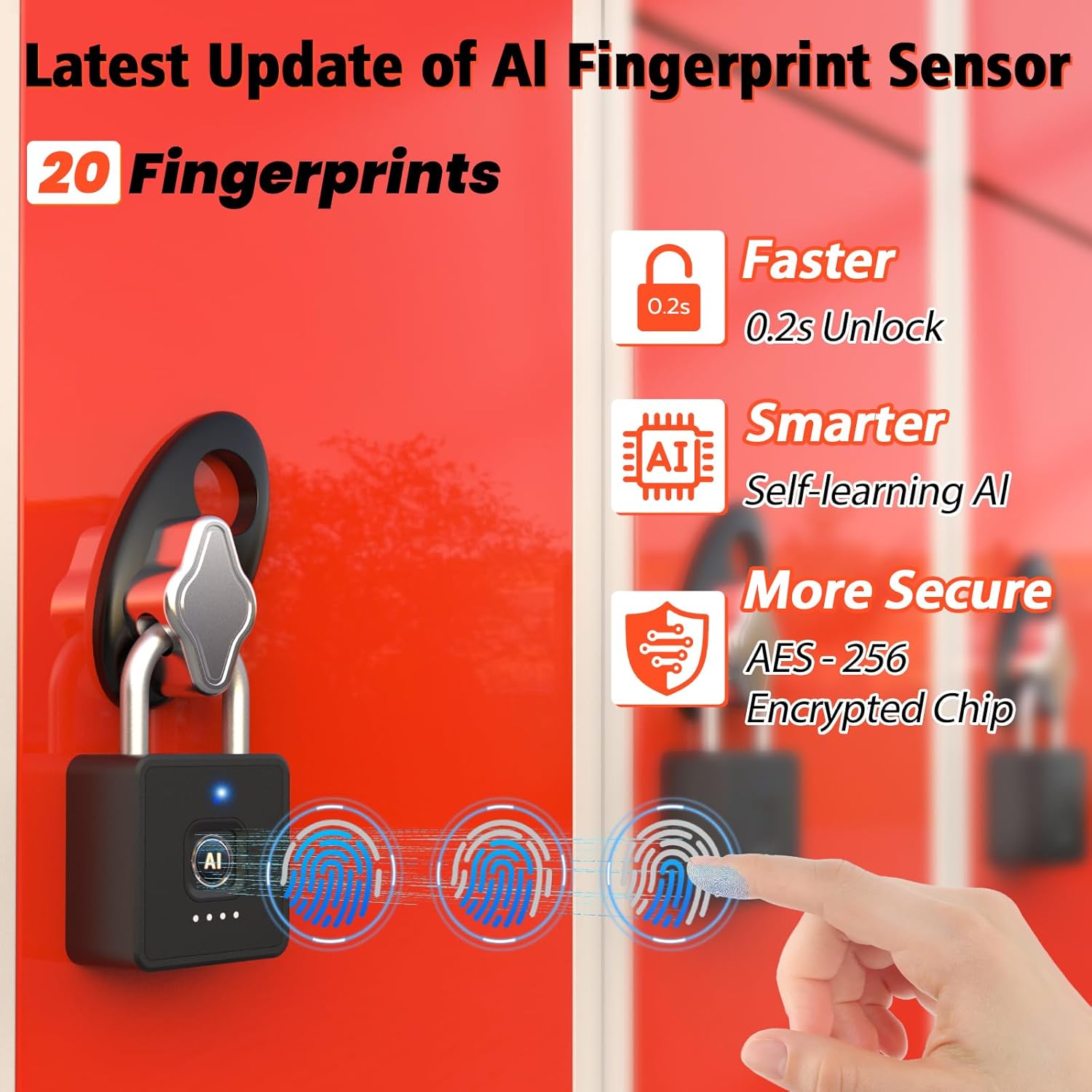
- თითის ანაბეჭდის სწრაფი ამოცნობა: Unlocks in 0.2 seconds. Supports up to 20 fingerprints.
- Multi-function Passwords: Permanent, Guest (scheduled), and One-time codes.
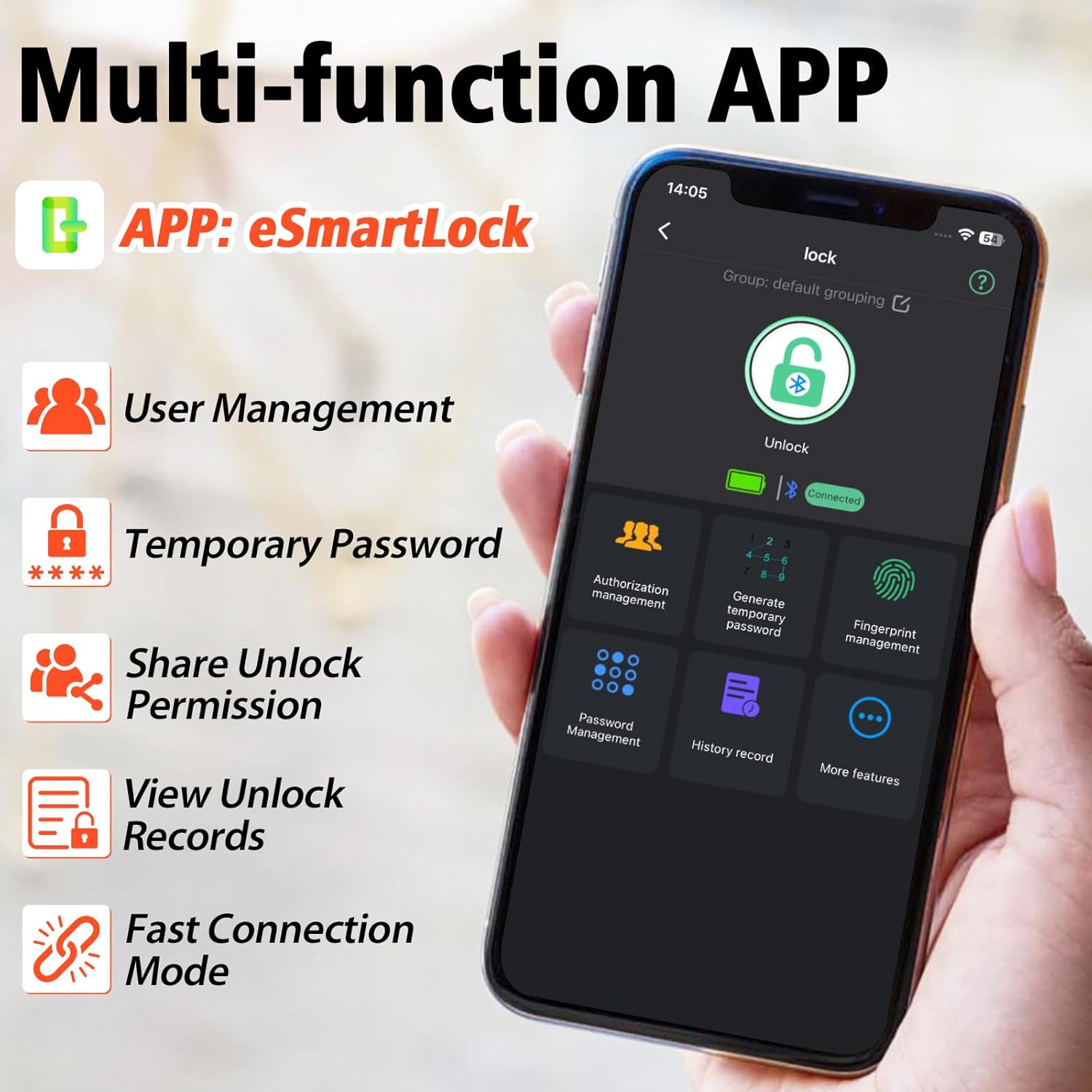
- ჭკვიანი აპლიკაციის კონტროლი: Bluetooth connectivity for user management, password generation, and unlock records.
- გამძლე დიზაინი: IP65 waterproof and dustproof, withstands temperatures from -4°F to 113°F.
- ბატარეის ხანგრძლივი ხანგრძლივობა: Up to 180 days standby time, Type-C charging.

რა შედის
- Anweller Smart Padlock
- Type-C დატენვის კაბელი
- მომხმარებლის სახელმძღვანელო
დაყენების სახელმძღვანელო
საწყისი დატენვა
Before first use, fully charge the padlock using the provided Type-C cable. The charging port is typically located at the bottom or side of the lock. A full charge ensures optimal performance.

აპლიკაციის ინსტალაცია და დაკავშირება
- Download the "eSmartLock" app from your device's app store (Android or iOS).
- გახსენით აპლიკაცია და შექმენით ანგარიში.
- დარწმუნდით, რომ თქვენი ტელეფონის Bluetooth ჩართულია.
- In the app, select "Add Device" and follow the on-screen instructions to pair with your Anweller P7BF padlock. The lock's indicator light will typically flash during pairing.
თითის ანაბეჭდების რეგისტრაცია
- Once connected via the app, navigate to "Fingerprint Management".
- Select "Add Fingerprint" and follow the app's prompts to register your fingerprint. You will typically need to place your finger on the sensor multiple times from different angles.
- Register all desired fingerprints (up to 20).
Setting Passcodes
- In the app, go to "Password Management".
- You can set permanent passcodes (up to 20), generate guest passwords with scheduled entry times, or create one-time passwords.
- Follow the app's instructions to create and manage your desired passcodes.

ოპერაციული ინსტრუქციები
განბლოკვა თითის ანაბეჭდით
Place your registered finger firmly on the fingerprint sensor. The lock will unlock in approximately 0.2 seconds if the fingerprint is recognized.
Unlocking with Passcode
Enter your registered passcode on the keypad and press the unlock button (often represented by a key or checkmark symbol).
Unlocking via Mobile App
Open the "eSmartLock" app on your smartphone. Ensure Bluetooth is active and you are within range of the padlock. Tap the "Unlock" button within the app interface.
Unlocking via iWatch
If configured, use the dedicated iWatch app to unlock the padlock.
მოვლა
ბატარეის მართვა
The padlock is powered by a rechargeable Lithium-ion battery. When the battery is low, the indicator light may flash differently, or the app will notify you. Charge the lock using the provided Type-C cable. Avoid prolonged exposure to extreme temperatures to preserve battery life.
დასუფთავება
Wipe the lock body and fingerprint sensor with a soft, dry cloth. Do not use abrasive cleaners or solvents.
გარემო პირობები
The lock is IP65 rated for water and dust resistance, making it suitable for outdoor use. However, avoid submerging it in water or exposing it to harsh chemicals.

პრობლემების მოგვარება
თითის ანაბეჭდი არ არის ამოცნობილი
- დარწმუნდით, რომ თქვენი თითი სუფთა და მშრალია.
- სცადეთ თითის სენსორზე სხვადასხვა კუთხიდან დადება.
- Re-register your fingerprint if the issue persists.
- Ensure the sensor is clean and free of debris.
Passcode Not Working
- Double-check that you are entering the correct passcode.
- Verify if the passcode is still active (for guest or one-time codes).
- Ensure the lock's battery is not critically low.
აპლიკაციის დაკავშირების პრობლემები
- დარწმუნდით, რომ Bluetooth ჩართულია თქვენს სმარტფონზე.
- Make sure you are within Bluetooth range of the padlock.
- გადატვირთეთ აპლიკაცია ან თქვენი სმარტფონი.
- შეამოწმეთ, სჭირდება თუ არა აპლიკაცია განახლებას.
Lock Not Responding
- The battery might be completely drained. Connect the lock to a Type-C charger.
- If the lock is completely unresponsive after charging, contact customer support.
სპეციფიკაციები
| საკუთრება | ღირებულება |
|---|---|
| ბრენდი | ანველერი |
| მოდელის ნომერი | P7BF |
| პროდუქტის ზომები (L x W x H) | 4.42 x 2.46 x 7.49 სმ |
| წონა | 240 გრამი |
| მასალა | უჟანგავი ფოლადი |
| ფერი | შავი |
| საკეტის ტიპი | ბიომეტრიული |
| განსაკუთრებული თვისებები | Anti-drill, Cut-resistant |
| ბატარეის ტიპი | 1 ლითიუმ-იონური (მოყვება) |
| კონტროლერის ტიპი | Android, iOS |
| წყალგაუმტარი რეიტინგი | IP65 |
| ოპერაციული ტემპერატურა | -4°F-დან 113°F-მდე |
| Unlock Cycle Lifespan | 10,000 ციკლი |
| წონის ტევადობა | 220 ფუნტი |
გარანტია და მხარდაჭერა
For warranty information and technical support, please refer to the contact details provided with your purchase or visit the official Anweller webსაიტი. შეინახეთ შეძენის დამადასტურებელი საბუთი გარანტიის მოთხოვნისთვის.
