1. შესავალი
This manual provides essential information for setting up, operating, maintaining, and troubleshooting your new VIBOX III-445 PC Gamer. Please read this guide thoroughly before using your computer to ensure optimal performance and longevity.
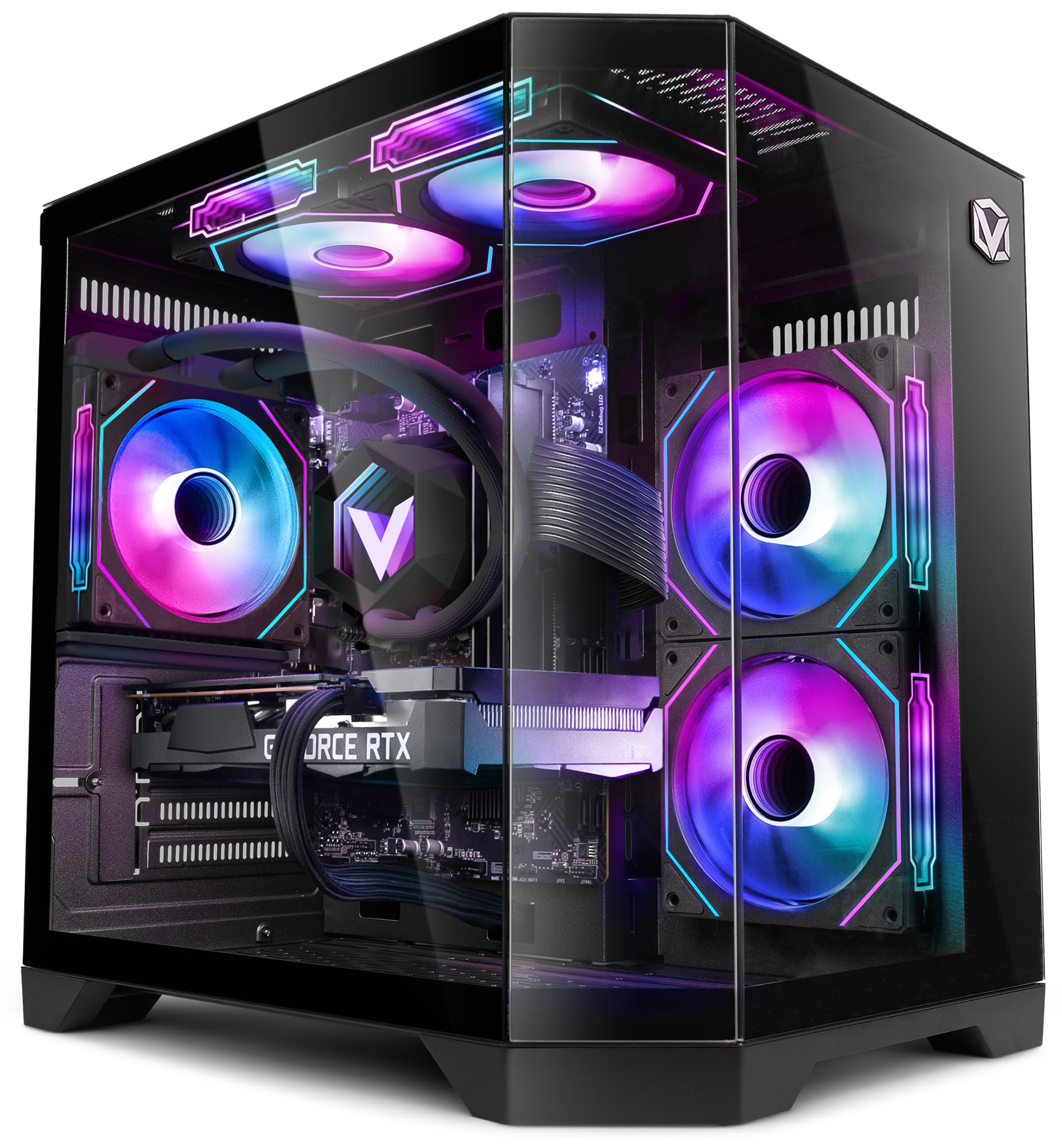
Figure 1: VIBOX III-445 PC Gamer, showcasing its internal components and RGB lighting.
2. დაყენება
2.1. ამოღება და პირველადი შემოწმება
- ფრთხილად ამოიღეთ კომპიუტერი შეფუთვიდან.
- Inspect the computer for any visible damage that may have occurred during shipping.
- Remove any internal packaging materials, such as foam inserts, designed to protect components during transit.
- Ensure all accessories (power cable, Wi-Fi adapter, documentation) are present.
2.2. პერიფერიული მოწყობილობების დამაკავშირებელი
Connect your monitor, keyboard, mouse, and other peripherals to the appropriate ports on the back and front of the PC. Refer to the image below for front panel connectivity.

Figure 2: Front panel connectivity. Includes power button, USB 2.0 ports, USB 3.0 ports, headphone jack, reset button, and RGB lighting control button.
- მონიტორი: Connect your monitor to the graphics card (Nvidia RTX 5060) using an HDMI or DisplayPort cable.
- კლავიატურა და მაუსი: შეაერთეთ ნებისმიერ ხელმისაწვდომ USB პორტთან.
- სიმძლავრე: Connect the power cable to the PC and a wall outlet.
- ქსელი: Use the included Wi-Fi adapter for wireless internet or connect an Ethernet cable to the LAN port for a wired connection.
2.3. პირველი ჩატვირთვა და Windows 11-ის დაყენება
- დააჭირეთ კომპიუტერის წინა მხარეს არსებულ ჩართვის ღილაკს.
- Follow the on-screen instructions to complete the Windows 11 setup process. This typically involves selecting your region, language, creating a user account, and connecting to a network.
- Ensure all drivers are installed and updated after the initial setup. You can check for updates via Windows Update and the Nvidia website for graphics drivers.
3. თქვენი კომპიუტერის მართვა
3.1. Windows 11 Home
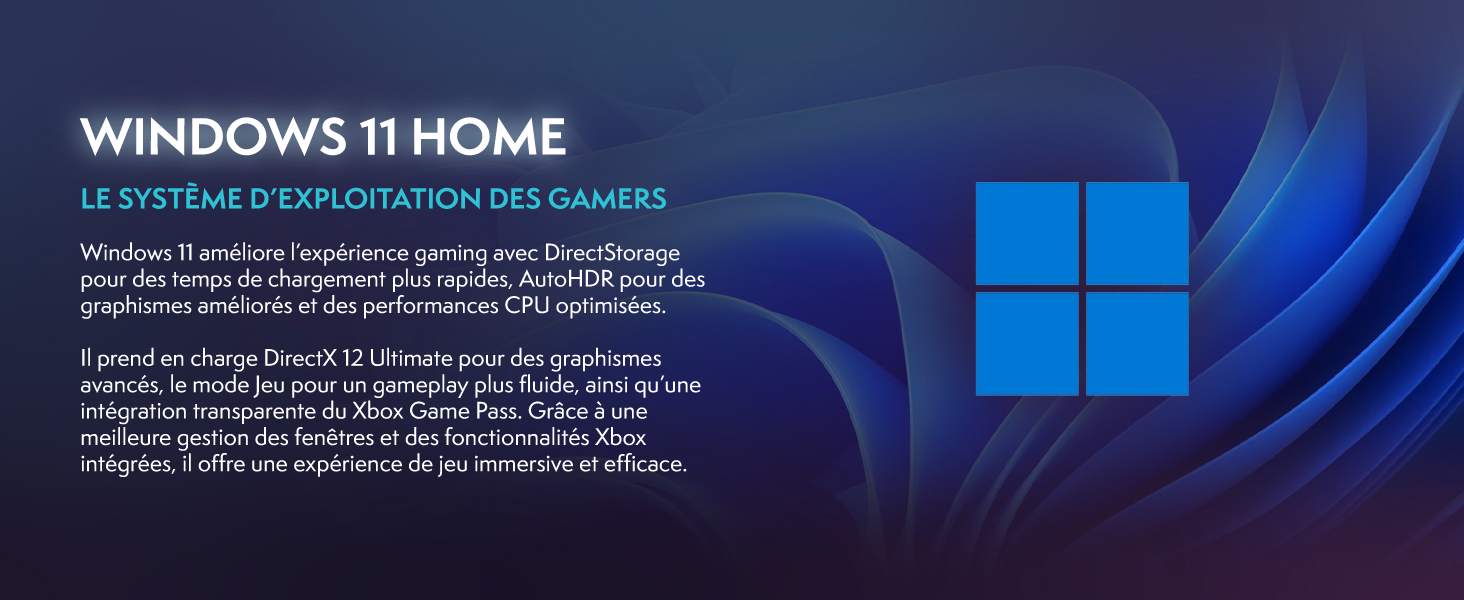
Your VIBOX III-445 PC comes pre-installed with Windows 11 Home, optimized for gaming and productivity.

Figure 3: Windows 11 Home operating system.
- Faster Loading Times: Benefit from DirectStorage for quicker game loading.
- გაუმჯობესებული გრაფიკა: AutoHDR improves visual quality in supported games.
- Xbox Game Pass Integration: Seamless access to a library of games.
- Optimized CPU Performance: Windows 11 is designed to leverage modern CPU architectures efficiently.
3.2. ძირითადი კომპონენტები
The VIBOX III-445 is equipped with powerful components for a smooth computing experience.
სურათი 4: დასრულდაview of the VIBOX III-445's core components.
- პროცესორი: Intel Core i7-12700KF (12 Cores, up to 5.0 GHz) for high-performance gaming, streaming, and content creation.
- გრაფიკული ბარათი: Nvidia GeForce RTX 5060 (8GB GDDR7) for advanced graphics and gaming.
- ოპერატიული მეხსიერება: 16GB DDR4 3200MHz Dual Channel for smooth multitasking.
- შენახვა: 500GB SSD for fast boot times and application loading.
3.3. გაგრილების სისტემა
The PC features an advanced cooling system to maintain optimal temperatures.

Figure 5: VIBOX AIO 120MM liquid cooler for stable processor temperatures.

Figure 6: Reversed airflow design for optimized air circulation and reduced heat accumulation.

Figure 7: Hex RGB Infinity 120mm fans for customizable lighting and enhanced airflow.
- VIBOX AIO 120MM: Provides compact and efficient liquid cooling for the CPU.
- Reversed Airflow: Optimizes air circulation to reduce heat buildup.
- Hex RGB Infinity 120MM Fans: High-performance fans with customizable RGB lighting.
4. მოვლა
4.1. გენერალური წმენდა
- ექსტერიერი: გამოიყენეთ რბილი, დamp კორპუსის გარე ზედაპირის გასაწმენდად გამოიყენეთ ქსოვილი. მოერიდეთ აბრაზიული საწმენდი საშუალებების გამოყენებას.
- მტვრის მოცილება: Periodically use compressed air to clean dust from fans, vents, and internal components. Ensure the PC is powered off and unplugged before cleaning.
- ფილტრები: If your case has removable dust filters, clean them regularly to maintain optimal airflow.
4.2. პროგრამული უზრუნველყოფის განახლებები
- Windows-ის განახლებები: სისტემის სტაბილურობისა და უსაფრთხოების უზრუნველსაყოფად რეგულარულად შეამოწმეთ და დააინსტალირეთ Windows-ის განახლებები. გადადით პარამეტრებში > Windows-ის განახლებაზე.
- დრაივერის განახლებები: Keep your graphics card drivers updated by downloading the latest versions from the Nvidia website. Other component drivers can be updated via Windows Update or the motherboard manufacturer's webსაიტი.
4.3. System Backups
- რეგულარულად შეინახეთ მნიშვნელოვანი მონაცემების სარეზერვო ასლი გარე დისკზე ან ღრუბლოვან საცავში, რათა თავიდან აიცილოთ მონაცემთა დაკარგვა.
5. Დიაგნოსტიკა
ეს განყოფილება განიხილავს ხშირად შექმნილ პრობლემებს, რომლებსაც შეიძლება წააწყდეთ. უფრო რთული პრობლემების შემთხვევაში, დაუკავშირდით ტექნიკურ მხარდაჭერას.
5.1. არ არის ძალა
- დარწმუნდით, რომ კვების კაბელი საიმედოდ არის დაკავშირებული როგორც კომპიუტერთან, ასევე კედლის სოკეტთან.
- Check if the power supply unit (PSU) switch on the back of the PC is in the 'ON' position.
- კედლის სოკეტი სხვა მოწყობილობით შეამოწმეთ, რომ მასში დენია.
5.2. მონიტორზე ეკრანი არ ჩანს
- Verify that the monitor is powered on and connected to the graphics card (Nvidia RTX 5060) ports, not the motherboard's video outputs.
- Check the monitor's input source setting (HDMI, DisplayPort).
- Ensure the graphics card is properly seated in its slot.
5.3. Poor Performance or Freezing
- დახურეთ არასაჭირო ფონური აპლიკაციები.
- დარწმუნდით, რომ ყველა დრაივერი, განსაკუთრებით გრაფიკული დრაივერები, განახლებულია.
- Check system temperatures using monitoring software to rule out overheating.
- ჩაატარეთ დისკის გასუფთავება და დეფრაგმენტაცია (HDD-ებისთვის, SSD-ებისთვის აუცილებელი არ არის).
5.4. Wi-Fi კავშირის პრობლემები
- Ensure the Wi-Fi adapter is securely plugged into a USB port.
- შეამოწმეთ Wi-Fi პარამეტრები Windows-ში, რათა დარწმუნდეთ, რომ ის ჩართულია და სწორ ქსელთან არის დაკავშირებული.
- გადატვირთეთ თქვენი როუტერი და მოდემი.
- Consider using a wired Ethernet connection if Wi-Fi signal is consistently weak or unstable.
6. სპეციფიკაციები
| ფუნქცია | დეტალი |
|---|---|
| ბრენდი | VIBOX |
| მოდელის ნომერი | III-445 |
| სერიალი | VTX-8 |
| ფერი | VTX-8 Black |
| ოპერაციული სისტემა | Windows 11 მთავარი |
| პროცესორის ბრენდი | ინტელი |
| პროცესორის ტიპი | Core i7-12700KF |
| პროცესორის სიჩქარე | 3.6 GHz (up to 5.0 GHz boost) |
| ბირთვების რაოდენობა | 12 |
| მაქსიმალური მხარდაჭერილი მეხსიერება | 128 GB |
| მყარი დისკის ტექნოლოგია | SSD |
| მყარი დისკის ინტერფეისი | SSD |
| შენახვის მოცულობა | 500 GB |
| გრაფიკული ჩიპსეტი ბრენდი | NVIDIA |
| გრაფიკული ბარათის აღწერა | თავდადებული |
| GPU | NVIDIA GeForce RTX 5060 |
| გრაფიკული ბარათის ოპერატიული მეხსიერება | 8 GB |
| გრაფიკული RAM ტიპი | GDDR6 |
| პროცესორის სოკეტი | LGA 1700 |
| კავშირის ტიპი | Wi-Fi |
| აპარატურა ინტერფეისი | HDMI, USB |
| HDMI პორტების რაოდენობა | 1 |
| USB 2.0 პორტების რაოდენობა | 3 |
| USB 3.0 პორტების რაოდენობა | 3 |
| კონექტორის ტიპი | Ethernet, HDMI, USB, Wi-Fi |
| თავსებადი მოწყობილობები | Headphones, Keyboard, Printer, Monitor, Mouse |
| ელემენტის ზომები (L x W x H) | 35 x 28 x 38 სანტიმეტრი |
| პროდუქტის სპეციფიკური გამოყენება | Gaming, Photo Editing, Video Editing |
| კომპიუტერის ტიპი | კომპიუტერული კოშკი |
7. გარანტია
Your VIBOX III-445 PC Gamer comes with a manufacturer's warranty:
- ნაწილები: 2 წელი
- შრომა: სიცოცხლის ხანგრძლივობა
Please retain your proof of purchase for warranty claims. For detailed terms and conditions, refer to the warranty documentation included with your product or visit the VIBOX official webსაიტი.
8. მხარდაჭერა
If you encounter issues not covered in this manual or require further assistance, please contact VIBOX customer support. Have your model number (III-445) and purchase details ready when contacting support.
For additional resources, visit the official VIBOX webსაიტი:


