1. შესავალი
Thank you for choosing the Cillso H97 Wireless Earbuds. This manual provides detailed instructions on how to set up, operate, and maintain your earbuds to ensure optimal performance and longevity. Please read this manual carefully before using the product.

Image: The Cillso H97 Wireless Earbuds in their charging case, displaying the LED battery indicator.
2. რა არის ყუთში
შეფუთვის გახსნისას, დარწმუნდით, რომ ქვემოთ ჩამოთვლილი ყველა ნივთი ხელთ გაქვთ:
- Cillso H97 Wireless Earbuds (L/R)
- დამუხტვის ქეისი
- USB-C დამტენი კაბელი
- მომხმარებლის სახელმძღვანელო (ეს დოკუმენტი)

Image: A visual representation of the items included in the product packaging: earbuds, user manual, charging case, and USB-C charging cable.
3. პროდუქტი დასრულდაview
The Cillso H97 Wireless Earbuds are designed for comfort and high-quality audio. Key features include:
- Bluetooth 5.4 ტექნოლოგია: Provides a stable connection, longer transmission range, lower power consumption, and reduced latency.
- Immersive Hi-Fi Stereo Sound: Equipped with 13mm dynamic drivers for deep bass, clear mids, and crisp highs.
- ENC Noise Cancelling Microphones: Four built-in microphones enhance call clarity by reducing background noise.
- გახანგრძლივებული ბატარეის ხანგრძლივობა: Up to 8 hours of playback per charge, with a total of 40 hours using the charging case.
- LED ციფრული ჩვენება: The charging case features an independent LED display to show battery levels for both the case and individual earbuds.
- IPX7 წყალგაუმტარი რეიტინგი: Protects against sweat, rain, and splashes, making them suitable for various activities.
- Sensitive Touch Controls: Manage playback, calls, and voice assistants with simple taps.
- Ergonomic and Lightweight Design: Each earbud weighs 3.5 grams, and the case weighs 32 grams, ensuring comfortable wear and portability.
3.1 კომპონენტები და ინდიკატორები
Familiarize yourself with the main components and indicators:
- ყურები Left (L) and Right (R) earbuds with touch control areas and earbud lights.
- დამუხტვის საქმე: Houses and charges the earbuds, features a USB-C charging port and an LED digital display.
- LED ციფრული ჩვენება: Shows the charging case's battery percentage and individual earbud charging status (L/R battery bars).

სურათი: ოვერview of the Cillso H97 Wireless Earbuds highlighting key features like Bluetooth 5.4, clear calls, Hi-Fi sound, comfort, IPX7 waterproof, 40H playtime, USB-C charging, and LED display.

Image: The earbuds and charging case with their dimensions and weight, illustrating their compact and lightweight design.
4. დაყენება
4.1 საწყისი დატენვა
პირველი გამოყენების წინ, სრულად დატენეთ ყურსასმენები და დამტენი ქეისი.
- მოათავსეთ ორივე ყურსასმენი დატენვის შემთხვევაში.
- Connect the USB-C charging cable to the charging port on the case and a standard 5V/1A or 5V/2A USB power adapter.
- The LED display on the case will show the charging progress. A full charge for the case takes approximately 1.5 hours.
- The earbud battery indicators on the LED display will show charging status for each earbud.
Note: Please use a standard 5V/1A or 5V/2A charger. Using non-standard chargers may cause charging issues or damage.
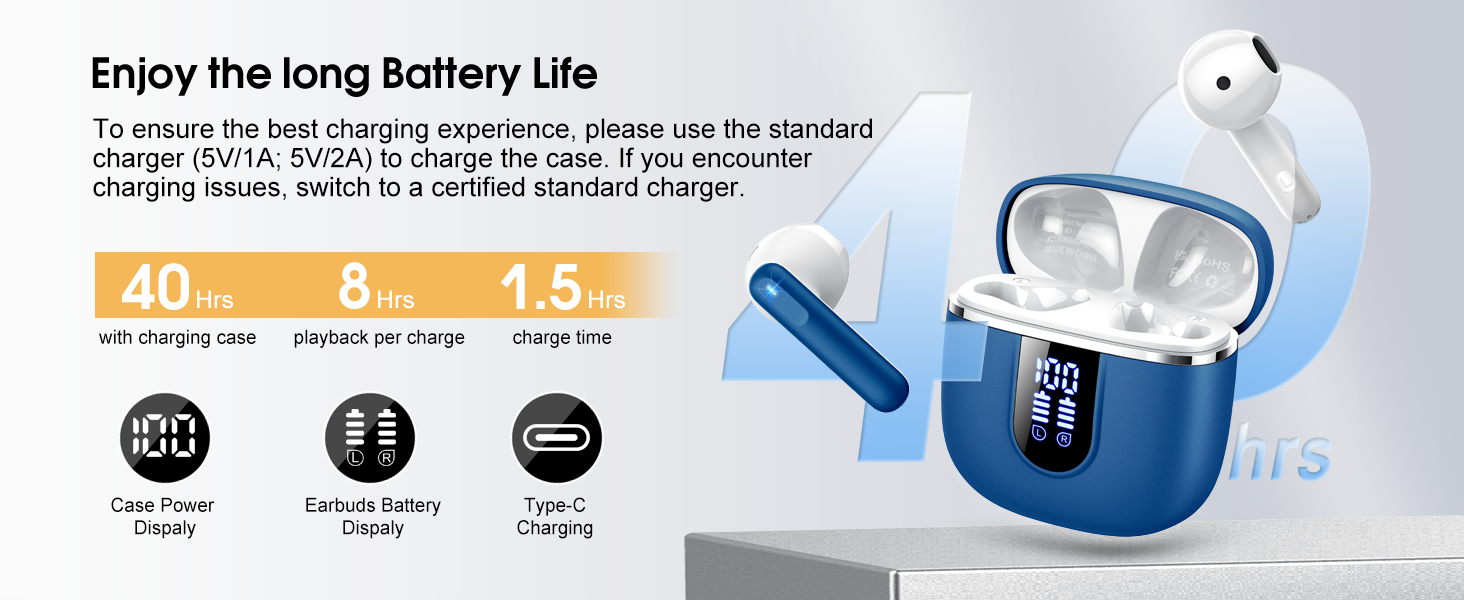
Image: Details on battery life (40 hours with case, 8 hours per charge) and charging time (1.5 hours), along with the LED display for battery status.
4.2 Bluetooth დაწყვილება
The earbuds feature a Hall sensor for automatic pairing.
- პირველად დაწყვილება: გახსენით დამტენი ქეისი. ყურსასმენები ავტომატურად ჩაირთვება და დაწყვილების რეჟიმში გადავა.
- თქვენს მოწყობილობაზე (სმარტფონი, პლანშეტი, ლეპტოპი) ჩართეთ Bluetooth და მოძებნეთ ხელმისაწვდომი მოწყობილობები.
- Select "H97" from the list of devices to connect. Once connected, you will hear a confirmation tone.
- ავტომატური ხელახალი დაკავშირება: After the initial pairing, the earbuds will automatically connect to the last paired device when the charging case is opened (within 15 meters).
- Single Earbud რეჟიმი: You can use either the left or right earbud independently. Simply take one earbud out of the case, and it will connect. If you take out the other earbud, they will automatically switch to binaural mode. To use a single earbud, place the other back into the charging case.

Image: An illustration explaining how to use the earbuds in single earbud mode or binaural (stereo) mode, and how they automatically switch.
5. საოპერაციო ინსტრუქციები
5.1 შეეხეთ კონტროლი
The Cillso H97 earbuds feature sensitive touch controls on each earbud. The functions are as follows:
| მოქმედება | ფუნქცია |
|---|---|
| ორმაგი შეხება (მარცხნივ/მარჯვნივ) | მუსიკის დაკვრა/პაუზა |
| One Tap (L/R) | ზარის პასუხი/დასრულება |
| Long Press 2s (L/R) | ზარის უარყოფა |
| Long Tap 2s (R) | შემდეგი სიმღერა |
| Long Tap 2s (L) | წინა სიმღერა |
| One Tap (R) | ხმის ამაღლება |
| One Tap (L) | ხმის დაკლება |
| სამმაგი შეხება (R) | გააქტიურეთ ხმოვანი ასისტენტი |

Image: A diagram illustrating the various touch control gestures for managing music playback, calls, and voice assistant functions.
5.2 ყურსასმენების ტარება
ოპტიმალური ხმის ხარისხისა და კომფორტისთვის, დარწმუნდით, რომ ყურსასმენები სწორად არის მორგებული ყურებში.
- დაადგინეთ მარცხენა (L) და მარჯვენა (R) ყურსასმენები.
- ფრთხილად ჩადეთ თითოეული ყურსასმენი ყურის არხში.
- Adjust the angle until it feels secure and comfortable. The ergonomic design is intended to fit the contours of most ear canals.

Image: Diagrams showing the ergonomic design and recommended angles for wearing the earbuds for a secure and comfortable fit.
5.3 ფართო თავსებადობა
The Cillso H97 Wireless Earbuds are compatible with a broad range of Bluetooth-enabled devices.
- ოპერაციული სისტემები: Android 4.4+ და iOS 8.0+
- Bluetooth ვერსია: Bluetooth 4.0 ან უფრო ახალი
- მოწყობილობები: Smartphones (iPhone, Samsung Galaxy, Huawei, Xiaomi, etc.), tablets, and laptops.

Image: Icons representing compatibility with phones, tablets, laptops, and desktops, showing the earbuds connected to a smartphone.
6. მოვლა და მოვლა
6.1 დასუფთავება
- რეგულარულად გაწმინდეთ ყურსასმენები და დამტენი ქეისი რბილი, მშრალი, ბუსუსების გარეშე ქსოვილით.
- არ გამოიყენოთ აბრაზიული საწმენდები, სპირტი ან ქიმიური სპრეი.
- Ensure charging contacts on both earbuds and case are clean and dry for proper charging.
6.2 შენახვა
- როდესაც ყურსასმენები არ იყენებთ, შეინახეთ დამტენ ქეისში, რათა დაიცვათ ისინი და დატენილი იყოს.
- შეინახეთ გრილ, მშრალ ადგილას, მოარიდეთ ექსტრემალურ ტემპერატურას და მზის პირდაპირ სხივებს.
6.3 წყლის წინააღმდეგობა (IPX7)
The earbuds are rated IPX7 waterproof, meaning they can withstand immersion in water up to 1 meter for 30 minutes. This protects them from sweat, rain, and splashes.
- განზრახ არ ჩაძიროთ დამტენი ქეისი წყალში, რადგან ის წყალგაუმტარი არ არის.
- Ensure earbuds are completely dry before placing them back into the charging case to prevent damage to the charging contacts.
- Avoid using the earbuds in saunas, steam rooms, or during diving.

Image: An earbud with water splashing on it, illustrating its IPX7 waterproof capability.
6.4 დენისგან დაცვა (OCP)
The charging case is equipped with Over Current Protection technology to prevent issues such as overheating, melting, or fire caused by prolonged high current from an external power source. When the current exceeds the power limit, the power source will immediately cut off output to protect the circuitry and device.
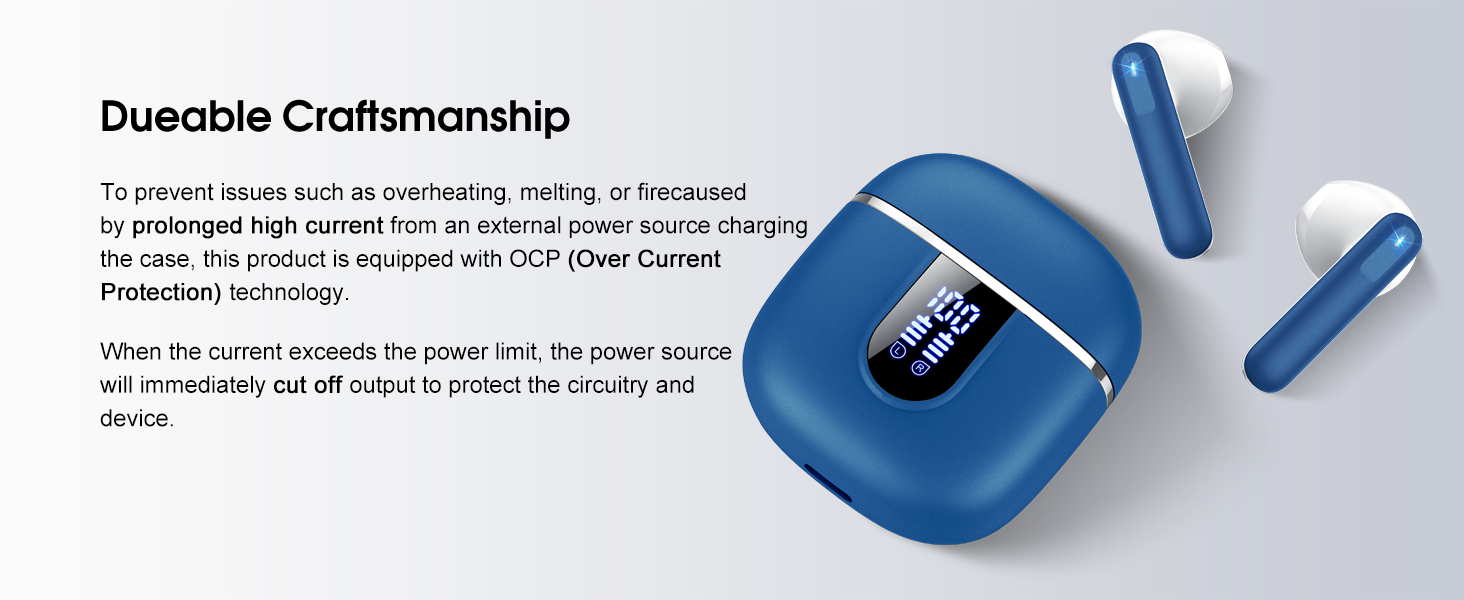
Image: The charging case and earbuds, highlighting the durable craftsmanship and Over Current Protection (OCP) technology.
7. Დიაგნოსტიკა
If you encounter any issues with your Cillso H97 Wireless Earbuds, please refer to the following common problems and solutions:
- ხმა არ არის / გათიშვა:
- დარწმუნდით, რომ ყურსასმენები დატენილია.
- Check if Bluetooth is enabled on your device and if "H97" is selected.
- Move closer to your device to ensure you are within the 15-meter Bluetooth range.
- სცადეთ ყურსასმენების თქვენს მოწყობილობასთან დაწყვილების გაუქმება და ხელახლა დაწყვილება.
- ყურსასმენები არ იტენება:
- დარწმუნდით, რომ დამტენი ქეისი დატენულია.
- Check that the earbuds are correctly seated in the charging case and the charging contacts are clean.
- Verify the USB-C cable and power adapter are working correctly and meet the 5V/1A or 5V/2A standard.
- მხოლოდ ერთი ყურსასმენი მუშაობს:
- ორივე ყურსასმენი დააბრუნეთ დამტენ ქეისში, დაახურეთ თავსახური, დაელოდეთ რამდენიმე წამი, შემდეგ გახსენით თავსახური და ერთად ამოიღეთ.
- დარწმუნდით, რომ ორივე ყურსასმენი დატენულია.
- If the issue persists, try resetting the earbuds (refer to the full user manual if a specific reset procedure is available, otherwise, unpair and re-pair).
- შეხების კონტროლი არ პასუხობს:
- დარწმუნდით, რომ თქვენი თითები სუფთა და მშრალია.
- ყურსასმენების ხელახლა ჩართვა სცადეთ ქეისში მოთავსებით და ხელახლა ამოღებით.
თუ ეს ნაბიჯები თქვენს პრობლემას არ გადაჭრის, გთხოვთ, დაუკავშირდეთ მომხმარებელთა მხარდაჭერის სამსახურს.
8. სპეციფიკაციები
| ფუნქცია | დეტალი |
|---|---|
| მოდელის სახელი | H97 |
| ბრენდი | Cillso |
| დაკავშირების ტექნოლოგია | უსადენო (Bluetooth) |
| Bluetooth ვერსია | 5.4 |
| Bluetooth დიაპაზონი | 15 მეტრი |
| აუდიო დრაივერის ზომა | 13mm (from description, spec says 14.2mm, using 13mm as it's consistent with marketing) |
| სიხშირის პასუხი | 20Hz - 20kHz (from description) |
| მგრძნობელობა | 110 დბ |
| წინაღობა | 32 Ohm |
| ყურსასმენის ბატარეის ხანგრძლივობა | 8 საათამდე |
| დაკვრის საერთო დრო (ქეისით) | 40 საათამდე |
| დატენვის დრო (ქეისი) | დაახლ. 1.5 საათი |
| დატენვის პორტი | USB-C |
| წყლის წინააღმდეგობის რეიტინგი | IPX7 (ყურსასმენები) |
| ყურის წონა | 3.5 გრამი (თითოეული) |
| დამუხტვის ყუთის წონა | 32 გრამი |
| თავსებადი მოწყობილობები | iOS 9.0+/Android 5.0+ Bluetooth 4.0+-ით |
| კონტროლის მეთოდი | შეეხეთ |
9. გარანტია და მხარდაჭერა
Cillso products are designed for reliability and performance. For warranty information and customer support, please refer to the warranty card included in your product packaging or visit the official Cillso webსაიტი.
If you have any questions or require assistance, please do not hesitate to contact our customer service team.


