შესავალი
Thank you for choosing the boAt Aavante 2.1 1600D Soundbar. This manual provides essential information for setting up, operating, and maintaining your soundbar to ensure a high-quality audio experience. Please read these instructions carefully before use and retain them for future reference.
რა არის ყუთში
შეფუთვის გახსნისას, დარწმუნდით, რომ ყველა შემდეგი ნივთი ხელთ არის:
- ხმის პანელი
- საბვუფერი
- Cable (Power Cable, Audio Cables depending on model)
- დისტანციური მართვა (მოყვება 2 AA ელემენტი)

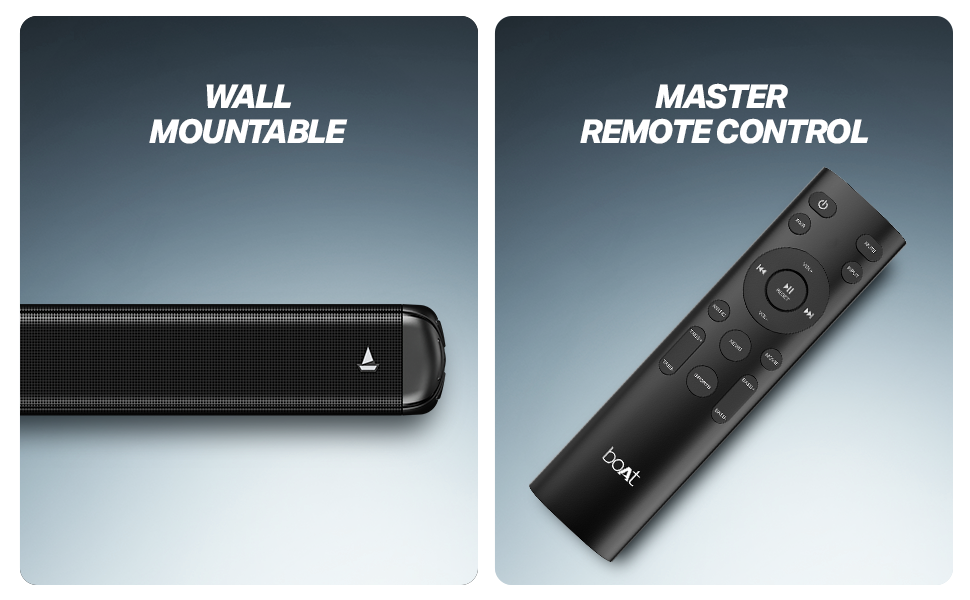
სურათი 1: Soundbar, remote control, and wall-mountable feature overview.
დაყენება
განთავსება
Place the soundbar centrally below your television. The wired subwoofer should be placed on the floor near the soundbar for optimal bass response. Ensure there is adequate ventilation around both units.
The soundbar is also wall-mountable. Refer to the included mounting template (if applicable) for proper installation.
სურათი 2: Recommended placement of the soundbar and subwoofer for an immersive audio experience.
კავშირები
- დენის კავშირი: Connect the power cable to the soundbar and subwoofer, then plug them into a wall outlet.
- საბვუფერის კავშირი: Connect the wired subwoofer to the soundbar using the provided cable.
- აუდიო შეყვანა: აუდიო წყაროს დასაკავშირებლად აირჩიეთ შემდეგი მეთოდებიდან ერთ-ერთი:
- HDMI (ARC): For the best audio quality and control, connect an HDMI cable from your TV's HDMI ARC port to the soundbar's HDMI ARC port.
- ოპტიკური: შეაერთეთ ოპტიკური კაბელი თქვენი ტელევიზორის ოპტიკური გამოსასვლელიდან საუნდბარის ოპტიკურ შესასვლელთან.
- AUX: Use a 3.5mm audio cable to connect your device to the soundbar's AUX input.
- USB: ჩადეთ USB დისკი აუდიო files საუნდბარის USB პორტში.
ოპერაციული ინსტრუქციები
ჩართვა/გამორთვა
მოწყობილობის ჩასართავად ან გამოსართავად დააჭირეთ ჩართვის ღილაკს საუნდბარზე ან დისტანციურ მართვაზე.
წყაროს შერჩევა
Use the 'Input' or 'Source' button on the remote control to cycle through available input modes: Bluetooth, AUX, USB, Optical, and HDMI (ARC).
ხმის კონტროლი
Adjust the volume using the 'Volume +' and 'Volume -' buttons on the remote control or the soundbar.
Bluetooth დაწყვილება
- Select Bluetooth mode on the soundbar. The LED indicator will flash.
- ჩართეთ Bluetooth თქვენს მოწყობილობაზე (სმარტფონი, პლანშეტი და ა.შ.).
- ძიება 'boAt Aavante 1600D' in your device's Bluetooth list and select it to pair.
- Once paired, the LED indicator will stop flashing and remain solid.
EQ რეჟიმები
The soundbar features multiple EQ modes to optimize audio for different content types. Use the dedicated buttons on the remote control to select:
- მუსიკა: გაუმჯობესებულია მუსიკალური დაკვრისთვის.
- ფილმები: Optimized for cinematic soundscapes.
- სიახლე: Clearer dialogue for news and spoken content.
- 3D: Creates a more immersive, spatial audio effect.
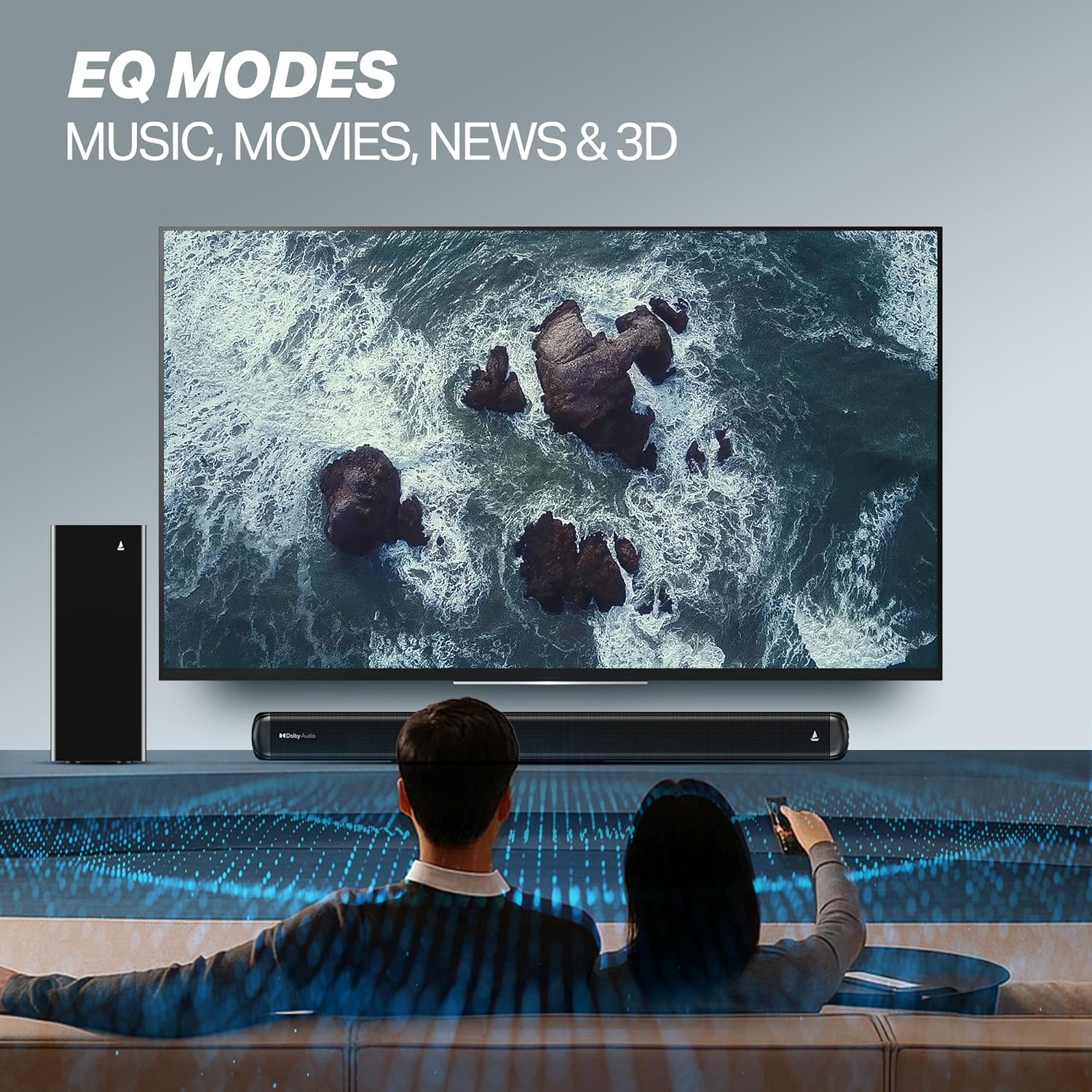
სურათი 3: EQ Modes for various content types.
მოვლა
დასუფთავება
- გაწმენდის წინ ყოველთვის გამორთეთ საუნდბარი და საბვუფერი დენის წყაროდან.
- Use a soft, dry cloth to wipe the surfaces.
- Do not use liquid cleaners, aerosols, or abrasive materials, as they may damage the finish.
შენახვა
თუ მოწყობილობას დიდი ხნის განმავლობაში ინახავთ, დარწმუნდით, რომ ის სუფთა, მშრალი და გრილ, კარგად ვენტილირებად ადგილასაა, მზის პირდაპირი სხივებისა და ექსტრემალური ტემპერატურისგან მოშორებით.
პრობლემების მოგვარება
| პრობლემა | შესაძლო მიზეზი | გამოსავალი |
|---|---|---|
| არავითარი ძალა | დენის კაბელი არ არის შეერთებული; დენის წყარო არ მუშაობს | Ensure power cables are securely connected; Try a different power outlet. |
| ხმა არ არის | Incorrect input source; Volume too low; Mute activated; Audio cable not connected properly | Select the correct input source; Increase volume; Deactivate mute; Check audio cable connections. |
| Bluetooth დაწყვილების პრობლემები | Device too far; Soundbar not in pairing mode; Interference | Move device closer; Ensure soundbar is in Bluetooth pairing mode; Turn off other Bluetooth devices. |
| დისტანციური მართვა არ მუშაობს | ელემენტები დაცლილია; პულტსა და საუნდბარს შორის დაბრკოლებაა | შეცვალეთ ბატარეები; მოაცილეთ ნებისმიერი დაბრკოლება. |
სპეციფიკაციები
| მოდელის სახელი | ავანტე |
| მოდელის ნომერი | HA0127 |
| სპიკერის ტიპი | ხმის პანელი |
| აუდიო გამოყვანის რეჟიმი | 2.1 არხი |
| დინამიკის მაქსიმალური გამომავალი სიმძლავრე | 160 ვატი |
| დაკავშირების ტექნოლოგია | Bluetooth v5.4, AUX, USB, Optical, HDMI (ARC) |
| Bluetooth დიაპაზონი | 10 მეტრი |
| გარემომცველი ხმის არხის კონფიგურაცია | 2.1 |
| კონტროლის მეთოდი | დისტანციური |
| პროდუქტის ზომები | 80D x 6.6W x 7.5H სანტიმეტრი |
| ნივთის წონა | 6 კგ |
| დენის წყარო | სადენიანი |
| საჭიროა ელემენტები (პულტისთვის) | 2 AA ბატარეა (მოყვება) |
| მწარმოებელი | შპს „იმეიჯინ მარკეტინგი“ |
| წარმოშობის ქვეყანა | ჩინეთი |
გარანტია და მხარდაჭერა
საგარანტიო ინფორმაცია
This product comes with a Limited Warranty. Please refer to the warranty card included in your package or visit the official boAt webსაიტზე შეგიძლიათ იხილოთ გარანტიისა და პრეტენზიების დეტალური წესები და პირობები.
მომხმარებელთა მხარდაჭერა
For any technical assistance, product inquiries, or support, please visit the official boAt support page or contact their customer service. You can find contact details on the boAt webსაიტი: boAt Official Store


