1. დაყენების გზამკვლევი
This section provides instructions for the initial setup of your NIMO N152 laptop.
1.1 ყუთის გახსნა და პირველადი შემოწმება
ფრთხილად ამოიღეთ ყველა კომპონენტი შეფუთვიდან. დარწმუნდით, რომ „რა არის ყუთში“ განყოფილებაში ჩამოთვლილი ყველა ნივთი ადგილზეა და დაუზიანებელია.

Image: NIMO N152 Laptop and its packaging. The laptop is silver with a black keyboard, displaying the Windows 11 desktop. The box behind it highlights key features.
1.2 კვების ადაპტერის შეერთება
Connect the 65W Type-C PD Fast Charger to the laptop's Type-C port and then to a power outlet. The laptop is equipped with a 53.58Wh battery and supports fast charging.

Image: A white 65W Type-C PD charger with two USB-C cables. The image illustrates its compatibility with laptops, tablets, and smartphones, emphasizing "One Charger for All."
1.3 საწყისი ჩატვირთვა და Windows 11-ის დაყენება
Press the power button located on the top right of the keyboard. Follow the on-screen instructions to complete the Windows 11 Home setup, including language, region, network connection, and user account creation.
Video: A comprehensive introduction to the NIMO 15.6-inch laptop, showcasing its physical design, ports, and initial boot-up sequence with Windows 11. The video highlights the sleek design, multiple ports, and the anti-glare display.
2. საოპერაციო ინსტრუქციები
This section covers the basic operation of your NIMO N152 laptop.
2.1 Using the Backlit Keyboard and Fingerprint Reader
The backlit keyboard allows for comfortable typing in low-light conditions. The integrated fingerprint reader provides secure and convenient login. Simply place your registered finger on the sensor for instant access.

Image: A close-up of the NIMO N152 laptop's backlit keyboard and fingerprint reader. The text highlights comfortable typing in low light and convenient fingerprint unlocking.
2.2 ჩვენება და ვიზუალური გამოცდილება
The 15.6-inch FHD 1080P IPS anti-glare display offers clear visuals and reduces eye strain. Adjust brightness and display settings through Windows settings for optimal viewინგ.
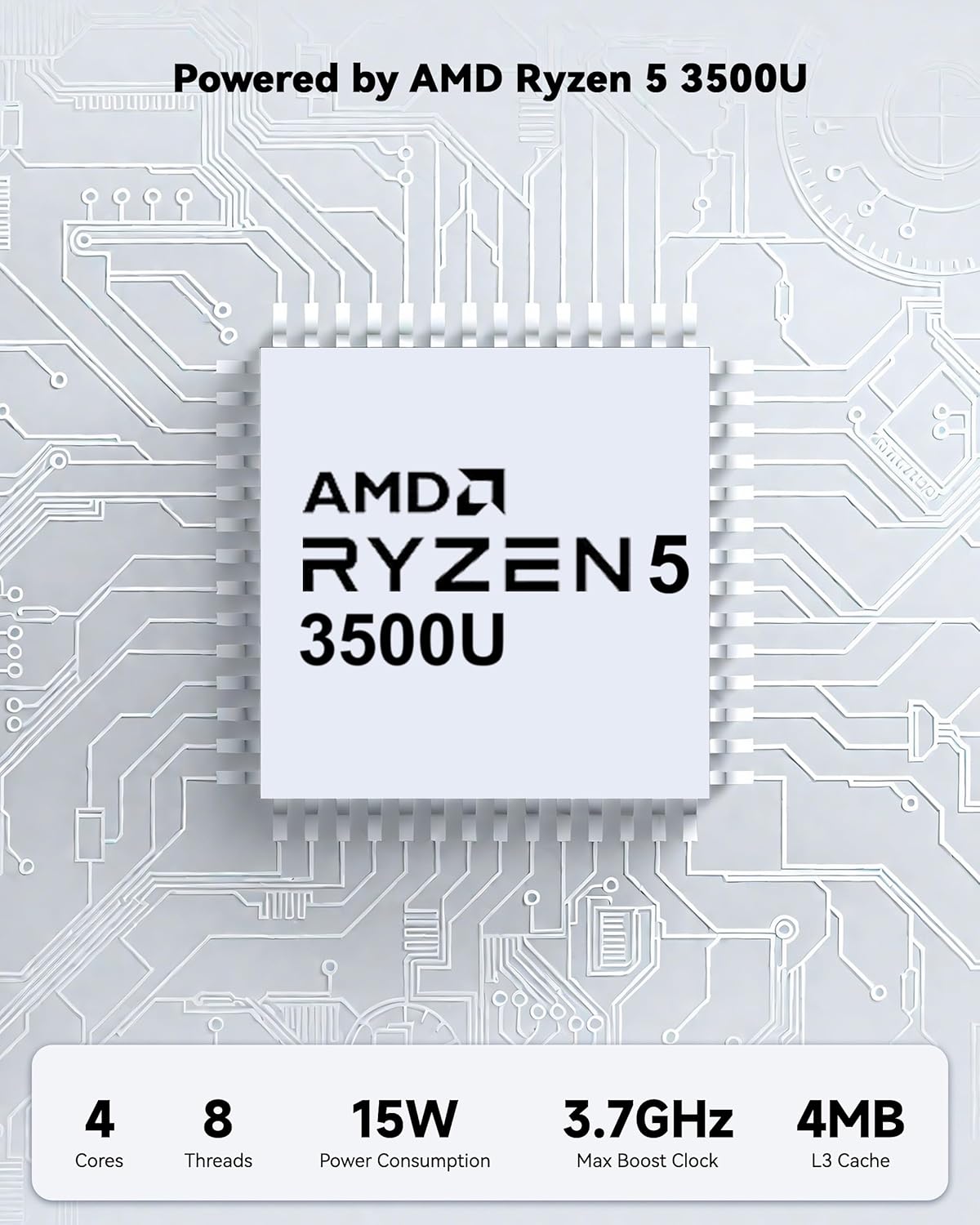
Image: The NIMO N152 laptop displaying a vibrant desktop background, emphasizing its 15.6-inch FHD IPS display with anti-glare properties.
2.3 დაკავშირებადობა და პორტები
The laptop features a variety of ports for versatile connectivity, including Full-function Type-C, HDMI, USB 3.2, USB 2.0, Micro SD Reader, Audio Jack, and Kensington Lock. Connect external monitors, storage devices, and peripherals as needed.

სურათი: ახლო ხედი view of the NIMO N152 laptop's side ports, including USB 3.2 Gen1, HDMI 1.4, Type-C, USB 2.0, Micro SD Reader, Audio Jack, and Kensington Lock.
3. მოვლა და განახლება
Proper maintenance ensures the longevity and optimal performance of your laptop. The NIMO N152 also supports upgradable components.
3.1 ბატარეის მოვლა
The laptop is equipped with a 53.58Wh battery. To maximize battery lifespan, avoid frequent full discharges and keep the laptop in a cool, dry environment. Use the provided 65W Type-C charger for optimal charging.

სურათი: შიდა view of the NIMO N152 laptop highlighting its 54WH battery and "Smart Battery Optimization" features like extended battery lifespan, smart power control, safe & fast charging, and battery health protection.
3.2 RAM and SSD Upgradability
The NIMO N152 features upgradable RAM and SSD slots, allowing you to expand storage and memory as your needs evolve. Consult a professional for hardware upgrades to avoid damage.

Image: A visual representation of the NIMO laptop's upgradable hard drive and memory, showing various applications and data, emphasizing "Unleashing Infinite Potential."
4. საერთო პრობლემების მოგვარება
This section addresses common problems you might encounter with your NIMO N152 laptop.
4.1 კვებისა და დატენვის პრობლემები
- ლეპტოპი არ ირთვება: Ensure the charger is securely connected and the power outlet is functional. Try holding the power button for 10-15 seconds to perform a hard reset.
- აკუმულატორი არ იტენება: Verify the Type-C charger and cable are not damaged. Try a different power outlet.
4.2 ჩვენების პრობლემები
- ეკრანი ცარიელია: Connect an external monitor to check if the display output is working. Adjust screen brightness using function keys.
- მოციმციმე ეკრანი: Update your graphics drivers. Reduce screen refresh rate if applicable.
4.3 შესრულება და დაკავშირებადობა
- ნელი შესრულება: Close unnecessary applications. Check for Windows updates. Ensure sufficient free storage space.
- Wi-Fi or Bluetooth issues: Restart the laptop. Check device manager for driver issues. Ensure Wi-Fi 6 and Bluetooth 5.2 drivers are up to date.
5. ტექნიკური მახასიათებლები
| ფუნქცია | დეტალი |
|---|---|
| მოდელის სახელი | ნიმო N152 |
| ეკრანის ზომა | 15.6 ინჩი |
| ეკრანის გარჩევადობა | 1920 x 1080 pixels (FHD IPS Anti-Glare) |
| პროცესორი | AMD Ryzen 5 3500U (up to 3.7GHz, 4 Cores) |
| ოპერატიული მეხსიერება | 16 GB DDR4 (განახლებადი) |
| მყარი დისკი | 1024 GB SSD (განახლებადი) |
| გრაფიკული კოპროცესორი | AMD-ის ინტეგრირებული გრაფიკა |
| ოპერაციული სისტემა | Windows 11 მთავარი |
| უკაბელო ტიპი | 802.11a/b/g/n/ac (Wi-Fi 6) |
| Bluetooth | Bluetooth 5.2 |
| პორტები | Full-function Type-C, HDMI, 3x USB 3.0, 1x USB 2.0, Micro SD Reader, Audio Jack, Kensington Lock |
| ბატარეა | 53.58Wh (Up to 9 hours average battery life) |
| დამტენი | 65W Type-C PD Fast Charger |
| Webკამერა | 2 MP წინა კამერა |
| განსაკუთრებული თვისებები | Backlit Keyboard, Fingerprint Reader, HD Audio, Numeric Keypad, 180° Viewინგ |
| ნივთის წონა | 3.75 ფუნტი |
| პროდუქტის ზომები | 14.07 x 8.98 x 0.76 ინჩი |
6. რა არის ყუთში
- 1 x NIMO N152 ლეპტოპი
- 1 x Type-C 65W PD სწრაფი დამტენი
- 1 x მომხმარებლის სახელმძღვანელო
- Windows 11 Home (Pre-installed)
7. გარანტია და მხარდაჭერა
Your NIMO N152 laptop comes with comprehensive support to ensure your peace of mind.
7.1 გარანტიის დაფარვა
პროდუქტი მოიცავს ა 2 წლიანი გარანტია from the manufacturer, covering defects in materials and workmanship under normal use. This warranty surpasses standard market offers.

Image: A close-up of hands working on a laptop motherboard with tools, illustrating the 2-Year Support for NIMO products.
7.2 დაბრუნების პოლიტიკა
A 90-დღიანი დაბრუნების პოლიტიკა is offered, allowing you to return the product for any reason within 90 days of purchase. Please refer to the return instructions provided with your purchase.

Image: A delivery person handing a package to a customer, representing the 90-Day Return policy for NIMO products.
7.3 მომხმარებელთა დახმარება
For any product-related questions or support, please contact our professional after-sales team. We are committed to providing high-quality customer service.
- ელფოსტა: csr@bestptv.com
- უფასო: 1(855)-216-7257 (9-5 EST M-F)

Image: Two customer service representatives wearing headsets, labeled "Professional Customer Assistance," indicating support via phone and live chat.


