1. პროდუქტი დასრულდაview
The Bella Pro Series 8-Quart Smart Touchscreen Air Fryer offers a healthier cooking alternative with its high-capacity design and advanced features. This appliance utilizes SmartCrisp Technology to circulate hot air, delivering crispy textures with minimal oil. Its intuitive touchscreen interface simplifies operation, making it suitable for both novice and experienced home chefs.
ძირითადი მახასიათებლები:
- Extra-Large 8-Qt Capacity: Ideal for preparing large family meals or batch cooking without overcrowding.
- Smart Touchscreen Display: Features 8 smart cooking presets for effortless and precise cooking.
- Powerful 1700-Watt Heating System: Ensures faster preheating and consistent, even cooking results.
- SmartCrisp Technology: Circulates hot air for golden, crispy textures using little to no oil.
- Dishwasher-Safe, Nonstick Basket: Removable and PFOA-free for simple and stress-free cleanup.
- უსაფრთხოების მახასიათებლები: Includes built-in overheat protection and a 60-minute auto shutoff timer.
- სამზარეულოს მრავალმხრივი ფუნქციები: 8 presets support a wide range of recipes, from fries and wings to baked goods.
- გლუვი უჟანგავი ფოლადის დიზაინი: Modern aesthetic that complements any kitchen countertop.
2. დაყენება და პირველადი გამოყენება
ყუთის გახსნა და პირველადი გაწმენდა:
Carefully remove the air fryer and all its components from the packaging. It is recommended to wash the removable basket and crisping tray with warm, soapy water before first use to remove any manufacturing residues. Ensure all parts are thoroughly dried before reassembly.

Figure 2.1: The product's retail box, highlighting key features and the 2-year warranty.
ასამბლეა:
Insert the crisping tray into the bottom of the cooking basket. Slide the assembled basket firmly into the main air fryer unit until it clicks into place. Ensure the unit is placed on a stable, heat-resistant surface away from walls and other appliances to allow for proper airflow.
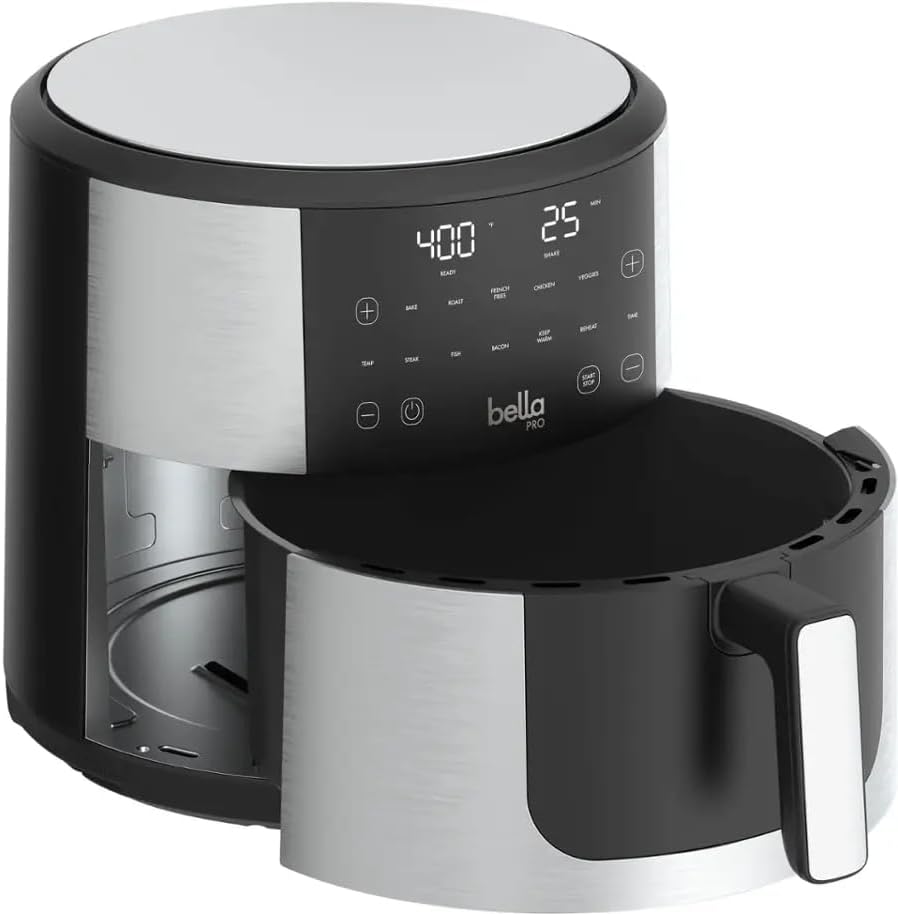
Figure 2.2: The air fryer's basket is shown detached from the main unit, emphasizing its easy removal for cleaning.
3. საოპერაციო ინსტრუქციები
მართვის პანელი:
The Bella Pro Series Air Fryer features an intuitive touchscreen display. Once plugged in, the power button will illuminate. Touch the power button to activate the control panel, revealing various cooking options and settings.
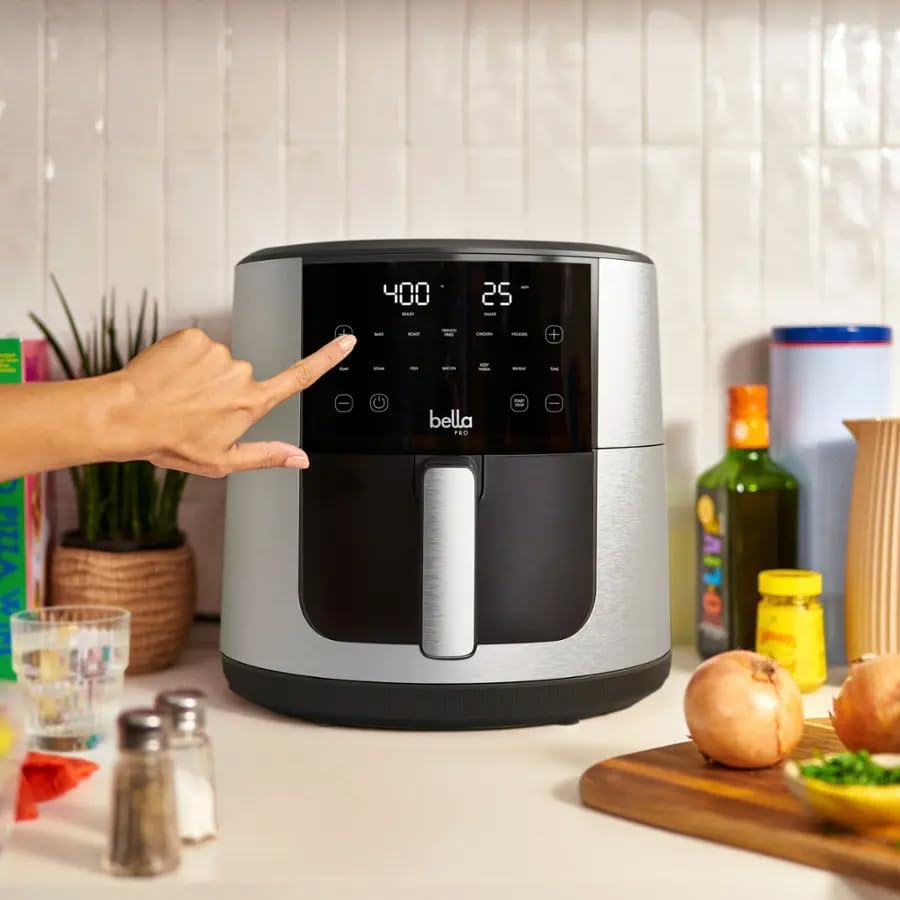
Figure 3.1: A user's hand interacts with the intuitive touchscreen display, showing temperature and time settings.
ჭკვიანი წინასწარ დაყენებული პარამეტრები:
The air fryer comes with 8 smart cooking presets for common foods. Simply select the desired food icon on the touchscreen, and the appliance will automatically set the optimal temperature and time. You can then adjust these settings manually if needed.
მექანიკური ოპერაცია:
To manually set cooking parameters, use the temperature (+/-) and time (+/-) buttons on the touchscreen. The temperature can be adjusted up to 400°F, and the timer can be set for up to 60 minutes. The air fryer also includes a preheat function for optimal cooking results.
მომზადების პროცესი:
Place your food in the cooking basket. For best results, avoid overcrowding the basket to ensure even air circulation. Close the basket securely. Select a preset or set the time and temperature manually, then press the Start/Pause button to begin cooking. The air fryer will automatically shut off after the set time, and overheat protection is built-in for safety.

Figure 3.2: A whole roasted chicken is shown inside the air fryer basket, demonstrating the large capacity.

Figure 3.3: Chicken breasts and various vegetables are cooked in the air fryer, highlighting its versatility.

Figure 3.4: A batch of french fries is visible in the air fryer's non-stick basket, ready for air frying.
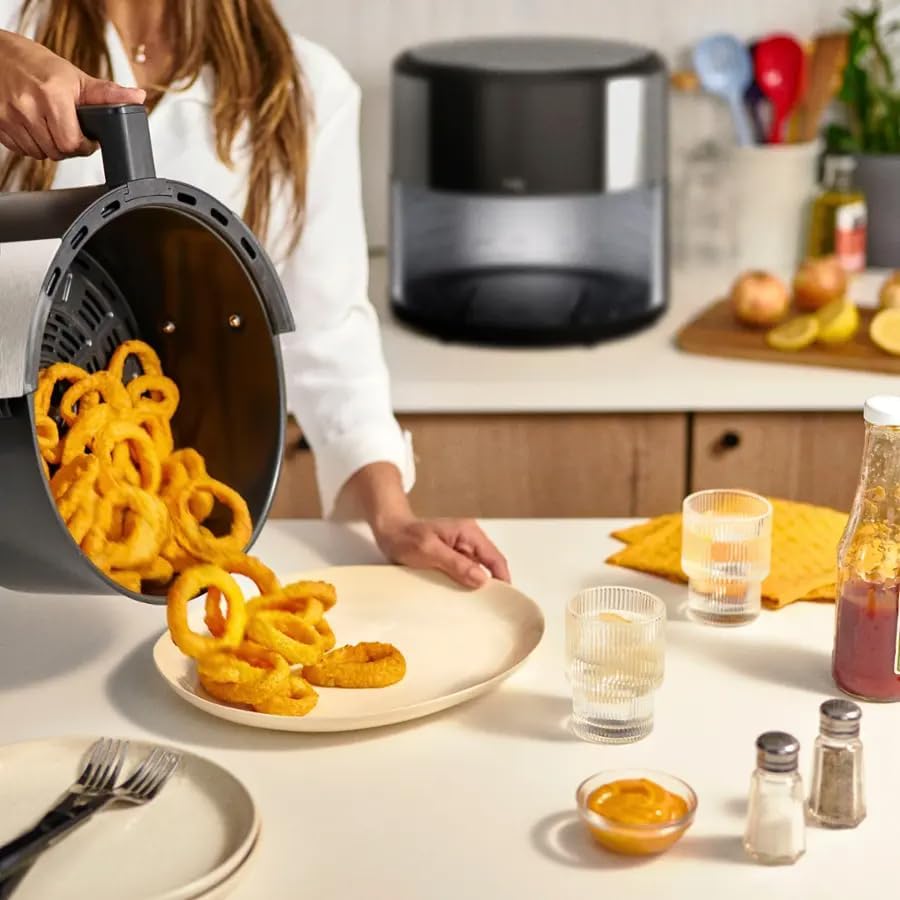
Figure 3.5: Golden-brown onion rings are shown being emptied from the air fryer basket, illustrating the crispy results.
4. დასუფთავება და მოვლა
კალათისა და უჯრის გაწმენდა:
The removable cooking basket and crisping tray are PFOA-free and dishwasher-safe, making cleanup simple. For manual cleaning, wash with warm, soapy water and a non-abrasive sponge. Ensure all food residues are removed. Allow parts to dry completely before reassembling or storing.
მთავარი განყოფილების გაწმენდა:
გაწმინდეთ ჰაერის შემწვარ გარე ნაწილი რეკლამის საშუალებითamp cloth. Do not immerse the main unit in water or any other liquid. Avoid using abrasive cleaners or scouring pads, as they may damage the surface. Ensure the unit is unplugged and completely cool before cleaning.
5. Დიაგნოსტიკა
საერთო საკითხები:
- ტექნიკა არ ირთვება: Ensure the power cord is securely plugged into a working electrical outlet. Check the power button on the touchscreen.
- საკვები არ არის ხრაშუნა: Avoid overcrowding the basket. Cook in smaller batches if necessary. Ensure the correct temperature and time settings are used. A light spray of oil can also enhance crispiness.
- მოწყობილობიდან თეთრი კვამლი: This may occur if cooking fatty foods. Ensure the basket and crisping tray are clean and free of grease buildup from previous use.
- ეკრანი არ რეაგირებს: Unplug the unit from the power outlet, wait for a few minutes, and then plug it back in. If the issue persists, contact customer support.
6. სპეციფიკაციები
| ფუნქცია | დეტალი |
|---|---|
| მოდელის სახელი | Bella Pro Series 8-Quart Touchscreen Air Fryer |
| მოდელის ნომერი | 90079 |
| ტევადობა | 8 კვარტ |
| გამომავალი ვატიtage | 1700 ვატი |
| ტtage | 120 ვოლტი |
| კონტროლის მეთოდი | სენსორული ეკრანი |
| მაქსიმალური ტემპერატურის დაყენება | 400 გრადუსი ფარენჰეიტი |
| განსაკუთრებული თვისებები | Touchscreen Control, SmartCrisp Technology, Overheat Protection, Auto Shutoff, Dishwasher Safe Basket, Nonstick Coating |
| პროდუქტის ზომები | 17.1"D x 15.3"W x 15.1"H |
| ნივთის წონა | 13.67 ფუნტი |
| მასალა | Plastic, Metal, Nonstick Coating |
| ჭურჭლის სარეცხი მანქანა | კი (კალათა) |
7. გარანტია და დახმარება
საგარანტიო ინფორმაცია:
The Bella Pro Series 8-Qt Smart Touchscreen Air Fryer comes with a 2-year warranty. Please refer to the included warranty card in your product packaging for full terms and conditions regarding coverage and claims.
მომხმარებელთა მხარდაჭერა:
For any questions, technical assistance, or warranty claims, please contact Bella Pro Series customer support. Contact details can typically be found in your product manual or on the manufacturer's official webსაიტი.


