შესავალი
This manual provides essential information for the setup, operation, maintenance, and troubleshooting of your FIREBAT Gaming Laptop. Please read this manual thoroughly before using the device to ensure optimal performance and longevity.
For further assistance, please refer to the support contact information provided in this manual.
პროდუქტი დასრულდაview
ძირითადი მახასიათებლები
- გრაფიკული შესრულება: NVIDIA RTX 5060 Laptop GPU with Blackwell architecture, offering up to 572 TOPS of AI-powered performance, 4th Gen RT Cores, and 5th Gen Tensor Cores for advanced graphical fidelity.
- პროცესორი: Powerful 13th Gen Intel Core i7-13700HX Processor with 16 cores (8 Performance-cores, 8 Efficient-cores), 24 threads, and a single-core maximum turbo frequency of 5.0 GHz.
- ჩვენება: 16-inch QHD (2560x1600) IPS display with a 16:10 aspect ratio, 100% sRGB color gamut, 300Hz refresh rate, and over 500 nits brightness for high-resolution, high-refresh gaming.
- გაგრილების სისტემა: ACD all-metal design with highly efficient thermal grease, a silent internal cooling system featuring dual fans, three in-line heat pipes, and dual air outlets, maintaining a low noise level of approximately 48dB.
- მეხსიერება და შენახვა: Equipped with 32GB (16GBx2) DDR5 memory (dual channel, expandable up to 96GB) and a 1TB PCIe 4.0 M.2 SSD (dual hard drive interface, expandable).
- ქსელთან დაკავშირება: Built-in 2.5Gbps adaptive wired network card and Intel AX210 dual-band wireless network card supporting WiFi AX (6E) protocol (2.4/5/6GHz, MU-MIMO) and Bluetooth 5.3.
- პორტები: Comprehensive connectivity including 1x mini DP 2.1a (40Gbps), 1x HDMI 2.1 (48Gbps), 3x USB-A 3.2 Gen1 (5Gbps), 1x USB-C (rear) 10Gbps/DP1.4/PD 140W, 1x USB-C (left) 10Gbps/DP1.4/PD 100W, 1x Kensington Lock, and 1x 3.5mm 2-in-1 Audio Jack.
- დამატებითი ფუნქციები: RGB Backlit keyboard and HD privacy webკამერა
კომპონენტები
Your FIREBAT Gaming Laptop package includes:
- FIREBAT Gaming Laptop
- Power Adapter (Lightweight Silicon Carbide Adapter)
- მომხმარებლის სახელმძღვანელო (ეს დოკუმენტი)
- სპიკერები
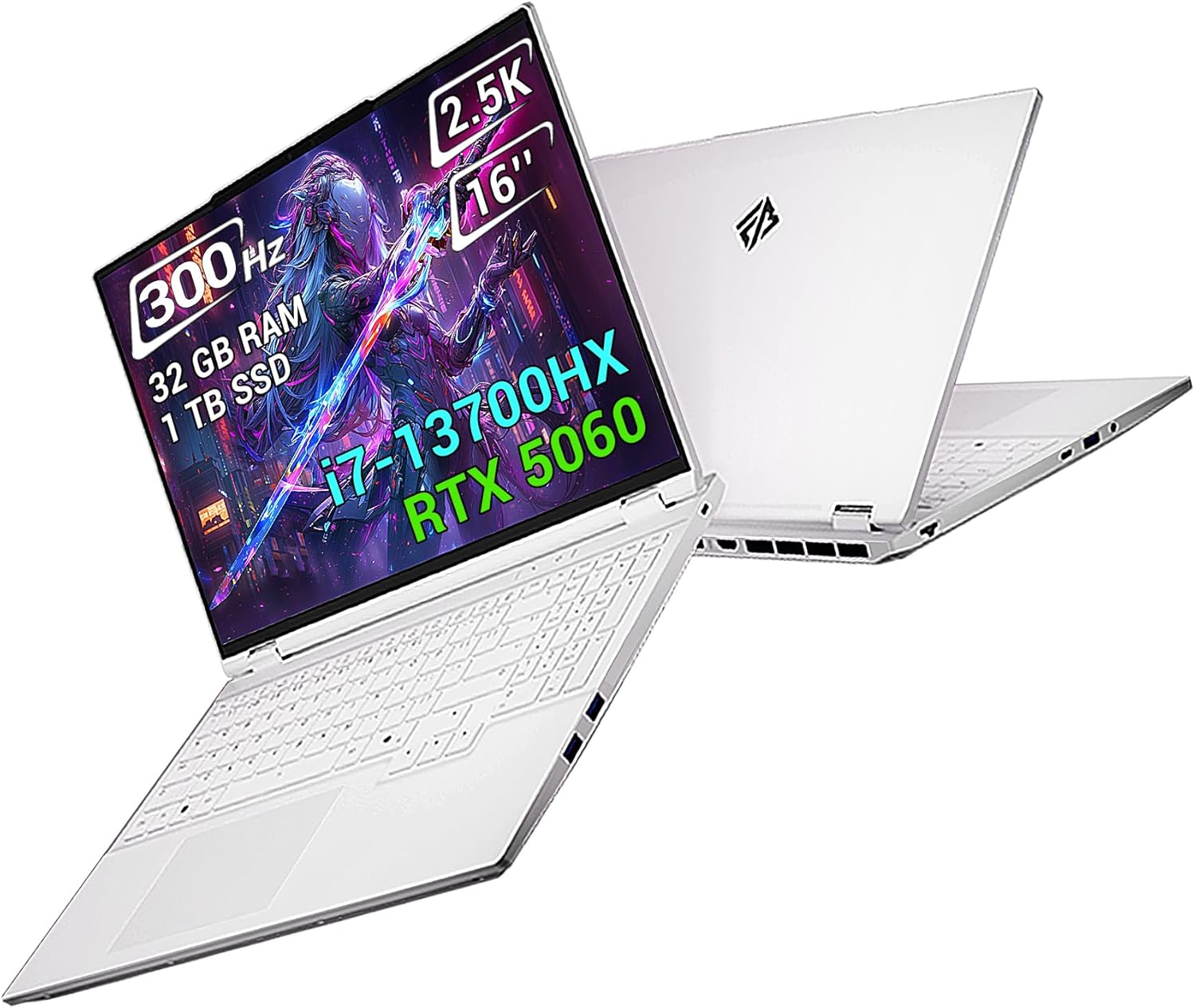
Image: The FIREBAT Gaming Laptop, showcasing its sleek design and vibrant display. The screen highlights its 300Hz refresh rate, 2.5K resolution, 16-inch size, 32GB RAM, 1TB SSD, i7-13700HX processor, and RTX 5060 graphics.
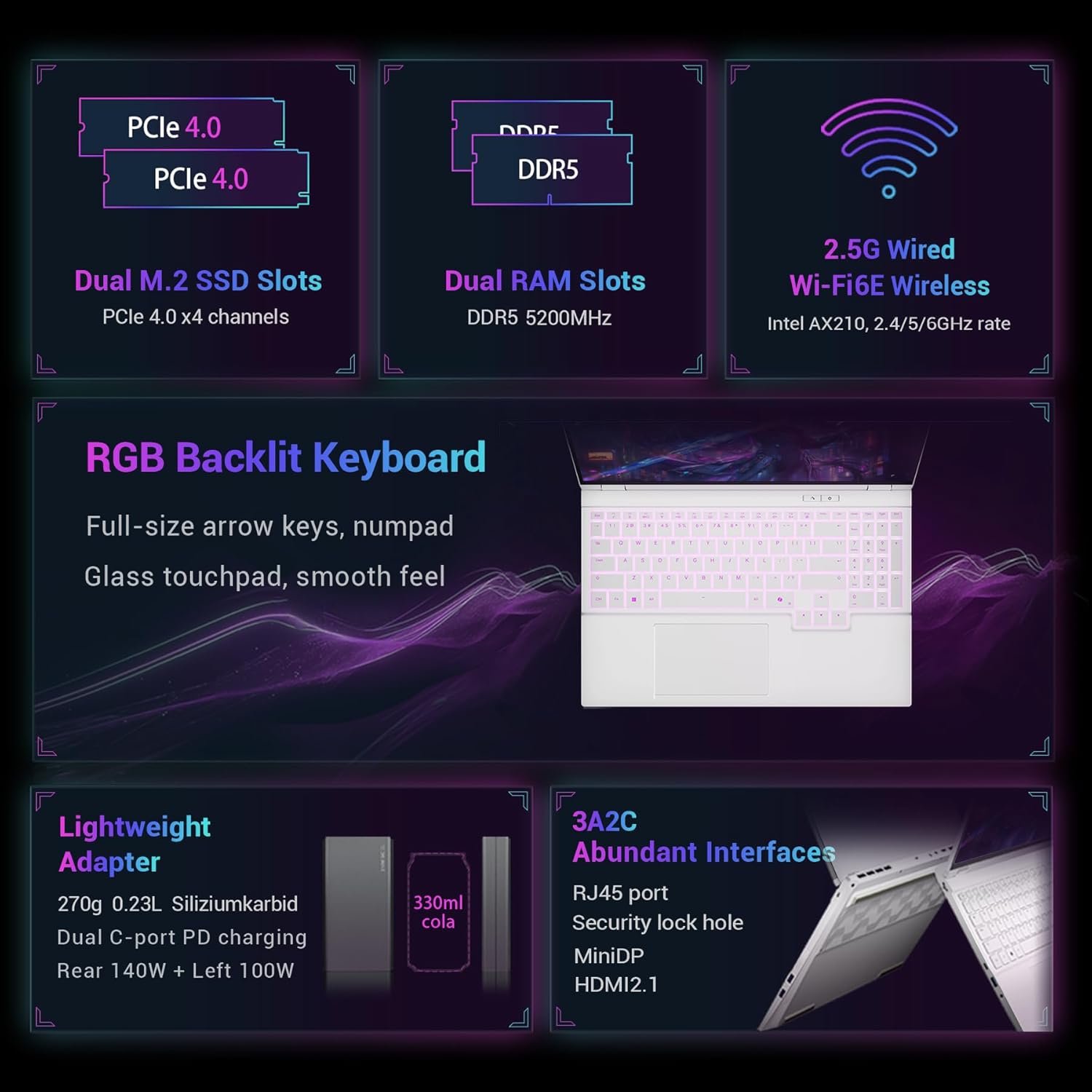
Image: A detailed diagram illustrating the internal components such as Dual M.2 SSD Slots (PCIe 4.0), Dual RAM Slots (DDR5 5200MHz), and 2.5G Wired Wi-Fi6E Wireless (Intel AX210). It also highlights the RGB Backlit Keyboard, Lightweight Adapter, and Abundant Interfaces including RJ45, MiniDP, and HDMI2.1.
დაყენება
საწყისი ჩართვა
- ამოიღეთ ლეპტოპი და ყველა აქსესუარი ყუთიდან.
- შეაერთეთ კვების ადაპტერი ლეპტოპის კვების პორტთან, შემდეგ კი დენის წყაროსთან.
- გახსენით ლეპტოპის სახურავი. შესაძლოა, ლეპტოპი ავტომატურად ჩაირთოს ან ჩართვის ღილაკზე დაჭერა დაგჭირდეთ.
- Follow the on-screen instructions to complete the initial Windows setup, including language, region, network connection, and user account creation.
პერიფერიული მოწყობილობების დაკავშირება
Utilize the various ports available on your laptop to connect external devices.
- USB-A პორტები: სტანდარტული USB მოწყობილობების, როგორიცაა მაუსები, კლავიატურები და გარე დისკები, დასაკავშირებლად.
- USB-C პორტები: For data transfer, video output (DisplayPort 1.4), and power delivery (PD 100W/140W).
- HDMI 2.1 & Mini DP 1.4: გარე მონიტორების ან პროექტორების დასაკავშირებლად.
- RJ45 LAN პორტი: სადენიანი ინტერნეტ კავშირისთვის.
- 3.5 მმ აუდიო ჯეკი: ყურსასმენებისთვის ან გარე დინამიკებისთვის.

Image: An illustration detailing the "Luxurious Interface Configuration" of the FIREBAT Gaming Laptop, showing the location and type of each port: USB-C (rear) 10Gbps/DP1.4/PD 140W, Power interface, Mini DP 1.4, HDMI 2.1, Security lock slot, 2.5Gbps RJ45 LAN, USB-C (left) 10Gbps/DP1.4/PD 100W, 2x USB-A 3.2 Gen 1, 3.5mm headphone/microphone combo jack, and 1x USB-A 3.2 Gen 1.
ოპერაციული ინსტრუქციები
ენერგიის მენეჯმენტი
The laptop features a large 5200mAh 80Wh battery. For optimal performance, it is recommended to keep the laptop plugged in during intensive tasks like gaming or video editing.
შესრულების რეჟიმები
Your FIREBAT laptop offers four distinct performance modes to optimize for different usage scenarios. These modes can be switched via a one-key function, allowing for both intelligent scheduling and custom allocation.
- მორგებული რეჟიმი: Unleash maximum performance potential.
- Raging Mode: Pursue powerful performance.
- თამაშის რეჟიმი: Balances performance and user experience.
- ოფისის რეჟიმი: Provides a quiet experience with long battery life.
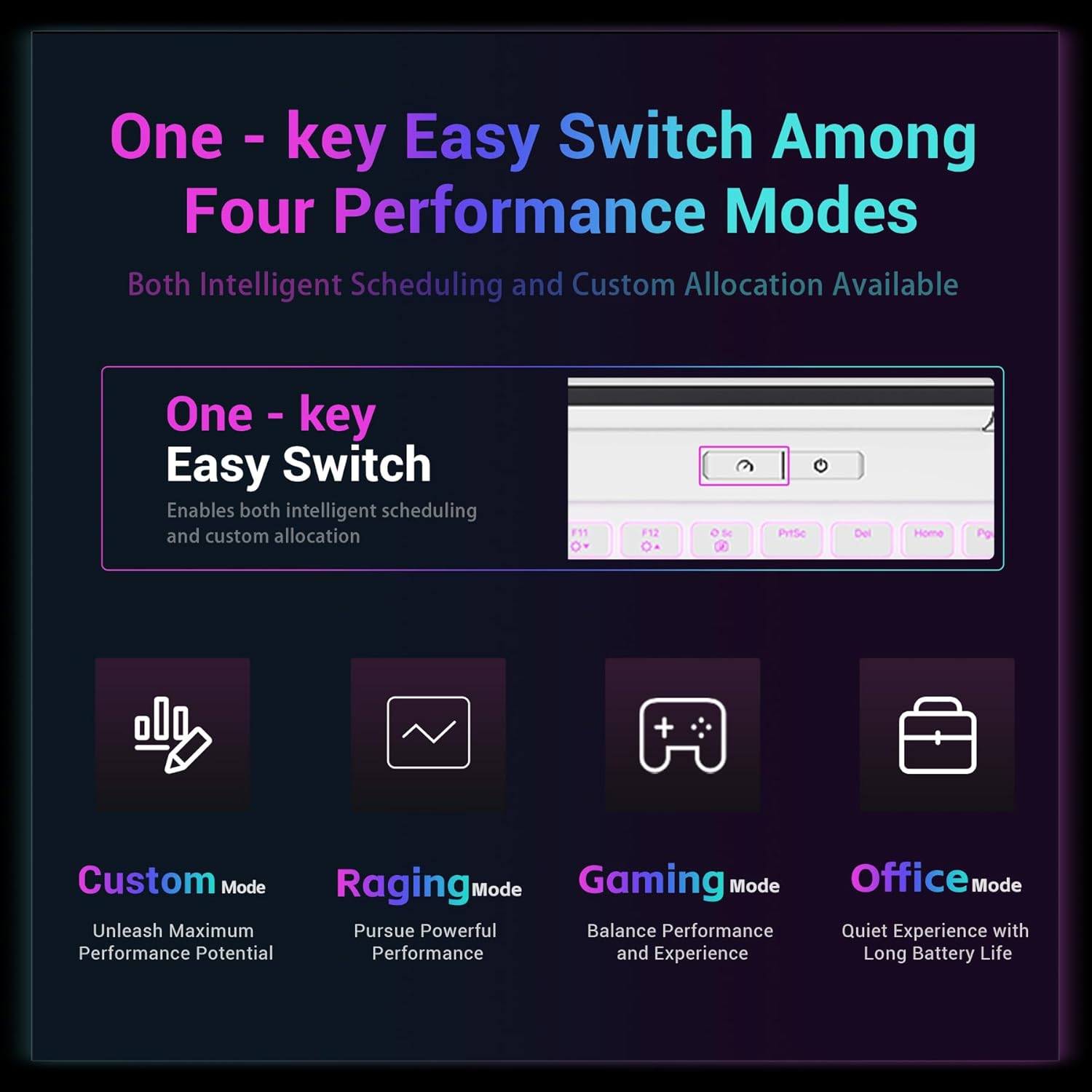
Image: A visual representation of the "One-key Easy Switch Among Four Performance Modes" available on the FIREBAT Gaming Laptop, including Custom Mode, Raging Mode, Gaming Mode, and Office Mode, each with a brief description of its purpose.
ჩვენების რეჟიმები
The laptop supports flexible switching between two displays and three modes to meet various usage scenarios. These modes adjust the independent display direct connection, mixed output, and core display output.
- Nuclear Display Output: Ideal for business trips and office work, maximizing battery life.
- Unique Display Direct Connection: Optimized for game specialization, maximizing performance output.
- შერეული გამომავალი: Suitable for daily use, offering flexible switching of battery life and performance.

Image: A diagram titled "Two Displays, Three Modes Flexible Switching," illustrating how the laptop can adjust display output for different scenarios: Nuclear display output (Business trips), Unique display direct connection (Game specialization), and Mixed output (Daily use).
კლავიატურა და სენსორული პანელი
The laptop features an RGB backlit keyboard with full-size arrow keys and a numpad. The glass touchpad provides a smooth tactile experience.

სურათი: ახლო ხედი view of the FIREBAT Gaming Laptop's RGB Backlit Keyboard and Glass Touchpad, highlighting its full-size single zone RGB backlight, smooth touch glass touchpad, and full-height arrow keys with numpad.
მოვლა
დასუფთავება
To clean the laptop's exterior, use a soft, lint-free cloth slightly dampened with water or a mild cleaning solution. Avoid harsh chemicals. For the screen, use a dedicated screen cleaner and a microfiber cloth.
გაგრილების სისტემის მოვლა
The laptop's efficient cooling system relies on clear air vents. Regularly check and clean the air vents to prevent dust buildup, which can impede airflow and lead to overheating. Do not block the vents during operation.

Image: A diagram illustrating the "Series Multi-layer Heat Dissipation System" of the FIREBAT Gaming Laptop, showing its ability to handle high power loads for CPU (125W), GPU (115W), and Extreme Raging Mode Dual Roast (170W).
ბატარეის მოვლა
ელემენტის ხანგრძლივობის გასახანგრძლივებლად, მოერიდეთ ელემენტის ხშირ სრულად დაცლას. თუ ლეპტოპს დიდი ხნის განმავლობაში ინახავთ, დარწმუნდით, რომ ელემენტი დაახლოებით 50-60%-ით არის დატენილი.
პროგრამული უზრუნველყოფის განახლებები
Regularly update your operating system, drivers, and applications to ensure optimal performance, security, and compatibility.
პრობლემების მოგვარება
საერთო საკითხები და გადაწყვეტილებები
| საკითხი | შესაძლო მიზეზი | გამოსავალი |
|---|---|---|
| ლეპტოპი არ ირთვება. | Battery drained, power adapter not connected properly, faulty power button. | Ensure power adapter is securely connected and plugged into a working outlet. Charge the battery for at least 30 minutes. Try a different power outlet. If issue persists, contact support. |
| გადახურება გამოყენების დროს. | Blocked air vents, intensive applications, dust buildup. | Ensure air vents are clear and not obstructed. Use the laptop on a hard, flat surface. Clean dust from vents. Switch to a less demanding performance mode. |
| გარე მონიტორზე ჩვენება არ არის. | Incorrect cable, wrong input selected on monitor, display settings. | Check HDMI/Mini DP cable connection. Ensure external monitor is powered on and set to the correct input source. Press Windows-ის კლავიში + P ჩვენების რეჟიმებს შორის გადასართავად. |
| Wi-Fi კავშირის პრობლემები. | Wi-Fi disabled, driver issues, router problems. | Ensure Wi-Fi is enabled in Windows settings. Restart the laptop and router. Update Wi-Fi drivers. |
სპეციფიკაციები
| ფუნქცია | დეტალი |
|---|---|
| მოდელის სახელი | i7-5060-32GB/1TB |
| პროცესორი | Intel Core i7-13700HX (16 ბირთვი, 24 ნაკადი, 5.0 გჰც-მდე) |
| გრაფიკული ბარათი | NVIDIA RTX 5060 (8GB GDDR7) |
| ოპერატიული მეხსიერება | 32GB DDR5 (5200MHz, expandable to 96GB) |
| შენახვა | 1TB PCIe 4.0 M.2 SSD (Dual slots, expandable to 8TB) |
| ჩვენება | 16-inch QHD (2560x1600) IPS, 300Hz Refresh Rate, 500 nits, 100% sRGB |
| უსადენო კავშირი | Intel AX210 WiFi 6E, Bluetooth 5.3 |
| სადენიანი კავშირი | 2.5Gbps RJ45 LAN |
| პორტები | 1x mini DP 2.1a, 1x HDMI 2.1, 3x USB-A 3.2 Gen1, 2x USB-C (with DP1.4 & PD), 1x Kensington Lock, 1x 3.5mm Audio Jack |
| ბატარეა | 5200mAh 80 Wh |
| წონა | 4.7 ფუნტი (2.15 კგ) |
| ზომები (LxWxH) | 14 x 9.7 x 0.9 ინჩი |
| ოპერაციული სისტემა | Default (Windows) |
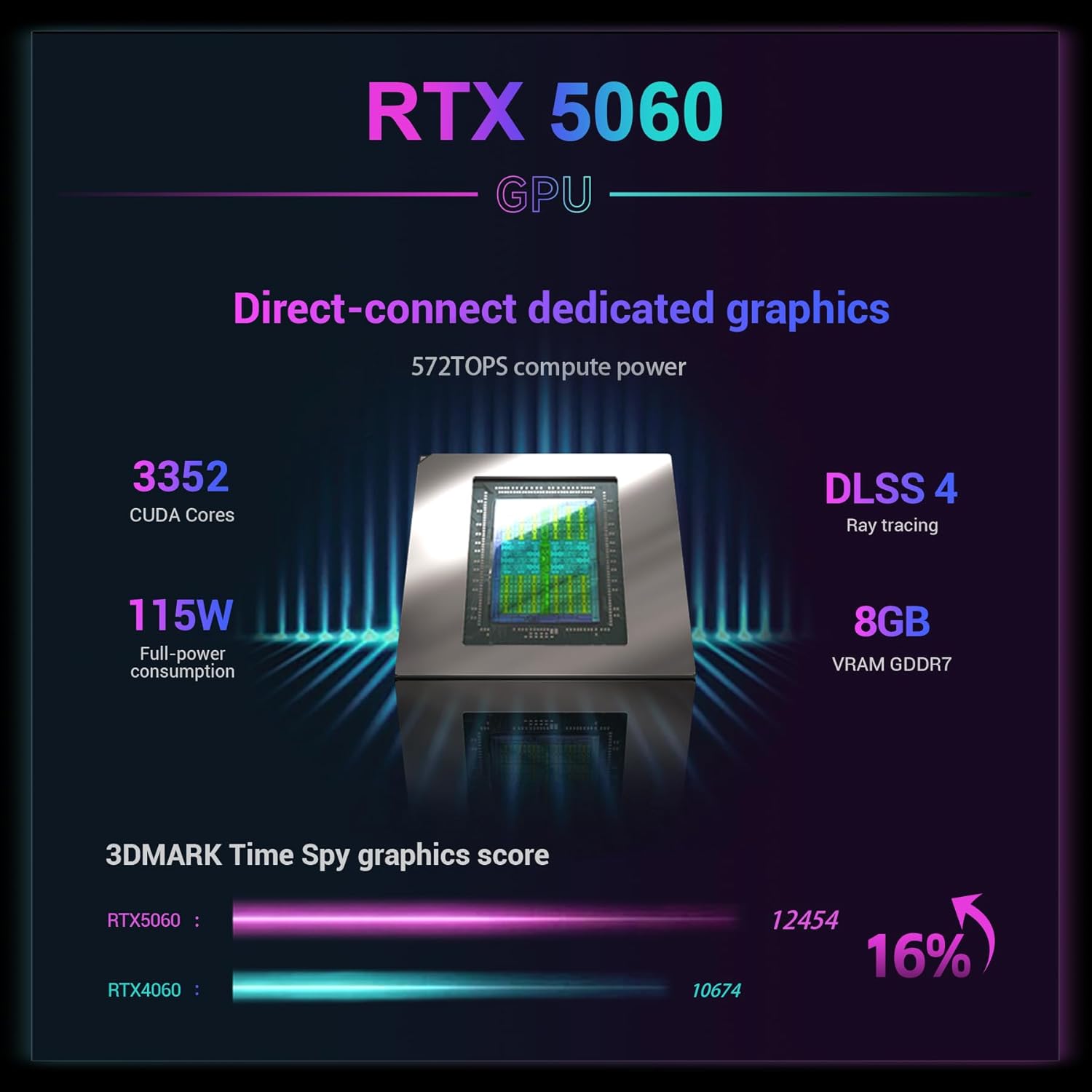
Image: A graphic detailing the specifications of the RTX 5060 GPU, including 3352 CUDA Cores, 115W full-power consumption, DLSS 4 with Ray tracing, 8GB VRAM GDDR7, and a 3DMARK Time Spy graphics score comparison.
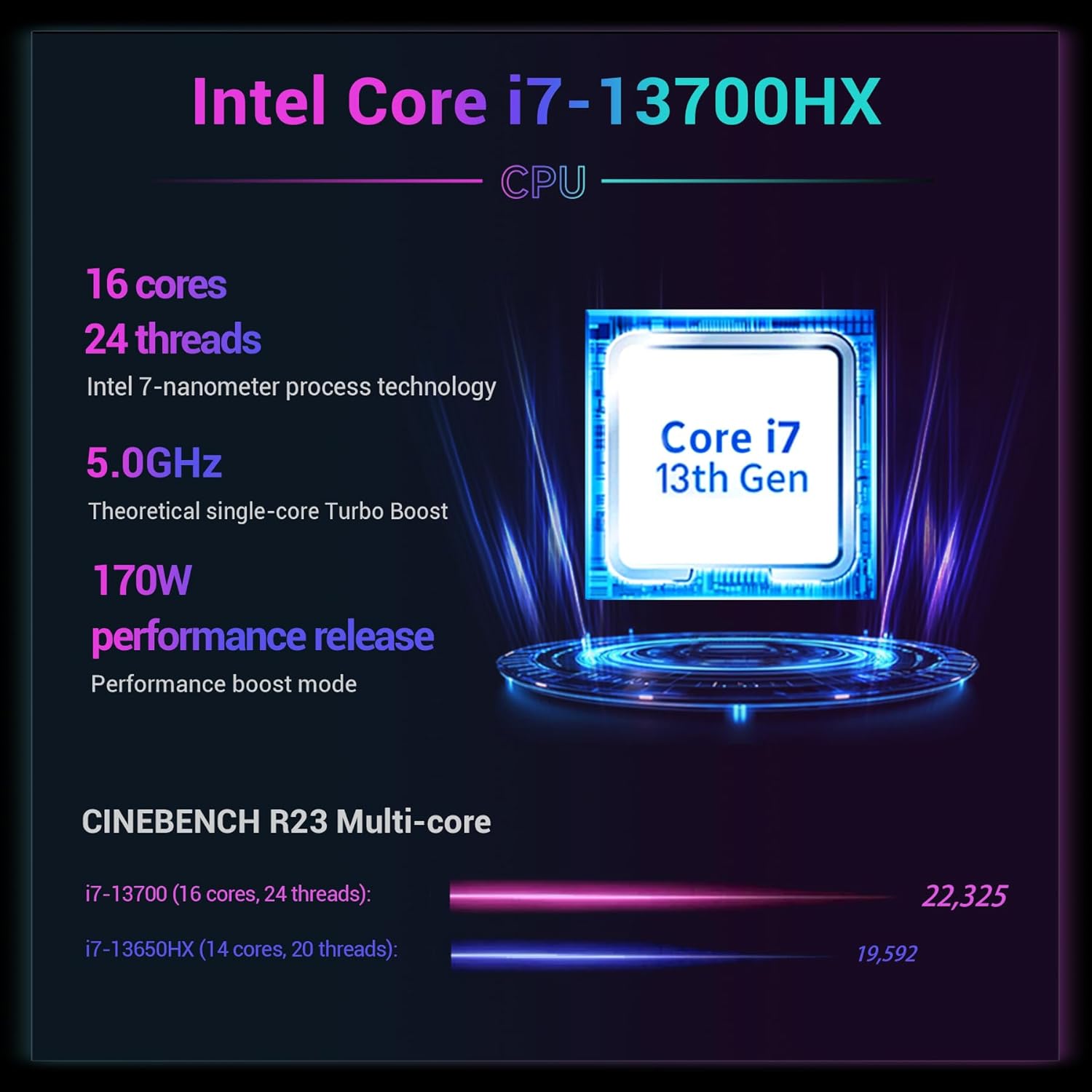
Image: A graphic detailing the specifications of the Intel Core i7-13700HX CPU, including 16 cores, 24 threads, Intel 7-nanometer process technology, 5.0GHz theoretical single-core Turbo Boost, 170W performance release, and CINEBENCH R23 Multi-core scores.

Image: A visual representation of the 2.5K Ultra-resolution Wide-color-gamut Gaming Screen, highlighting its ultra-high resolution, wide color gamut, high brightness, high refresh rate, and high screen-to-body ratio.

Image: A comparison demonstrating the benefits of a 300Hz ultra-high refresh rate for smoother gaming and 500 nits high brightness for clearer visuals, especially in dark areas.

Image: A diagram illustrating the "Massive Storage Swift Response" capabilities, showing Dual M.2 SSD Slots (PCIe 4.0, expandable to 8TB) and Dual SO-DIMM RAM Slots (DDR5 4800MHz, expandable up to 96GB), along with the 80Wh Battery Capacity.
გარანტია და მხარდაჭერა
For warranty information and technical support, please contact FIREBAT directly.
ელფოსტა: support@firebatpc.com
Webსაიტი: www.firebatpc.com
You may also refer to the protection plans available for purchase on Amazon:
Video: An official product video from FIREBAT, showcasing the features and capabilities of the gaming laptop. This video provides a visual overview of the laptop's design, performance, and user experience.


