შესავალი
This manual provides detailed instructions for the New Bee M53 Bluetooth Headset. Please read this manual carefully before using the product to ensure proper operation and to maximize its performance and lifespan. Keep this manual for future reference.
პაკეტის შიგთავსი
დარწმუნდით, რომ შეფუთვაში ყველა ნივთია:
- Bluetooth Earpiece (1 unit)
- 500mAh Charging Case (1 unit)
- Ear Tips (3 sizes: S/M/L)
- Type-C Cable (1 unit, AC adapter not included)
- მომხმარებლის სახელმძღვანელო (1 ერთეული)
პროდუქტი დასრულდაview
The New Bee M53 Bluetooth Headset features an ergonomic design for comfortable wear and intuitive controls. Below is a general view of the headset and its charging case.
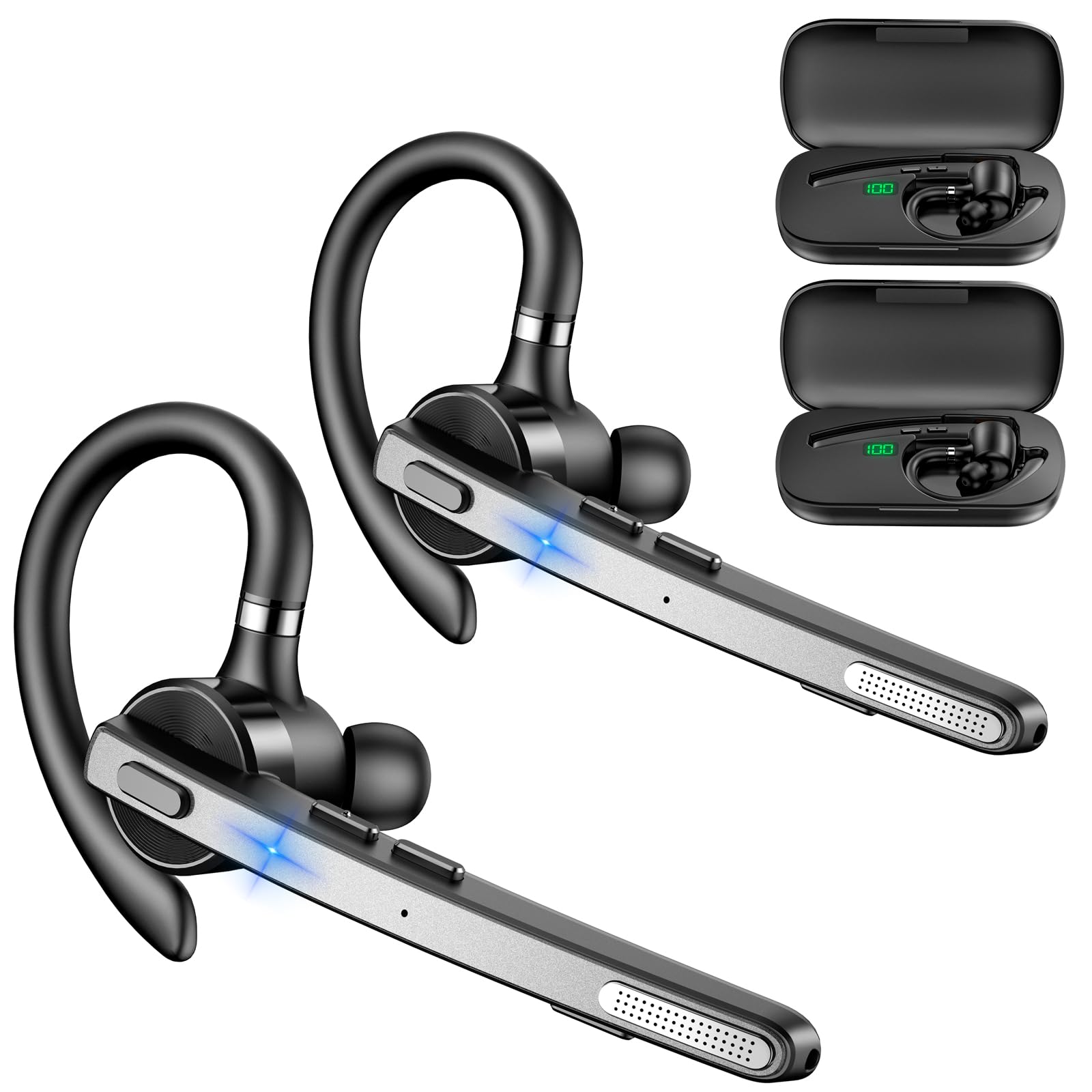
Image: New Bee M53 Bluetooth Headset with its charging case and included ear tips.

Image: Diagram illustrating the various buttons and their functions on the New Bee M53 Bluetooth Headset, including power, volume, call control, mute, and Type-C charging port.
დაყენება
1. ყურსასმენისა და ქეისის დატენვა
Before first use, fully charge the headset and its charging case. The charging case has a digital display to indicate the remaining power.
- Connect the provided Type-C cable to the charging port on the case and to a USB power source (e.g., computer, wall adapter).
- Place the headset into the charging case.
- სრულ დატენვას დაახლოებით 2 საათი სჭირდება.
- The 500mAh charging case provides approximately 72 hours of total playtime for the headset.
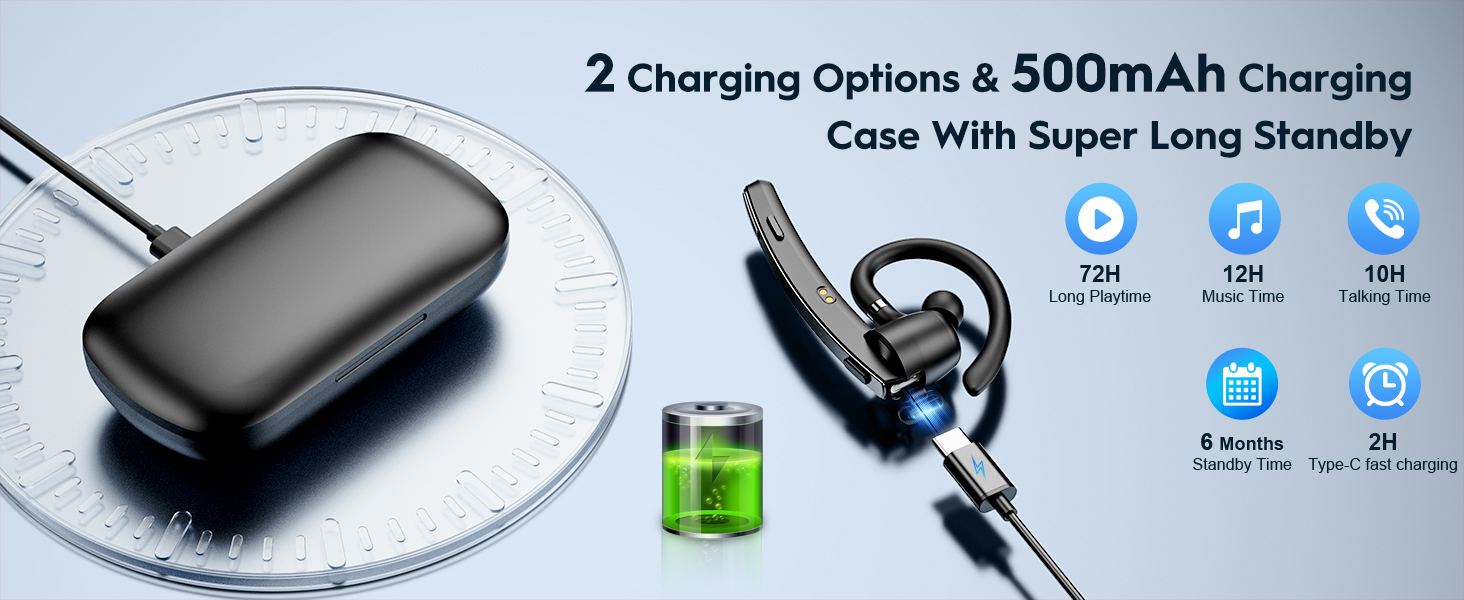
Image: The New Bee M53 charging case displaying battery level, with the headset inside, illustrating its long battery life capabilities.
2. ყურსასმენის ტარება
The headset is designed for comfortable and secure fit. It can be worn on either the left or right ear.
- The flexible ear hook can be rotated 180° to fit either ear.
- The earphone arm can be rotated 270° to adjust the microphone position.
- Choose from the three included ear tip sizes (S, M, L) for the best fit and comfort.
- The headset weighs only 13.6 grams, ensuring comfort during extended wear.

Image: Illustration of the headset's adjustable ear hook for left/right ear use and the three available ear tip sizes (S, M, L).
3. Bluetooth დაწყვილება
The headset uses Bluetooth 5.1 technology for quick and stable connections.
- დარწმუნდით, რომ ყურსასმენი დატენულია და გამორთულია.
- Press and hold the Power button for 3-5 seconds until the indicator light flashes blue and red, indicating pairing mode.
- თქვენს მოწყობილობაზე (სმარტფონი, ლეპტოპი და ა.შ.) ჩართეთ Bluetooth და მოძებნეთ ხელმისაწვდომი მოწყობილობები.
- Select "M53" from the list of devices.
- დაკავშირების შემდეგ, ინდიკატორი ნელა ციმციმებს ლურჯად.
The headset supports connecting to two devices simultaneously within a 15-meter (49 feet) range.

Image: The headset shown connecting to a mobile phone, demonstrating Bluetooth 5.1 quick connection and dual device capability.
ოპერაციული ინსტრუქციები
ძირითადი ფუნქციები
- ჩართვა/გამორთვა: Press and hold the Power button for 3 seconds to power on, 5 seconds to power off.
- დაკვრა/პაუზა: დააჭირეთ Play/Pause ღილაკს ერთხელ.
- ხმის კონტროლი: ხმის დონის დასარეგულირებლად გამოიყენეთ ხმის +/- ღილაკები.
- შემდეგი/წინა სიმღერა: Press and hold Volume + for next song, Volume - for previous song (3 seconds).
ზარის მენეჯმენტი
- უპასუხეთ/გააჩერეთ ზარი: Press the Answer/Hang Up button once.
- ზარის უარყოფა: Press and hold the Answer/Hang Up button for 2 seconds.
- ხელახლა აკრიფეთ ბოლო ნომერი: Double-press the Answer/Hang Up button.
- მიკროფონის დადუმება: Press the Mic Mute button once during a call to mute/unmute the microphone.
The headset features dual-mic noise reduction and CVC8.0 technology for clear calls by reducing ambient noise and echo.

Image: Illustration of the headset's one-button call answering and mute features for hands-free communication.

Image: Visual representation of the dual-mic noise cancelling technology, showing how external background noise is reduced for clear calls.
მოვლა
To ensure the longevity and optimal performance of your New Bee M53 Bluetooth Headset, follow these maintenance guidelines:
- დასუფთავება: Use a soft, dry, lint-free cloth to clean the headset and charging case. Do not use abrasive cleaners, solvents, or aerosol sprays.
- შენახვა: Store the headset in its charging case when not in use to protect it from dust and damage. Avoid extreme temperatures.
- წყლის ექსპოზიცია: The headset is not waterproof. Avoid exposure to water, moisture, or excessive humidity.
- დამუხტვა: Always use the provided Type-C cable for charging. Do not attempt to disassemble or modify the device.
პრობლემების მოგვარება
თუ თქვენს ყურსასმენთან დაკავშირებით პრობლემები შეგექმნათ, იხილეთ შემდეგი გავრცელებული გადაწყვეტილებები:
| პრობლემა | გამოსავალი |
|---|---|
| ყურსასმენი არ ირთვება. | დარწმუნდით, რომ ყურსასმენი სრულად დატენილია. მოათავსეთ ის დამტენ ქეისში და შეაერთეთ ქეისი კვების წყაროსთან. |
| მოწყობილობასთან დაწყვილება შეუძლებელია. |
|
| ხმა არ ისმის ან ხმა დაბალია. |
|
| ზარის ხარისხი ცუდია. |
|
სპეციფიკაციები
| ფუნქცია | დეტალი |
|---|---|
| მოდელის სახელი | M53 |
| Bluetooth ვერსია | 5.1 |
| Bluetooth დიაპაზონი | 15 მეტრამდე (49 ფუტი) |
| Battery Life (Talktime/Music) | დაახლოებით 12 საათი ერთ დატენვაზე |
| დამტენი ქეისით თამაშის სრული დრო | 72 საათამდე |
| დამუხტვის ქეისის ტევადობა | 500 mAh |
| დატენვის დრო | დაახლოებით 2 საათი (ტიპი-C) |
| წონა | 13.6 grams (earpiece) |
| ხმაურის კონტროლი | Dual-Mic Noise Reduction, CVC8.0 |
| თავსებადობა | iOS, Android, Windows (Cellphones, Laptops, Desktops) |
| კონტროლის ტიპი | ღილაკის კონტროლი |

Image: The headset demonstrating its wide compatibility with devices such as tablets, cellphones, laptops, PCs, and Kindles.
გარანტია და მხარდაჭერა
New Bee provides a 3-year customer support service for this product. If you encounter any issues or have questions, please contact our customer support team. Refer to the contact information provided with your purchase or visit the official New Bee webსაიტი დახმარებისთვის.
გარანტიის მოთხოვნის შემთხვევაში, გთხოვთ, შეინახოთ შეძენის დამადასტურებელი საბუთი.


