1. შესავალი
Thank you for choosing the SANSUI AI Translation Earbuds W12. These earbuds are designed to provide real-time language translation, high-definition audio, and smart features for various communication needs. This manual provides detailed instructions for setup, operation, maintenance, and troubleshooting to ensure optimal performance and user experience.

Figure 1: SANSUI AI Translation Earbuds W12 highlighting key functionalities.
2. დაყენება
2.1. ყუთის გახსნა და საწყისი გადასახადი
Upon unboxing, ensure all components are present: SANSUI W12 earbuds, charging case, USB-C cable, W12 User Manual, and SANSUI AI Smart App User Guide.

Figure 2: Package contents of the SANSUI AI Translation Earbuds W12.
Before first use, fully charge the earbuds and charging case using the provided USB-C cable. The charging time is approximately 1.5 hours for a full charge.
2.2. აპლიკაციის ჩამოტვირთვა და ინსტალაცია
The SANSUI AI Smart App is essential for full functionality. You can download the app by scanning the QR code found on the packaging or in the instruction manual. Alternatively, search for "SANSUI" directly in your device's app store (iOS App Store or Google Play Store).
2.2.1. iOS App Download and Connection
Video 1: Tutorial for downloading and connecting the SANSUI AI Smart App on iOS devices.
- Locate the app QR code on the product packaging or manual.
- Use your phone's built-in QR code scanner to scan the code.
- On the page that appears, select the iOS system option.
- You will be redirected to the App Store. Download and open the SANSUI app.
- დარწმუნდით, რომ Bluetooth ჩართულია თქვენს iPhone-ზე.
- ამოიღეთ ორივე ყურსასმენი დამტენიდან.
- In your iPhone's Bluetooth settings, search for and connect to "SANSUI W12".
- Open the SANSUI app, click the '+' sign to search for devices, and select "SANSUI W12" to connect within the app.
2.2.2. Android App Download and Connection
Video 2: Tutorial for downloading and connecting the SANSUI AI Smart App on Android devices.
- Locate the app QR code on the product packaging or manual.
- Use your phone's built-in QR code scanner to scan the code.
- On the page that appears, you can switch between Chinese and English. Select the Google Play option.
- You will be redirected to the Google Play Store. Download and open the SANSUI app.
- დარწმუნდით, რომ Bluetooth ჩართულია თქვენს Android ტელეფონზე.
- ამოიღეთ ორივე ყურსასმენი დამტენიდან.
- In your Android phone's Bluetooth settings, search for and connect to "SANSUI W12".
- Open the SANSUI app, click the '+' sign to search for devices, and select "SANSUI W12" to connect within the app.
2.3. ერგონომიული მორგება
The W12 earbuds feature an open-ear design with TPEE (elastic) ear hooks for a comfortable and secure fit. This design allows for situational awareness while wearing. The earbuds are lightweight at 8.3g per earbud, designed to be comfortable even for glasses wearers.

Figure 3: Earbuds designed for comfort and compatibility with glasses.
3. საოპერაციო ინსტრუქციები
3.1. Real-Time Translation
The earbuds support over 100 languages for real-time translation. Access the AI function window in the SANSUI app to select your desired translation mode (e.g., Free Conversation, Speech Translation, Text Translation, Simultaneous Interpretation, Dialog Translation) and languages. Begin speaking, and the app will translate and display the conversation.

Figure 4: Earbuds facilitating communication in various scenarios.
3.2. აუდიო ფუნქციები
- Immersive 8D Surround Sound: Experience balanced low frequencies and clear audio across a 20Hz-20kHz range.
- Precision Directional Audio: Beamforming sound delivery system concentrates acoustic energy directly into the ear canal for focused sound.
- Adaptive Bass Enhancement: The system automatically adjusts bass based on music genre and listening environment.
- High-Definition Calls: Dual microphones and advanced noise cancellation ensure clear communication.
- Sound Equalization (EQ Settings): Customize your audio experience through the SANSUI AI Smart App.

Figure 5: SANSUI AI Smart App displaying EQ settings.
3.3. Smart AI App Functions
The SANSUI AI Smart App offers additional features:
- AI Conversations: Engage with AI for various interactions.
- რეგულირებადი ხმის ეფექტები: Choose from various ambient sound effects.
- ტექსტიდან გამოსახულების გენერირება: Utilize AI for creative tasks.
- პროგრამული განახლებები: Keep your earbuds' firmware up-to-date.
- Sound Effect Guidance: Explore different audio profiles.
3.4. Bluetooth 6.0 დაკავშირებადობა
The earbuds feature advanced Bluetooth 6.0 technology, offering:
- 2x faster data transfer speeds compared to Bluetooth 5.4.
- 50% wider coverage.
- 40% less power consumption.
- 8 times more device connections.
- 6dB boost in signal-to-noise ratio.

Figure 6: Internal components highlighting Bluetooth 6.0 and dynamic driver.
3.5. შეეხეთ Controls
The earbuds feature intuitive touch controls for managing calls, music playback, volume, and activating AI functions. Refer to the SANSUI AI Smart App User Guide for detailed touch control configurations.
4. მოვლა
4.1. დამუხტვა
The earbuds provide up to 8 hours of playtime per charge, with a total of 42 hours using the charging case. Monitor battery life via the SANSUI AI Smart App. Use the provided USB-C cable for charging. Ensure the charging contacts on both the earbuds and the case are clean and dry before charging.
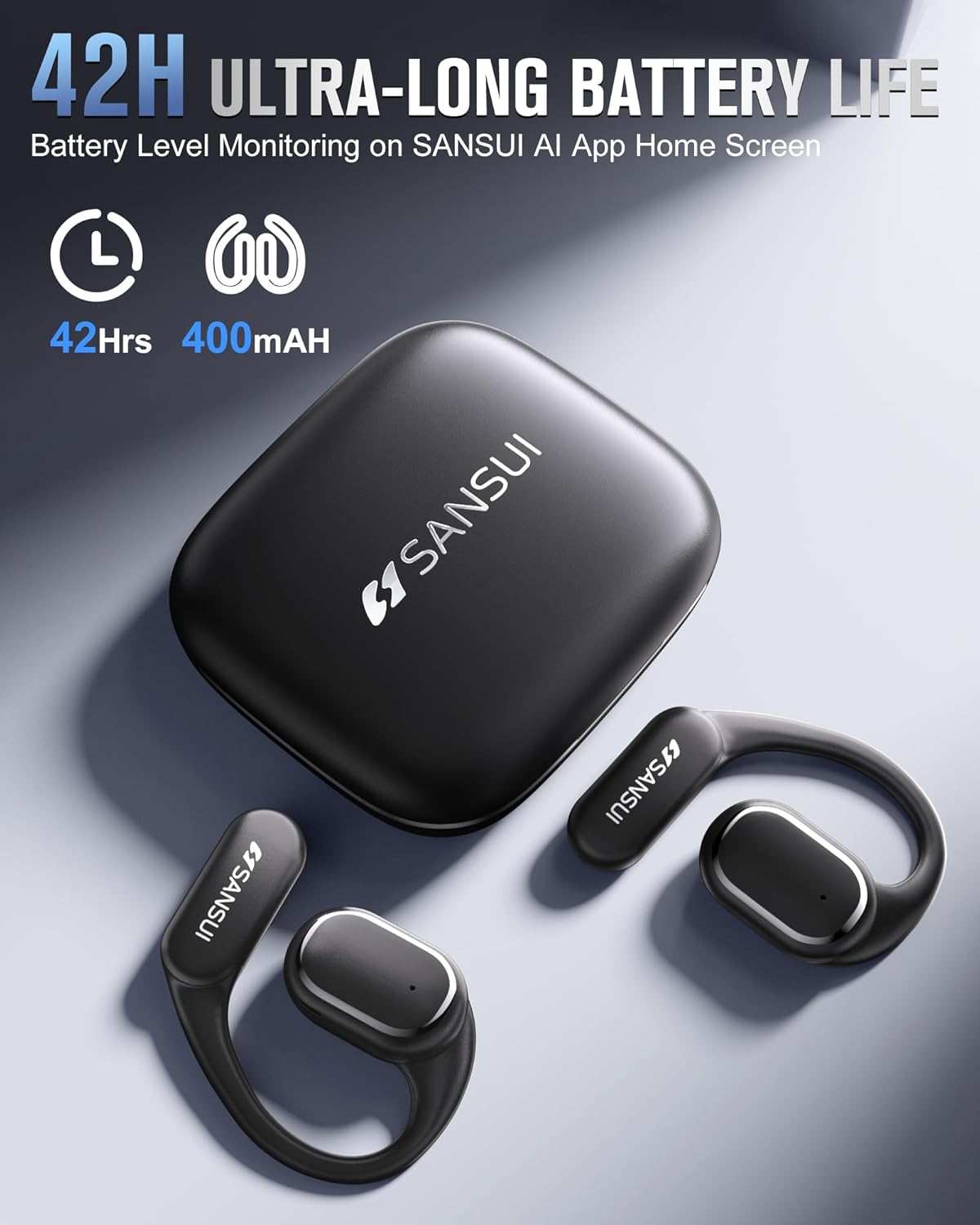
Figure 7: Earbuds and charging case, emphasizing battery life.
4.2. წყალგამძლეობა
The earbuds are designed with a nano-coating for water resistance, protecting against sweat and rain. They are suitable for activities like cycling, jogging, gym sessions, and yoga. However, they are not intended for submersion in water.
4.3. დასუფთავება
Regularly clean the earbuds and charging case with a soft, dry cloth. Avoid using abrasive materials or harsh chemicals. Ensure no moisture enters the charging port or speaker grilles.
5. Დიაგნოსტიკა
- აპის ჩამოტვირთვის პრობლემები: If you encounter problems downloading the SANSUI AI Smart App, ensure your device's app store is up-to-date. Recent compatibility issues with Google Play Store have been resolved.
- Bluetooth კავშირის გაუმართაობა:
- Ensure both earbuds are removed from the charging case and fully charged.
- დარწმუნდით, რომ Bluetooth ჩართულია თქვენს მოწყობილობაზე.
- დაივიწყეთ მოწყობილობა თქვენი ტელეფონის Bluetooth პარამეტრებში და ხელახლა სცადეთ დაწყვილება.
- Restart your phone and the earbuds.
- Translation Inaccuracy or Lag:
- Ensure a stable internet connection for optimal translation performance.
- ისაუბრეთ გარკვევით და ზომიერი ტემპით.
- Update the SANSUI AI Smart App to the latest version.
- In very noisy environments, translation accuracy may be affected.
- ხმის არარსებობა ან ხმის ცუდი ხარისხი:
- შეამოწმეთ ხმის დონე როგორც თქვენს მოწყობილობაზე, ასევე ყურსასმენებზე.
- დარწმუნდით, რომ ყურსასმენები სწორად არის ჩასმული თქვენს ყურებში.
- გაწმინდეთ დინამიკის გისოსებიდან ნებისმიერი ნარჩენები.
- Try resetting the earbuds (refer to the app for factory reset option).
6. სპეციფიკაციები
| ფუნქცია | სპეციფიკაცია |
|---|---|
| მოდელის სახელი | W12 |
| ბრენდი | SANSUI |
| დაკავშირების ტექნოლოგია | უსადენო |
| უსადენო საკომუნიკაციო ტექნოლოგია | Bluetooth |
| Bluetooth ვერსია | 6.0 |
| Bluetooth დიაპაზონი | 15 მეტრი |
| ხმაურის კონტროლი | აქტიური ხმაურის გაუქმება |
| სიხშირის პასუხი | 20 კჰც |
| აუდიო დრაივერის ტიპი | ბას მძღოლი |
| აუდიო დრაივერის ზომა | 14.2 მილიმეტრი |
| ელემენტის ხანგრძლივობა (ყურსასმენები) | 8 საათამდე |
| ელემენტის ხანგრძლივობა (დამტენი ქეისით) | 42 საათი |
| დატენვის დრო | 1.5 საათი |
| აპარატურა ინტერფეისი | USB ტიპი C |
| კონტროლის ტიპი | App Control/Touch Control/Volume Control |
| ნივთის წონა (ყურსასმენები) | 8.3გრ თითო ყურსასმენი |
| ნივთის წონა (სულ) | 67.9 გრამი (2.4 უნცია) |
| პროდუქტის ზომები | 2.95 x 2.61 x 1.02 ინჩი |
| წყლის წინააღმდეგობის დონე | წყალგამძლე |
| ყურსასმენის ფორმა | ჰუკი |
| UPC | 198401999525 |
7. მხარდაჭერა და გარანტია
For any inquiries, technical assistance, or support, please refer to the contact information provided in your product packaging or the SANSUI AI Smart App. SANSUI is committed to providing comprehensive after-sales support.
Please note that protection plans may be available for purchase separately to extend coverage beyond the standard product warranty. Refer to your retailer for details on available protection plans.


