1. შესავალი
The Baseus Inspire XP1 Adaptive Noise Cancelling Earbuds are designed to provide a high-fidelity audio experience with advanced noise cancellation capabilities. Featuring Sound by Bose technology and Dolby Spatial Audio, these earbuds offer immersive sound and clear communication. This manual provides instructions for setup, operation, and maintenance to ensure optimal performance.
2. პაკეტის შიგთავსი
დარწმუნდით, რომ თქვენს პაკეტში ყველა ნივთია:
- Baseus Inspire XP1 Noise Cancelling Wireless Earbuds
- დამუხტვის ქეისი
- ყურსასმენის წვერები (S/M/L ზომები)
- USB-C დამტენი კაბელი
- მომხმარებლის სახელმძღვანელო

Image: Package contents of the Baseus Inspire XP1 earbuds.
3. პროდუქტი დასრულდაview
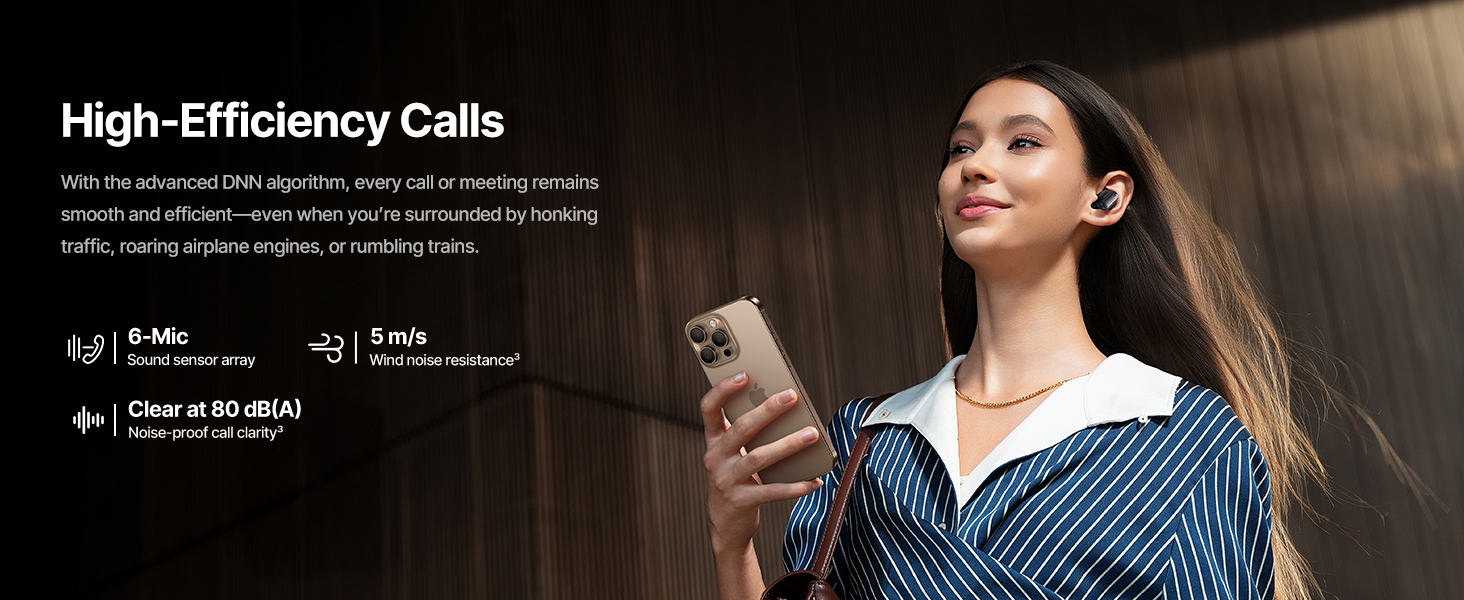
The Baseus Inspire XP1 earbuds feature a contoured in-ear fit with umbrella-shaped liquid silicone tips for comfort and noise isolation. They are equipped with a 6-mic sound sensor array for clear calls and touch-sensitive surfaces for control.

Image: Baseus Inspire XP1 Earbuds.
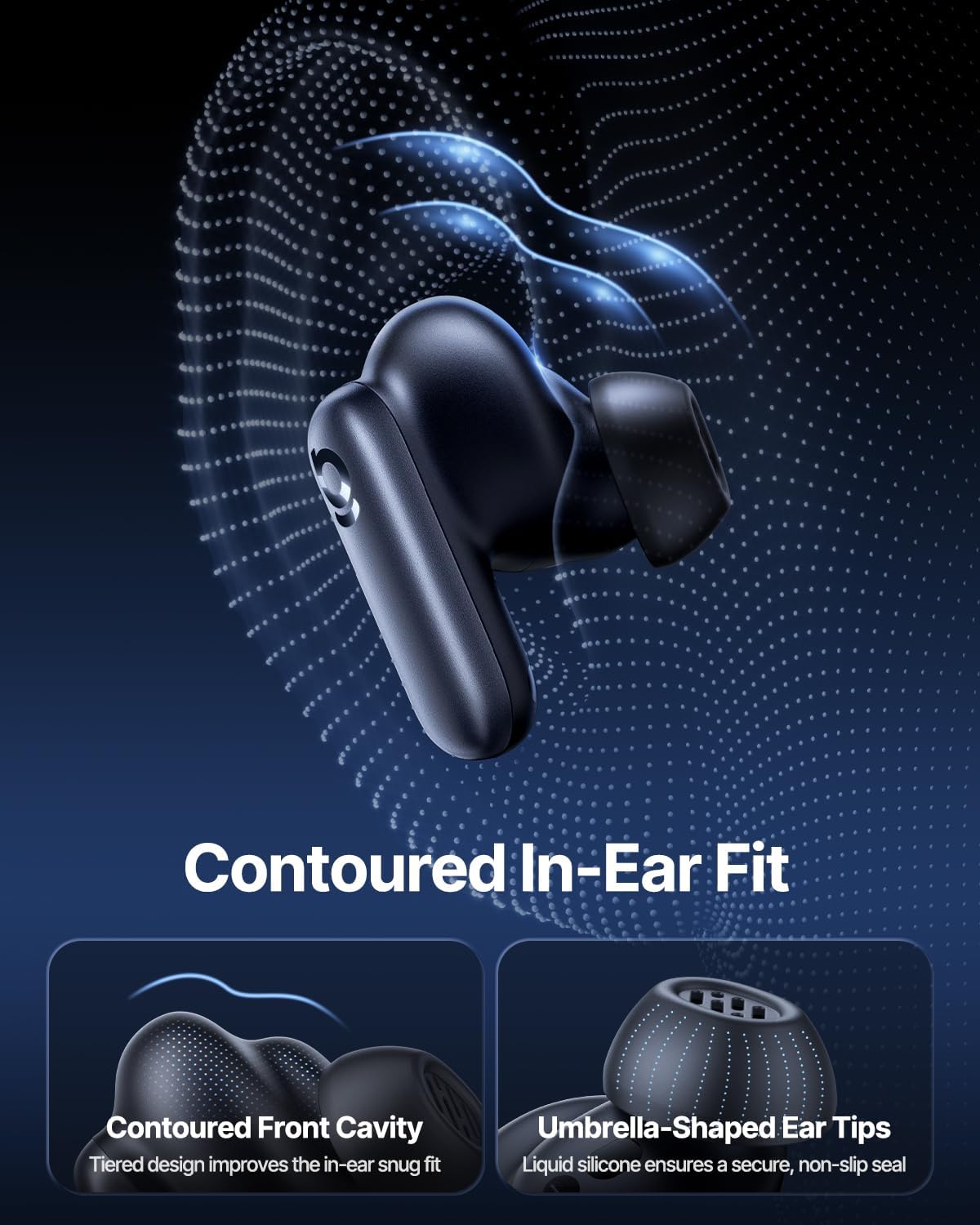
Image: Contoured In-Ear Fit and Umbrella-Shaped Ear Tips.
4. დაყენება
4.1 საწყისი დაწყვილება
- ყურსასმენების დამუხტვა: Place both earbuds into the charging case and close the lid. Connect the USB-C charging cable to the case and a power source. The indicator light on the case will show charging status.
- დაწყვილების რეჟიმის გააქტიურება: გახსენით დამტენი ქეისი. ყურსასმენები ავტომატურად გადავა დაწყვილების რეჟიმში, რასაც ყურსასმენებზე ან ქეისზე მოციმციმე შუქი მიუთითებს.
- დაკავშირება Bluetooth-ით: თქვენს მოწყობილობაზე (სმარტფონი, პლანშეტი, ლეპტოპი) გადადით Bluetooth-ის პარამეტრებში და ჩართეთ Bluetooth. ძიება "Baseus Inspire XP1" in the list of available devices and select it to connect.
- დადასტურება: Once connected, a voice prompt will confirm successful pairing, and the indicator light will turn solid or off.
4.2 Baseus აპლიკაციის ინსტალაცია
For full functionality, including Dolby Audio, custom EQ settings, and adaptive tuning, download the official Baseus App from your device's app store (iOS App Store or Google Play Store). The app allows for personalized control of your listening experience.
სურათი: Smart App Control ინტერფეისი.
5. საოპერაციო ინსტრუქციები
5.1 ჩართვა/გამორთვა
- ჩართვა: გახსენით დამტენი ქეისი და ყურსასმენები ავტომატურად ჩაირთვება და შეეცდება ბოლოს დაწყვილებულ მოწყობილობასთან დაკავშირებას.
- Გამორთვა: ყურსასმენები დააბრუნეთ დამტენ ქეისში და დახურეთ სახურავი. ისინი ავტომატურად გამოირთვება და დაიწყებენ დატენვას.
5.2 შეეხეთ კონტროლი
The earbuds feature touch-sensitive surfaces for various functions:
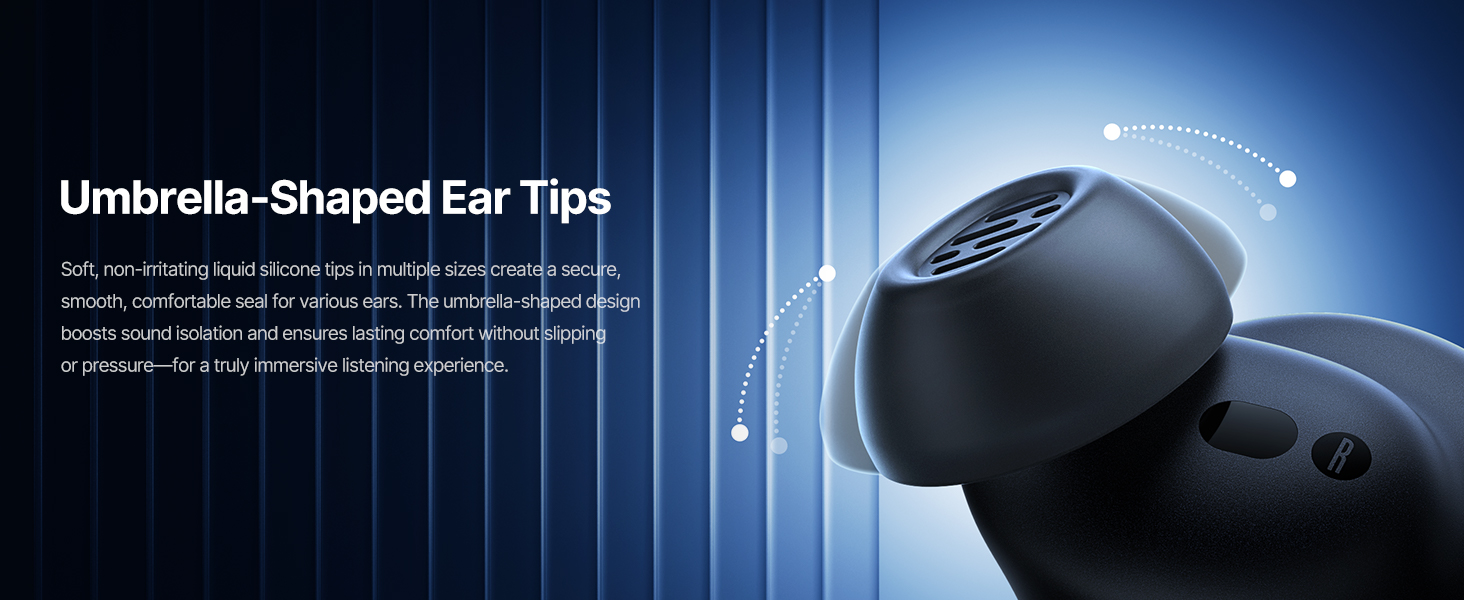
Image: Touch Control Guide.
- მუსიკის დაკვრა/პაუზა: ორჯერ შეეხეთ რომელიმე ყურსასმენს.
- ზარების პასუხი/დასრულება: ორჯერ შეეხეთ რომელიმე ყურსასმენს.
- ზარების უარყოფა: შეეხეთ და გააჩერეთ რომელიმე ყურსასმენზე 1.5 წამის განმავლობაში.
- ANC/გამჭვირვალობის რეჟიმის გადართვა: შეეხეთ და გააჩერეთ რომელიმე ყურსასმენზე 1.5 წამის განმავლობაში.
- ხმოვანი ასისტენტის გააქტიურება: სამჯერ შეეხეთ რომელიმე ყურსასმენს.
5.3 Adaptive Noise Cancellation (ANC) and Transparency Mode
The Inspire XP1 earbuds feature Premium Adaptive ANC, which dynamically adjusts noise reduction up to -50 dB based on your environment. Transparency Mode allows you to hear your surroundings without removing the earbuds.

Image: Premium Adaptive ANC in use.
Switch between ANC and Transparency Mode by tapping and holding the touch surface for 1.5 seconds, or manage settings via the Baseus App.
5.4 High-Efficiency Clear Calls
Equipped with a 6-mic sound sensor array and AI algorithms, the earbuds provide clear calls by reducing wind noise and environmental distractions up to 80 dB(A).
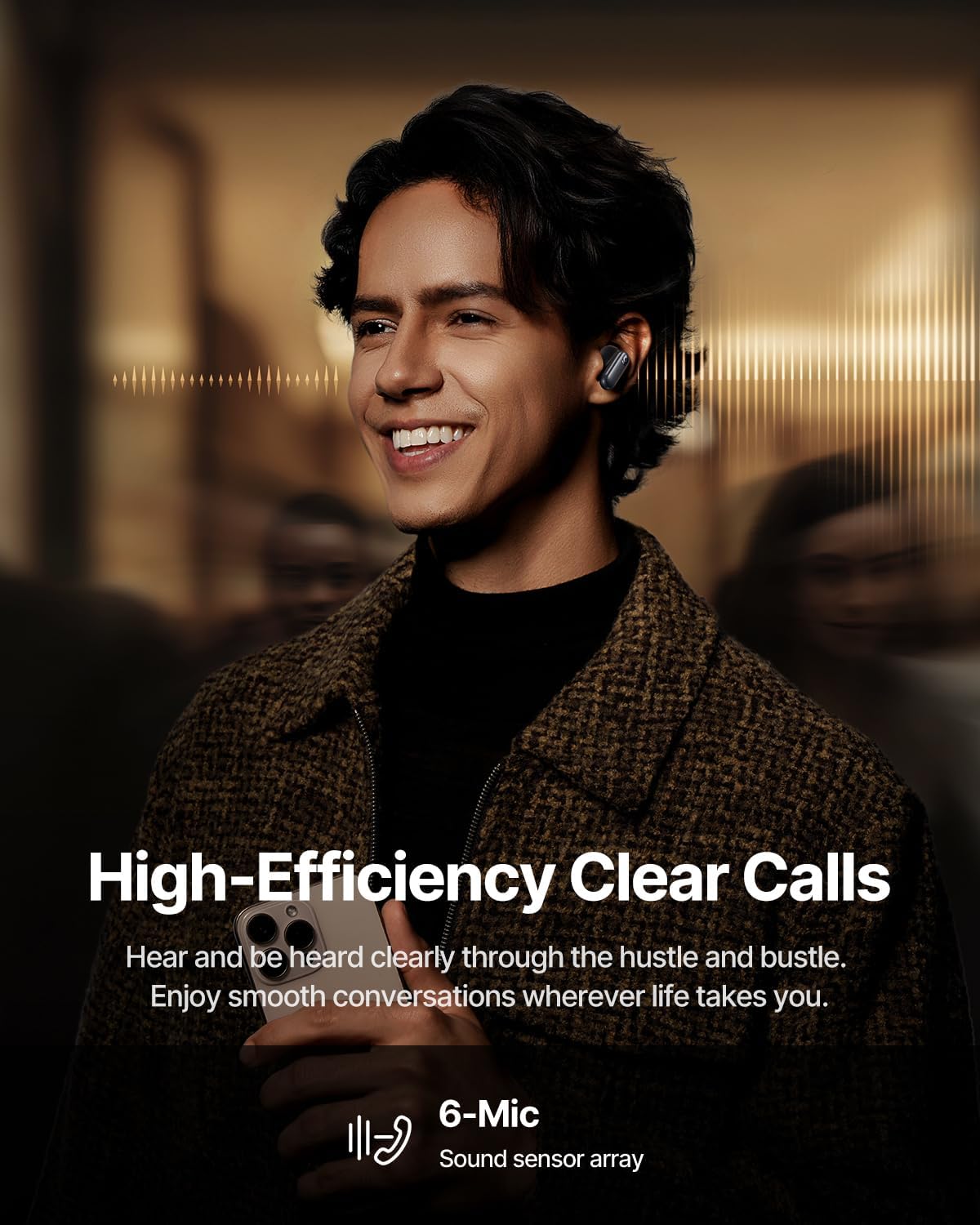
Image: High-Efficiency Clear Calls.
5.5 დატენვა და ბატარეის ხანგრძლივობა
The earbuds offer extended playtime with the charging case:
- ANC გამორთულია: Up to 8 hours per charge, and up to 45 hours with the charging case.
- ANC ჩართულია: Up to 6 hours per charge, and up to 35 hours with the charging case.
- სწრაფი დატენვა: 10 წუთიანი დატენვა დაახლოებით 2.5 საათის განმავლობაში დაკვრას უზრუნველყოფს.

Image: Day-and-Night Playtime.
5.6 Instant Multipoint Connection
Utilize Baseus Smart-Connect and Bluetooth 6.1 for seamless switching between two paired devices, such as a phone and a laptop, enabling uninterrupted calls and multitasking.
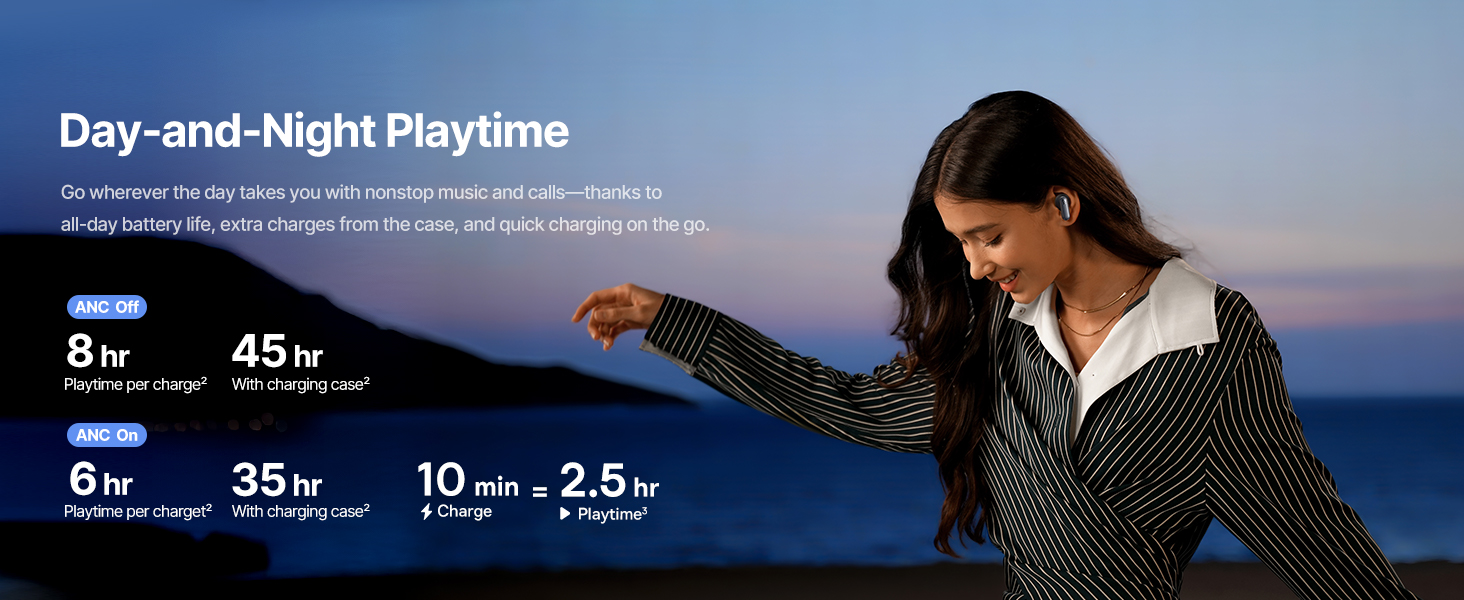
Image: Instant Multipoint Connection.
6. მოვლა
- დასუფთავება: ყურსასმენები და დამტენი ქეისი რეგულარულად გაწმინდეთ რბილი, მშრალი, ბუსუსების გარეშე ქსოვილით. არ გამოიყენოთ აბრაზიული მასალები ან უხეში ქიმიკატები.
- ყურსასმენები: Remove and clean the silicone eartips with mild soap and water if necessary. Ensure they are completely dry before reattaching.
- დატენვის პორტები: USB-C დამტენი პორტი მტვრისა და ნარჩენებისგან თავისუფალი შეინახეთ.
- შენახვა: When not in use, store the earbuds in their charging case to protect them and maintain battery life. Avoid extreme temperatures.
7. Დიაგნოსტიკა
7.1 ყურსასმენები არ წყვილდება
- Ensure the earbuds are charged and the charging case lid is open.
- გამორთეთ და ჩართეთ თქვენი მოწყობილობის Bluetooth.
- დაივიწყეთ მოწყობილობა Bluetooth პარამეტრებში და სცადეთ ხელახლა დაწყვილება.
- Try resetting the earbuds (refer to the Baseus App or Baseus support for specific reset instructions).
7.2 ხმა არ არის ან ხმა დაბალია
- შეამოწმეთ ხმის დონე როგორც თქვენს მოწყობილობაზე, ასევე ყურსასმენებზე.
- დარწმუნდით, რომ ყურსასმენები სწორად არის ჩასმული თქვენს ყურებში.
- Verify that the earbuds are connected to the correct audio output on your device.
- ყურსასმენები დინამიკებიდან ნებისმიერი ნარჩენი გაწმინდეთ.
7.3 დატენვის საკითხები
- დარწმუნდით, რომ დამტენის კაბელი საიმედოდ არის დაკავშირებული როგორც კორპუსთან, ასევე კვების წყაროსთან.
- სცადეთ სხვა USB-C კაბელი და კვების ადაპტერი.
- გაწმინდეთ დამტენი კონტაქტები როგორც ყურსასმენებზე, ასევე ქეისის შიგნით.
8. სპეციფიკაციები
Image: Product Specifications.
| მოდელის სახელი | Baseus Inspire XP1 |
| დაკავშირების ტექნოლოგია | Bluetooth 6.1, უსადენო |
| უსადენო საკომუნიკაციო ტექნოლოგია | Bluetooth 6.1 |
| ხმაურის კონტროლი | Adaptive Noise Cancellation, Environmental Noise Cancellation |
| აუდიო დრაივერის ზომა | 10 მილიმეტრი |
| სიხშირის დიაპაზონი | 20 ჰც - 20,000 ჰც |
| ბატარეის ხანგრძლივობა (ANC გამორთულია) | 8 საათი (ყურსასმენები), 45 საათი (დამტენი ქეისით) |
| დატენვის პორტი | USB-C |
| კონტროლის მეთოდი | აპლიკაცია, შეეხეთ |
| მასალა | სილიკონი |
| ნივთის წონა | 7.8 უნცია |
9. გარანტია და მხარდაჭერა
Baseus products are covered by a limited warranty. For detailed warranty information, product support, or to contact customer service, please visit the official Baseus webსაიტზე ან იხილეთ თქვენს პაკეტში მოწოდებული გარანტიის ბარათი.
თქვენ ასევე შეგიძლიათ ეწვიოთ Baseus-ის მაღაზია Amazon-ზე დამატებითი რესურსებისა და პროდუქტის შესახებ ინფორმაციისთვის.


