1. შესავალი
This manual provides essential information for setting up, operating, maintaining, and troubleshooting your NIMO N158 15.6-inch laptop. Please read this manual thoroughly before using your device to ensure optimal performance and longevity.
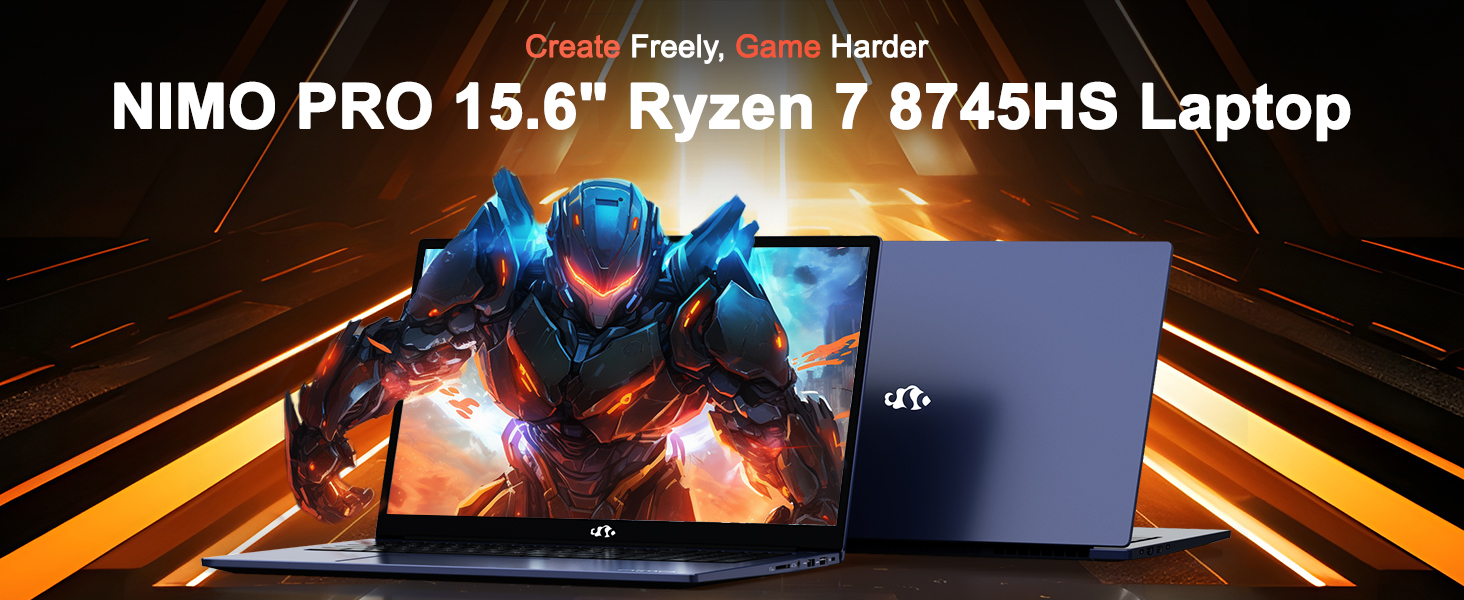
Image: The NIMO N158 15.6-inch laptop, showcasinმისი დიზაინი და ძირითადი მახასიათებლები.
2. პროდუქტი დასრულდაview
The NIMO N158 is a high-performance laptop designed for productivity and entertainment. It features an AMD Ryzen 7 8745HS processor, 64GB DDR5 RAM, and a 1TB PCIe 4.0 SSD.
2.1 ძირითადი კომპონენტი
- პროცესორი: AMD Ryzen 7 8745HS (8 Cores, 16 Threads, up to 4.9GHz)
- გრაფიკა: AMD Radeon 780M Integrated Graphics
- მეხსიერება: 64GB DDR5 RAM (4800 MHz)
- შენახვა: 1 ტბ PCIe 4.0 SSD
- ჩვენება: 15.6-inch Full HD (1920x1080) IPS Anti-Glare
- ოპერაციული სისტემა: Windows 11 მთავარი
- ბატარეა: 75Wh Lithium Polymer
2.2 პორტები და ინტერფეისები
The NIMO N158 laptop offers a variety of ports for connectivity:

Image: Diagram illustrating the various ports and interfaces on the NIMO N158 laptop.
- 1 x USB 2.0 პორტი
- 3 x USB 3.0 პორტი
- 1 x USB 4.0 Type-C Port (with 100W PD fast charging support)
- 1 x HDMI პორტი
- 1 x ყურსასმენის ჯეკი
- 1 x SD ბარათის წამკითხველი
- 1 x Kensington Lock Slot
3. დაყენება
3.1 პირველადი ჩართვა და დატენვა
- Unpack the laptop and the included 100W Type-C PD Fast Charger.
- Connect the charger to the USB Type-C port on the laptop and to a power outlet. The Charger LED will illuminate.
- ლეპტოპის პირველად გამოყენებამდე დატენვისთვის მიეცით მინიმუმ 30 წუთი ან სანამ ბატარეის ინდიკატორი საკმარისად დატენვას არ აჩვენებს.
- ლეპტოპის ჩასართავად დააჭირეთ ჩართვის ღილაკს.

Image: The NIMO N158 laptop connected to its 100W Type-C fast charger, illustrating the charging process.
3.2 ოპერაციული სისტემის დაყენება
Upon first boot, you will be guided through the Windows 11 Home setup process. Follow the on-screen instructions to configure your language, region, network connection, and user account.
3.3 თითის ანაბეჭდის წამკითხველის დაყენება
For enhanced security, set up the integrated fingerprint reader during the Windows 11 setup or later via Windows Settings > Accounts > Sign-in options. This allows for quick and secure login.
4. საოპერაციო ინსტრუქციები
4.1 კლავიატურა და სენსორული პანელი
- განათებული კლავიატურა: The keyboard features backlighting for comfortable typing in low-light conditions. Use the designated function key (Fn + F key combination, typically) to adjust brightness or toggle the backlight.
- რიცხვითი კლავიატურა: A dedicated numeric keypad is included for efficient data entry.
- Precision Gesture Touchpad: სენსორული პანელი ნავიგაციისთვის მრავალშეხებით ჟესტებს უჭერს მხარს. სენსორული პანელის ჟესტების პერსონალიზაციისთვის იხილეთ Windows-ის პარამეტრები.

Image: A user interacting with the NIMO N158 laptop, highlighting the backlit keyboard and fingerprint reader on the touchpad.
4.2 ჩვენება
The 15.6-inch Full HD IPS anti-glare display provides clear and vibrant visuals. Adjust display settings (resolution, brightness, color) through Windows Display Settings.

Image: The NIMO N158 laptop displaying a vibrant image on its 15.6-inch Full HD IPS screen, emphasizing visual quality.
4.3 Webკამერა
The laptop includes a 2MP webcam. For privacy, a physical webcam shield or switch is integrated. Ensure the webcam is open when in use and closed when not needed.

Image: A visual representation of the NIMO N158 laptop's privacy-focused camera, showing the open and closed states of the webcam switch.
4.4 შესრულება და მულტიტასკინგი
The AMD Ryzen 7 8745HS processor and 64GB DDR5 RAM provide robust performance for demanding tasks, content creation, and gaming. The 1TB PCIe 4.0 SSD ensures fast boot times and application loading.

Image: A close-up of the AMD Ryzen 7 8745HS processor chip, highlighting its core specifications.
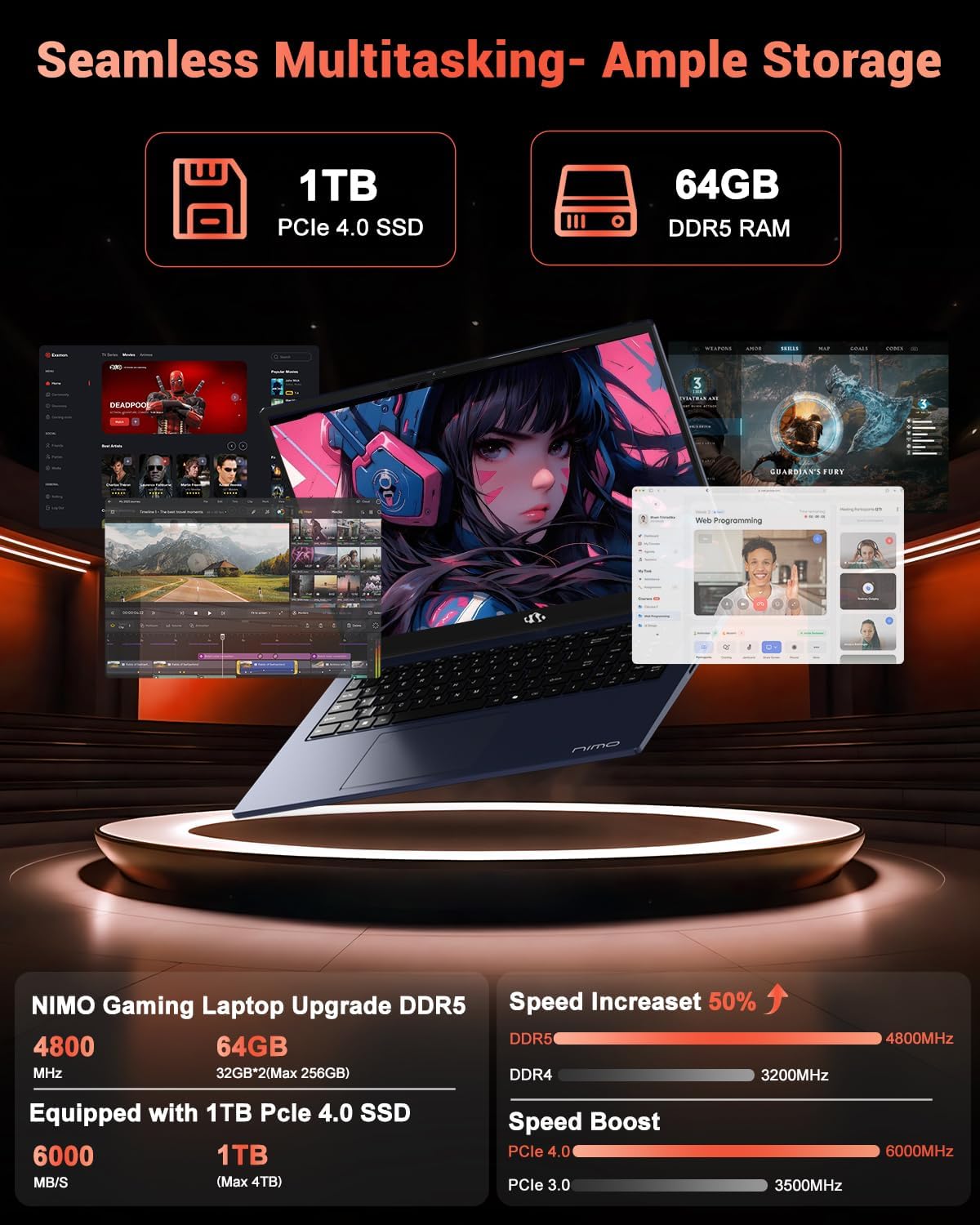
Image: The NIMO N158 laptop displaying multiple applications open, demonstrating its multitasking capabilities with 64GB RAM and 1TB SSD.
5. მოვლა
5.1 ზოგადი მოვლა
- ლეპტოპის სისუფთავე შეინარჩუნეთ ზედაპირების რბილი, მშრალი ქსოვილით გაწმენდით.
- Avoid exposing the laptop to extreme temperatures, direct sunlight, or moisture.
- ლეპტოპზე მძიმე საგნები არ დადოთ.
- უზრუნველყავით სათანადო ვენტილაცია, არ დაბლოკოთ ჰაერის ხვრელები.
5.2 განახლების შესაძლებლობა
The NIMO N158 features an upgradable design, allowing for expansion of memory (RAM) and storage (SSD). Consult a qualified technician or refer to official NIMO support resources before attempting any internal upgrades to avoid voiding your warranty.
6. Დიაგნოსტიკა
If you encounter issues with your NIMO N158 laptop, consider the following basic troubleshooting steps:
- ძალა არ არის: დარწმუნდით, რომ დამტენი საიმედოდ არის შეერთებული და დენის წყარო ფუნქციონირებს. სცადეთ სხვა როზეტი.
- ჩვენების პრობლემები: Check external display connections if using one. Adjust screen brightness. Restart the laptop.
- ნელი შესრულება: Close unnecessary applications. Check for background updates. Ensure sufficient free storage space.
- დაკავშირების პრობლემები: Restart your Wi-Fi router. Reconnect to the Wi-Fi network. Update network drivers.
- სისტემის გაყინვა: Press and hold the power button for 10-15 seconds to force a shutdown, then restart.
For persistent issues, refer to the NIMO support webსაიტი ან დაუკავშირდით მომხმარებელთა მომსახურებას.
7. სპეციფიკაციები
| ფუნქცია | სპეციფიკაცია |
|---|---|
| ბრენდი | ნიმო |
| მოდელის სახელი | NIMO N158B |
| ეკრანის ზომა | 15.6 ინჩი |
| ეკრანის გარჩევადობა | 1920 x 1080 Pixels (FHD IPS) |
| პროცესორი | AMD Ryzen 7 8745HS (4.9 გჰც-მდე) |
| ოპერატიული მეხსიერება | 64 გბ DDR5 (4800 მჰც) |
| მყარი დისკი | 1024 GB SSD (PCIe 4.0) |
| გრაფიკული კოპროცესორი | AMD Radeon 780M |
| ოპერაციული სისტემა | Windows 11 მთავარი |
| უკაბელო ტიპი | 802.11a/b/g/n/ac (Wi-Fi 6E) |
| USB 2.0 პორტები | 1 |
| USB 3.0 პორტები | 3 |
| USB 4.0 Type-C პორტები | 1 |
| ბატარეის საშუალო ხანგრძლივობა | 15.5 საათი |
| ნივთის წონა | 3.8 ფუნტი |
| პროდუქტის ზომები | 14.07 x 8.98 x 0.76 ინჩი |
| განსაკუთრებული თვისებები | განათებული კლავიატურა, თითის ანაბეჭდის წამკითხველი, HD აუდიო, რიცხვითი კლავიატურა |
8. გარანტია და მხარდაჭერა
NIMO is committed to providing excellent customer service and product support.
8.1 ინფორმაცია გარანტიის შესახებ
Your NIMO N158 laptop comes with a 2 წლიანი გარანტია from the date of purchase. This warranty covers manufacturing defects and hardware malfunctions under normal use. Please retain your proof of purchase for warranty claims.

Image: A technician performing maintenance on a laptop, representing the 2-year support provided by NIMO.
8.2 დაბრუნების პოლიტიკა
NIMO offers a 90-დღიანი უპრობლემო დაბრუნების პოლიტიკა. If you are not satisfied with your purchase, you may return the product within 90 days from the date of purchase. Please refer to the official NIMO return policy for detailed terms and conditions.

Image: A delivery person handing a package to a customer, illustrating the 90-day return policy.
8.3 მომხმარებელთა მხარდაჭერა
Our dedicated support team is available to assist you with any questions or issues. You can reach us via:
- ელფოსტა: service@nimopc.com
- ონლაინ: Visit the official NIMO webსაიტი ხშირად დასმული კითხვებისა და დამხმარე რესურსებისთვის.
We strive to provide quick solutions and a worry-free experience.

Image: Customer service representatives wearing headsets, representing professional customer assistance.


