1. შესავალი
This manual provides detailed instructions for the installation, operation, and maintenance of your CP PLUS EZ-P34Q 3MP Smart Wi-Fi CCTV Camera. Please read this manual thoroughly before using the product to ensure proper functionality and safety. Keep this manual for future reference.
2. პროდუქტი დასრულდაview
The CP PLUS EZ-P34Q is a 3MP Smart Wi-Fi CCTV Camera designed for indoor home surveillance. It features 360° pan and 60° tilt capabilities, providing comprehensive coverage. The camera supports 2K clarity video recording with H.265 compression, ensuring clear footage and efficient storage. Advanced features include motion detection, human body detection, motion tracking, sound alerts, dual-vision night mode, two-way communication, and cloud recording options. It is equipped with CTC Cyber Secure Tech for data privacy.

Figure 2.1: CP PLUS EZ-P34Q Camera with highlighted features.
3. რა არის ყუთში
დარწმუნდით, რომ თქვენს პაკეტში შედის ყველა შემდეგი ნივთი:
- CP PLUS EZ-P34Q Camera Unit
- დენის ადაპტერი
- დამტენი კაბელი (USB Type-C)
- ინსტრუქციის სახელმძღვანელო
- სამონტაჟო ხრახნები
4. დაყენება
4.1 ფიზიკური მონტაჟი
The camera is designed for indoor use and tabletop mounting. Ensure the camera is placed on a stable, flat surface with a clear view of the area you wish to monitor. For wall or ceiling mounting, use the provided mounting screws and follow the instructions in the separate mounting guide (if applicable).
- Choose a suitable indoor location for the camera.
- Connect the charging cable to the camera's USB Type-C port and the power adapter.
- შეაერთეთ კვების ადაპტერი სტანდარტულ ელექტროგადამცემში. კამერა ჩაირთვება და დაიწყებს ჩართვის თანმიმდევრობას.
4.2 აპლიკაციის ინსტალაცია და დაწყვილება
To operate the camera and access its features, you need to download and install the compatible mobile application on your smartphone.
- Download the official CP PLUS mobile application from your device's app store (e.g., Google Play Store or Apple App Store).
- დარეგისტრირდით ახალ ანგარიშზე ან შედით სისტემაში, თუ უკვე გაქვთ ერთი.
- Follow the in-app instructions to add your new EZ-P34Q camera. This typically involves scanning a QR code on the camera or manually entering its device ID.
- Connect the camera to your Wi-Fi network as prompted by the application. Ensure your Wi-Fi network is 2.4GHz for optimal compatibility.
- Once successfully paired, you can view the live feed and configure camera settings through the app.
5. ოპერაცია
5.1 პანორამირებისა და დახრის კონტროლი
The camera offers a 360° horizontal pan and 60° vertical tilt range, allowing you to adjust the viewing angle remotely via the mobile application.
- გახსენით ლაივ view მობილური აპლიკაციაში.
- Use the directional controls (usually an on-screen joystick or arrows) to move the camera lens horizontally (pan) and vertically (tilt).

Figure 5.1: Illustrates the 360° pan and tilt capability for comprehensive coverage.
5.2 Smart Detection Suite
The camera is equipped with advanced detection features to enhance security and reduce false alarms.
- მოძრაობის გამოვლენა: კამერა აფიქსირებს მოძრაობას თავის არეში view.
- ადამიანის სხეულის აღმოჩენა: Specifically identifies human shapes, minimizing alerts from pets or inanimate objects.
- მოძრაობის თვალყურის დევნება: When motion is detected, the camera can automatically track the moving object.
- ხმოვანი გაფრთხილებები: The camera can detect unusual sounds and send notifications.
- აქტიური შეკავება: Features a built-in siren and warm LED flash light that can be activated automatically upon detection of unexpected motion to deter intruders.
Configure these settings in the mobile application's detection settings menu to receive instant notifications on your smartphone.

Figure 5.2: Motion tracking feature in action, following movement.
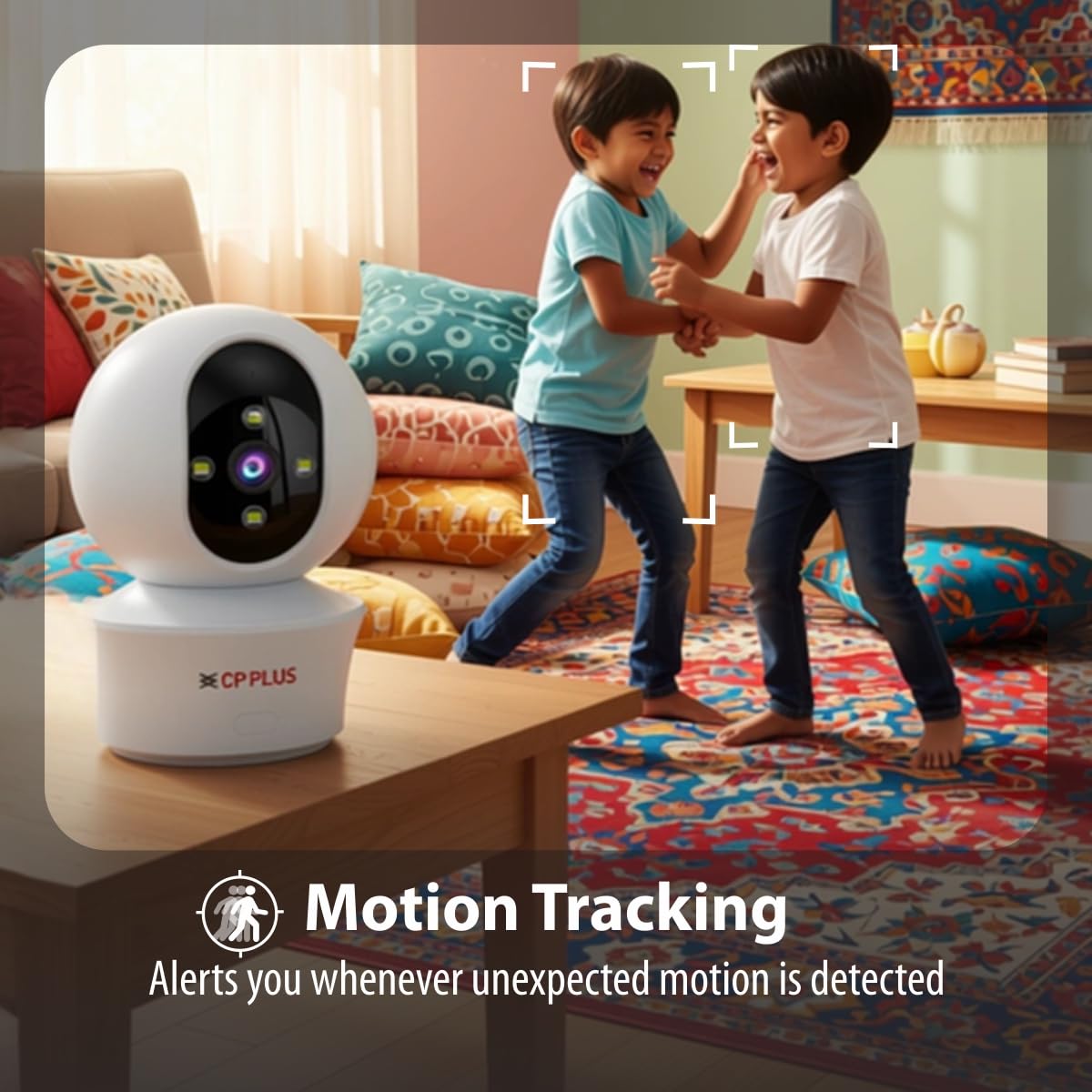
Figure 5.3: Human body detection providing real-time alerts.

Figure 5.4: Active deterrence using siren and LED flash light.
5.3 ღამის ხედვა
The camera offers dual-vision night mode for clear surveillance in low-light conditions.
- ინფრაწითელი (IR) ღამის ხედვა: უზრუნველყოფს გამჭვირვალე შავ-თეთრ საკვებსtage up to 20-30 meters in complete darkness.
- White LED Color Night Vision: Utilizes built-in white LEDs to deliver full-color video up to 15-20 meters at night, also serving as a deterrent.
You can switch between these modes or set them to activate automatically based on ambient light conditions through the app.

Figure 5.5: Full-color night vision capturing details in low light.
5.4 ორმხრივი კომუნიკაცია
The built-in microphone and speaker allow for two-way audio communication.
- ცოცხალიდან view in the mobile app, tap the microphone icon to speak through the camera's speaker.
- The camera's microphone will pick up audio from the monitored area, which you can hear through your smartphone.
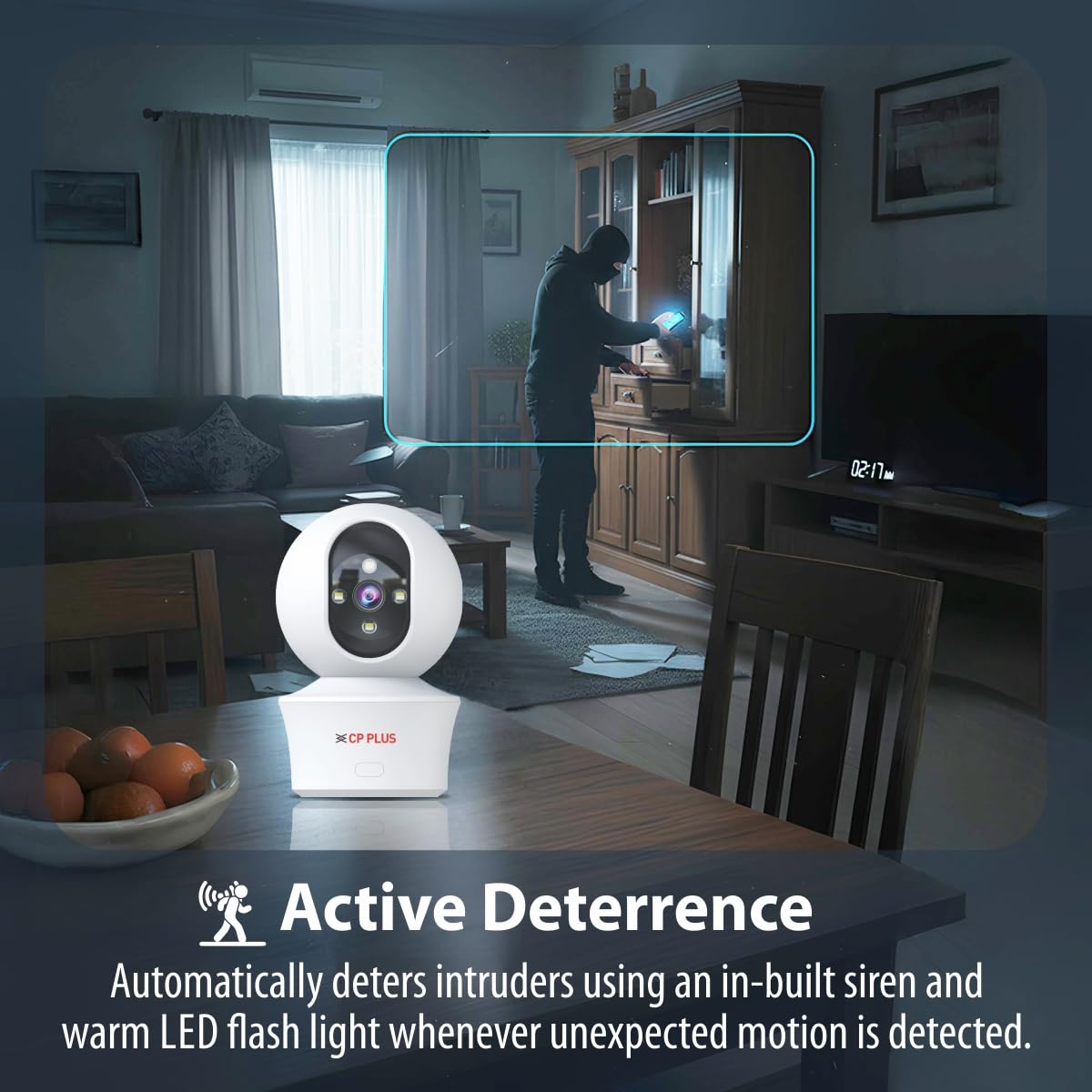
Figure 5.6: Two-way communication feature for interacting with the monitored area.
5.5 ვიდეოჩანაწერი და შენახვა
The camera supports both local and cloud storage options for your video recordings.
- MicroSD ბარათის საცავი: Insert a MicroSD card (up to 256GB, not included) into the designated slot on the camera for local storage. Recordings will be saved directly to the card.
- ღრუბლოვანი ჩაწერა: The camera supports cloud recording services (subscription may be required). Refer to the mobile application for details on activating and managing cloud storage.
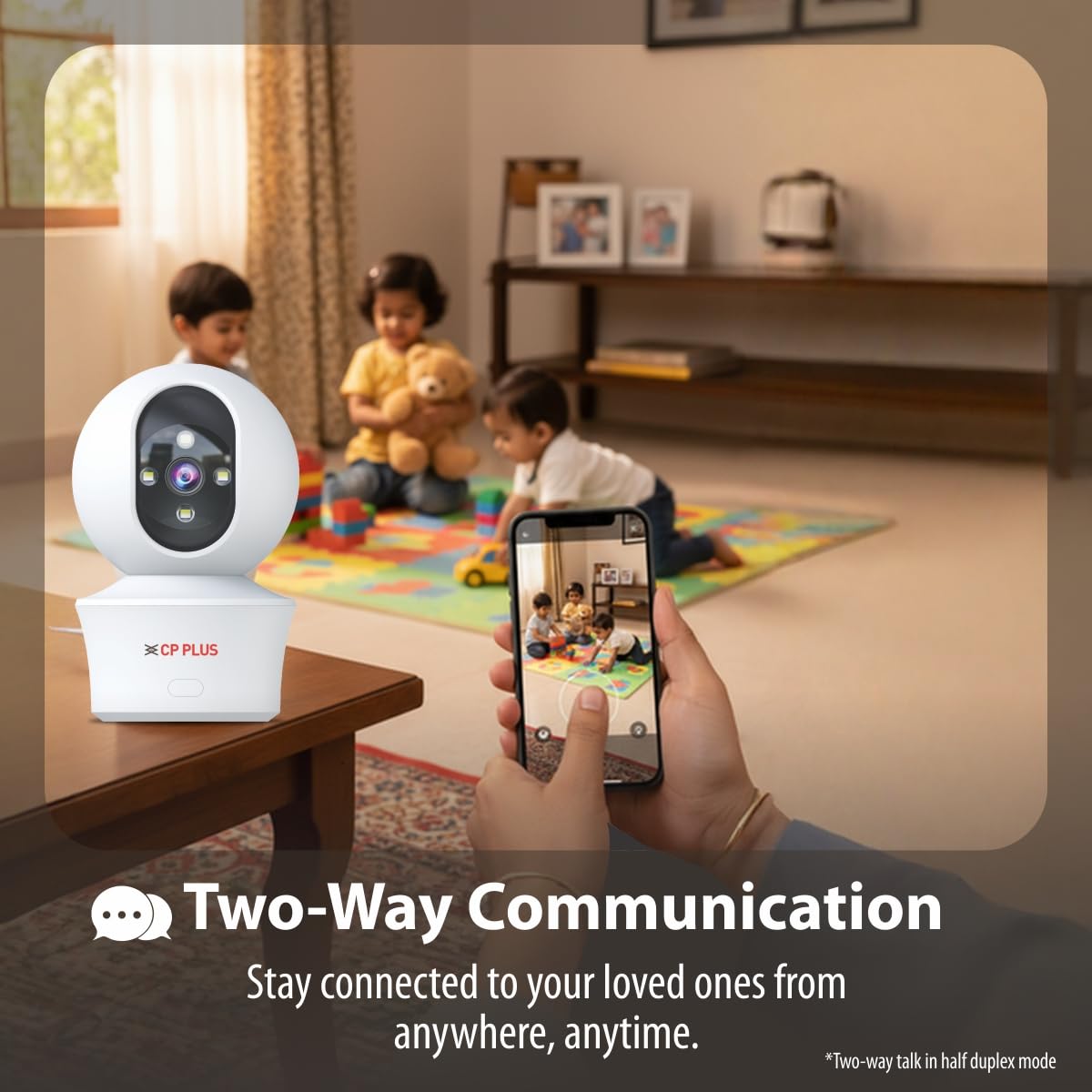
Figure 5.7: Cloud recording feature for remote access to footage.
5.6 CTC Cyber Secure Tech
Your CP PLUS camera incorporates CTC Cyber Secure Tech to ensure your video data remains encrypted, private, and protected from cyber threats.
6. სპეციფიკაციები
| ფუნქცია | სპეციფიკაცია |
|---|---|
| მოდელის ნომერი | EZ-P34Q |
| რეზოლუცია | 3 მეგაპიქსელი (2304x1296) |
| ვიდეო შეკუმშვა | H.265 |
| პან ქედი | 360° |
| დახრის დიაპაზონი | 60° |
| IR ღამის ხედვის დიაპაზონი | 20-30 მეტრი |
| White LED Night Vision Range | 15-20 meters (Full Color) |
| კადრების სიხშირე | 20 კადრი წამში |
| შენახვა | MicroSD ბარათი (256 გბ-მდე), ღრუბლოვანი საცავი |
| დაკავშირება | Wi-Fi (2.4 გჰც) |
| დენის შეყვანა | 5V USB Type-C |
| ზომები (LxWxH) | 7.7 x 7.7 x 10.9 სმ |
| წონა | 330 გრამი |
| შიდა/გარე გამოყენება | მხოლოდ შიდა |
| განსაკუთრებული თვისებები | 2-Way Audio, Motion Sensor, Night Vision, Human Detection, Auto Tracking, Built-in Siren |
7. Დიაგნოსტიკა
თუ თქვენს კამერასთან დაკავშირებით პრობლემები შეგექმნათ, იხილეთ შემდეგი გავრცელებული პრობლემები და მათი გადაჭრის გზები:
- კამერა არ უკავშირდება Wi-Fi-ს:
- დარწმუნდით, რომ თქვენი Wi-Fi ქსელი 2.4 გჰც-ია.
- შეამოწმეთ Wi-Fi სიგნალის სიძლიერე კამერის მდებარეობაზე.
- გადაამოწმეთ აპლიკაციაში Wi-Fi პაროლის სწორი შეყვანა.
- გადატვირთეთ თქვენი Wi-Fi როუტერი და კამერა.
- ვიდეოს ცუდი ხარისხი:
- შეამოწმეთ თქვენი ინტერნეტ კავშირის სიჩქარე.
- დარწმუნდით, რომ კამერის ლინზა სუფთაა.
- Adjust video resolution settings in the app if your network bandwidth is limited.
- მოძრაობის აღმოჩენის შეტყობინებები არ არის:
- Verify motion detection and notification settings are enabled in the app.
- Check the detection sensitivity settings.
- დარწმუნდით, რომ კამერა view არ არის შეფერხებული.
- ორმხრივი აუდიო არ მუშაობს:
- შეამოწმეთ მიკროფონისა და დინამიკის ნებართვები აპლიკაციისთვის თქვენს ტელეფონზე.
- Ensure volume levels are adjusted correctly in the app and on your phone.
8. უსაფრთხოების ინფორმაცია
- This camera is designed for მხოლოდ შიდა გამოყენებაარ დაუშვათ მისი წყლის, ტენიანობის ან ექსტრემალური ტემპერატურის ზემოქმედების ქვეშ მოქცევა.
- Use only the provided power adapter and charging cable. Using unauthorized accessories may damage the product and void the warranty.
- შეინახეთ კამერა და მისი აქსესუარები ბავშვებისთვის მიუწვდომელ ადგილას.
- არ სცადოთ კამერის დამოუკიდებლად დაშლა ან შეკეთება. დახმარებისთვის დაუკავშირდით მომხმარებელთა მხარდაჭერის სამსახურს.
- გადახურების თავიდან ასაცილებლად, უზრუნველყავით კამერის გარშემო სათანადო ვენტილაცია.
9. პროდუქტის ვიდეო დასრულდაview
სწრაფი მიმოხილვისთვის უყურეთ ამ მოკლე ვიდეოსview of the CP PLUS EZ-P34Q camera's features and capabilities.
Video 9.1: A brief introduction to the CP PLUS 3MP Camera features.
10. გარანტია და მხარდაჭერა
For warranty information, technical support, or service inquiries, please refer to the official CP PLUS webსაიტზე ან დაუკავშირდით მათ მომხმარებელთა მომსახურების სამსახურს. შეინახეთ თქვენი შესყიდვის ქვითარი შეძენის დასადასტურებლად.


