1. შესავალი
Thank you for choosing the WOLFANG WT08-WB 4G Solar-Powered Outdoor Security Camera. This manual provides detailed instructions for the proper installation, operation, and maintenance of your camera. Please read this manual thoroughly before use to ensure optimal performance and longevity of your device. This camera is designed for outdoor surveillance in areas without Wi-Fi access, utilizing 4G LTE connectivity and solar power for continuous operation.
2. პროდუქტი დასრულდაview
The WOLFANG WT08-WB is a robust outdoor security camera featuring 2.5K HD video, 4G LTE connectivity, solar power, and advanced night vision capabilities. It is ideal for monitoring remote locations such as farms, cabins, or wildlife areas where traditional power and Wi-Fi are unavailable.
ძირითადი მახასიათებლები:
- 4G LTE კავშირი: Operates independently without Wi-Fi, connecting to the strongest available 4G signal.
- მზის ენერგიაზე მომუშავე: Equipped with a 3W solar panel and a high-capacity 7800mAh built-in battery for continuous power.
- 2.5K HD ვიდეო: Delivers clear images and video recordings.
- პანორამირება/დახრა/ზუმი (PTZ): Offers 355° horizontal rotation, 90° vertical tilt, and 4x digital zoom for comprehensive coverage.
- Two Night Vision Modes: Supports black-and-white IR night vision and color night vision with integrated spotlights.
- PIR მოძრაობის გამოვლენა: Intelligent motion detection reduces false alarms and sends real-time notifications.
- ორმხრივი აუდიო: Allows for remote communication.
- ლოკალური და ღრუბლოვანი საცავი: Includes a 32GB SD card for local recording and supports cloud storage services.
- ამინდის წინააღმდეგობა: IP66 rated for outdoor use, withstanding temperatures from -15°C to 50°C.
პაკეტის შიგთავსი:
- WOLFANG WT08-WB 4G Camera
- მზის პანელი (3 W)
- სამონტაჟო სამაგრი და ხრახნები
- 32 GB SD ბარათი
- SIM Card (with 300MB trial data)
- მომხმარებლის სახელმძღვანელო
3. დაყენება
3.1 SIM და SD ბარათების ჩასმა
Before mounting, ensure the SIM card and SD card are correctly inserted into their respective slots on the camera. The camera comes with a pre-installed SIM card and a 32GB SD card.
- Locate the SIM and SD card slots, usually protected by a rubber cover on the camera body.
- ფრთხილად გახსენით საფარი.
- Insert the provided 4G SIM card into the SIM slot with the gold contacts facing down and the notched corner aligned correctly.
- Insert the 32GB SD card into the SD card slot until it clicks into place.
- Close the rubber cover firmly to ensure waterproofing.
3.2 კამერისა და მზის პანელის მონტაჟი
Choose a location with good 4G signal reception and direct sunlight exposure for the solar panel. The camera can be mounted on a wall or tree.
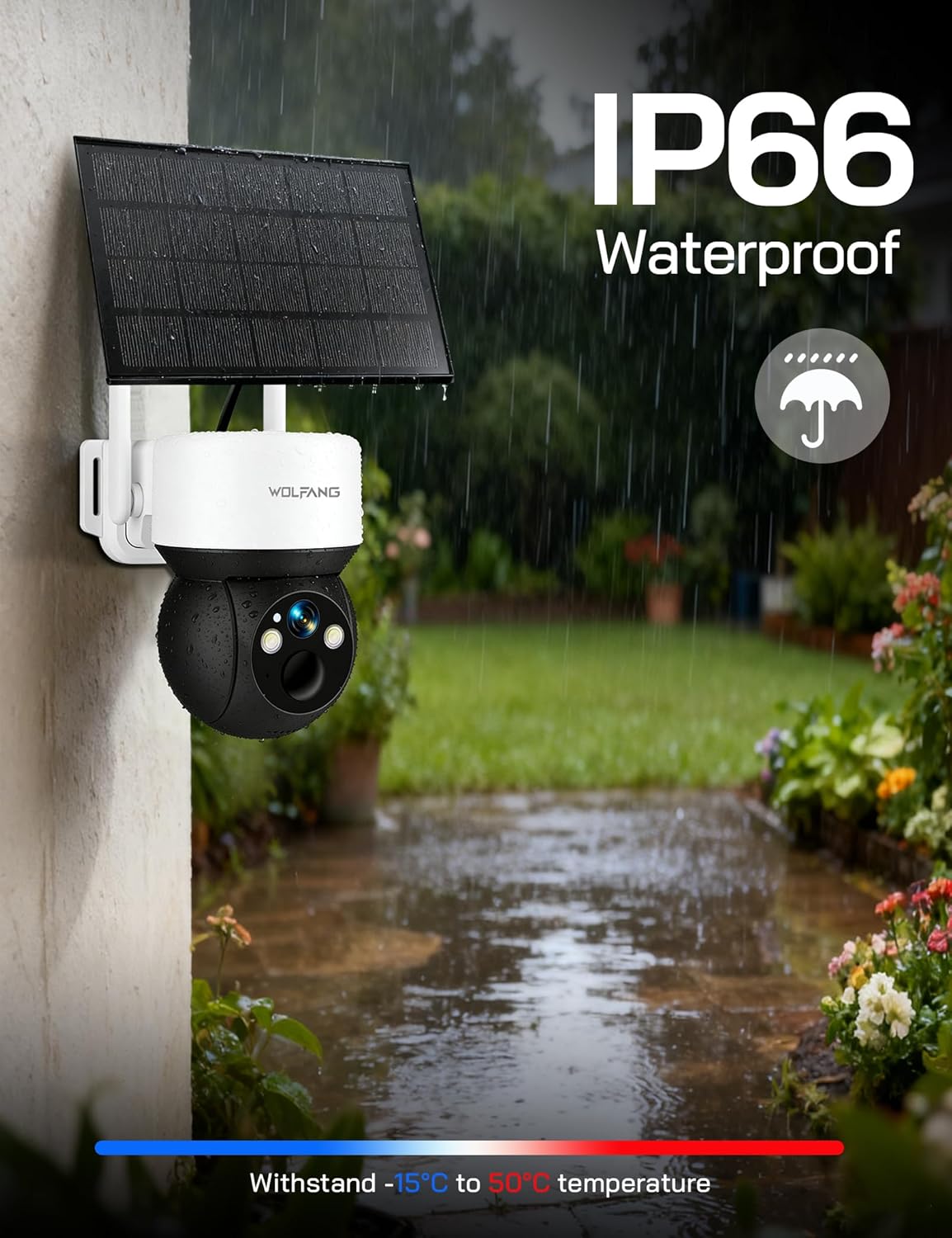
Image: The WOLFANG WT08-WB camera and solar panel mounted on an outdoor wall, illustrating a typical installation scenario for continuous power.
- აირჩიეთ ადგილმდებარეობა: Identify a mounting spot that provides the desired viewing angle and ensures the solar panel receives maximum sunlight throughout the day.
- დააინსტალირეთ Bracket: Use the provided screws and mounting bracket to securely attach the camera to a wall or tree.
- მზის პანელის დამაგრება: Connect the solar panel to the camera using the provided cable. Ensure the connection is secure and weatherproof.
- კუთხის დარეგულირება: Adjust the camera and solar panel angles to optimize surveillance coverage and solar charging efficiency.
3.3 App Download and Initial Connection
The camera is controlled via the UBox app.
- ჩამოტვირთეთ აპლიკაცია: ძიება "UBox" in your smartphone's app store (iOS or Android) and download it.
- ანგარიშის რეგისტრაცია: Open the UBox app and follow the on-screen instructions to register a new account.
- მოწყობილობის დამატება: Power on the camera. In the UBox app, tap "Add Device" or the '+' icon. Follow the prompts to scan the QR code on the camera or manually add the device.
- Connect to 4G: The camera will automatically attempt to connect to the 4G network. Once connected, you should see the camera's live feed in the app.
4. საოპერაციო ინსტრუქციები
4.1 ცოცხალი View და ჩაწერა
Access the camera's live feed and initiate manual recordings through the UBox app.
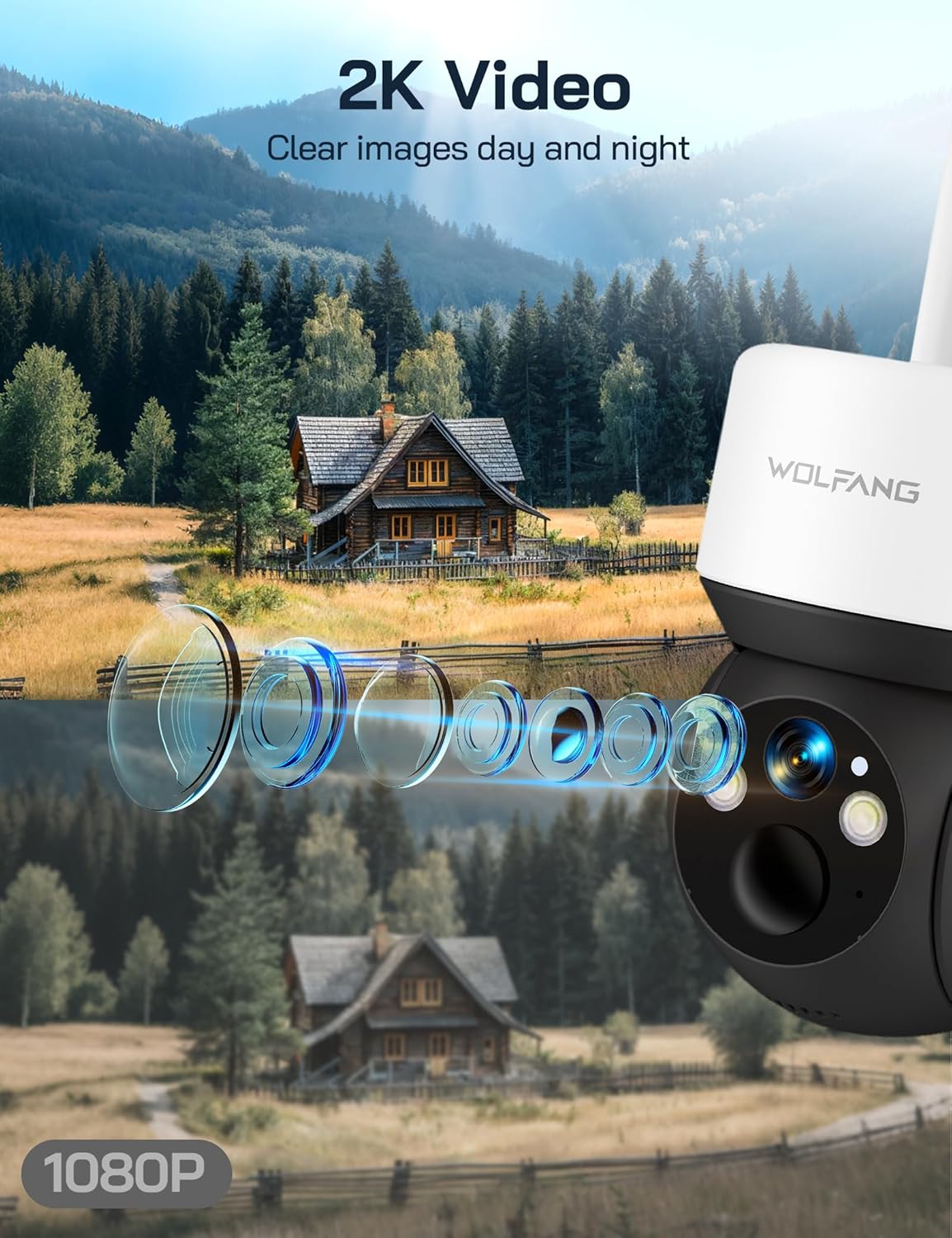
Image: A visual comparison demonstrating the superior clarity of 2.5K video resolution compared to 1080P, showcasing the camera's detailed image capture.
- Open the UBox app and select your camera from the device list.
- The live feed will display. You can tap the record button to start or stop manual recording.
- Recorded videos are saved to the SD card or cloud storage, depending on your settings.
4.2 პანორამირება, დახრა და ციფრული მასშტაბირება
აკონტროლეთ კამერა viewდისტანციურად დაჭერის კუთხე.
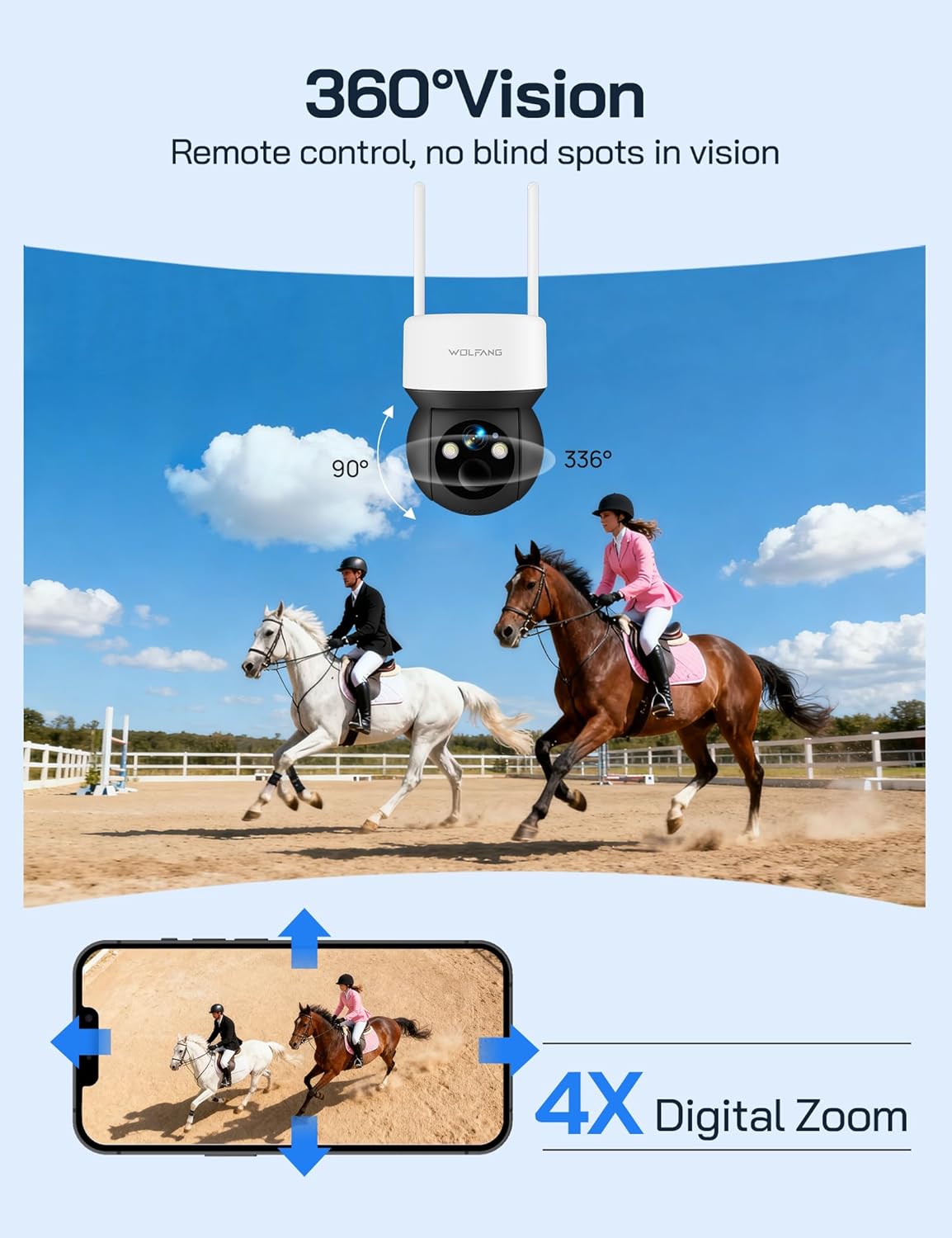
Image: The camera's 360-degree vision is depicted with directional arrows for pan and tilt, alongside a smartphone interface illustrating the 4x digital zoom function.
- პირდაპირ ეთერში view screen in the UBox app, use the directional controls to pan (355° horizontally) and tilt (90° vertically) the camera.
- Pinch to zoom on the live feed to utilize the 4x digital zoom feature.
4.3 ღამის ხედვის რეჟიმები
The camera offers two night vision options for different surveillance needs.

Image: A demonstration of the camera's night vision capabilities, including full-color night vision with spotlight, infrared (IR) black-and-white night vision, and smart night vision that automatically activates the spotlight.
- IR ღამის ხედვა: Automatically activates in low-light conditions, providing clear black-and-white video without visible light.
- ფერადი ღამის ხედვა: When enabled, the camera's built-in spotlights illuminate the area, allowing for full-color video recording at night. This can be manually activated or set to trigger upon motion detection.
- Adjust night vision settings in the UBox app.
4.4 მოძრაობის აღმოჩენა და შეტყობინებები
Receive instant notifications when motion is detected.
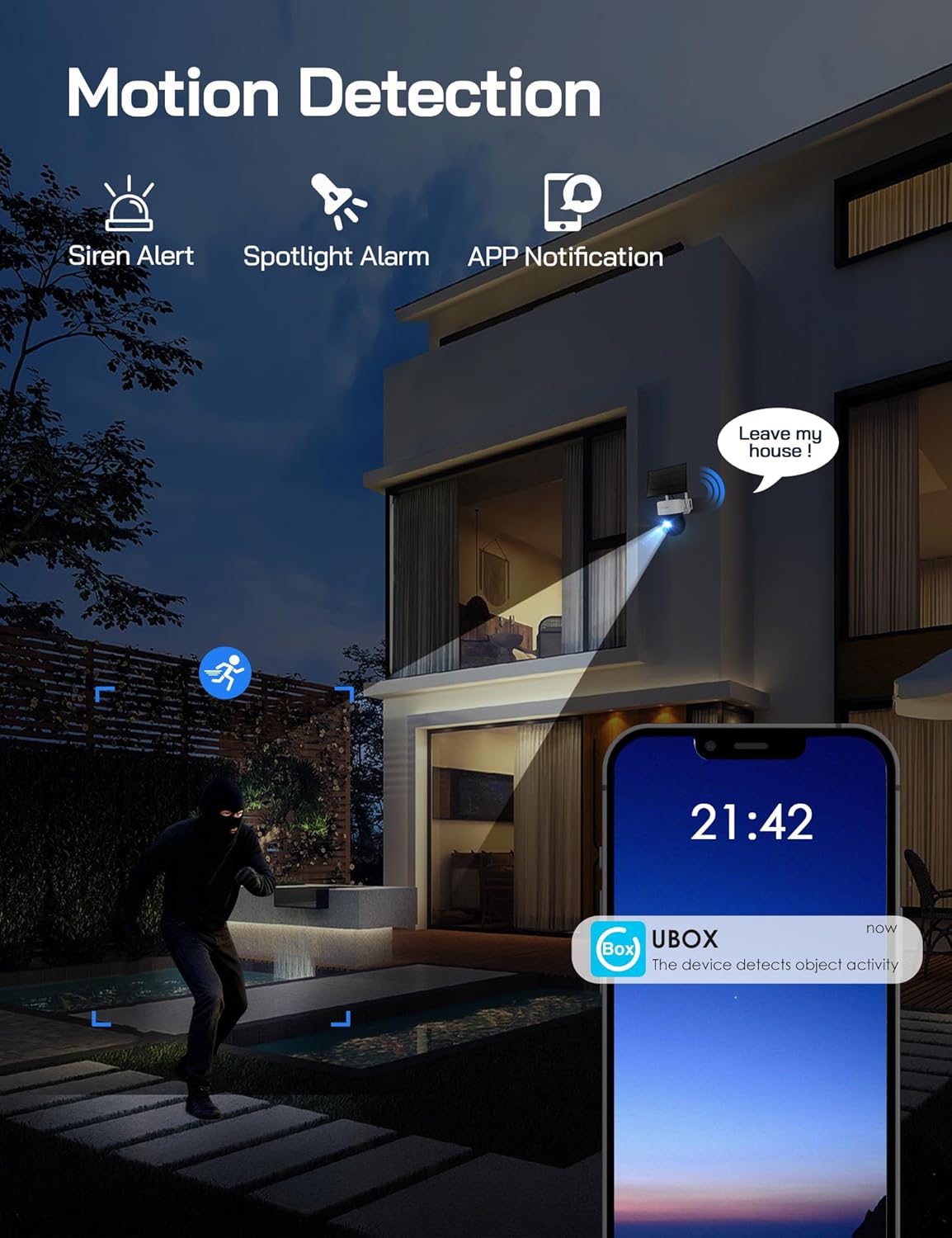
Image: A visual representation of the camera's motion detection system, showing a person being detected, which activates a spotlight, an audible siren, and sends an immediate notification to the user's smartphone via the UBox app.
- Enable motion detection in the UBox app settings.
- Adjust PIR sensitivity to minimize false alarms.
- When motion is detected, the camera will record a video clip, send a notification to your phone, and can optionally activate the spotlight and siren.
4.5 ორმხრივი აუდიო
Communicate through the camera using the UBox app.
- პირდაპირ ეთერში view screen, tap the microphone icon to speak through the camera's speaker.
- კამერის მიკროფონიდან აუდიოს მოსასმენად შეეხეთ დინამიკის ხატულას.
5. მოვლა
5.1 დასუფთავება
- რეგულარულად გაწმინდეთ კამერის ლინზა და მზის პანელი რბილი, დ...amp ქსოვილი მკაფიო გამოსახულების და ეფექტური დატენვის უზრუნველსაყოფად.
- არ გამოიყენოთ უხეში ქიმიკატები ან აბრაზიული მასალები.
5.2 ბატარეის მართვა
- The solar panel is designed to keep the built-in battery charged. Ensure the solar panel is free from obstructions and receives adequate sunlight.
- Monitor battery levels through the UBox app. If the battery level is consistently low, check the solar panel's placement and cleanliness.
5.3 SIM Card Data
- The included SIM card provides 300MB of trial data. After this is used, you will need to renew the data package through the UBox app or replace the SIM card with one from your preferred provider.
- Ensure your SIM card has an active data plan for continuous 4G connectivity.
5.4 პროგრამული უზრუნველყოფის განახლებები
- Periodically check the UBox app for available firmware updates. Updates can improve performance, add new features, and enhance security.
- Follow the app's instructions carefully when performing firmware updates.
6. Დიაგნოსტიკა
6.1 Camera Not Connecting to 4G Network
- შეამოწმეთ SIM ბარათი: Ensure the SIM card is correctly inserted and has an active data plan.
- სიგნალის სიძლიერე: Verify that the camera is in an area with sufficient 4G signal coverage. Relocate the camera if necessary.
- კამერის გადატვირთვა: Power cycle the camera by temporarily removing and reinserting the SIM/SD card cover (if accessible) or by pressing the reset button if available.
6.2 აკუმულატორი არ იტენება
- მზის პანელების განთავსება: დარწმუნდით, რომ მზის პანელი ისეა განლაგებული, რომ დღეში რამდენიმე საათის განმავლობაში მზის პირდაპირი სხივები მოხვდეს.
- დაბრკოლებები: Clear any dirt, dust, or debris from the solar panel surface.
- საკაბელო კავშირი: Check that the solar panel cable is securely connected to the camera.
6.3 მოძრაობის ამოცნობა არ მუშაობს ან ძალიან ბევრი ცრუ სიგნალიზაციაა
- Enable Feature: Confirm motion detection is enabled in the UBox app settings.
- მგრძნობელობის დარეგულირება: Lower the PIR sensitivity in the app settings to reduce false alarms caused by small animals or environmental factors. Increase sensitivity if detections are missed.
- გამოვლენის ზონა: დარწმუნდით, რომ კამერის ველი... view ფარავს სასურველ აღმოჩენის არეალს.
6.4 ვიდეოს დაბალი ხარისხი
- სუფთა ლინზა: გაწმინდეთ კამერის ლინზა ლაქების ან ჭუჭყის მოსაშორებლად.
- 4G სიგნალი: A weak 4G signal can affect live stream quality. Ensure good signal strength.
- აპის პარამეტრები: Check video quality settings in the UBox app; higher quality settings require more bandwidth.
7. სპეციფიკაციები
| ფუნქცია | სპეციფიკაცია |
|---|---|
| მოდელის ნომერი | WT08-WB |
| ვიდეო რეზოლუცია | 2.5K HD |
| დაკავშირება | 4G LTE (No Wi-Fi) |
| დენის წყარო | 3W Solar Panel, 7800mAh Built-in Battery |
| პან კუთხე | 355° |
| დახრის კუთხე | 90° |
| ციფრული მასშტაბირება | 4x |
| ღამის ხედვა | IR (Black & White), Color (with Spotlight) |
| შენახვა | 32GB SD Card (included), Cloud Storage Support |
| აუდიო | ორმხრივი ინტერკომი |
| ამინდის წინააღმდეგობა | IP66 |
| ოპერაციული ტემპერატურა | -15°C-დან 50°C-მდე |
| ზომები (L x W x H) | 11 x 13.8 x 14.8 სმ |
| წონა | 1.04 კგ |
8. გარანტია და მხარდაჭერა
For warranty information or technical assistance, please contact WOLFANG customer service. Our support team is available to help with any questions or issues you may encounter with your WT08-WB camera.
- ელ.ფოსტის მხარდაჭერა: support.vc@wolfang.co
- Please provide your model number (WT08-WB) and a detailed description of your issue when contacting support.