1. შესავალი
Thank you for choosing the KTC H25T7-3 24.5 Inch 240Hz FHD Gaming Monitor. This manual provides essential information for setting up, operating, and maintaining your monitor. Please read it thoroughly before use to ensure optimal performance and safety.
უსაფრთხოების ინფორმაცია
- ხანძრის ან ელექტროშოკის თავიდან ასაცილებლად, მონიტორი არ დატოვოთ წვიმის ან ტენიანობის ზემოქმედების ქვეშ.
- არ გახსნათ მონიტორი casinზ. შიგნით მომხმარებლის მიერ შეკეთებადი ნაწილები არ არის. ყველა სახის შეკეთება კვალიფიციურ პერსონალს მიმართეთ.
- მონიტორი სტაბილურ, ბრტყელ ზედაპირზე მოათავსეთ, რათა არ ჩამოვარდეს.
- უზრუნველყოს სათანადო ვენტილაცია მონიტორის გარშემო გადახურების თავიდან ასაცილებლად.
- Use only the power adapter and cables provided by KTC.
2. რა არის ყუთში
Verify that all the following items are present in your package:
- KTC H25T7-3 24.5" FHD 240Hz Monitor (x1)
- Monitor Stand (x1)
- სწრაფი დაწყების სახელმძღვანელო (QSG) (x1)
- DisplayPort (DP) Cable (x1)
- დენის ადაპტერი (x1)
- დენის კაბელი (x1)
3. პროდუქტი დასრულდაview
The KTC H25T7-3 is a 24.5-inch Full HD (1920x1080) gaming monitor featuring a Fast IPS panel, 240Hz refresh rate, and 1ms MPRT response time for smooth visuals. It supports HDR400 and Adaptive-Sync technology to enhance your viewსათამაშო და სათამაშო გამოცდილება.
ძირითადი მახასიათებლები
- 24.5" FHD Fast IPS Panel: Delivers crisp 1080p resolution with wide 178° viewing კუთხეები.
- 240Hz განახლების სიხშირე და 1ms MPRT: Ensures ultra-smooth motion and minimal ghosting.
- ადაპტური სინქრონიზაციის ტექნოლოგია: Synchronizes the monitor's refresh rate with your GPU for tear-free gameplay.
- HDR400 მხარდაჭერა: Provides enhanced contrast and color depth for a more immersive visual experience.
- ერგონომიული სადგამი: Offers tilt, pivot, and height adjustments for personalized viewკომფორტი
- თვალის მოვლის მახასიათებლები: Low blue light and flicker-free technology reduce eye strain during extended use.
- დაკავშირების მრავალი ვარიანტი: Includes 2x HDMI 2.0, 1x DisplayPort 1.4, and 1x USB 2.0.

სურათი 3.1: დასრულდაview of KTC H25T7-3 monitor features including Fast IPS, 240Hz, HDR400, and adjustable stand.
4. დაყენება
4.1 სტენდის აწყობა
- ფრთხილად ამოიღეთ მონიტორისა და სადგამის კომპონენტები შეფუთვიდან.
- Attach the stand base to the stand neck using the provided screws.
- Align the assembled stand with the mounting slot on the back of the monitor and secure it firmly.

სურათი 4.1: წინა view of the KTC H25T7-3 monitor with its stand assembled.
4.2 VESA კედელზე დამონტაჟება (არასავალდებულო)
The monitor supports a 100x100mm VESA mount. To wall mount the monitor:
- Remove the stand from the monitor if it is already attached.
- Attach your VESA-compatible wall mount bracket to the four screw holes on the back of the monitor. Ensure the screws are appropriate for the VESA standard and do not overtighten.
- უსაფრთხო ინსტალაციისთვის, მიჰყევით თქვენს VESA სამაგრთან ერთად მოწოდებულ ინსტრუქციებს.

სურათი 4.2: უკანა view of the KTC H25T7-3 monitor, highlighting the input ports and VESA mounting area.
4.3 დამაკავშირებელი კაბელი
Connect the necessary cables to the corresponding ports on the monitor and your computer/device:
- სიმძლავრე: Connect the power adapter to the monitor's DC input and then plug the power cord into a power outlet.
- DisplayPort (DP): For optimal performance (240Hz, Adaptive-Sync), connect the provided DisplayPort cable from your graphics card to the monitor's DP 1.4 port.
- HDMI: Alternatively, connect an HDMI cable from your device to one of the monitor's HDMI 2.0 ports.
- USB: The USB 2.0 port can be used for firmware upgrades or connecting peripherals.
5. საოპერაციო ინსტრუქციები
5.1 ჩართვა/გამორთვა
Press the power button (usually located on the back or bottom of the monitor) to turn the monitor on or off. The power indicator light will illuminate when the monitor is on.
5.2 ეკრანის მენიუს ნავიგაცია
The On-Screen Display (OSD) menu is controlled by a joystick button, typically located on the back of the monitor. Use the joystick to navigate through the menu options and adjust settings.
- შესწიეთ შიგნით: Enter/Confirm selection.
- ზემოთ/ქვემოთ: ნავიგაცია მენიუს ვარიანტებში.
- მარცხნივ/მარჯვნივ: შეცვალეთ მნიშვნელობები ან გადადით ქვემენიუებს შორის.
5.3 ეკრანის პარამეტრების რეგულირება
Access the OSD menu to configure various display settings:
- სიკაშკაშე/კონტრასტი: დაარეგულირეთ საერთო სიკაშკაშისა და კონტრასტის დონეები.
- ფერის პარამეტრები: ფერის ტემპერატურის, გამა და ინდივიდუალური RGB მნიშვნელობების დახვეწა.
- სურათის რეჟიმი: Select from preset modes (e.g., Standard, Game, Movie, sRGB) or customize your own.
- განახლების სიჩქარე: Ensure your graphics card output is set to 240Hz for optimal performance.
- ადაპტური სინქრონიზაცია: Enable this feature in the OSD menu and your graphics card control panel to eliminate screen tearing.
- HDR: Activate HDR400 for compatible content to experience enhanced dynamic range.
- დაბალი ლურჯი შუქი: Adjust the blue light filter to reduce eye strain.

Figure 5.1: Visual representation of the 240Hz refresh rate for smooth motion.
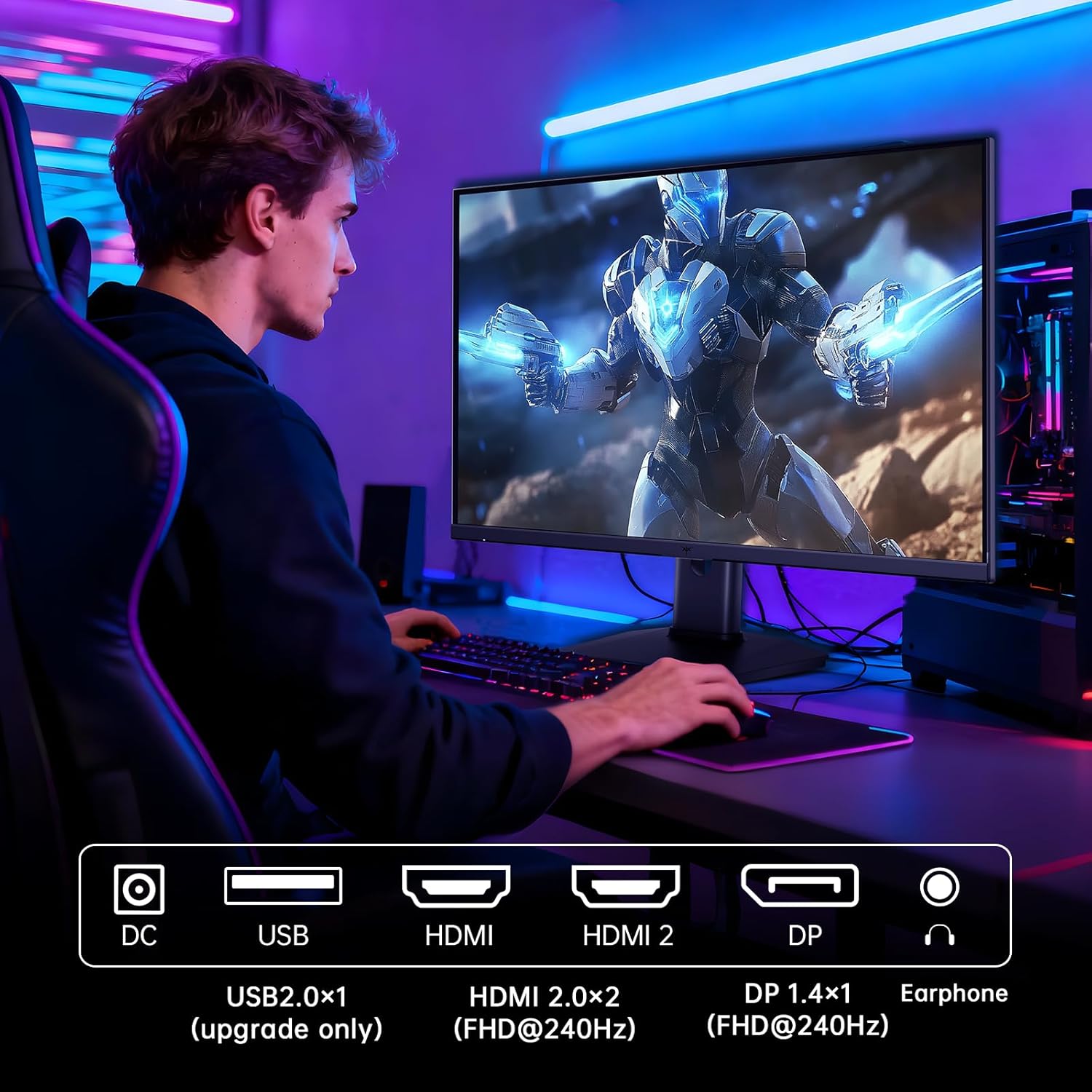
Figure 5.2: Comparison showing the effect of Adaptive-Sync on reducing stuttering and screen tearing.

Figure 5.3: Illustration of HDR400 technology delivering clear details in dark areas compared to HDR10.

Figure 5.4: Diagram illustrating hardware blue light reduction technology to filter harmful blue light bands.
5.4 ერგონომიული რეგულირება
მონიტორის სადგამი საშუალებას გაძლევთ სხვადასხვა რეგულირება მოახდინოთ თქვენი ოპტიმიზაციისთვის. viewპოზიცია:
- Tilt: ეკრანის კუთხე წინ ან უკან დაარეგულირეთ (-5°-დან 20°-მდე).
- Pivot: Rotate the screen 90° for portrait mode.
- სიმაღლის რეგულირება: Raise or lower the screen by up to 110mm.
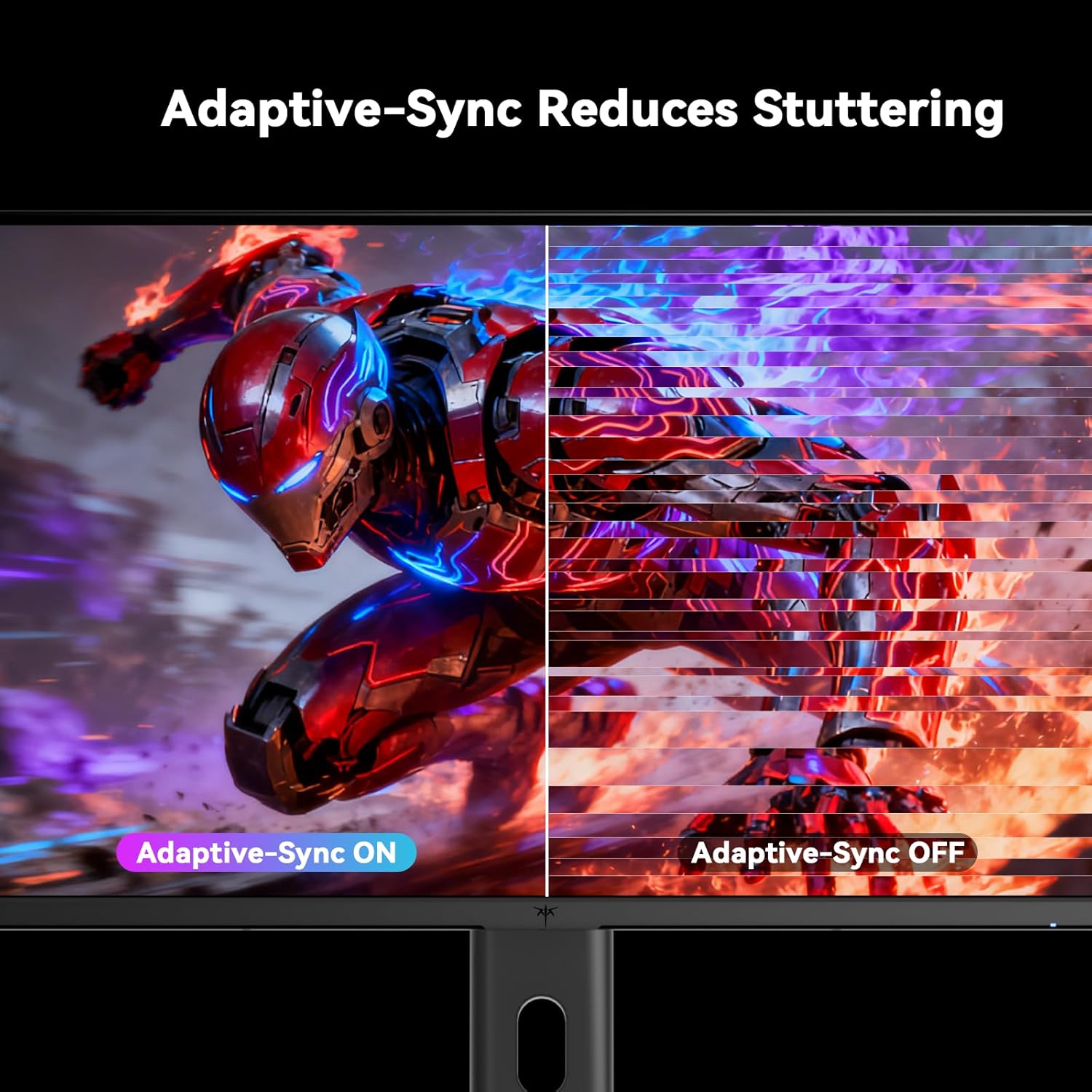
Figure 5.5: Diagram showing the tilt, pivot, and height adjustment capabilities of the monitor stand.
5.5 პროდუქტის ოფიციალური ვიდეო
Video 5.1: An official product video from KTC-Official showcasing the 24.5 Inch FHD 240Hz Gaming Monitor, demonstrating its features and performance.
6. მოვლა
6.1 მონიტორის გაწმენდა
მონიტორის ეკრანის და სხვა მოწყობილობების გასაწმენდადasing:
- მონიტორის გაწმენდამდე ყოველთვის გამორთეთ დენის წყაროდან.
- მსუბუქად გამოიყენეთ რბილი, უბინაო ქსოვილი დampგარეცხილი წყლით ან არააბრაზიული ეკრანის საწმენდი საშუალებით.
- არ შეასხუროთ საწმენდი საშუალება პირდაპირ ეკრანზე.
- Avoid using benzene, thinner, ammonia-based cleaners, or abrasive materials.
6.2 ზოგადი მოვლა
- Keep the monitor away from direct sunlight, excessive heat, or cold.
- მოერიდეთ მონიტორზე ან მის კაბელებზე მძიმე საგნების დადებას.
- არ დაბლოკოთ ვენტილაციის ღიობები მონიტორზე.
7. Დიაგნოსტიკა
თუ თქვენს მონიტორთან დაკავშირებით პრობლემები შეგექმნათ, იხილეთ შემდეგი გავრცელებული პრობლემები და მათი გადაჭრის გზები:
| პრობლემა | შესაძლო მიზეზი | გამოსავალი |
|---|---|---|
| არავითარი ძალა | დენის კაბელი არ არის შეერთებული; დენის წყარო არ მუშაობს | Ensure power cable is securely connected. Test the power outlet with another device. |
| არანაირი სიგნალი | Video cable not connected; Incorrect input source selected; Computer/device not powered on | Check video cable connections. Select the correct input source via the OSD menu. Ensure your computer/device is on. |
| ციმციმა ეკრანი | Incorrect refresh rate; Cable issue; Adaptive-Sync not enabled | Set refresh rate to 240Hz. Try a different video cable. Enable Adaptive-Sync in OSD and GPU settings. |
| Image distortion/poor quality | Incorrect resolution; Graphics driver issue; Monitor settings | Set resolution to 1920x1080. Update graphics drivers. Adjust OSD settings (brightness, contrast, color). |
7.1 ქარხნული პარამეტრების გადატვირთვა
If problems persist, you may perform a factory reset through the OSD menu. This will revert all monitor settings to their default values.
8. სპეციფიკაციები
Detailed technical specifications for the KTC H25T7-3 monitor:
| ფუნქცია | სპეციფიკაცია |
|---|---|
| მოდელის ნომერი | H25T7-3 |
| ეკრანის ზომა | 24.5 ინჩი |
| პანელის ტიპი | სწრაფი IPS |
| რეზოლუცია | FHD 1080p (1920 x 1080 პიქსელი) |
| ასპექტის თანაფარდობა | 16:9 |
| განახლების სიხშირე | 240 ჰც |
| რეაგირების დრო | 1 ms (MPRT) |
| ადაპტური სინქრონიზაცია | დიახ |
| HDR მხარდაჭერა | HDR400 |
| ფერის გამიტი | 114% sRGB |
| კონტრასტის თანაფარდობა | 1000:1 |
| ფერების ჩვენება | 16.7 მილიონი |
| სიკაშკაშე | 350 cd/m² |
| Viewing კუთხე | 178° (H/V) |
| დაკავშირება | 2x HDMI 2.0, 1x DisplayPort 1.4, 1x USB 2.0 |
| VESA Mount თავსებადობა | 100x100 მმ |
| ერგონომიული რეგულირება | Tilt, Pivot, Height |
| პროდუქტის ზომები (სადგამით) | 7.6 x 21.97 x 18.23 ინჩი |
| ნივთის წონა (სადგამით) | 11.58 ფუნტი |
| ტtage | 12 ვოლტი (DC) |
9. გარანტია და მხარდაჭერა
9.1 ინფორმაცია გარანტიის შესახებ
KTC monitors are designed and manufactured to the highest quality standards. For specific warranty terms and conditions, please refer to the warranty card included with your product or visit the official KTC webსაიტი. შეინახეთ თქვენი შესყიდვის ქვითარი, როგორც შეძენის დამადასტურებელი საბუთი გარანტიის მოთხოვნის შემთხვევაში.
9.2 მომხმარებელთა მხარდაჭერა
If you have any questions, require technical assistance, or experience issues not covered in this manual, please contact KTC customer support. Contact details can typically be found on the official KTC webსაიტზე ან სწრაფი დაწყების სახელმძღვანელოში.


