შესავალი
This manual provides essential information for the installation, operation, and maintenance of your BAFANG DPC18/C010 eBike Display. Please read this manual thoroughly before using the product to ensure proper function and safety. The DPC18/C010 display is designed for BAFANG mid-drive motors, specifically M620, M600, M560, M510, and M420 models, utilizing the CAN-BUS protocol.
უსაფრთხოების მნიშვნელოვანი ინფორმაცია
- ტარების წინ ყოველთვის დარწმუნდით, რომ ეკრანი საიმედოდ არის დამონტაჟებული.
- Do not attempt to open or modify the display unit, as this may void the warranty and cause damage.
- მოერიდეთ მზის პირდაპირ სხივებზე ან ექსტრემალურ ტემპერატურაზე ხანგრძლივ ზემოქმედებას.
- Keep the display clean and free from dirt and debris. Use a soft, damp ქსოვილი დასუფთავებისთვის.
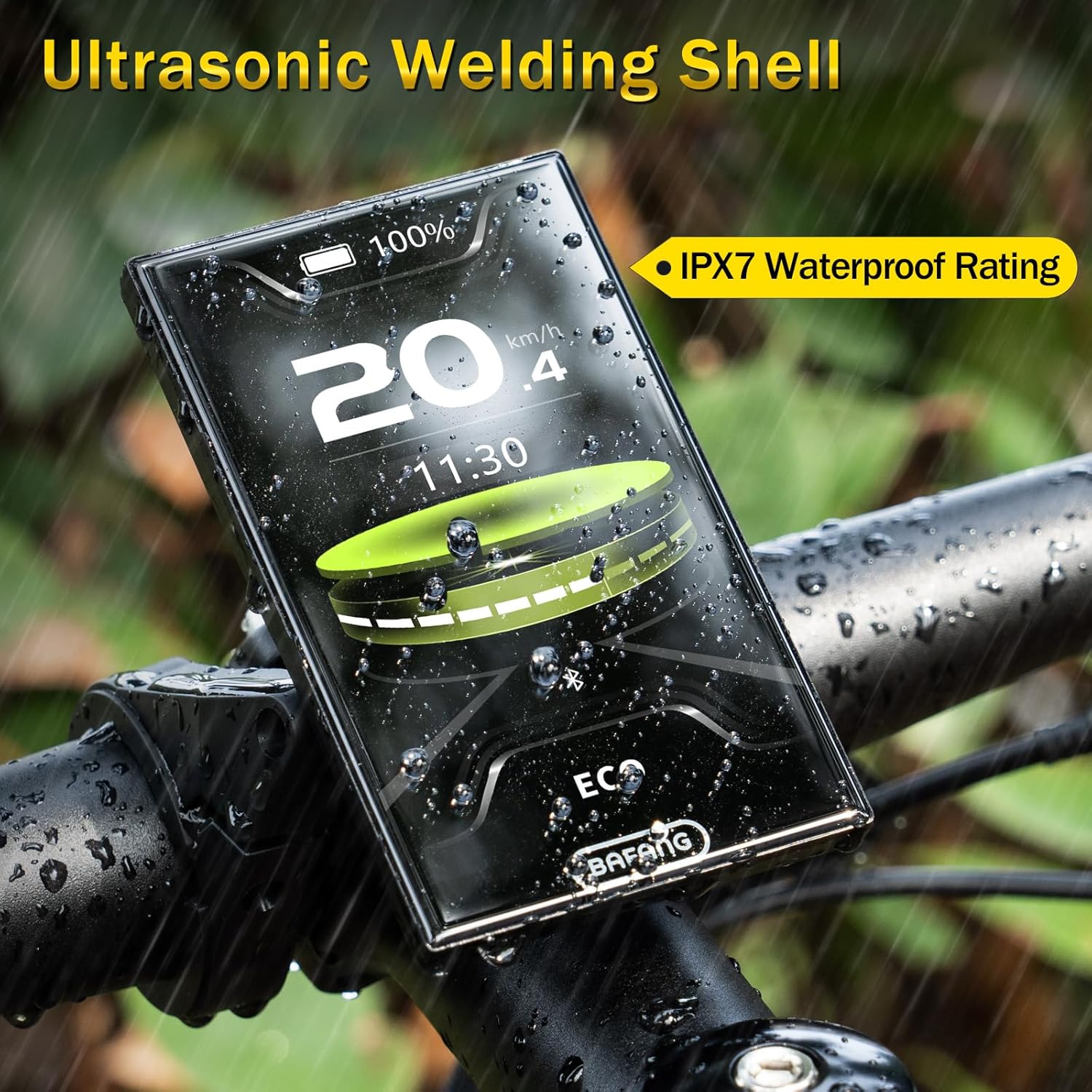
- The display has an IPX7 waterproof rating, meaning it can withstand light to moderate rain. However, avoid submerging it in water.
- Always prioritize road safety. Do not operate display functions that distract you from riding.
პაკეტის შიგთავსი
- BAFANG DPC18/C010 Display Unit
- სახელურის მთა
- საკონტროლო პედი
პროდუქტი დასრულდაview
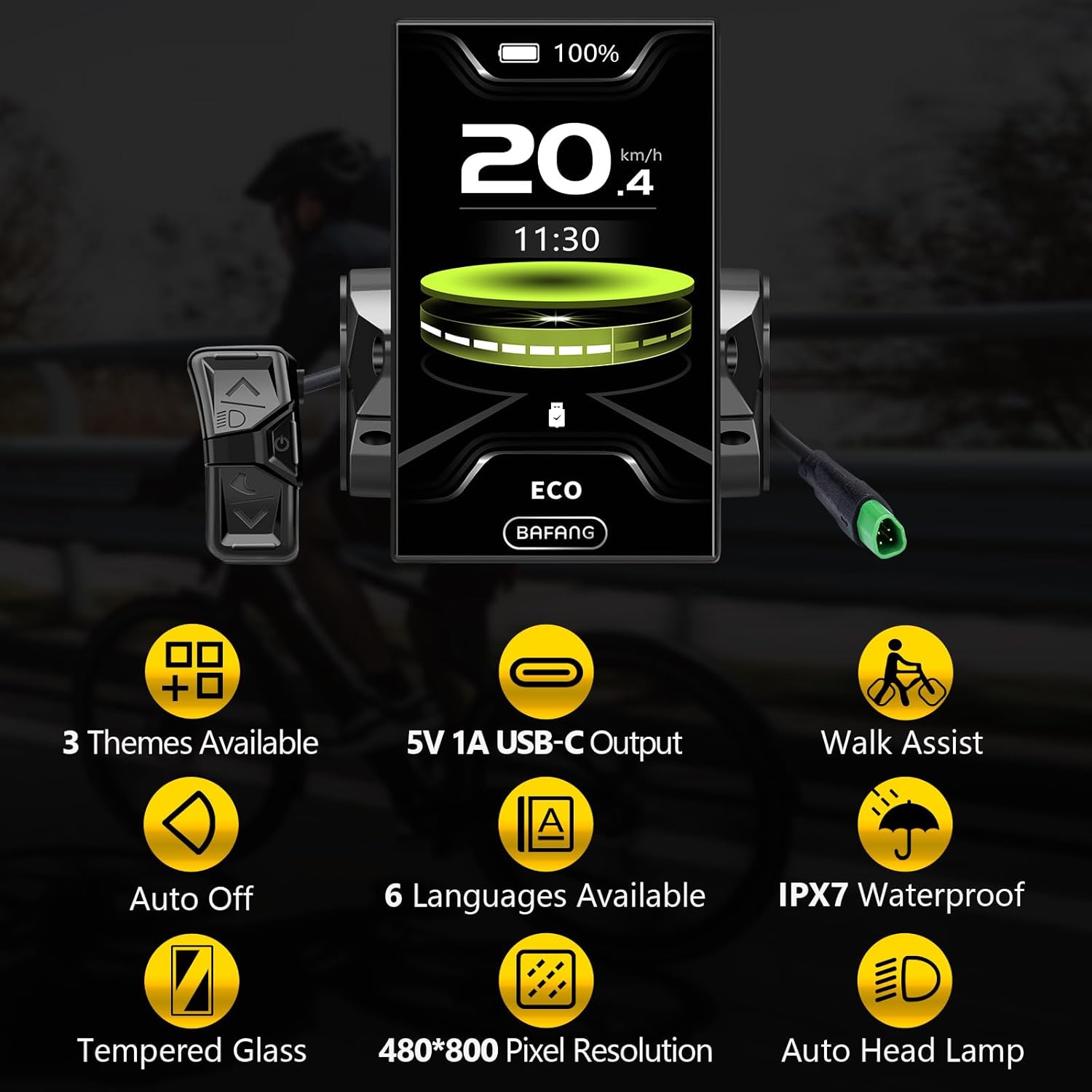
The BAFANG DPC18/C010 is a 4.0-inch HD LCD eBike display designed to provide clear riding data and control for compatible BAFANG mid-drive motors. It features an automatic backlight, USB output for charging, and an IPX7 waterproof rating.

დაყენება
თავსებადობა
This display is compatible exclusively with BAFANG M620, M600, M560, M510, and M420 mid-drive motors that use the CAN-BUS protocol. It is not compatible with other BAFANG motors (e.g., BBS series, hub motors) or motors from other brands. Ensure your motor has a 5-pin male triangular connector for CAN-BUS protocol.

ინსტალაცია
- Securely mount the display unit onto your eBike's handlebar using the provided mount.
- Attach the control pad to a convenient location on the handlebar, ensuring easy access to its buttons.
- Connect the display cable to the corresponding port on your BAFANG mid-drive motor. Ensure the 5-pin male triangular connector is correctly aligned and fully inserted.
- Route and secure all cables to prevent interference with steering or moving parts.
ოპერაციული ინსტრუქციები
ჩართვა/გამორთვა
To power on the display, press and hold the power button on the control pad. To power off, press and hold the power button again.
Switching Assistance Modes
Press the "+" or "-" buttons on the control pad to cycle through different pedal assistance modes (e.g., OFF, ECO, TOUR, SPORT, BOOST). The selected mode will be shown on the display.

Toggling Display Parameters
Briefly press the power button to toggle between different display parameters such as Odometer (ODO), Maximum Speed (MAX), Average Speed (AVG), Range, Calories (CAL), Cadence, and Cycling Time.
მთავარ მენიუში შესვლა
To access the main menu, press the "+" and "-" buttons simultaneously. From here, you can adjust settings like screen brightness, auto-shutdown time, clock settings, and display themes.

გაფართოებული პარამეტრები
From the main menu, select "OTHERS" to access advanced settings. Here you can configure units (km/mile), trip reset, AL sensitivity, boot password, and reset password. You can also change the display language (English, Deutsch, Nederlands, Français, Italiano, Čeština).
Video 1: Instructional video demonstrating the BAFANG C010 display settings, including power on/off, switching assistance modes, toggling parameters, and navigating the main menu for advanced configurations like unit and language selection.
მოვლა
დასუფთავება
გაწმინდეთ ეკრანი და კორპუსი რბილი ქსოვილითamp cloth. Do not use abrasive cleaners or solvents, as these can damage the screen or casing. Ensure the USB port cover is securely closed when not in use to maintain water resistance.
წყლის წინააღმდეგობა
The DPC18/C010 display features an IPX7 waterproof rating, providing protection against immersion in water up to 1 meter for 30 minutes. This ensures reliable operation in various weather conditions, including rain. However, it is not designed for prolonged underwater use.
პრობლემების მოგვარება
- ეკრანი არ ირთვება: Ensure the battery is charged and properly connected. Check all cable connections between the display and the motor for secure fit.
- სიჩქარის/მანძილის არასწორი მაჩვენებლები: Verify that the wheel circumference setting in the advanced settings is correct for your eBike.
- Assistance Modes Not Changing: Check the control pad connections. If the issue persists, try resetting the display settings.
- ეკრანის გაყინვა ან გაუმართაობა: Power off the display and restart it. If the problem continues, perform a factory reset via the advanced settings (note: this will erase custom settings).
- შეცდომის კოდები: Refer to the BAFANG motor manual for specific error code interpretations, as display error codes often relate to motor or sensor issues.
სპეციფიკაციები
| ფუნქცია | სპეციფიკაცია |
|---|---|
| ბრენდი | Bafang |
| მოდელის სახელი | C010 |
| ჩვენების ტიპი | LCD |
| ეკრანის ზომა | 4 ინჩი |
| ნივთის წონა | 0.19 კგ |
| მასალა | აკრილის |
| დაკავშირების ტექნოლოგია | USB |
| სამონტაჟო ტიპი | სახელურის მთა |
| ადამიანის ინტერფეისის შეყვანა | ღილაკები |
| წყალგაუმტარი რეიტინგი | IPX7 |
გარანტია
This BAFANG DPC18/C010 display comes with a limited warranty. For specific warranty terms and conditions, please refer to the documentation provided with your purchase or contact BAFANG customer support. The warranty typically covers manufacturing defects under normal use.
მხარდაჭერა
For technical assistance, troubleshooting, or further inquiries, please contact BAFANG customer support. You can often find contact information on the official BAFANG website or through your product retailer. Keep your purchase receipt and product model number handy when contacting support.