1. შესავალი და მეტიview
The Walkera Goggle4 FPV Video Glasses are designed to provide an immersive First-Person View experience for drone piloting. Featuring a built-in 5.8GHz 40-channel receiver, these glasses offer clear and stable video transmission, enhancing your flight control and enjoyment. Their ergonomic design ensures comfortable wear for extended periods, making them an ideal companion for your FPV adventures.

Figure 1.1: Walkera Goggle4 FPV Video Glasses
2. პროდუქტის მახასიათებლები
- Built-in 5.8G, 5-band, 40-channel receiving module: Ensures wide compatibility and reliable video reception from various FPV transmitters.
- Compatible with all standard (NTSC ver and PAL ver) video signals: Provides versatility for use with different camera systems.
- Support AV Input and Output: Allows connection to external video sources or recording devices.
- High-tech precision optical components: Designed to prevent visual fatigue during prolonged use, offering a clear viewგამოცდილება.
- Human body engineering design: Lightweight and comfortable to wear, ensuring a pleasant FPV experience.

სურათი 2.1: ერგონომიული დიზაინი კომფორტული მორგებისთვის.
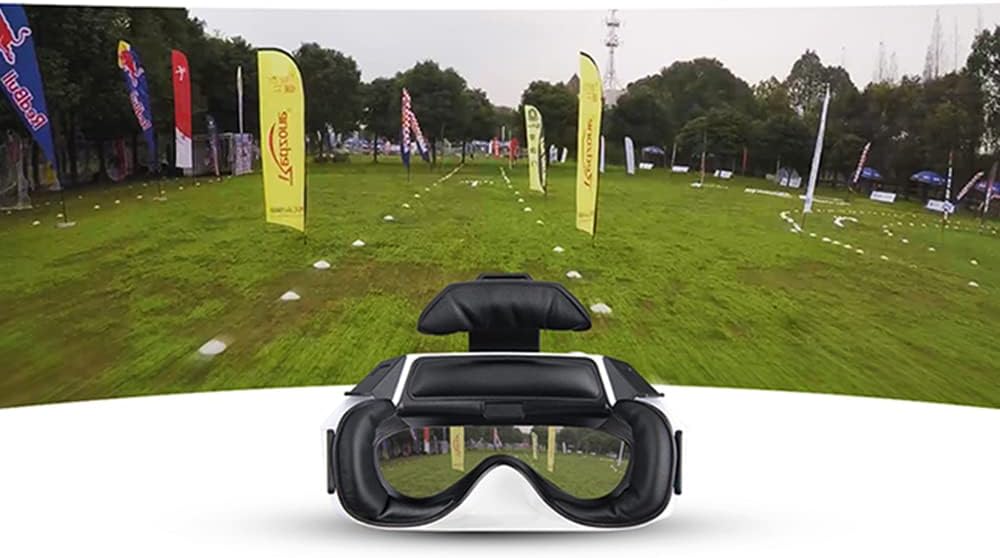
Figure 2.2: Immersive FPV viewგამოცდილება.

Figure 2.3: Stable 5.8G double antenna transmission.
3. რა არის ყუთში
Upon unboxing your Walkera Goggle4, you should find the following components:
- Walkera Goggle4 FPV Video Glasses
- Battery Pack (external, as seen in product video)
- დამტენი კაბელი
- Antennas (2x, as seen in product video)
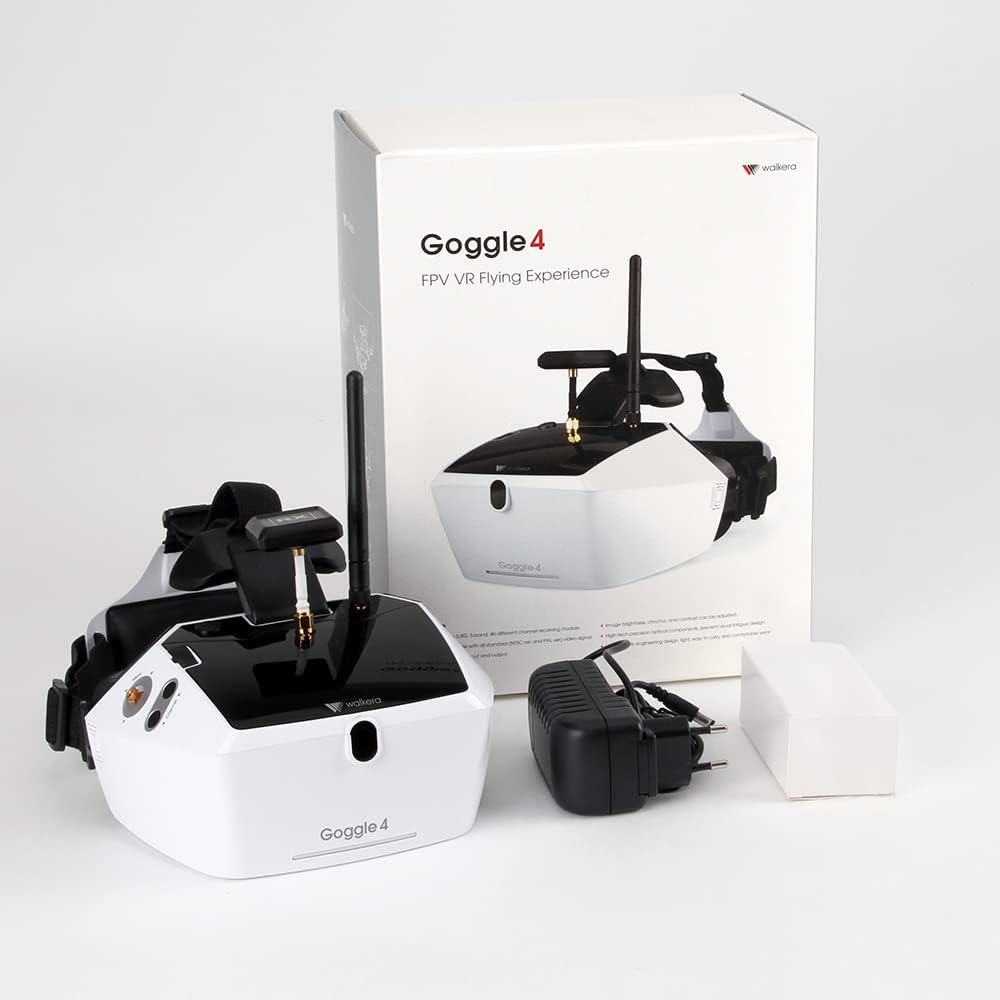
Figure 3.1: Contents of the Walkera Goggle4 package.
4. დაყენება
4.1 ბატარეის დატენვა
Before initial use, fully charge the included Lithium Ion battery pack. Connect the charging cable to the battery pack and a suitable USB power source. The charging indicator light will typically change color or turn off once charging is complete.
4.2 ანტენის მონტაჟი
Carefully screw the two provided antennas onto the designated connectors on the top of the Goggle4 unit. Ensure they are securely fastened but do not overtighten.
4.3 ჩართვა/გამორთვა
To power on the Goggle4, connect the charged battery pack to the designated power input port. The screen will illuminate. To power off, disconnect the battery pack.
5. საოპერაციო ინსტრუქციები
5.1 არხის შერჩევა
Use the channel selection buttons located on the side of the Goggle4 to cycle through the available 40 channels across 5 bands. Match the channel to your FPV transmitter's frequency for optimal video reception.
5.2 AV Input and Output
The Goggle4 supports both AV input and output. Use the AV input to connect external video sources (e.g., a DVR or another receiver). The AV output can be used to display the FPV feed on an external monitor or recording device.
5.3 სიკაშკაშის რეგულირება
Adjust the screen brightness using the dedicated controls to suit your viewing environment and personal preference. This helps optimize visibility in varying lighting conditions.
5.4 Video Signal Compatibility
The Goggle4 is compatible with both NTSC and PAL video signal standards, automatically detecting and adjusting to the incoming signal.
6. მოვლა
6.1 დასუფთავება
Regularly clean the lenses and the soft padding around the eyepieces with a soft, lint-free cloth. For lenses, use a specialized lens cleaning solution. Avoid abrasive materials or harsh chemicals.
6.2 შენახვა
Store the Goggle4 in a cool, dry place away from direct sunlight and extreme temperatures. Use the original packaging or a protective case to prevent dust accumulation and physical damage.
7. Დიაგნოსტიკა
- No video signal: Ensure the battery is charged, the goggles are powered on, and the channel matches your FPV transmitter. Check all cable connections.
- Fuzzy or distorted video: Verify antenna connections. Try changing channels to find a clearer frequency. Ensure your FPV transmitter is functioning correctly and within range.
- Light leakage: Some users may experience minor light leakage around the edges of the eyepieces due to individual facial structures. Adjusting the head strap or adding additional padding may help.
- ბატარეის მოკლე ხანგრძლივობა: Ensure the battery is fully charged before use. If battery life significantly degrades over time, consider replacing the battery pack.
8. სპეციფიკაციები
| ატრიბუტი | ღირებულება |
|---|---|
| პროდუქტის ზომები | 9.45 x 6.3 x 12.2 ინჩი |
| ნივთის წონა | 2.3 ფუნტი |
| ASIN | B01G7LP2VW |
| საქონლის მოდელის ნომერი | 226519100 |
| მწარმოებლის მიერ რეკომენდებული ასაკი | 14 წლის და ზემოთ |
| ბატარეები | საჭიროა 1 ლითიუმ-იონის ბატარეა |
| შეწყვეტილია მწარმოებლის მიერ | არა |
| გამოშვების თარიღი | 1 წლის 2018 ივნისი |
| მწარმოებელი | უოკერა |
9. გარანტია და დახმარება
9.1 სამართლებრივი უარი პასუხისმგებლობაზე
All Walkera products are subject to a 30-Day Return Policy. Please note that the manufacturer is not responsible for any products lost, broken, or damaged during flight or installation. All returned products may be subject to a 15% restocking fee. For any questions or concerns, please contact Walkera customer support or refer to their official webსაიტი გარანტიის შესახებ დეტალური ინფორმაციისთვის.
9.2 მომხმარებელთა მხარდაჭერა
For technical assistance, troubleshooting, or warranty claims, please visit the official Walkera website or contact their customer service department. Keep your purchase receipt and product model number handy for faster service.


